
MLO Toolbox: 9 things my free Grok Bot template does for a loan officer's paperwork
Every mortgage file carries a stack of small documents. A gift letter. A letter of explanation. A borrower authorization. A pre-approval letter an agent wants before the offer goes in. None of them
Article
Job breakdowns
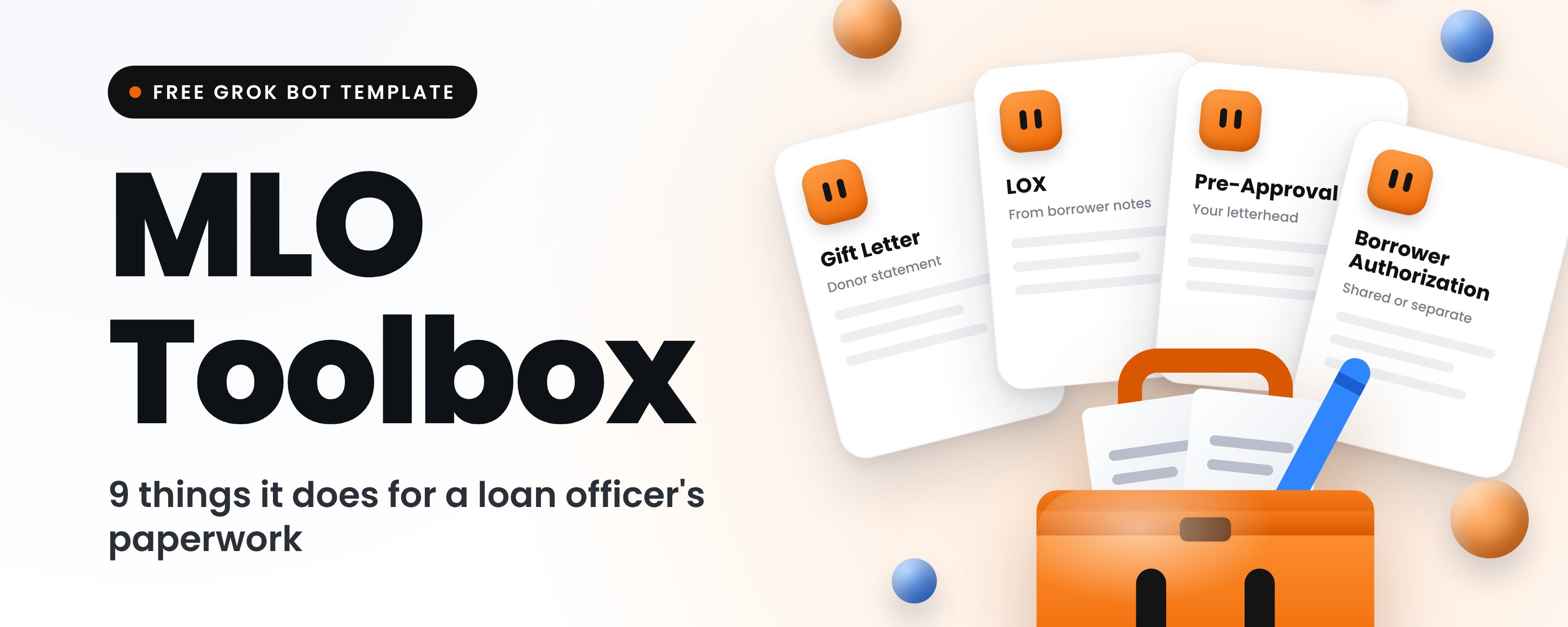
Every mortgage file carries a stack of small documents. A gift letter. A letter of explanation. A borrower authorization. A pre-approval letter an agent wants before the offer goes in.
None of them are hard. Each one still has to be typed, checked and put on letterhead. And the same letter gets rebuilt from an old file again and again.
Four documents. One profile. Zero account numbers.
That's MLO Toolbox, a free Grok Bot template I built for loan officers. Below are the nine things it does, with the exact prompts you can paste in. Bookmark it for the next time a condition comes back.
The template drafts. You review. Nothing goes out without your OK.
First, what MLO Toolbox actually is
It's a Grok Bot template that makes four documents as PDFs: a Gift Letter, a Letter of Explanation (LOX), a Borrower Authorization and a Pre-Approval Letter. Your logo and LO details go on them.
It starts empty when you add it. None of my data comes with it, and none of anyone else's.
Why bother with a template
The time on these documents goes into retyping, formatting and checking. A template fixes the parts that never change:
-
One profile, reused on every document, so your company and LO details are typed once.
-
Standard wording kept intact. The Title 18 warning and the "not a commitment to lend" footer stay as written.
-
Grammar that follows the borrower count. One borrower gets "I" and "submits." Two get "we" and "submit," plus a signature line each.
-
A summary before every PDF, so you catch a wrong name before the borrower does.
You're still the one checking each document against your lender's and your state's requirements. The template just gets you to a clean draft faster.
Here are the nine.
01. Profile setup: answer once, reuse on every document
The first conversation builds your company profile. It asks one question at a time and labels each one required or optional. Say "skip" on an optional one and it moves on.
Four answers are required: company name, company NMLS ID, your name as it should appear on letters, and your NMLS ID. Everything else is optional, including the logo.
It reads the profile back as a short list and waits for your OK before saving. Then it offers a test pre-approval with made-up data, so you can see your letterhead before a real borrower does.
Have these ready before you start
The setup goes fast if you have the answers open in another window. A logo works best as a wide PNG or JPG on a white or transparent background. If you only have an SVG or PDF, it will try to convert it.
02. Your letterhead: one logo rule, one numbering rule
Your logo always goes on the pre-approval letter. If you skip the logo, the pre-approval uses a text header with your company name.
On the Gift Letter, LOX and Borrower Authorization, the logo only appears if you turned it on during setup. Some loan officers want every page branded. Others want those three plain. You pick, and you can change it later.
Loan numbers that count themselves
If you give it a prefix, it hands out the next number on each new loan: ABC-0001, then ABC-0002. A loan that already has a number keeps it. You type it in and the counter doesn't move. Every document on the same loan uses the same number.
Files get named the same way every time, so they sort cleanly in your loan folder.
03. Gift Letter: the donor's statement, built from one list
When family helps with the down payment, the file needs a signed statement that the money is a gift with no repayment expected. MLO Toolbox asks for everything in one grouped list.
It writes the amount in numbers and words. It checks the right box for the transfer: already transferred on a date you give, or given at closing. Every borrower on the list gets a signature line, along with the donor.
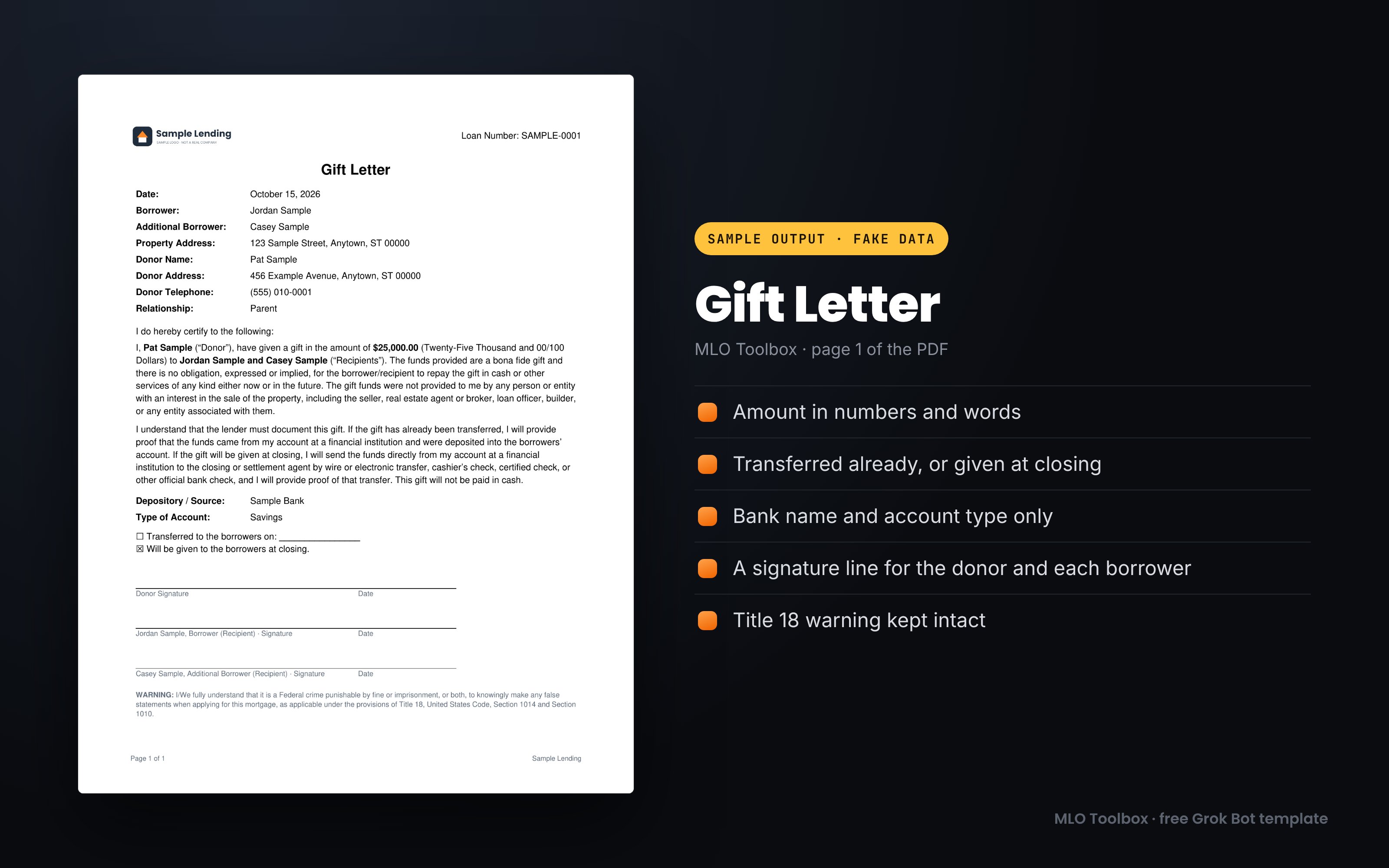
It records the bank name and account type, and stops there
The donor's account number never goes on the letter, and the template never asks for it. The certification paragraph and the federal warning at the bottom stay word for word.
Paste this, fill the brackets, and send it to the bot:
04. LOX: borrower notes in, clean letter out
Underwriting asks about a job change, a credit inquiry, a large deposit or a gap. The borrower usually knows the answer in a sentence or two. Turning that into a professional letter is the part that stalls.
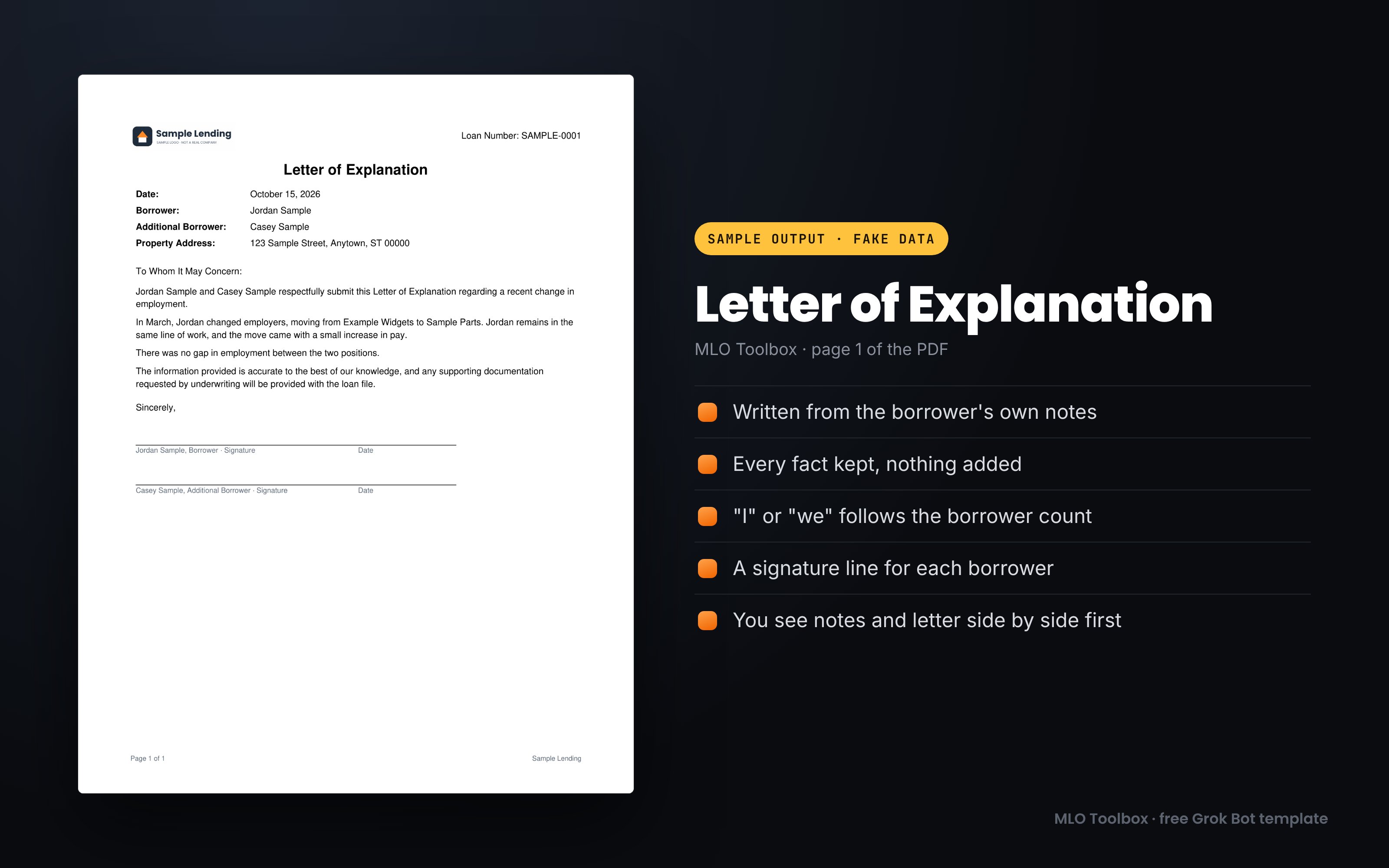
MLO Toolbox takes the borrower's notes in any form, rough or dictated, and rewrites them into one page.
Every fact stays. Nothing gets added.
That rule matters more than the writing. It won't add dates, amounts, names, reasons or reassurances that weren't in the notes. It drops filler like "blah blah," and if dropping it leaves a hole in the story, it asks you to fill it. If the notes are too thin, like "job changed," it asks one to three short questions first.
Before the PDF, it shows the original notes and the rewritten letter side by side and points out anything it asked about or removed.
05. Borrower Authorization: shared or separate, your call
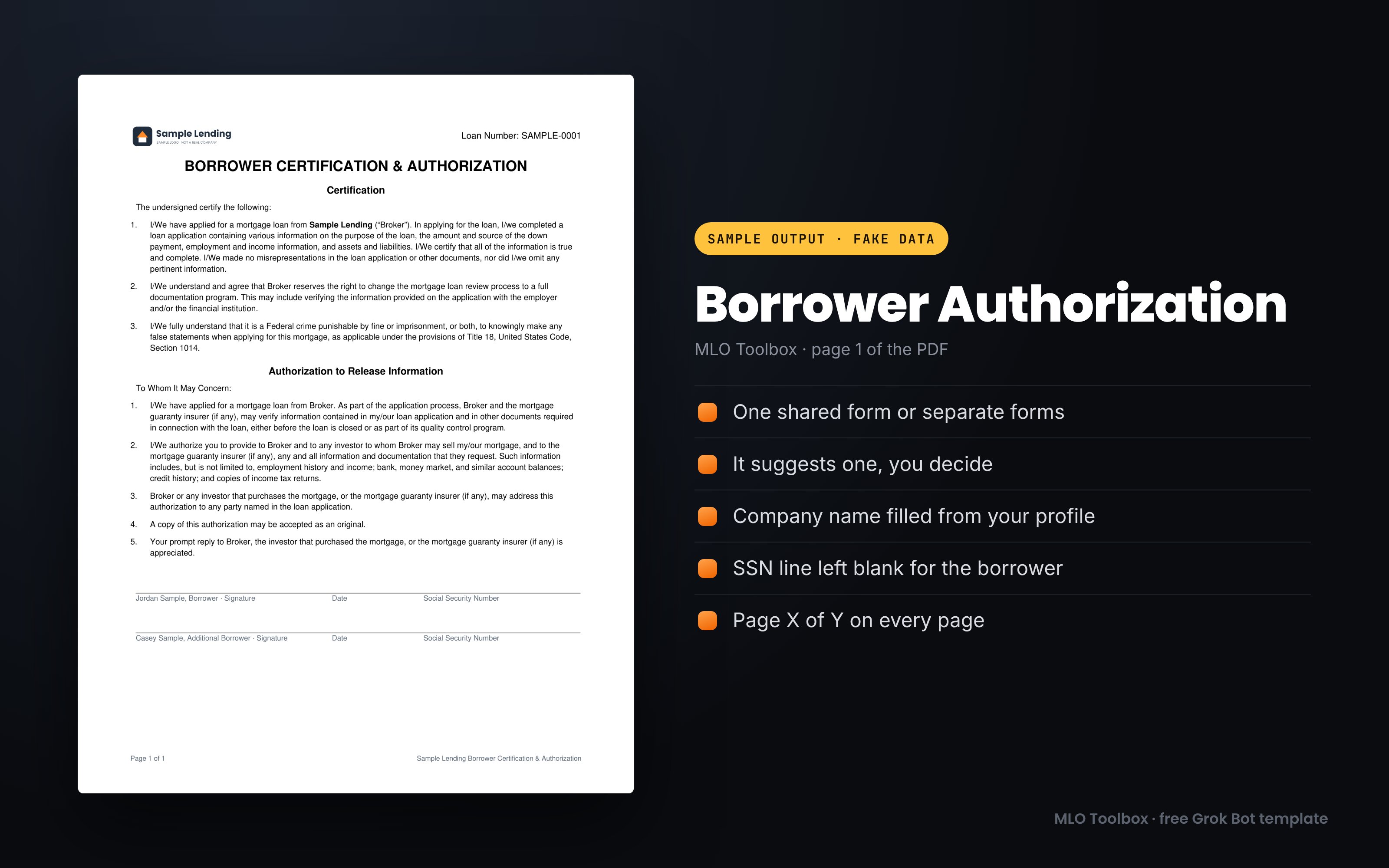
This is the certification and authorization to release information that borrowers sign at application. It needs very little: a loan number, a date and the borrowers' names. That's the whole list.
The SSN line stays blank
It never asks for a Social Security number. The SSN field is a blank line under each signature for the borrower to write in by hand.
When there are two or more borrowers, it asks whether you want one shared form or separate forms. It suggests a default based on whether the borrowers share finances: one shared form for joint finances, separate forms when finances are separate. It's clear that this is a suggestion. The URLA pairing guidance it draws from covers the loan application, and there's no URLA rule for this form. Your company or investor may handle it differently, so the choice stays with you.
06. Pre-Approval: branded, gated, valid for the days you set
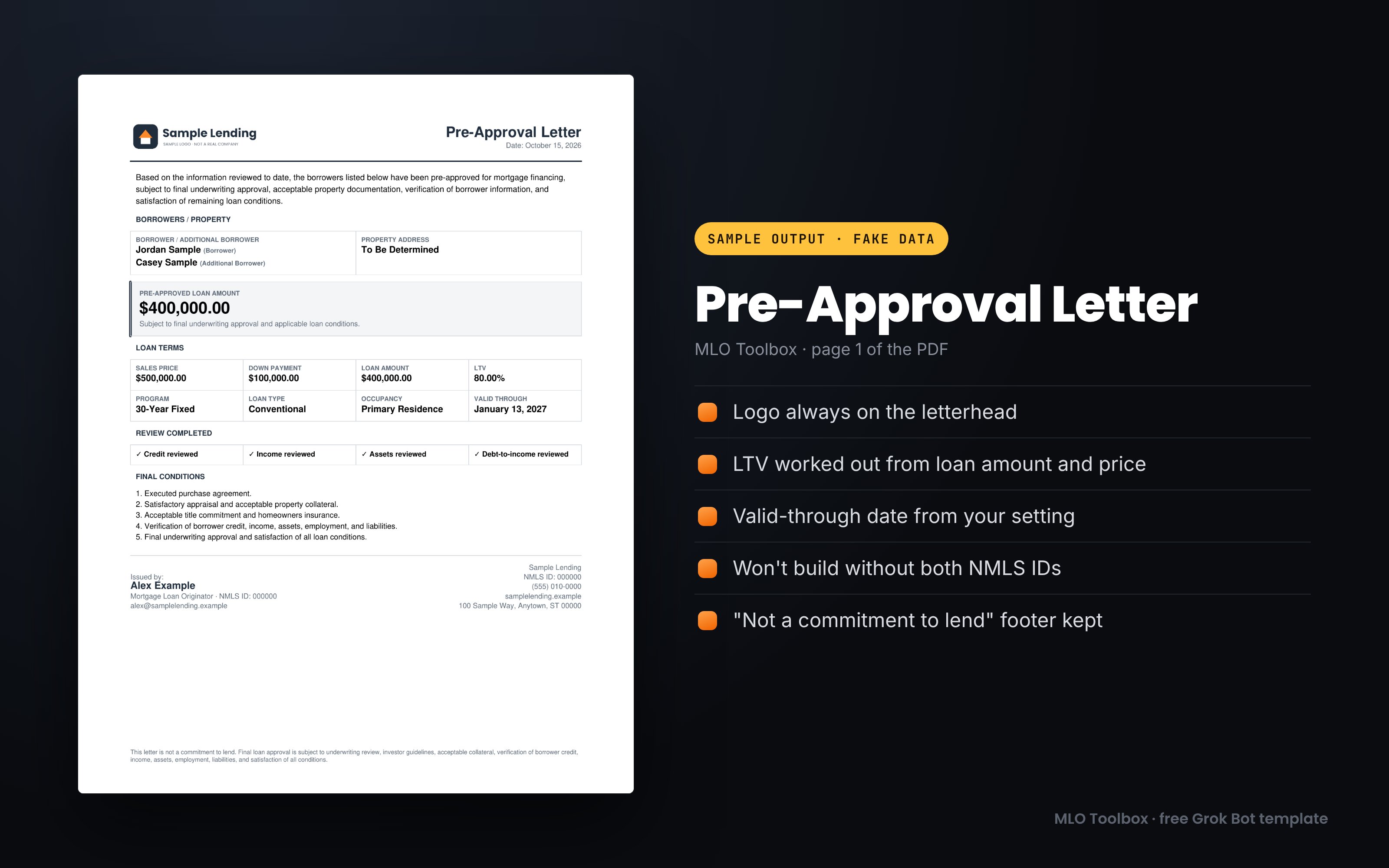
Agents usually want a pre-approval letter before an offer goes in. MLO Toolbox makes a branded letter with your logo, the borrowers, the pre-approved amount, a loan terms grid, a review row and the final conditions.
It won't build without both NMLS IDs
If your NMLS ID or your company's is missing from the profile, it stops and asks. The letter is valid for the number of days in your profile, 90 by default, and you can change it on any single letter.
The review row shows a check mark for credit, income, assets and debt-to-income only when you confirm each one. Give it the sales price and it works out the LTV. If price minus down payment doesn't match the loan amount, it shows you all three figures and asks you to confirm. A confirmed mismatch, like a financed upfront mortgage insurance premium, still builds.
07. Additional Borrowers and saved loans: change the list any time
Plenty of loans have more than one person on them. Every document uses the URLA terms: "Borrower" for the first person, "Additional Borrower" for each one after.
You can say "add an additional borrower" or "remove [name]" at any point, before or after the PDF. It reads the updated list back, fixes the singular or plural wording, adds or drops signature lines and offers to rebuild the PDF.
It remembers the basics so you stop retyping names
After a PDF is built, it saves a small file for that loan. It holds the loan number, the borrower names and roles, the property address and an optional joint-finances flag. That's all. Start the next document with the same loan number, or say "same borrowers as [loan number]," and it fills those in and asks you to confirm.
08. Privacy: it never asks for SSNs or account numbers
None of these four documents needs a Social Security number, an account number or an ID number. So the template never asks for one.
It goes a step further. If someone types something that looks like one, it warns right away, even in the middle of another task.
What happens when sensitive data shows up
It never repeats the number back, even partly or masked. It never writes it to the profile, a data file, a PDF or a log. It asks you to delete the message if your chat app allows it, then keeps going with the rest of your answer.
Dates don't trigger it. "Our son was born in March" passes through LOX notes normally.
My own habit matches the template: if a tool doesn't need sensitive borrower data, it doesn't get any.
09. Delivery: nothing goes out without your OK
After a PDF is made, delivery is optional. You can keep the file and send it yourself. Or it can email it through a connected Gmail or Outlook account, or send it for e-signature if a signing service is connected. It only offers what's actually connected.
Draft first, one OK per send
It shows the full draft before anything moves: recipient, subject, body, attachment and method. It never guesses an email address. The subject uses the loan number, never the borrower's personal details.
Before every send, it reminds you that signed forms carry personal information and that an e-signature service or secure portal is safer than plain email. One OK covers one send. A new recipient, a changed draft or a second document needs a new OK.
It will never ask for a password, login code or API key in chat. Connections go through the app's own sign-in screen.
Conclusion:
MLO Toolbox does four documents well, and it does them the same way every time:
-
Set up your profile once.
-
Paste a prompt, fill the brackets, check the summary.
-
Read the PDF before it goes anywhere.
It starts empty, it never asks for SSNs or account numbers, and nothing leaves without your OK. You still review every page against your lender's and your state's requirements.
Do this now: add the template, finish the profile, then make one of each document for a made-up borrower. Look at all four PDFs side by side. When they look right, use it on the next real condition.
MLO Toolbox is free. Add it to your Grok Bot: https://x.ai/bot/WjN2P4BH04i5JKuKjXqTA
MLO Toolbox is free. Add it to your Grok Bot: https://x.ai/bot/WjN2P4BH04i5JKuKjXqTA
More on it: https://remymazmanian.com/tools/grok-bots/mlo-toolbox/
More on it: https://remymazmanian.com/tools/grok-bots/mlo-toolbox/
If something's missing for the way you work, send me a note.
Published on grokbot.sh. Cite the public log, not a prompt pack.