
Run a 24/7 Agent Team on Grok Bot: Setup, Persistence, and Approval Rules
Most AI tools wait for you. You open a tab, type a prompt, wait, copy the result, and close the laptop. Everything stops until you come back. Grok Bot works differently. Each Bot you create runs on a
Article
Job breakdowns
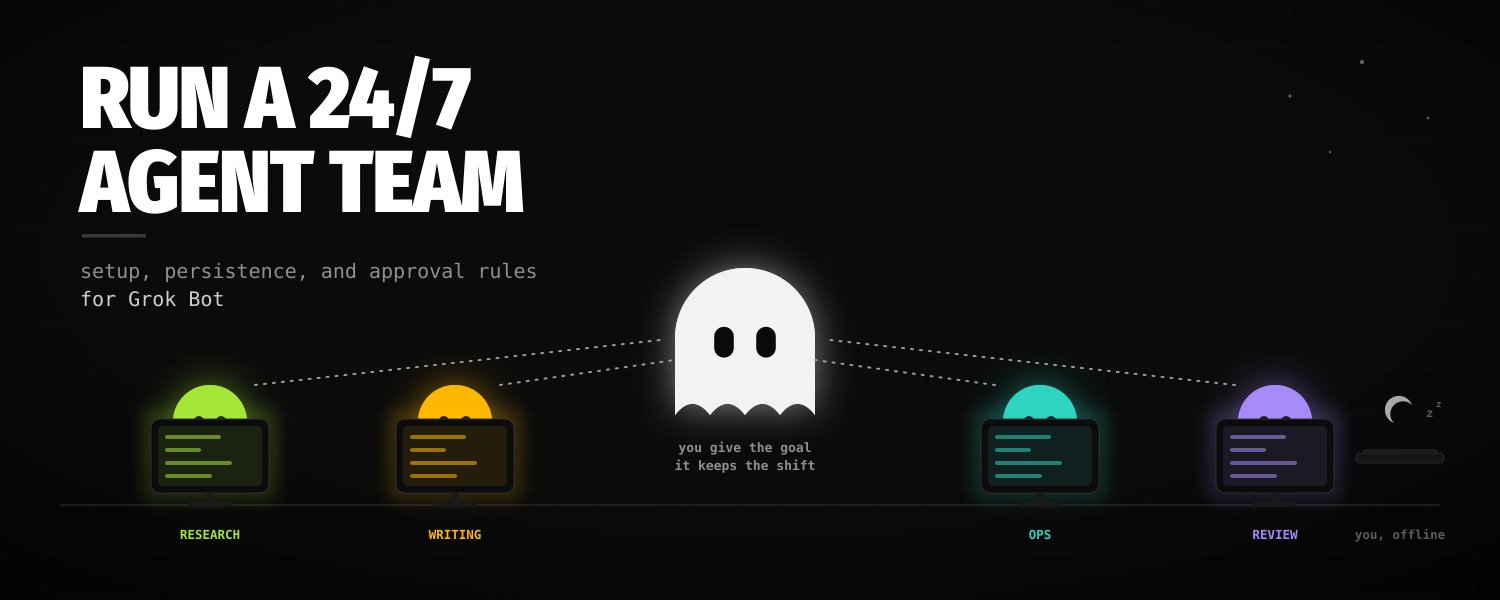
Most AI tools wait for you. You open a tab, type a prompt, wait, copy the result, and close the laptop. Everything stops until you come back.
Grok Bot works differently. Each Bot you create runs on a persistent cloud computer with a browser, a filesystem, and a terminal. Work continues while your laptop is closed, routines run on a schedule, and Bots can hand tasks to each other.
The catch is that none of it organizes itself. An unstructured roster produces chat clutter and burns usage. This guide covers the setup decisions that matter: what survives on the shared computer, how the team should be shaped, how credentials and approvals work, and how to move a task from manual run to scheduled routine.
Understand what actually persists
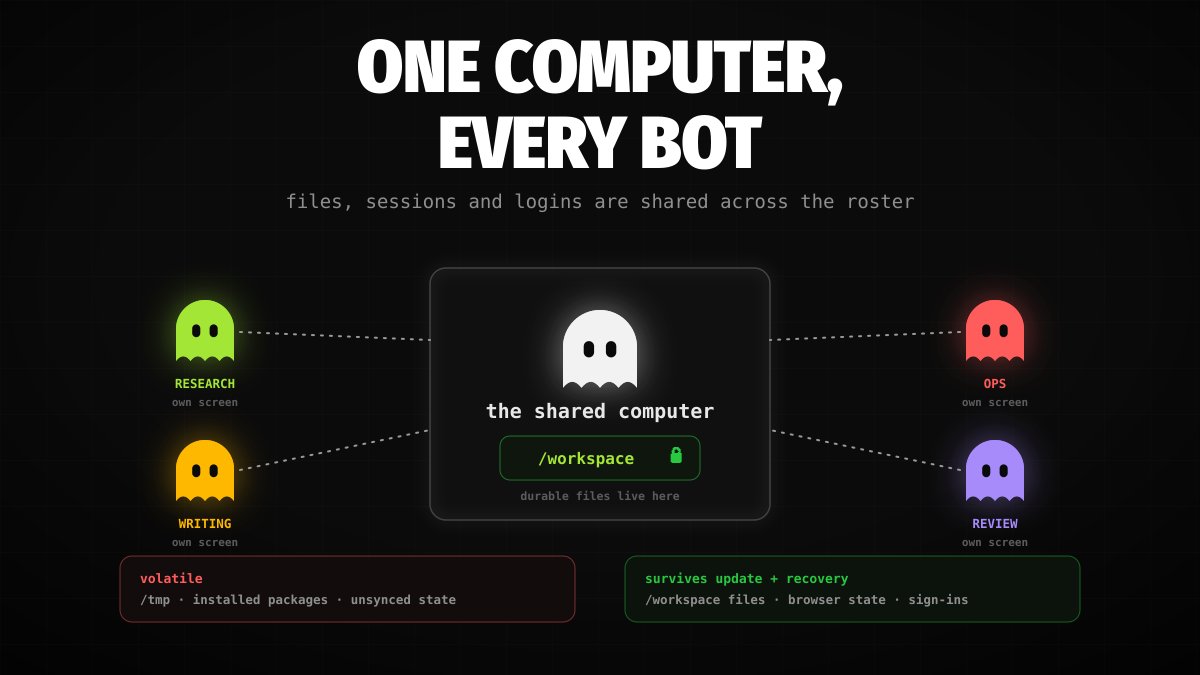
The one detail that decides most of your setup: all Bots on your account share one cloud computer. According to the Grok Bot docs, files, browser sessions, and command-line credentials are shared across every Bot. Each Bot gets its own screen and can work in parallel, but the docs are explicit that screens are work surfaces, not security boundaries.
Two consequences follow.
Design access for the shared machine. Anything one Bot can reach, every Bot can reach. Sign in only to accounts that are appropriate for the whole roster, prefer scoped credentials, and keep anything sensitive off the computer entirely.
Put durable work in /workspace. The computer has a shared workspace directory at /workspace, and the docs recommend keeping durable project files there in clear project folders. Files, browser state, and supported sign-ins are designed to survive normal computer updates and recovery. Treat temporary directories, manually installed packages, and uncommitted application state as replaceable, and copy important results into /workspace or attach them to the conversation.
Know the recovery controls before you need them. In Settings → Computer, an update moves the computer to the latest software while keeping files and logins; a reset rebuilds from the last saved snapshot, and changes that had not synced do not come back. Conversations live outside the computer, so they survive even a reset. When a Bot installs tools, keep the binaries or reinstall instructions inside /workspace, because packages outside it may not survive a rebuild.
Shape the team before you hire it
A common failure pattern is creating many uncoordinated Bots and managing each one yourself. A more workable shape is one coordinator plus a few specialists.
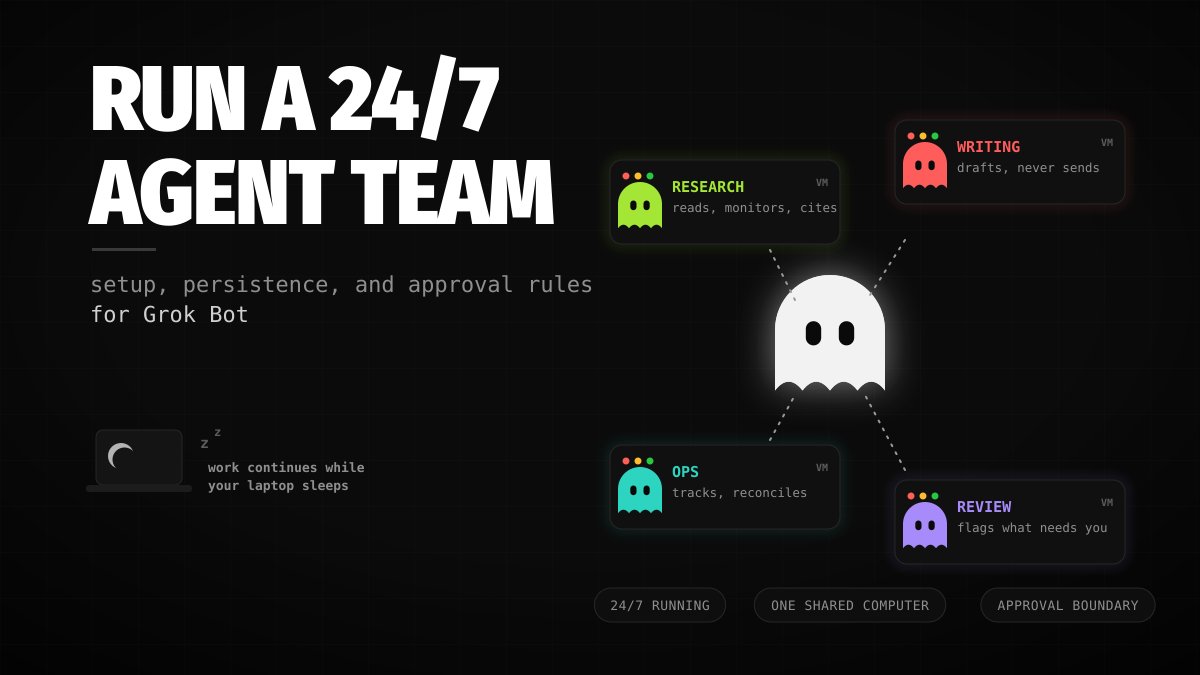
The coordinator owns your entry point: you give it objectives, it breaks them down, and it routes work to specialists through a group chat. Grok Bot lets Bots message each other, share context, and pass ownership of a task, so you are not copying results between chats yourself.
A small roster that covers most solo workflows:
-
Coordinator. Owns: Your requests, delegation, the daily brief. Stops at: Anything leaving the company.
-
Research. Owns: Sources, monitoring, market and competitor reading. Stops at: Conclusions need sources; no unsourced numbers.
-
Writing. Owns: Drafts for outreach, posts, and pages. Stops at: Never sends or publishes.
-
Ops. Owns: Tracking, reports, reconciling records. Stops at: Never changes production systems or deletes.
A Bot's profile description doubles as its routing label, so write it like a job posting: what the seat owns, what finished work looks like, and where the seat stops. Vague descriptions produce a coordinator that guesses.
Keep in mind that multi-Bot coordination spends shared usage. Use the group chat for work that genuinely crosses roles; for a single-owner job, message that Bot directly.
Hand over logins, not passwords
A Bot doing real work will hit login walls, two-factor prompts, and CAPTCHAs. Grok Bot's model for this is a secure handoff: the Bot pauses and hands the sensitive step to you, and you complete it yourself. Passwords, passkeys, two-factor codes, and payment confirmations stay in your hands; the authenticated session then lives on the shared computer.
Because sessions are shared, one sign-in can serve the whole roster, which is exactly why the access rules from the previous section matter. Never paste credentials into a chat message: typed secrets persist in the transcript.
For tools, prefer connectors and plugins where they exist — the sidebar's Connect apps flow is the entry point — and use browser automation only for what has no integration. For anything without a connector, an external tool bridge or an MCP server can extend access; check the current plugin docs rather than assuming a specific bridge is supported.
Turn demonstrations into skills
A skill is a saved, reusable procedure: when to use it, required inputs and access, the sequence of steps, how to validate the result, what to return, and what requires approval. Save a skill once a task has run correctly, not before.
For browser workflows that are tedious to describe, Teach a task lets you demonstrate instead. You open the Bot's computer view, describe the result you are about to show, perform the workflow once, and stop the recording. Recording captures up to ten minutes of visible interaction and no microphone audio. The Bot turns the recording into a draft skill.
Treat that draft as a first version. One recorded run shows the happy path; it does not show what to do when the dashboard is empty, the filter moved, or the export fails. Add the decision rules, failure handling, and approval boundaries in writing, then test the skill on a safe example before scheduling it. If the Teach a task control is not visible on your account, the feature may still be rolling out — ask the Bot to build the skill from written instructions and the completed task instead.
Skills live in one private library shared by all your Bots. Reference a saved skill with / in the composer, and use @ for Bots, groups, and routines.
Write routines that fail safely
A routine puts a skill on a schedule, or, where supported, starts it from an event. The difference between a routine that helps and a routine that manufactures noise is six pinned-down details:
-
Owner: which Bot runs it.
-
Schedule: time and time zone.
-
Input: exactly which source to read.
-
Output: what gets produced and where it lands.
-
Boundary: what always needs your approval.
-
Fallback: what to do when the source is missing or stale.
Run Test run before enabling. A test performs real work — it can navigate websites and call connected tools — so use safe inputs and keep write actions behind approval. Check that it picked current inputs, met the output format, cited its sources, and stopped where it should.
Know the limits: a Bot can own up to 50 routines, the app keeps the 20 most recent run records per routine, schedules must be at least five minutes apart, and deleting a routine has no undo. If you stay away for a long stretch, Grok Bot may pause routines and wait for you to confirm they should keep running.
Set the approval boundary once
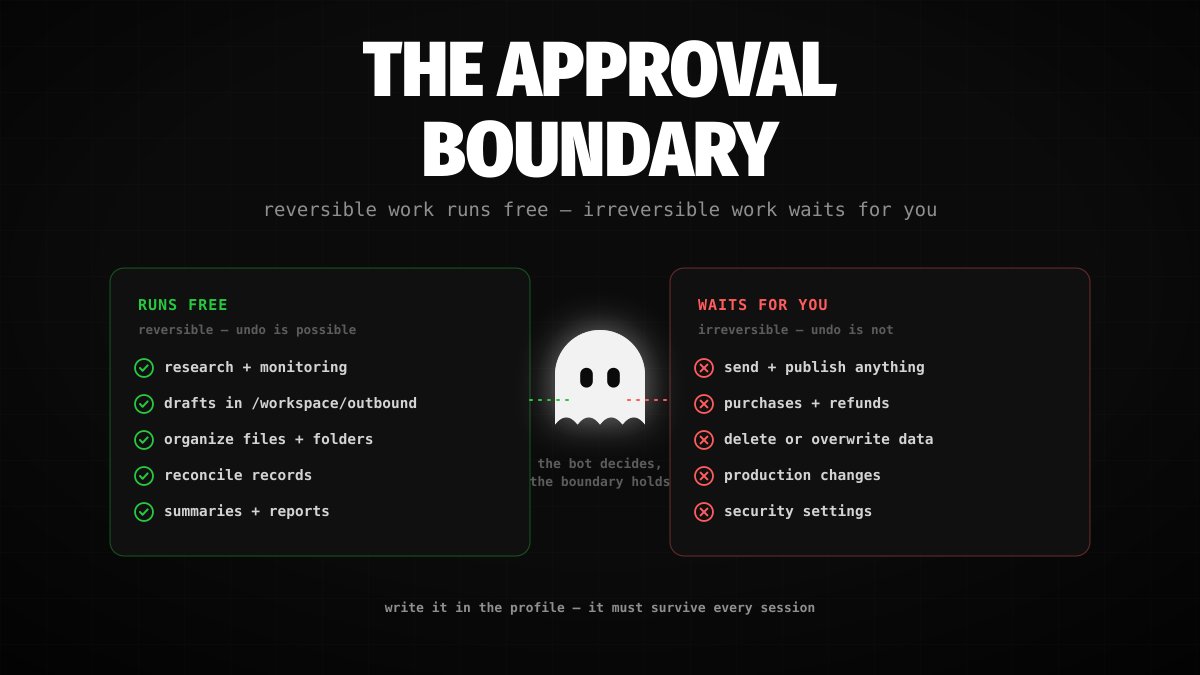
The rule that keeps a 24/7 team safe is simple: reversible work runs freely, irreversible work waits for you.
Reading, researching, drafting, organizing files in the workspace, and reconciling records are reversible — let the Bots do them without interruption. Sending messages, publishing posts, purchases and refunds, deleting data, and changing production settings are irreversible — those stop for approval every time.
Grok Bot already forces this split for the most sensitive steps: payments and credential entry always come back to you. Extend the same line into every Bot's description:
Write the boundary into the profile description, not just into a one-off message, so it survives across sessions and routines.
Roll it out over a week, not an evening
-
Days 1–2: one Bot, one real task. Create the coordinator, give it a task that spans two or three tools with a clear finish line, review the output, and correct it until you would sign it.
-
Days 3–4: save the method. Turn the corrected process into a skill, or record it with Teach a task and tighten the draft.
-
Day 5: schedule it. Create the routine with all six details pinned down, run a test, and watch the first scheduled run.
-
Days 6–7: add a second seat. Bring in the specialist with the clearest recurring workload, put both Bots in a group chat, and test one handoff before trusting it.
The honest limits
You do not pick the model. Per the model documentation, Grok Bot chooses the backend model per task and does not show which one handled a request.
Usage is a shared weekly pool. Group chats, heavy routines, and browser automation all draw from it; check the Usage page weekly and trim low-value schedules.
The web fights back. Sites can block automation, expire sessions, or demand human steps. Prefer connectors over browser automation where they exist.
Features roll out gradually. Teach a task, event triggers, and tagging @bot on X may not be visible on every account or in every region.
The shared computer is one boundary. Every Bot reaches whatever any Bot can reach. Separate accounts and minimum access are the control, not the Bot roster.
None of this blocks a working setup. Start with one Bot and one task that runs while you sleep, and the rest of the roster earns its place after that.
Published on grokbot.sh. Cite the public log, not a prompt pack.