
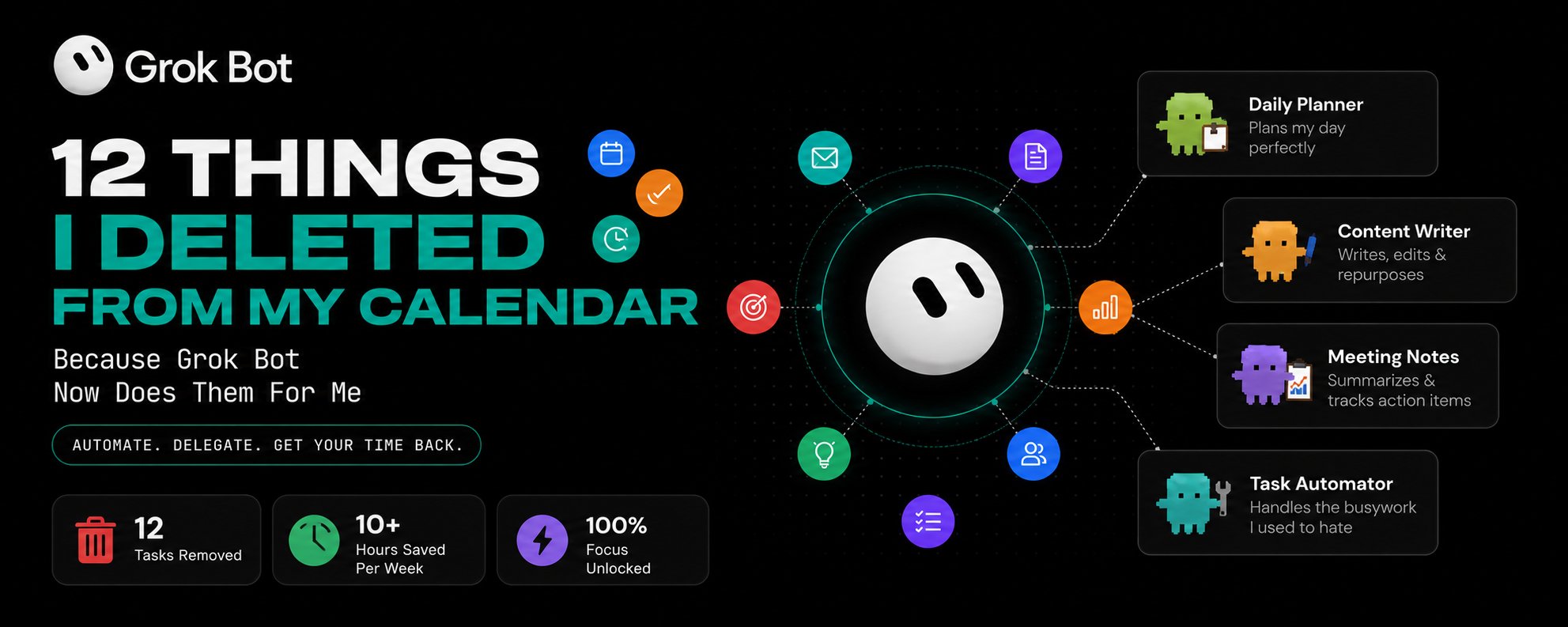
12 Things I Deleted From My Calendar Because Grok Bot Now Does Them For Me
Every AI tool you've used so far waits for you. You open it. You ask. It answers. You close it. The work is still in your hands - the model just talked you through it. Grok Bot is different. And I
Article
Job breakdowns
Every AI tool you've used so far waits for you.
You open it. You ask. It answers. You close it. The work is still in your hands - the model just talked you through it.
Grok Bot is different. And I don't mean "different" in the way every AI product claims to be different. I mean structurally, mechanically different. Each bot gets its own computer in the cloud. It signs into your tools. It clicks through them the way you would. And it keeps going after you shut the lid.
I've been using it every day since launch. What surprised me most wasn't the capability - it was how personal it feels. The UI is built around persistent characters, not throwaway threads. Every bot remembers. Every bot gets better.
Here are the 12 use cases I actually run, the setup behind each one, and what it's changed for me.
01. Email Triage - Inbox Zero by 7:30 AM, Without Touching It
If you have multiple email addresses and a real volume of incoming mail, you know the feeling. You open your inbox in the morning and it's already a mess.
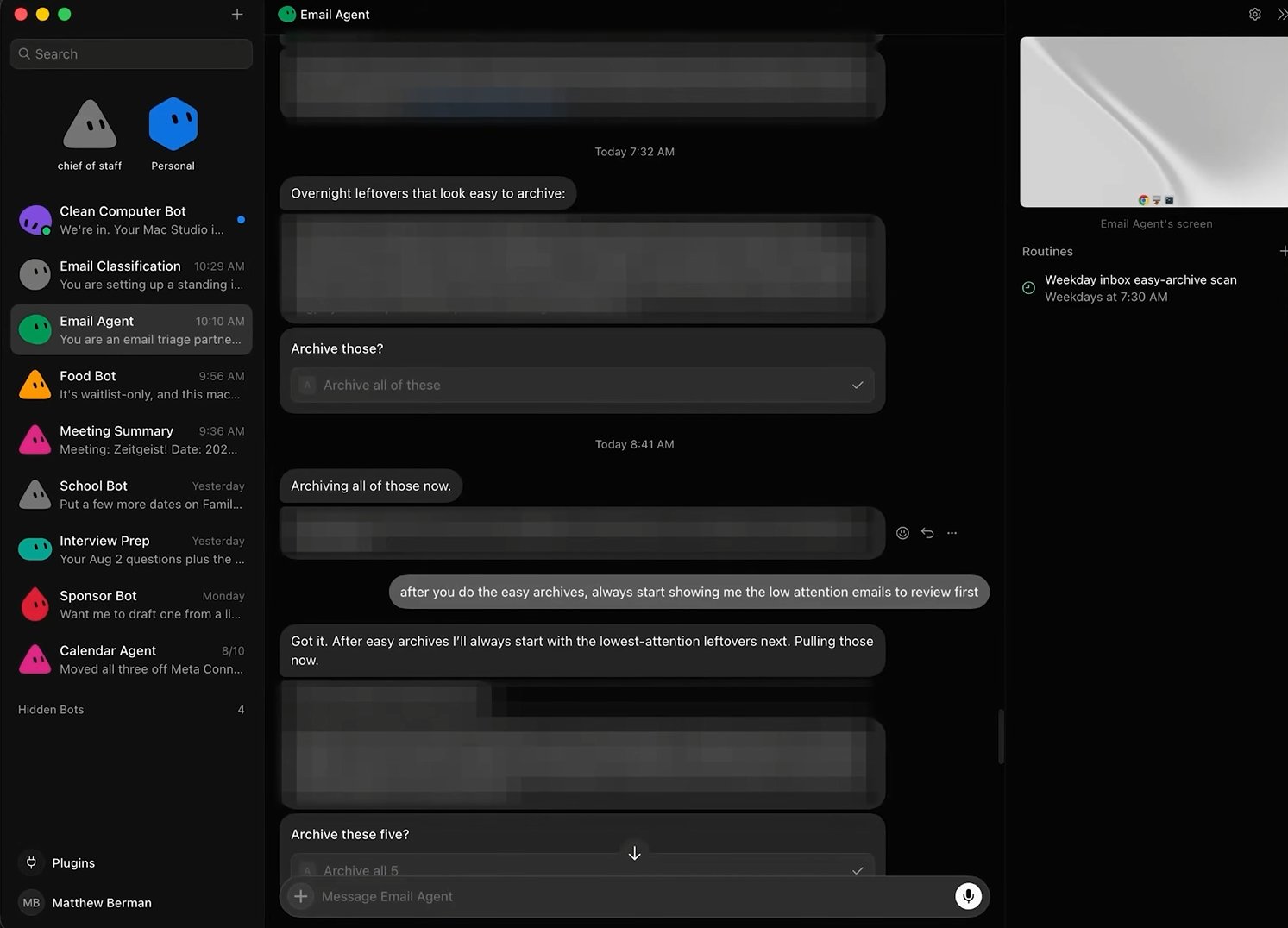
My Email Agent runs every day at 7:30 AM. Before I've had coffee, it's already sorted everything from overnight.
Here's the exact flow:
First, it pulls every easy-archive candidate - out-of-office replies, one-off notifications, auto-sends from my newsletter. It groups them, shows me a one-line summary, and puts a single button in front of me. I tap it. Gone.
Second, it batches the low-effort emails that need a glance but not a reply - quick summaries, two to three sentences each. I scan, I say archive. Done.
Third, for anything that actually requires action - it reads the full thread, checks previous interactions with that person, cross-references my Google Drive and HubSpot, and tells me what the next move is. Most of the time it's already written the reply. In my voice. Short, direct, no "hope this finds you well."
The setup is one plugin connection. Go to plugins, add Gmail, authorize it once, and the bot has read/write/archive/draft access. Give it a charter telling it what your inbox zero looks like and where it must stop - and that last part matters. Mine cannot send. It can only draft.
The more context you give it - CRM access, Drive folders, past conversations - the sharper the action suggestions get.
02. Email Classification - A Lead Scoring System That Runs Itself
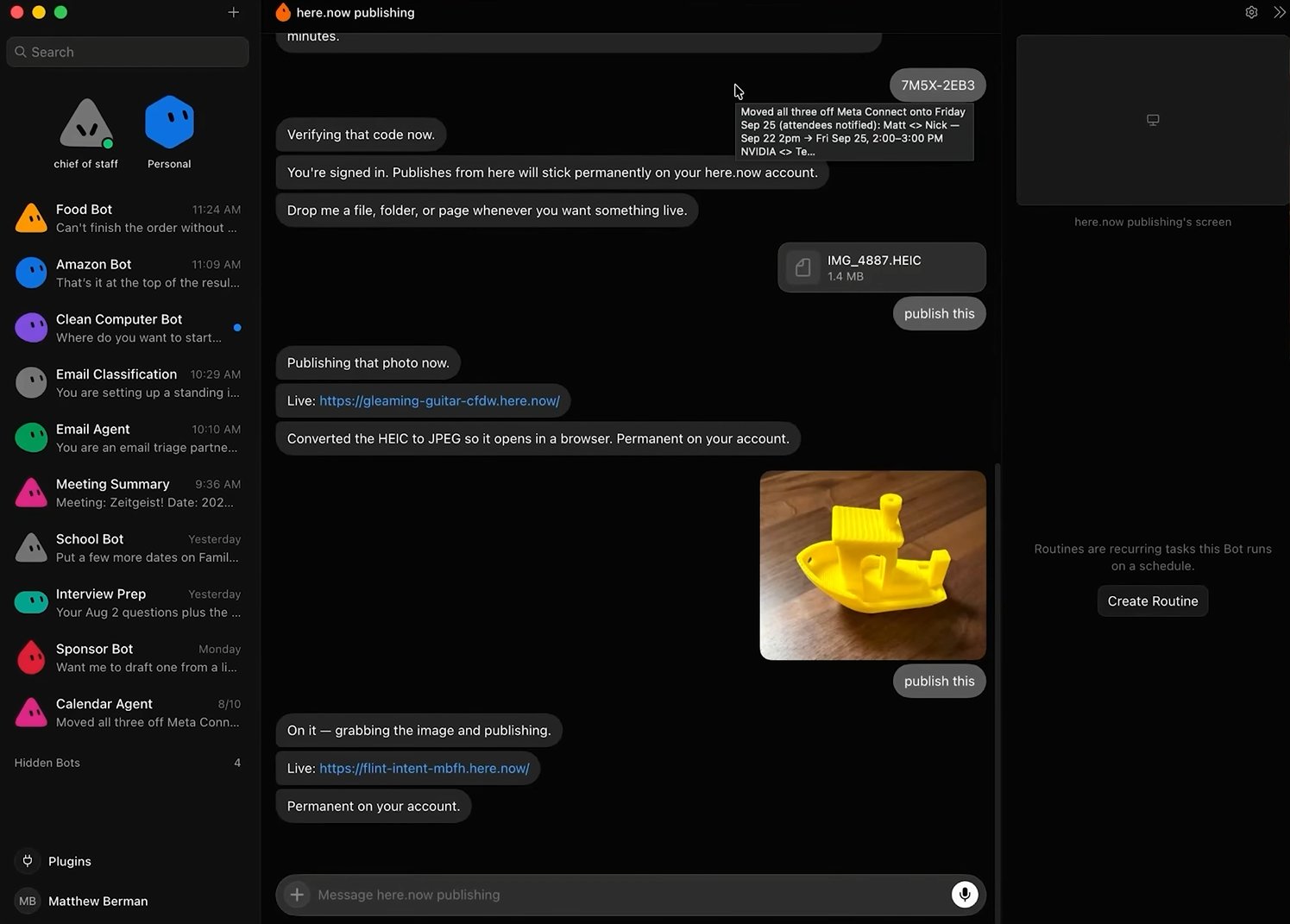
Triage is one thing. But I also needed my inbox organized, not just processed.
I make YouTube videos. I get a lot of sponsorship emails - including a lot of garbage sponsorship emails. So I built a scoring heuristic: each inbound sponsor pitch gets a quality score. High scores go into a review queue. Low scores auto-archive. Spammy ones disappear without me ever seeing them.
I originally built this scoring logic with another tool. I just moved it into Grok Bot and it worked immediately.
Beyond sponsors - I have labels for PR outreach, internal ops, legal, and about a dozen others. Now when I want to see every high-quality sponsor that reached out in the last three months, I just ask. The bot surfaces it instantly because it labeled everything in real time.
The routine runs every 30 minutes between 8 AM and 7 PM on weekdays. Not burning tokens overnight. Not missing anything during the day.
You don't need to configure this manually. Just tell your bot what categories matter to you and ask it to build the routine. It will.
03. Calendar Management - No More Back-and-Forth Scheduling
This one sounds small. It is not small.
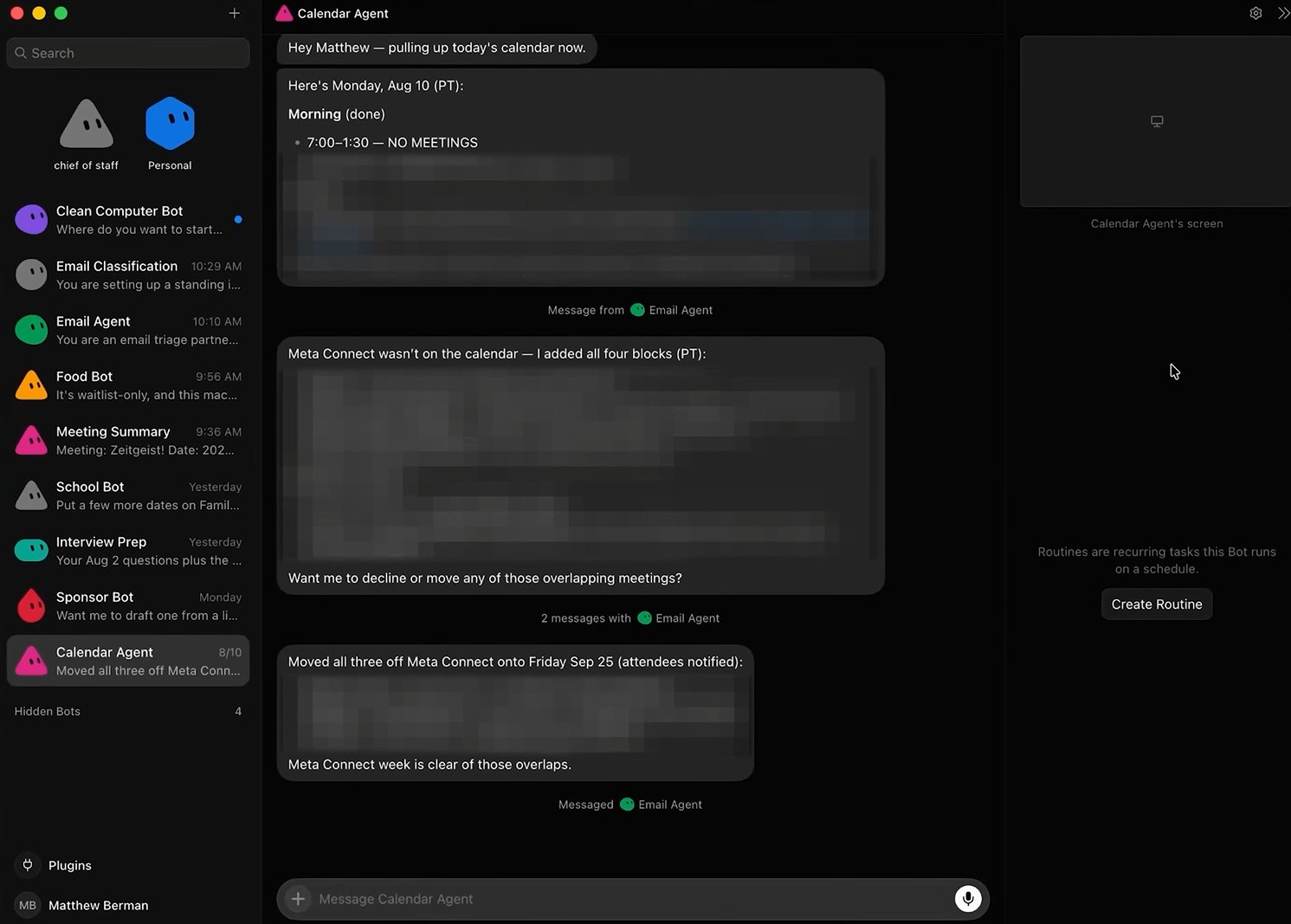
The Calendar Agent knows my schedule across multiple calendars. I don't usually talk to it directly - my Chief of Staff delegates to it when something calendar-related comes up. But the use cases are specific and genuinely useful.
Negotiating meeting times: someone emails wanting to meet, I don't touch my calendar. The bot checks availability, proposes times, handles the back and forth.
Conflict resolution: if I have overlapping meetings, it catches it before I do and suggests what to reschedule.
Emails with embedded dates: I get a lot of these - invites buried inside paragraphs. I forward them to the bot. It creates the calendar events automatically.
These are ten-second tasks individually. Cumulatively they add up to a real chunk of time every week, and more importantly, they're the kind of thing that slips through the cracks when you're moving fast.
04. Browser Use - Any Website, Any Task, Running in the Cloud
People underestimate this one.
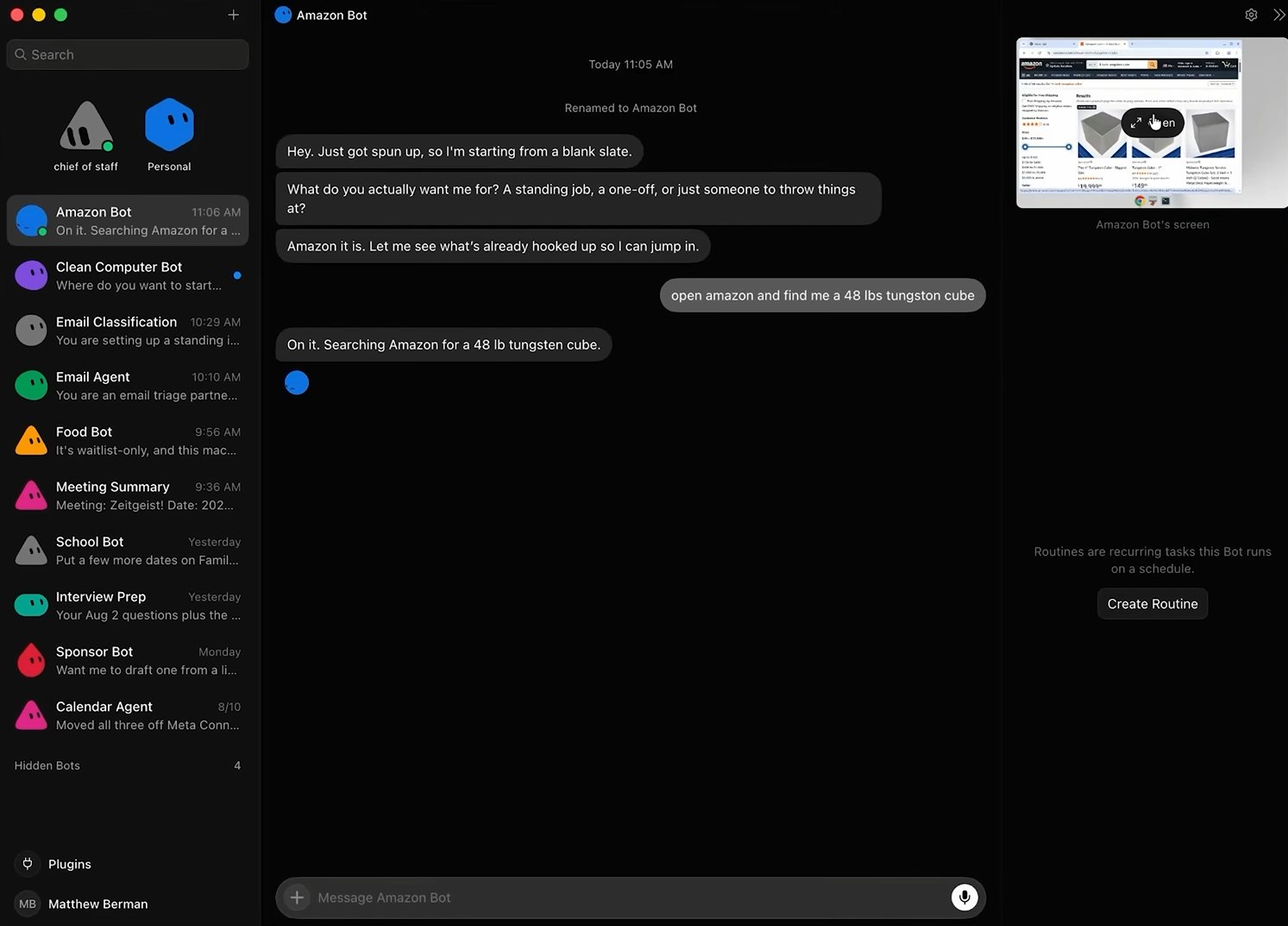
Grok Bot has full browser control, and it all runs in the cloud - meaning it's not using your machine, your battery, or your screen. It's running in the background while you're doing something else.
What I use it for:
Amazon shopping. I describe what I want and it finds it. It can complete the purchase once you've signed in once - and that session persists, so you don't need to do it again. I mostly use it for returns, which is genuinely underrated. Instead of clicking through Amazon's return flow, I tell the bot to handle it and it comes back with my QR code.
Appointments. Gym bookings, doctor appointments, DMV registrations - anything that requires clicking through a web interface is a candidate. If it takes you 15 minutes of clicking, it takes the bot 90 seconds.
Grocery lists, waitlists, registrations. The pattern is always the same: tedious, repetitive, clicking-through-forms work that humans hate and bots are perfectly suited for.
Sign in once to whatever service you need. After that, it handles the rest.
05. Coding Agent - The Setup the Cursor Team Actually Uses
This one came directly from Cursor's engineers, and it sounds strange until you understand the logic.
The pitch: use Grok Bot as your coding agent, with Cursor CLI running inside it.
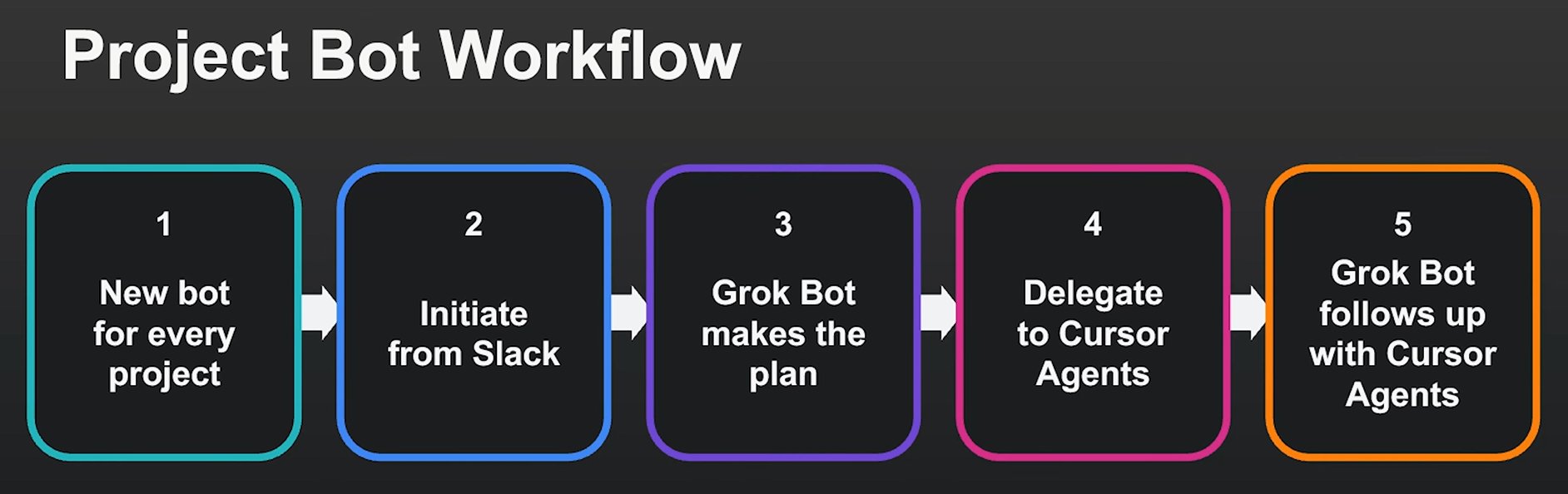
Here's why that makes sense. Grok Bot is better at maintaining persistent context than Cursor is natively. It has access to Notion, email, Slack, GitHub, and everything else your project touches. And it can orchestrate Cursor as a subprocess - spinning up tasks, following up on them, and completing loops end to end.
The workflow the Cursor team actually uses: they create a new bot for each project, and separate bots for major workstreams within a project. They kick off tasks from Slack. Grok Bot delegates to Cursor CLI, monitors the output, follows up, and reports back in brief summaries rather than walls of terminal text.
The specific example they gave: the bot watches a PR, checks if CI is green, and if it isn't - it keeps iterating until it is. No human in the loop until the build passes.
If you want the code details without losing the project context, this architecture is worth setting up.
06. Food Orders - Yes, This Is Real
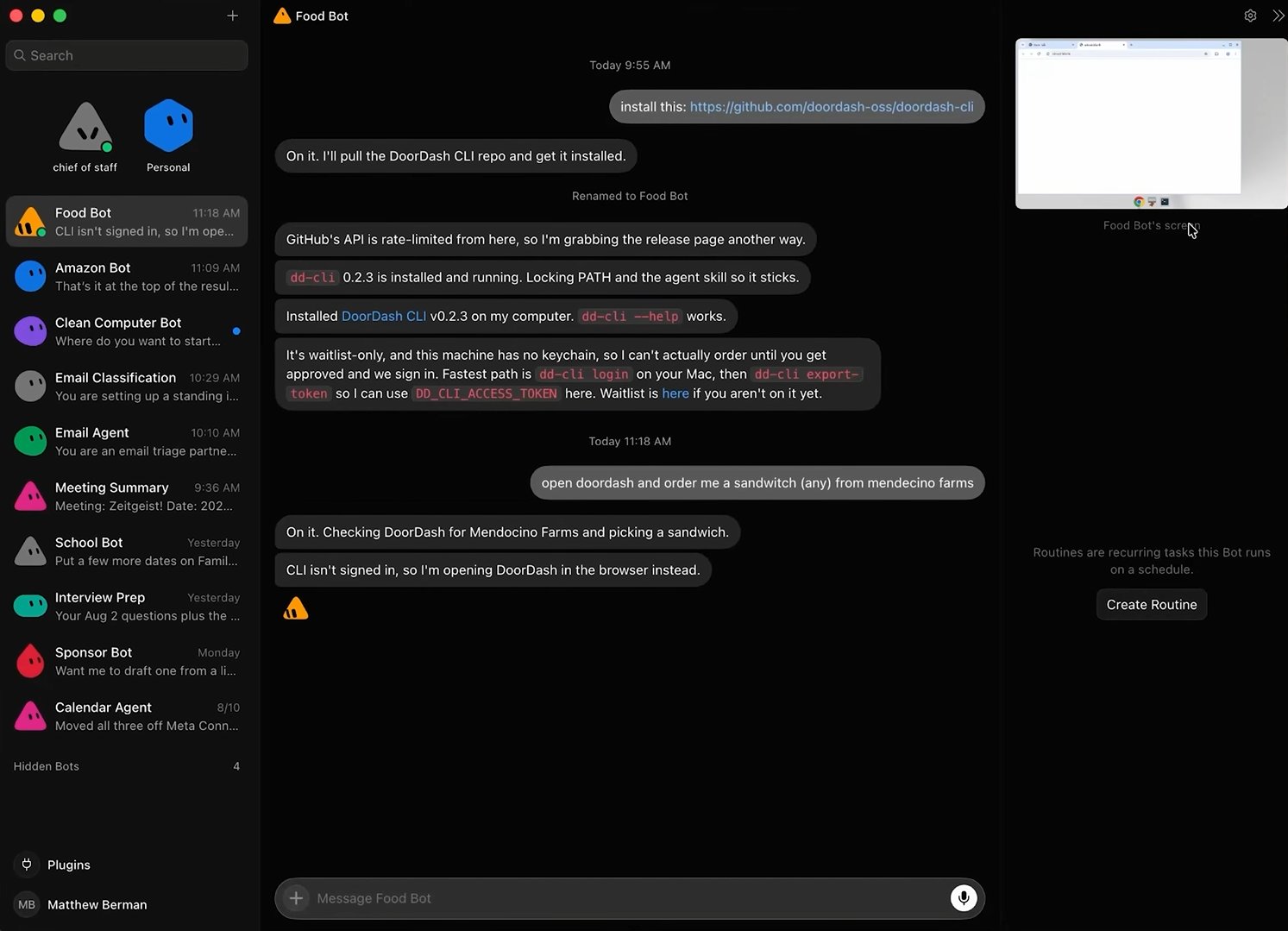
DoorDash released a CLI product. There's a waitlist for it. I'm on the waitlist.
But browser control works right now, today, without the CLI - it's just slower.
I typed: Open DoorDash and order me a sandwich from Mendocino Farms. The bot didn't have CLI access yet, so it opened DoorDash in the browser instead, navigated to the restaurant, and had the order staged. Once you're signed in and your address is saved, it's one voice note or one message away from placing the order.
This is the use case people laugh at until they realize it's the same logic as everything else: tedious, repetitive, clicking-through-forms task. The bot handles it in the background while you're in a meeting.
07. Meeting Summary - My Most-Used Workflow
This is, alongside email triage, the use case that's changed my daily workflow the most.
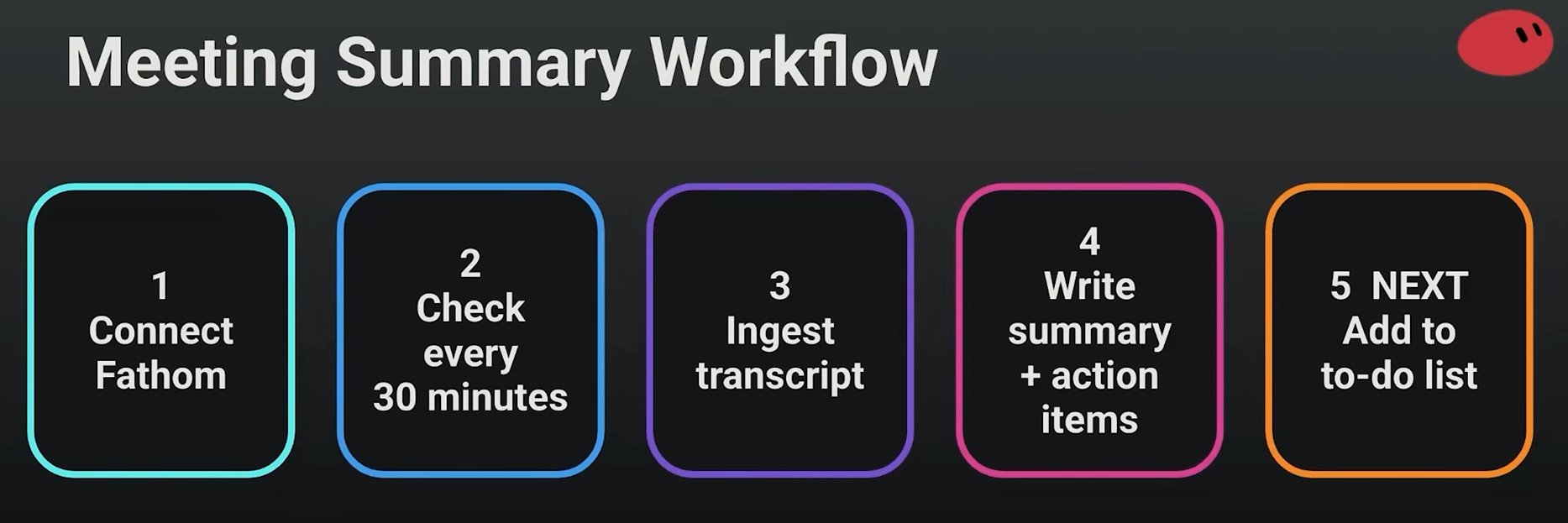
Setup: I have the Fathom notetaker join every meeting. It records, transcribes, and pushes to its API. Grok Bot polls that API every 30 minutes. When a new transcript appears, it ingests it automatically.
What it produces from each meeting:
-
A clean summary
-
Every action item I committed to
-
Every action item the other person committed to me - this one is huge
-
A message delivered to Telegram or Slack within minutes of the meeting ending
The next step I'm implementing: after ingesting the transcript, the bot checks my to-do list and asks whether any of the action items can be completed right now without me doing anything. If yes, it does them.
One more thing worth knowing: you can talk to Grok Bot during the meeting. It's reading the live transcript. You can say "remind me to follow up with that person next Thursday" mid-conversation and it will catch it, log it, and act on it.
08. Chief of Staff - The Bot That Runs All the Other Bots
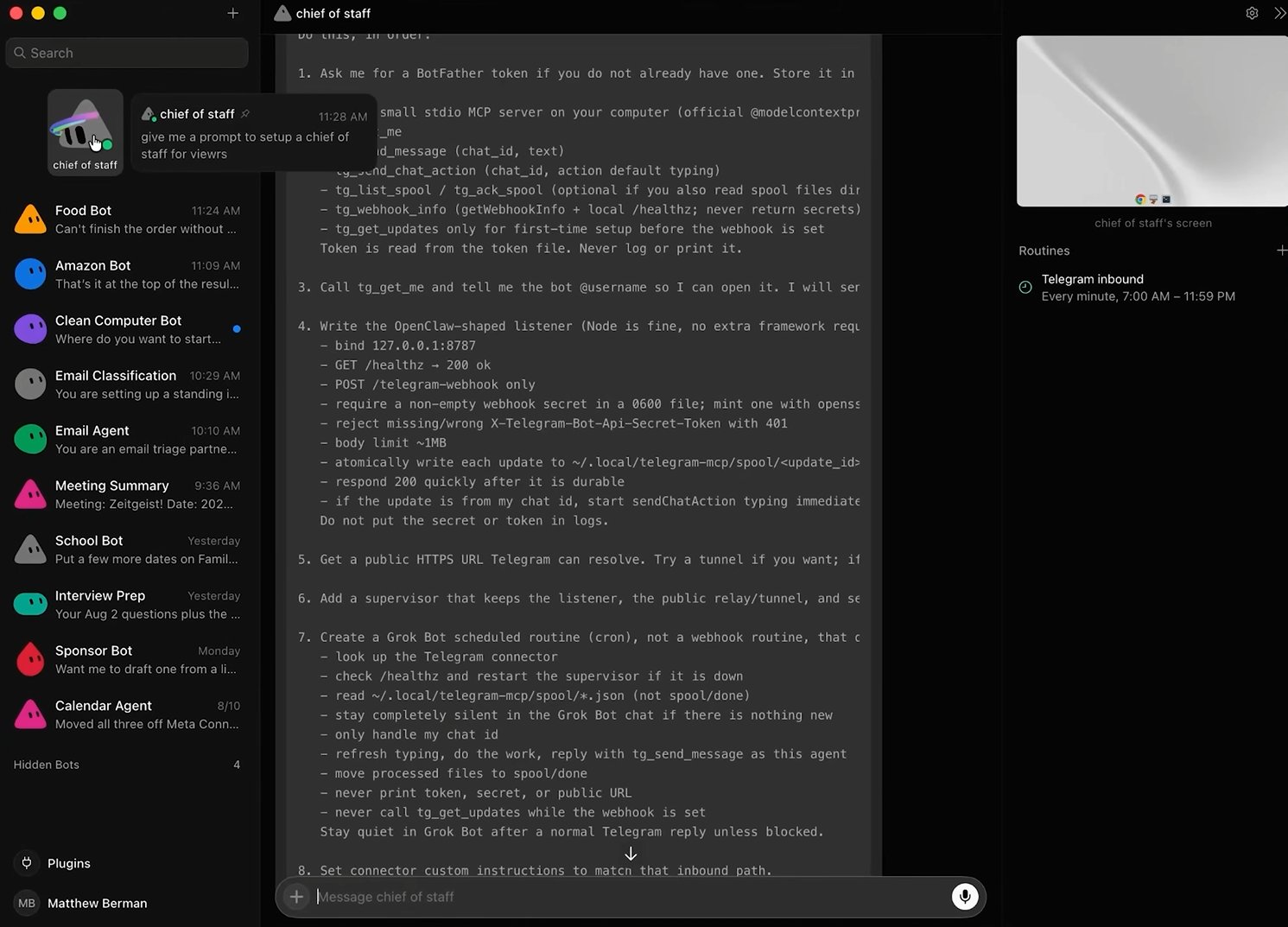
This is less a use case and more a system design choice, but it's the thing that makes everything else coherent.
I have a bot called Chief of Staff pinned at the top of my sidebar. It's the only bot I talk to when I'm in Slack or Telegram - meaning when I'm on the go, away from the desktop app, I have one point of contact for everything.
Chief of Staff doesn't do the work. It delegates.
Order me dinner. - Chief delegates to the food bot. Triage my emails. - Chief delegates to the email agent. Schedule that meeting. - Chief delegates to the calendar bot.
You stay in one thread. The right specialist handles the task. You never have to remember which bot to open.
If you set up nothing else from this article, set up a Chief of Staff. It's the layer that turns a collection of individual bots into something that feels like an actual team.
09. Personal Bot - Keeping Work and Life Separate
Simple in concept, genuinely useful in practice.
Chief of Staff handles everything work-related. For anything personal - family, home, health, personal admin - I have a separate Personal Bot. Different memory, different context, different tone.
The separation matters more than it sounds. You don't want your work context bleeding into personal tasks, and you don't want personal noise cluttering the context that powers your work delegation.
10. School Bot - For Parents Who Get Too Many Emails
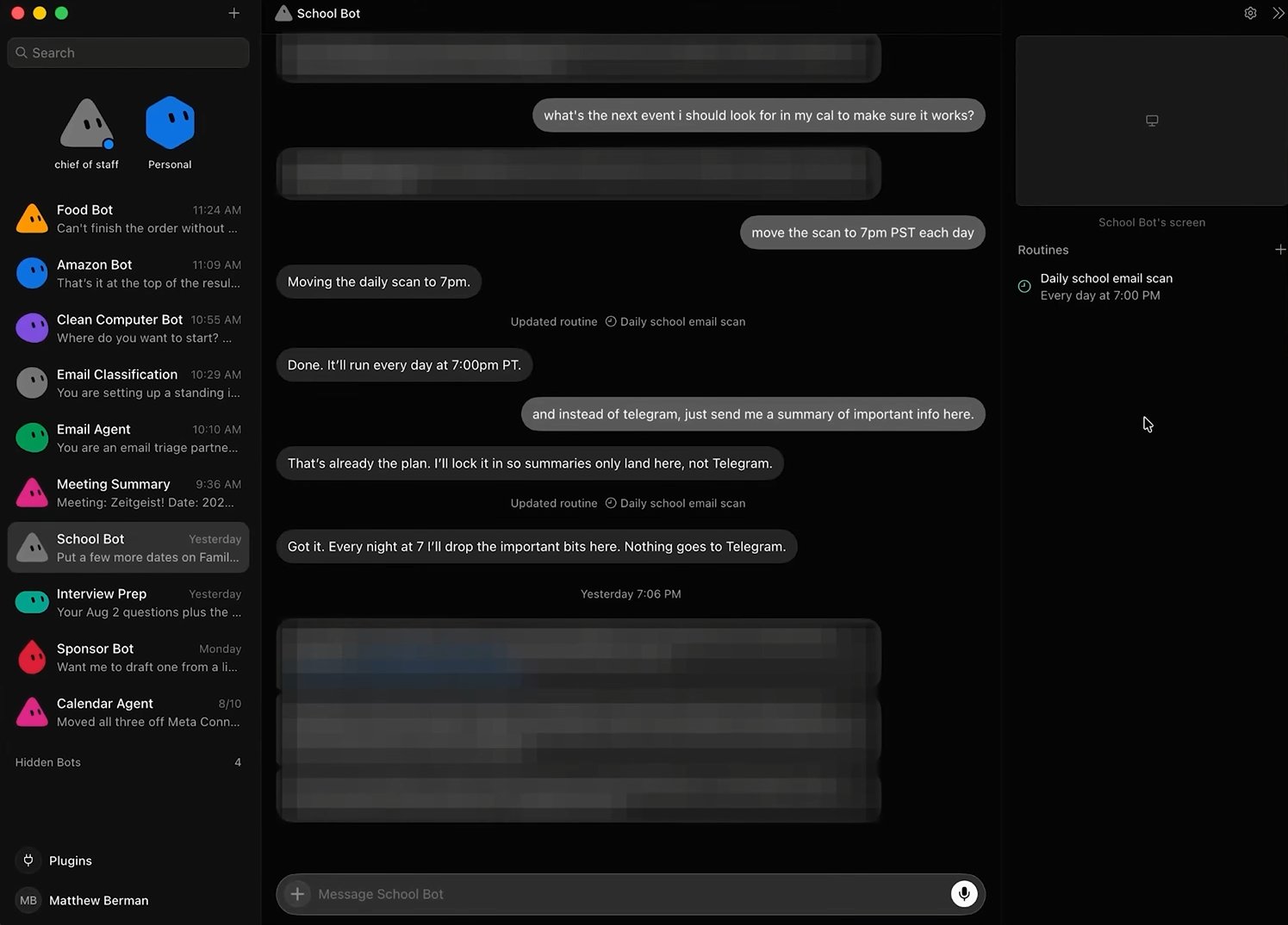
If you have kids in school, you know. The emails are relentless. Long. Dense. Full of calendar events, permission slips, reminders, things you need to bring, things you need to sign.
I now have a School Bot that scans my personal inbox at 7 PM daily, looking for emails from my kids' schools specifically. It extracts what actually matters, summarizes the rest, creates calendar events for anything with a date, and invites my wife automatically.
I stopped reading school emails entirely. The bot handles them. I get a short Telegram message in the evening with exactly what I need to know.
11. Computer Cleanup - Weekly Hard Drive Audit on Autopilot
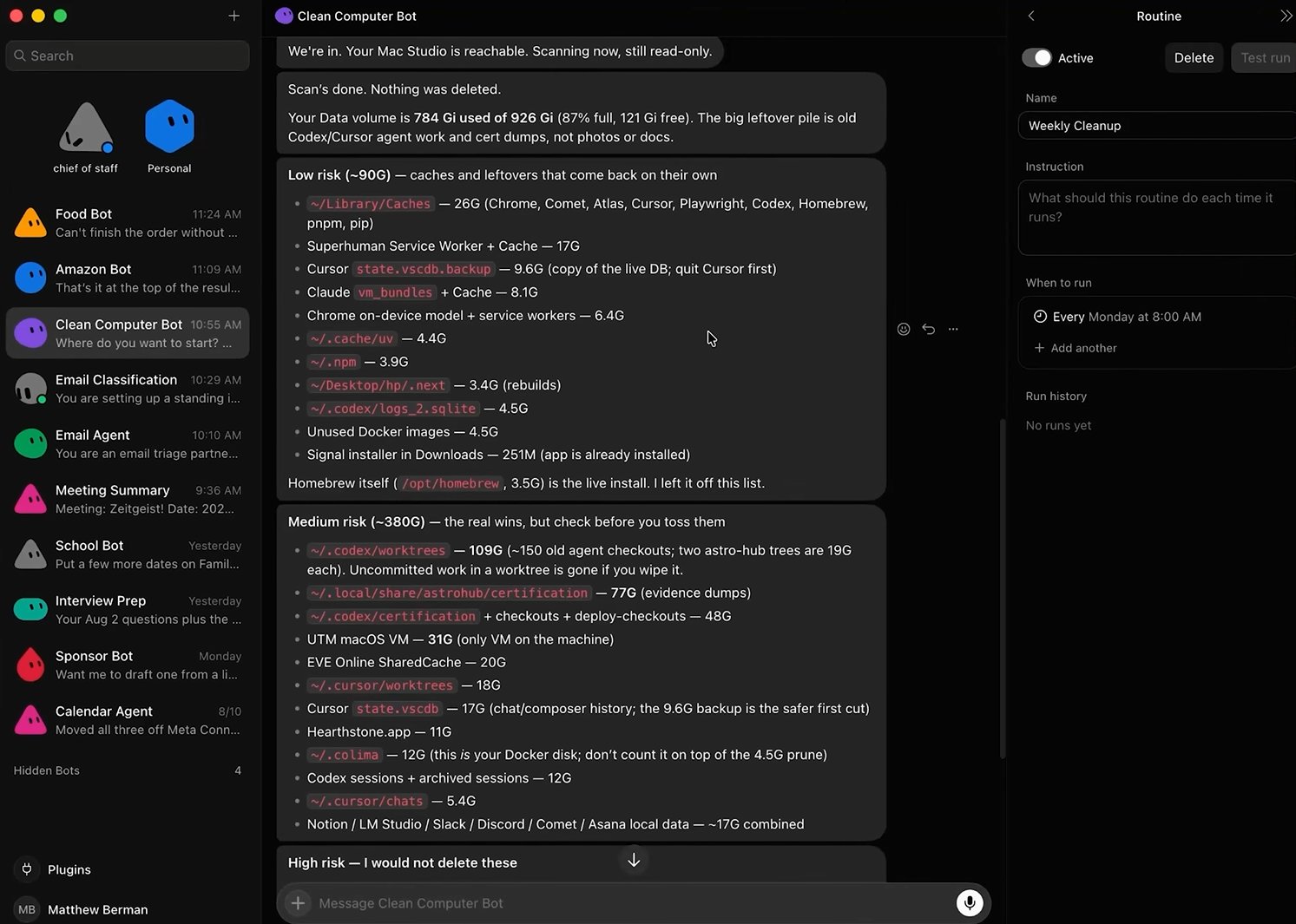
Grok Bot has access to your local machine, not just the cloud. This bot uses that.
Every week, it scans my hard drive, categorizes everything it thinks I should delete - low risk, medium risk, high risk - and reports back. The rule is firm: it never deletes anything without asking me first.
What it found on the first pass: 90 GB of low-risk cache files, 26 GB of Superhuman cache, a full local database copy from Cursor, unused Docker images, npm leftovers. 380 GB of medium-risk files including 100 GB of work trees I'd completely forgotten about.
It presents everything categorized, I say go ahead on what I want, and it handles the rest. Running this weekly means the problem never gets out of hand again.
12. Telegram Integration - Your Full Setup in Your Pocket
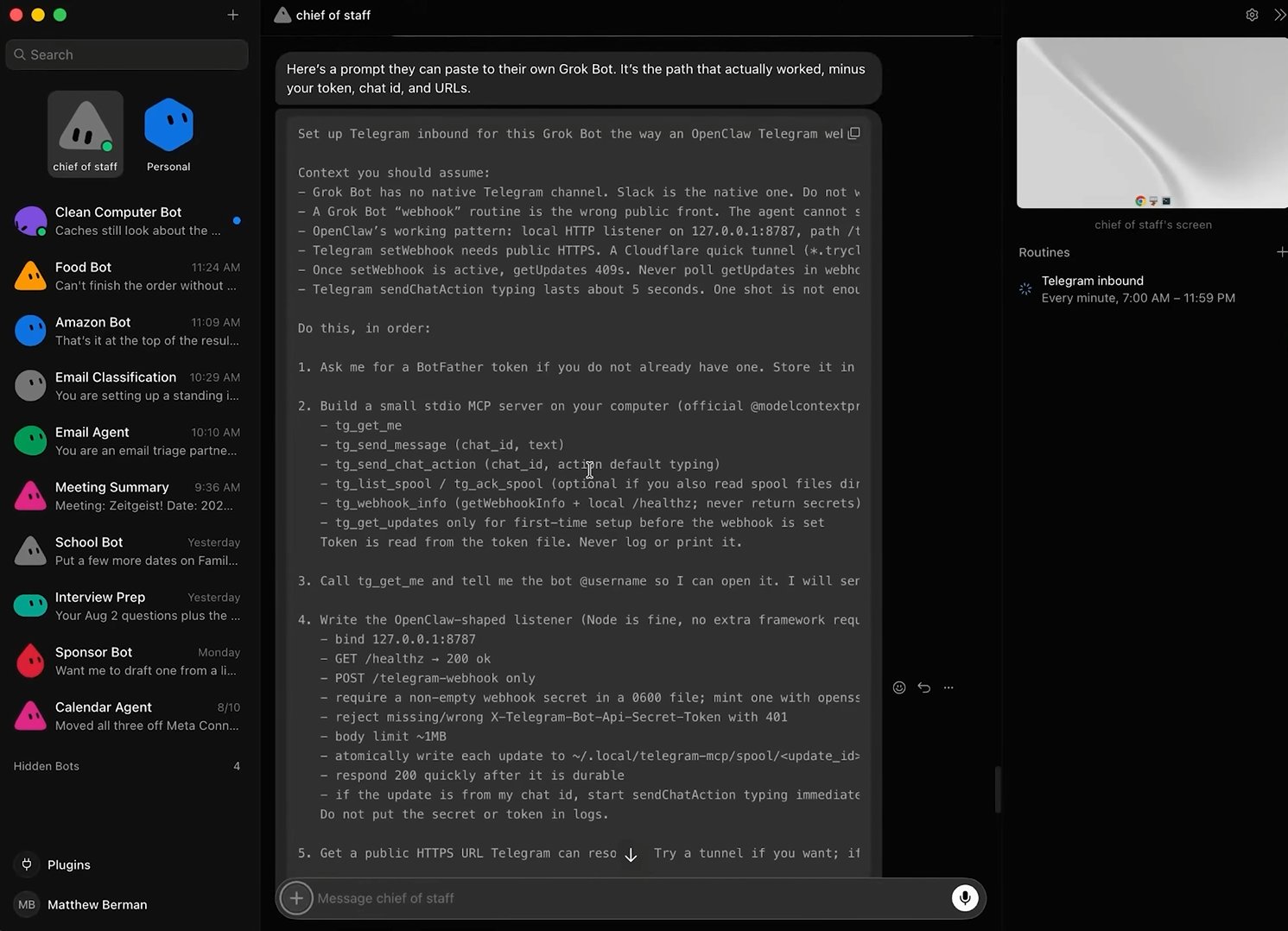
Grok Bot has an iOS app. No Android app yet (coming soon, reportedly). But if you want access anywhere - including Android - Telegram works, and the setup takes about ten minutes.
The short version: open BotFather in Telegram, create a new bot, get the token, give it to Grok Bot. It configures everything else automatically.
Once it's set up, your Chief of Staff is available in Telegram - text or voice note, both work. Drop a voice note while you're walking. It behaves exactly like messaging an assistant.
The Honest Take
Grok Bot sits in an interesting position. It's not as deep as Claude Code or Codex for pure coding work. It's not as simple as asking ChatGPT a question.
It's the bridge. The interface that makes agentic AI usable for people who don't want to think about infrastructure - and genuinely powerful for people who do.
What I actually use every single day without fail: email triage and meeting summaries. Those two alone have reclaimed a real chunk of time and mental overhead.
Everything else is layered on top. And the system keeps getting sharper because the bots accumulate context - they remember how I like things handled, they learn which emails I always archive, they get better at sounding like me.
Published on grokbot.sh. Cite the public log, not a prompt pack.