
Trade Echo now works inside Grok. Free to start.
Most traders start the day with five tabs, three Discords and a notes app, and still get in late. Now you can just ask. Connect Trade Echo once on grok.com or in Grok Bot, and Grok
Article
Job breakdowns
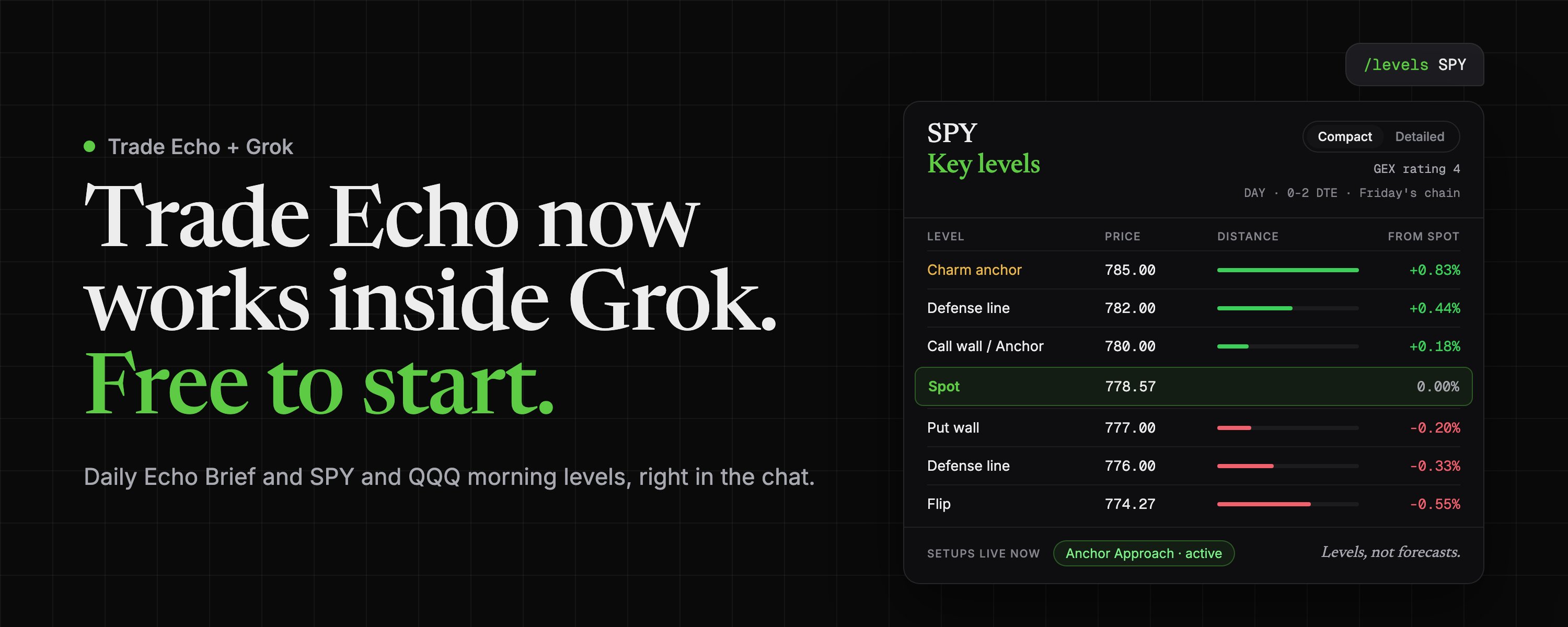
Most traders start the day with five tabs, three Discords and a notes app, and still get in late.
Now you can just ask. Connect Trade Echo once on grok.com or in Grok Bot, and Grok answers from Trade Echo data: where the gamma flip sits, where the Anchor is, and what volatility regime the day is in. No copy and paste. No token to manage.
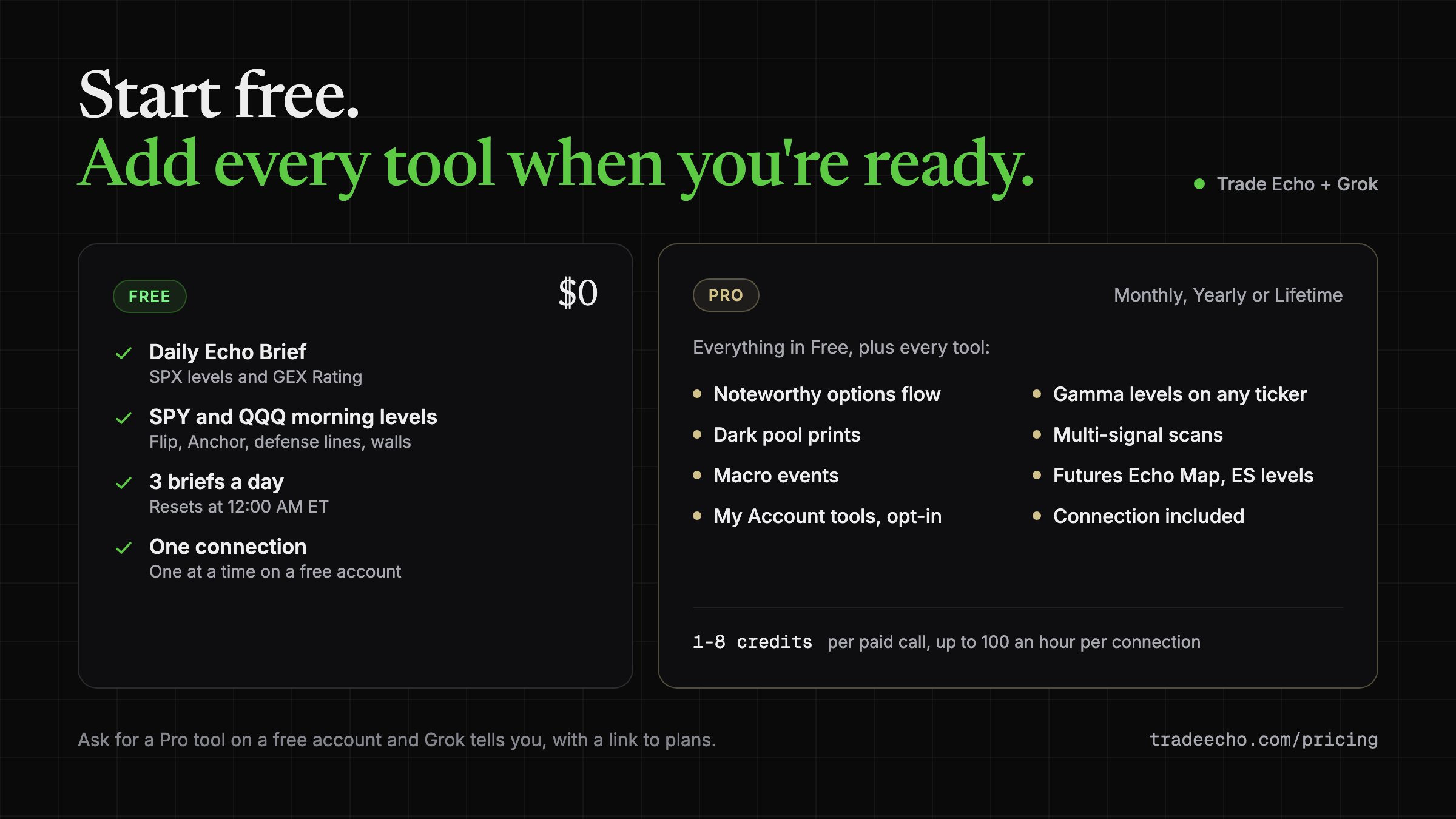
A free Trade Echo account is enough to start.
What a free account gets
-
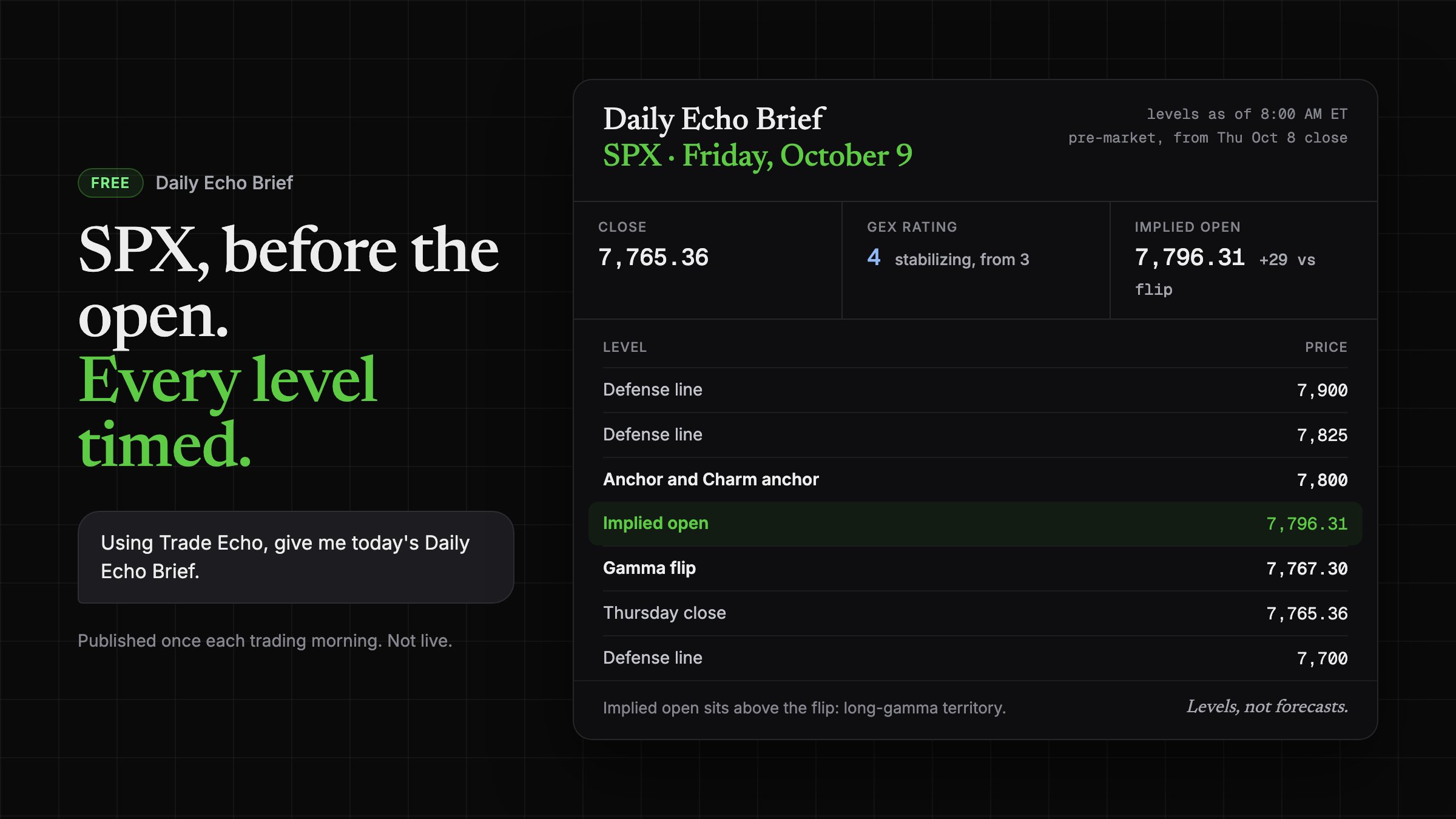
Daily Echo Brief: SPX levels and GEX Rating from the morning edition.
-
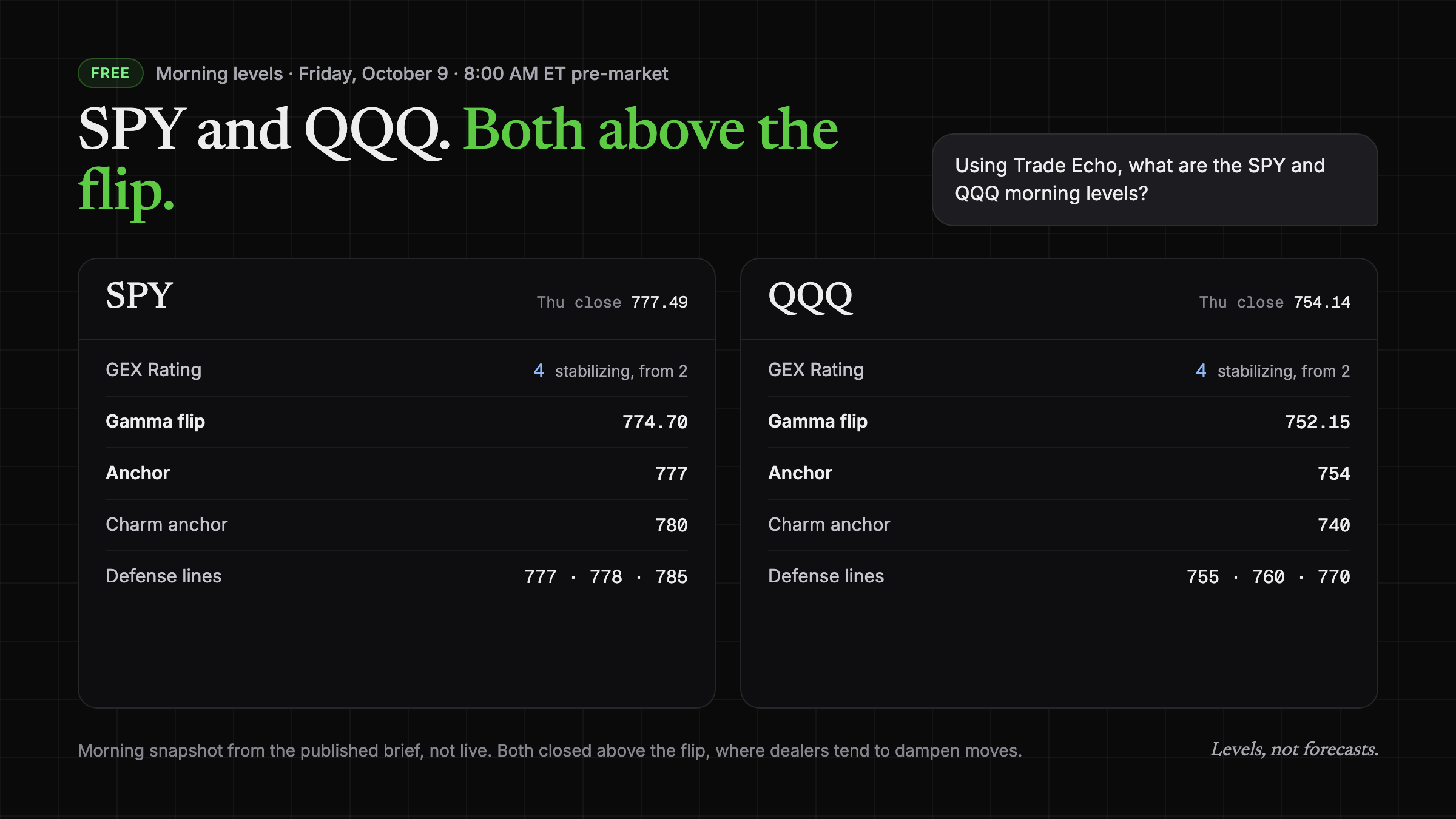
SPY and QQQ morning levels: gamma flip, Anchor, defense lines and walls.
-
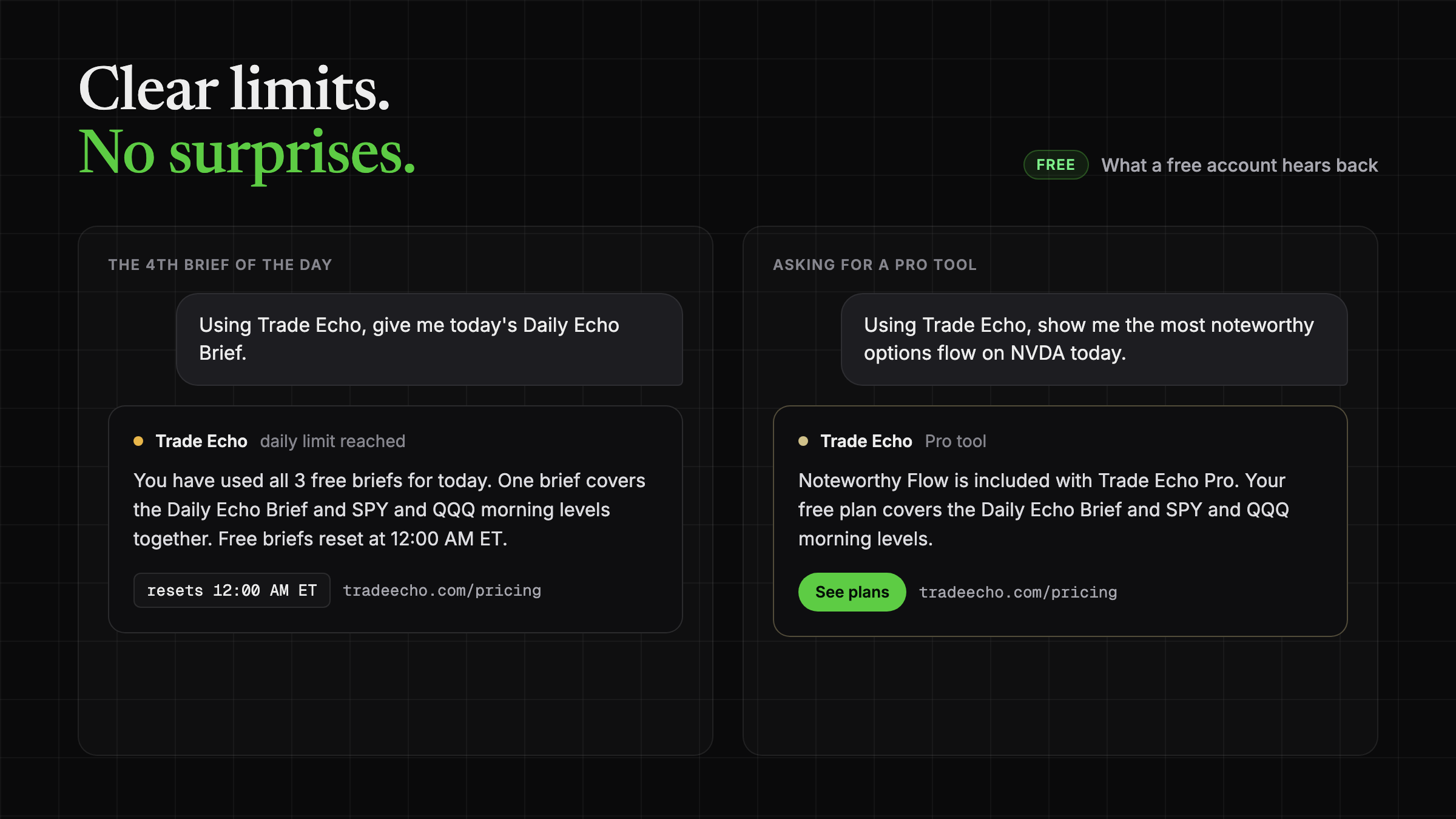
3 free briefs a day, reset at 12:00 AM ET.
One thing to know before you read your first brief: GEX Rating describes the volatility regime, not direction. A 1 or 2 reads volatile, 3 is mixed, and a 4 or 5 reads stable.
Paid members get every tool. More on that below.
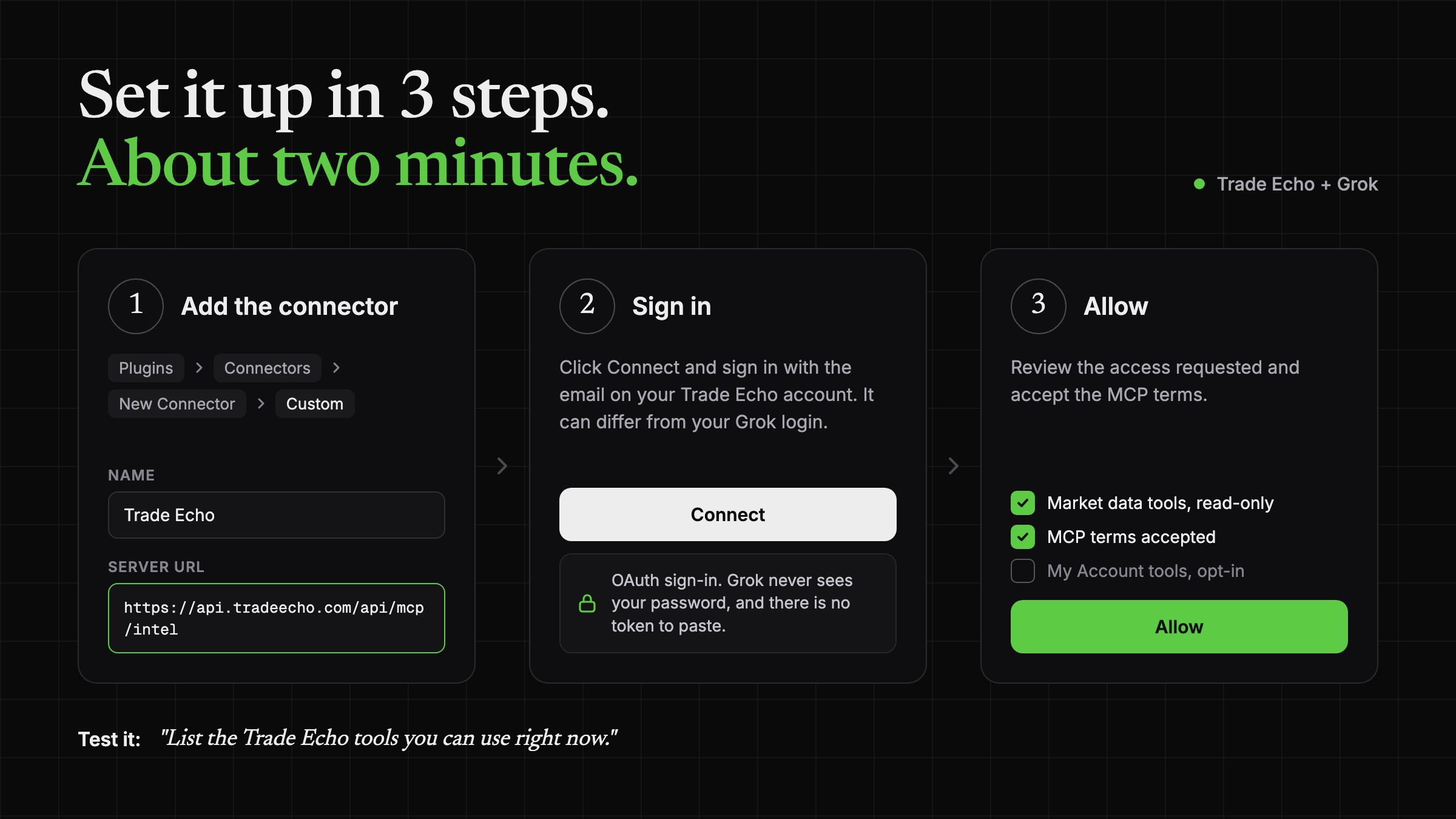
Set it up in 3 steps
-
Add the connector. In the Grok sidebar, open Plugins, then Connectors, then New Connector, then Custom. Name it Trade Echo and paste this server URL: https://api.tradeecho.com/api/mcp/intel
-
Sign in. Click Connect and sign in to Trade Echo with the email on your account. It does not need to match your Grok login. Sign-in is OAuth, so Grok never sees your password and you never paste a token.
-
Allow. Review the access requested, accept the MCP terms, and click Allow. A free account has one connection at a time.
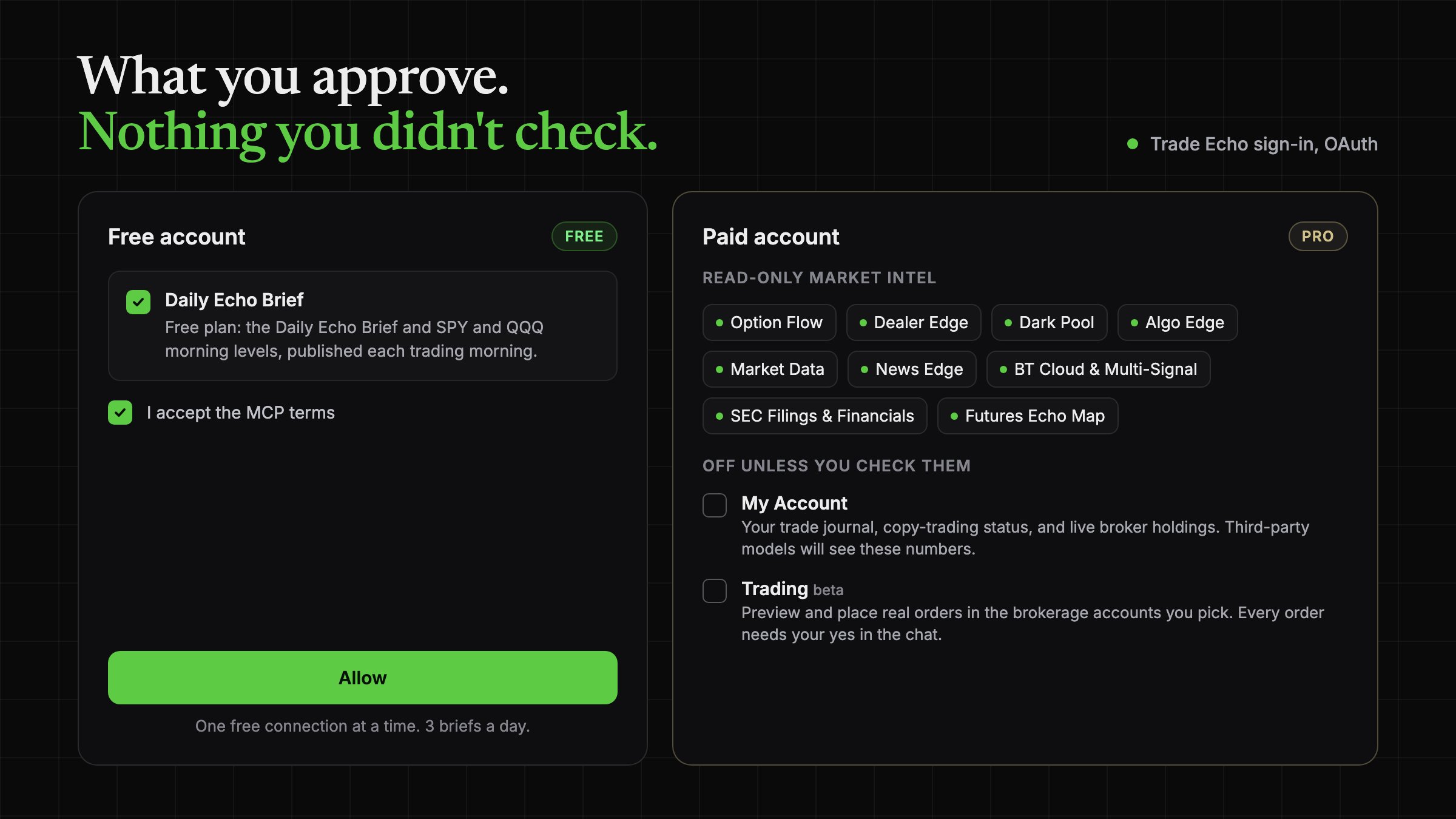
Here is exactly what you approve on each plan:
Custom connectors on grok.com depend on your Grok plan. If you do not see the option, check your Grok settings.
Test it. Ask Grok to list the tools it can use. A free account shows the two morning brief tools.
List the Trade Echo tools you can use right now.
Try these prompts
Using Trade Echo, give me today's Daily Echo Brief.
Using Trade Echo, what are the SPY and QQQ morning levels?
How to read what comes back
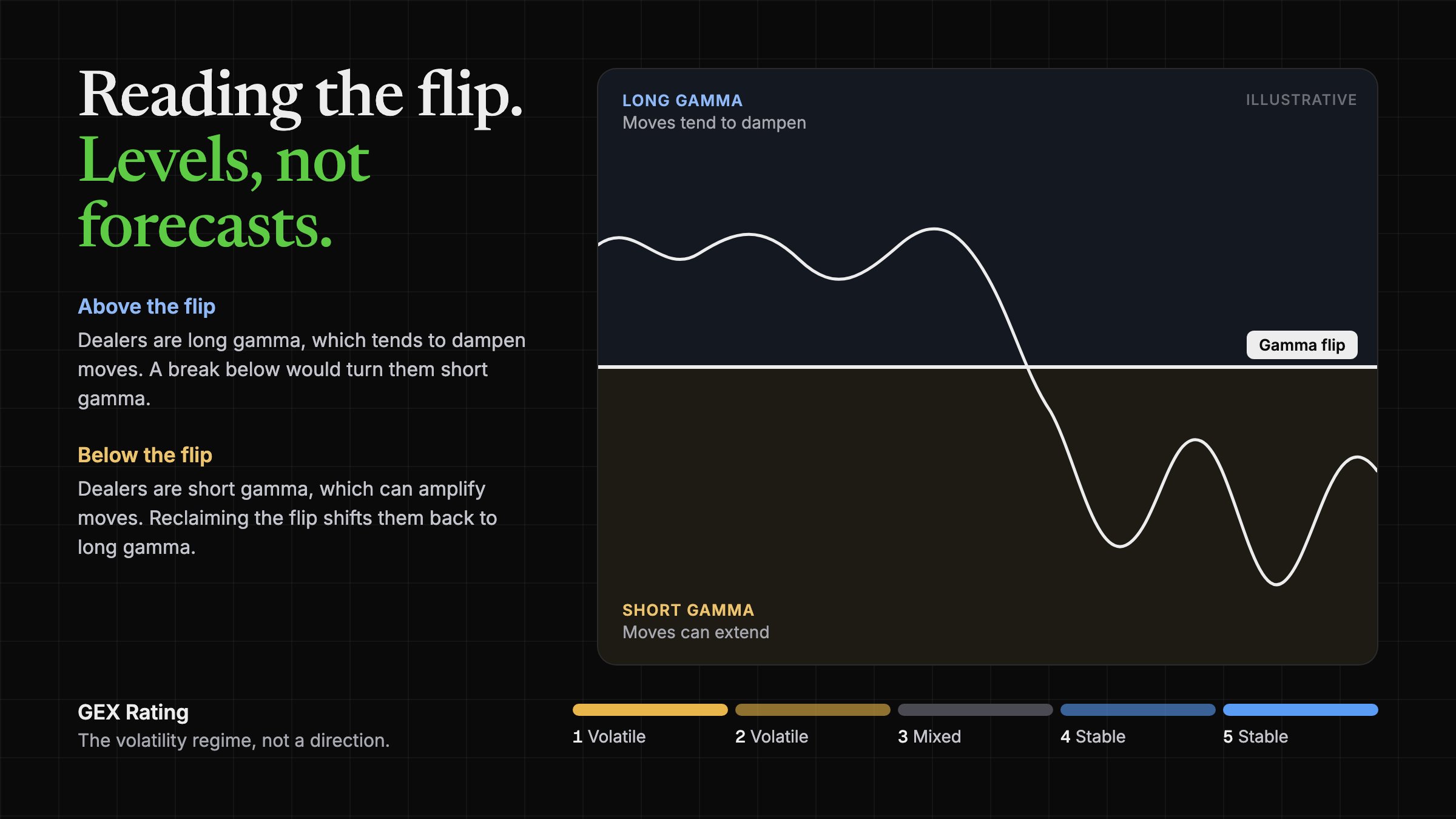
Above the flip, dealers are long gamma, which tends to dampen moves. A break below the flip would turn dealers short gamma, and moves can extend.
Below the flip, dealers are short gamma, which can amplify moves. Reclaiming the flip would shift dealers back to long gamma.
The flip and the Anchor are the key levels. They are levels, not a forecast.
Used all 3 briefs, or asked for a Pro tool? Grok tells you plainly, and the free count resets at midnight ET.
What Pro adds
Paid members (Monthly, Yearly or Lifetime) get every tool, with the connection included:
-
Noteworthy options flow
-
Dealer gamma levels (flip, Anchor) on any ticker
-
Dark pool prints
-
Multi-signal scans
-
Macro events
-
Futures Echo Map and ES session levels
-
My Account tools, opt-in
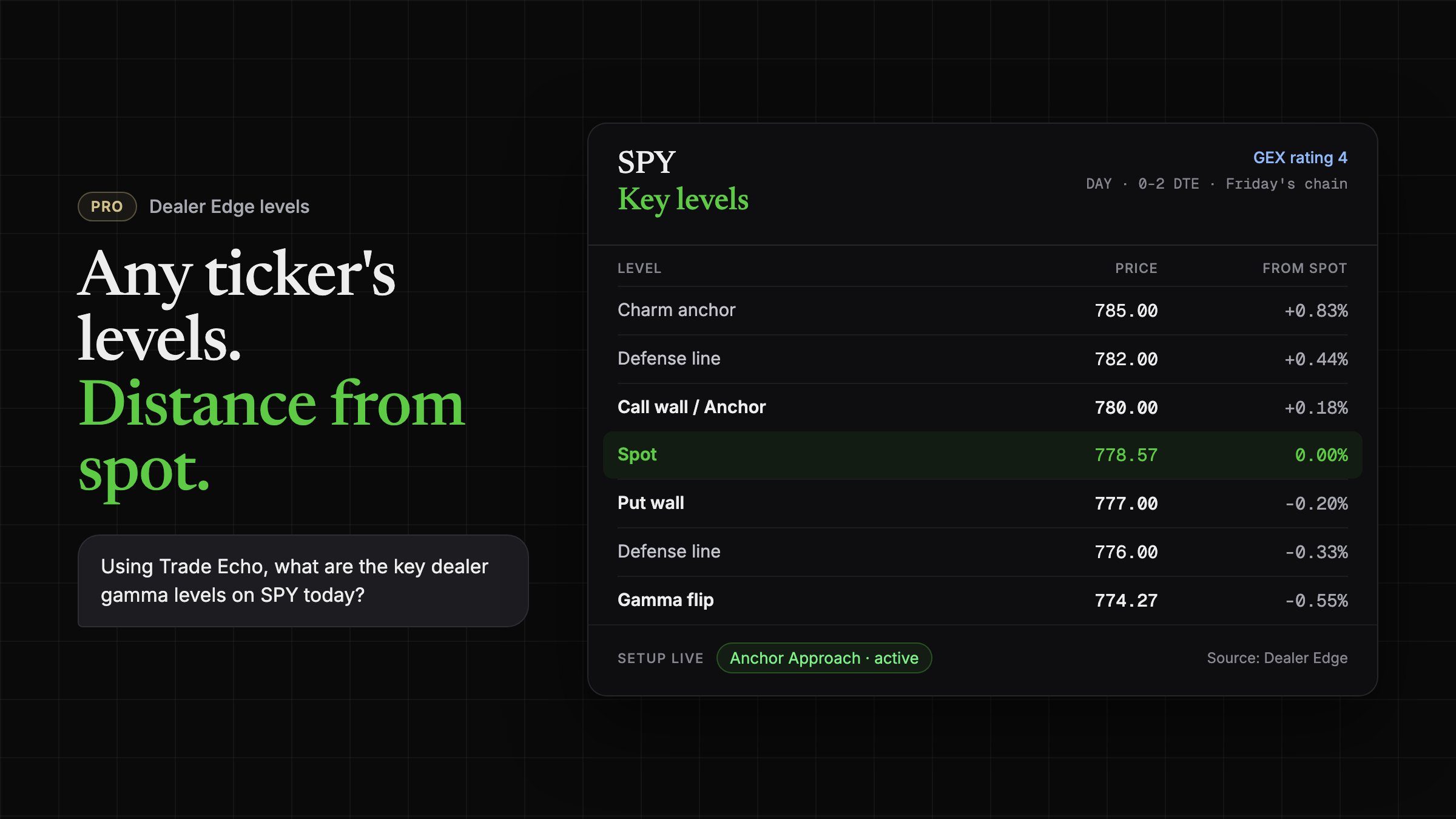
Using Trade Echo, what are the key dealer gamma levels on SPY today?
Back come the flip, the Anchor, the walls, and where price sits versus each.
Or ask about flow:
Using Trade Echo, show me the most noteworthy options flow on NVDA today.
Back come the prints that stood out.
Paid calls use credits: 1 to 8 per call, up to 100 an hour per connection. A morning brief on a few names fits easily.
Run it like a desk
Grok Bot can run prompts on a weekday schedule. Three routines cover most of a trading day.
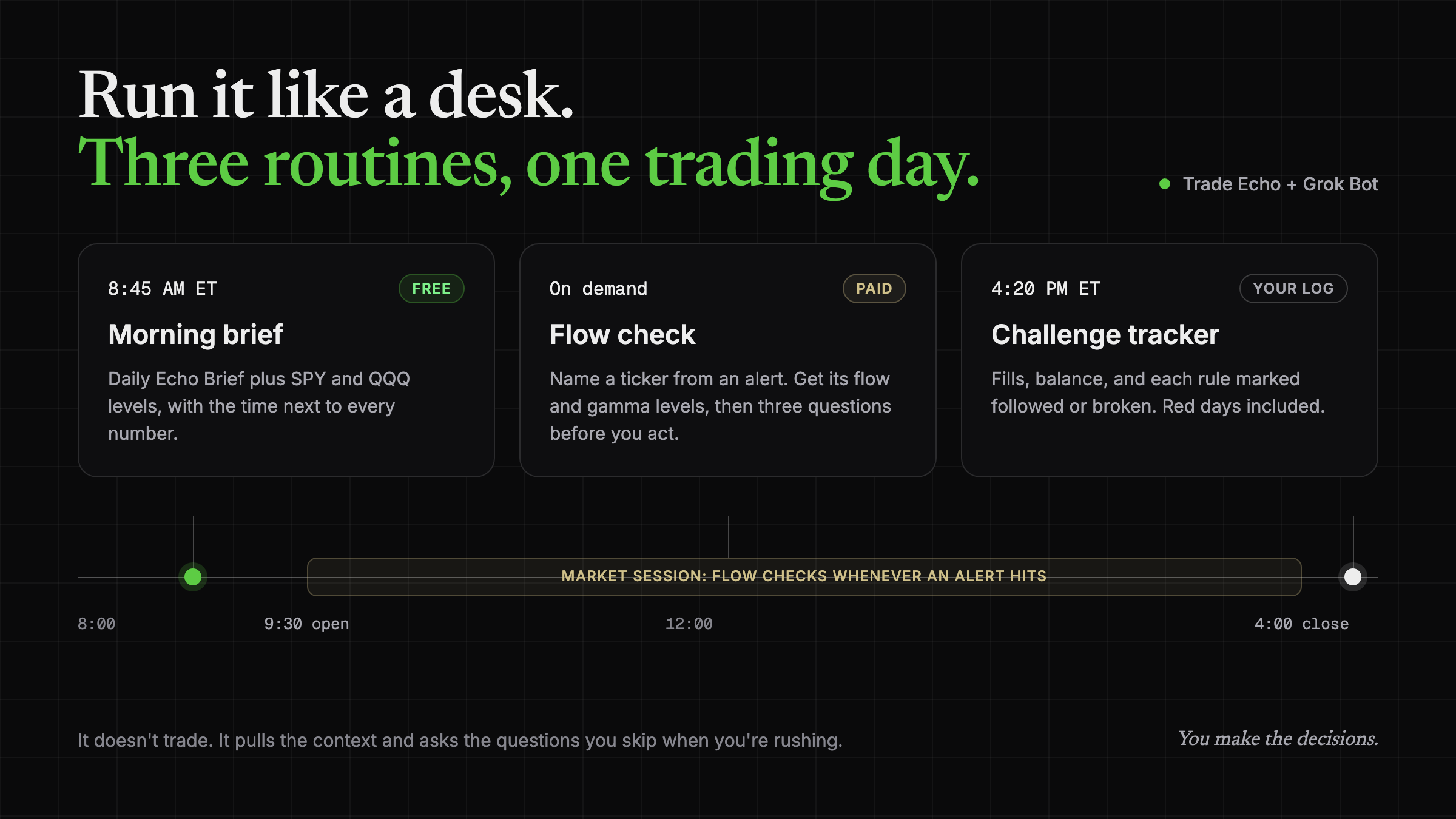
Morning brief, 8:45 AM ET (free)
Every weekday at 8:45 AM ET, use Trade Echo to get today's Daily Echo Brief and the SPY and QQQ morning levels: price, Anchor, Flip and GEX Rating. Put the time next to every number. If the data looks stale, say so. Never guess a level. Never predict direction. End with: Levels, not forecasts.
On a paid plan, add your 3 to 5 watchlist names and today's macro events.
Flow check, on demand (paid)
When I name a ticker from a flow alert, use Trade Echo to pull today's noteworthy flow for it plus its key dealer gamma levels, with times. Don't tell me to buy or sell. Ask me three things: Does it line up with today's levels? What is my exit if I'm wrong? Does it fit my size rule? If I can't answer all three, remind me I skip it.
It doesn't trade. It pulls the context and asks the questions you skip when you're rushing.
Challenge tracker, 4:20 PM ET
Every weekday at 4:20 PM ET, ask me for today's fills and closing balance. Update my log: day number, balance, each trade with entry, exit and result, and each rule marked followed or broken. Show red days and broken rules exactly as they happened. No projections.
Chris is running one in public: the $1K to $100K Challenge on @itsCblast, starting Friday, Oct 16. Every entry and exit gets posted, red days included.
Prefer answers inside the app? Ask Cortex.
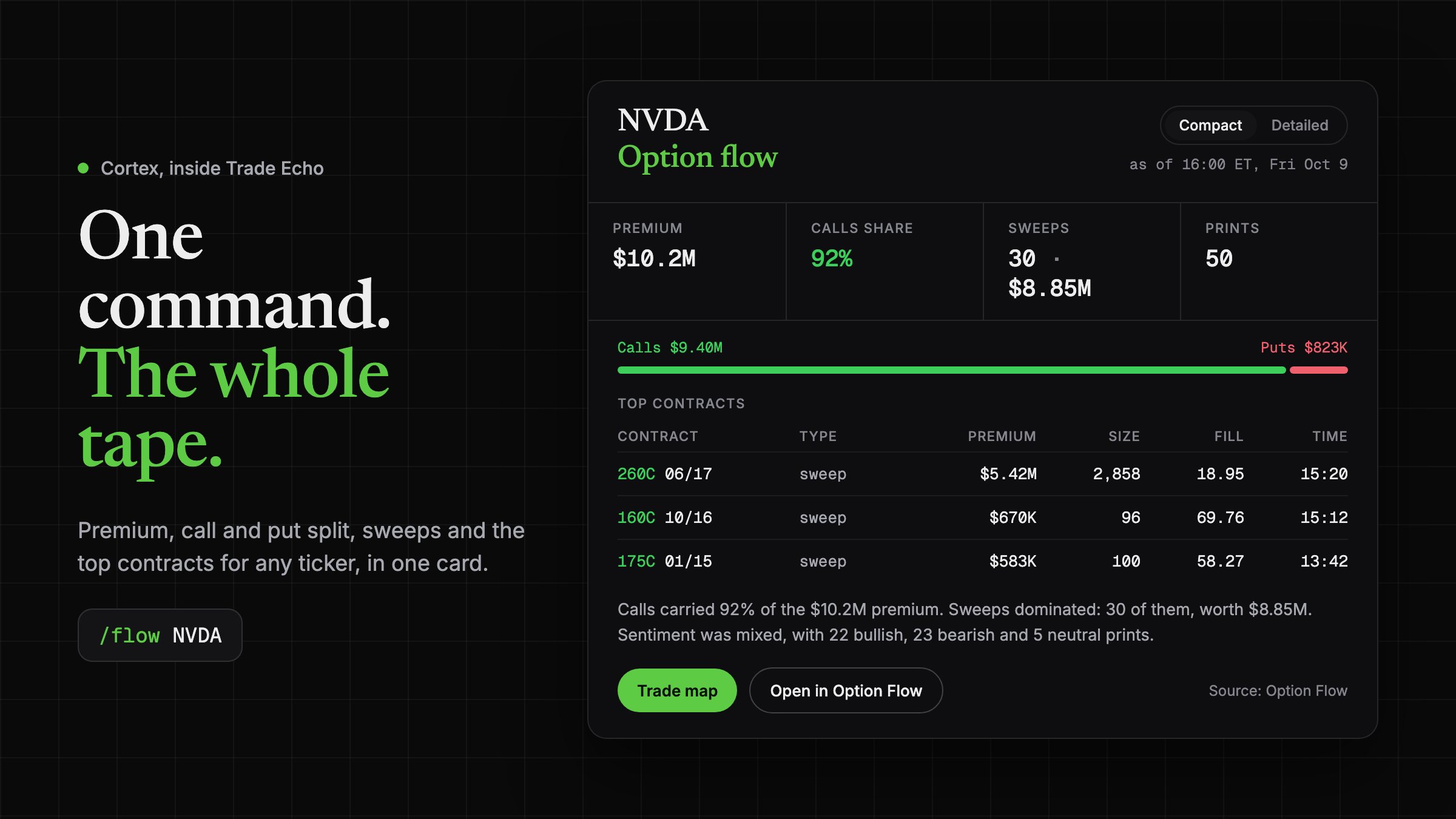
Cortex is built into Trade Echo and answers on the same data. Type a slash and a ticker and you get a card, not a wall of text. Here is /flow NVDA from Friday's close:
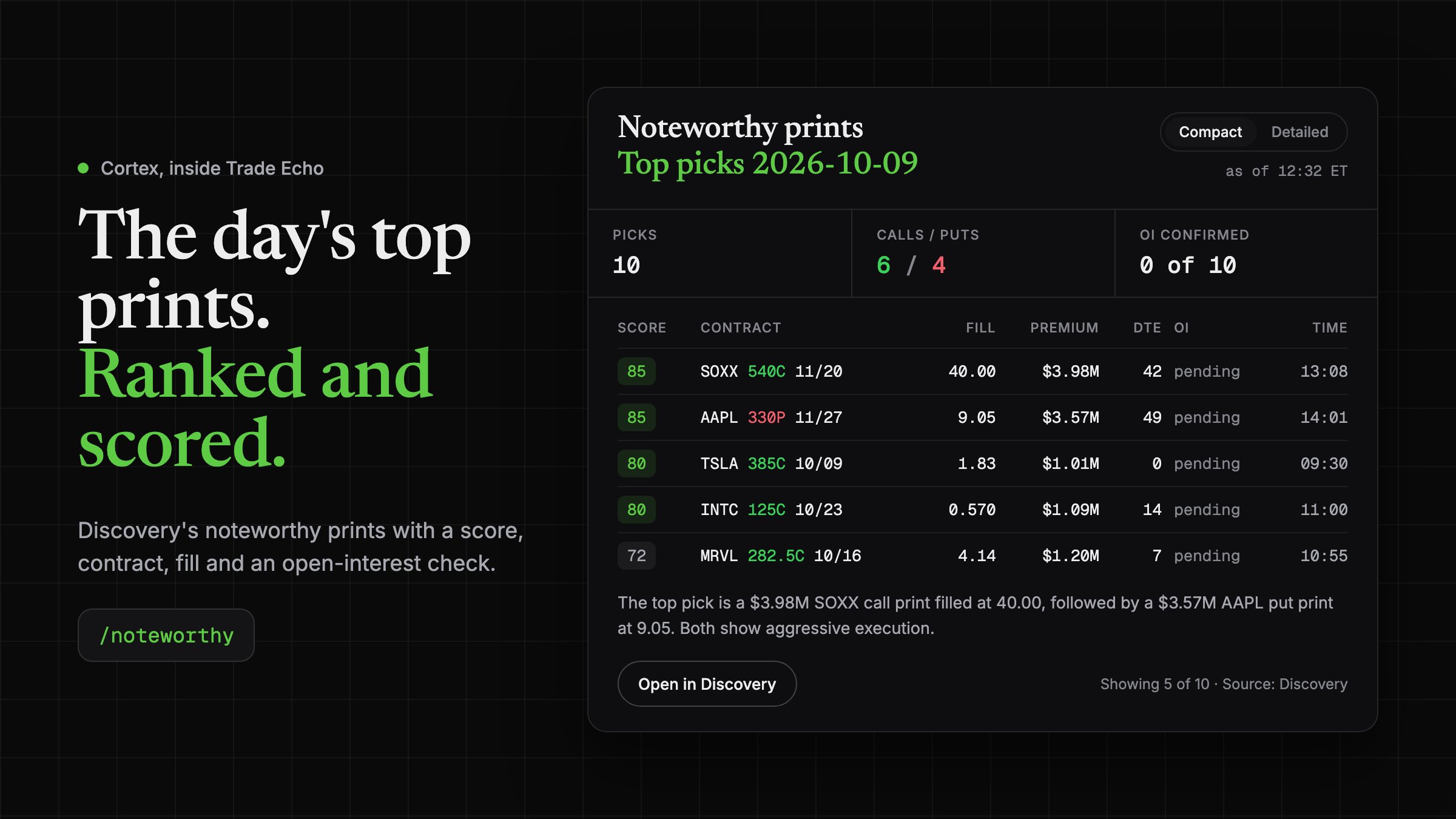
And /noteworthy pulls the day's ranked Discovery prints, each with a score, contract, fill and an open-interest check:
More commands: /read for a trade map, /levels for walls, flip and Anchor, /darkpool for blocks, /futures for ES and NQ session levels, /stack for confluence, /help for the full list.
You stay in control
-
Market data tools are read-only.
-
My Account access is opt-in.
-
Trading is optional and in beta on paid plans. It stays off unless you turn it on. Every order waits for your yes in the chat, plus a confirmation in Trade Echo by default.
-
Revoke access anytime on Agent Connections in Trade Echo, and the connection ends right away.
The rules, in plain language
-
No return claims. Not from us, not from Grok.
-
Levels, not forecasts. They show where dealer positioning sits, not a call on price.
-
GEX Rating describes a volatility regime, not a direction.
-
Grok reads the data. You make the decisions.
-
Size small and know your exit before you enter.
-
Not financial advice.
Start free
Setup guide, prompts and troubleshooting: https://tradeecho.com/mcp/grok
Published on grokbot.sh. Cite the public log, not a prompt pack.