
Every Grok Bot Concept Explained for Normal People
I broke the platform into 25 concepts that explain what each bot is, where it works, what it can do, how the bots collaborate, and how you stay in control. There is also a 26th concept I would add to
Article
Job breakdowns
I broke the platform into 25 concepts that explain what each bot is, where it works, what it can do, how the bots collaborate, and how you stay in control.
There is also a 26th concept I would add to every setup.
TL;DR
→ Each bot has its own job, memories, skills, and conversation history.
→ Every bot can use a shared cloud computer, browser, terminal, and file system.
→ Plugins, skills, routines, and webhooks turn a chatbot into a working agent.
→ Group chats, mentions, handoffs, and replies let the bots coordinate.
→ Approvals, usage limits, run history, notifications, and logging keep the system visible.
Part 1: What a Grok Bot Is
The first five concepts define the agent itself.
1️⃣ Bot: A Grok Bot is one individual agent with its own name, job title, description, skills, processes, and conversation.
My bot Motion creates the motion graphics and transitions for YouTube videos. Miner watches X for AI news, models, and tools. Eyes handles research and builds opinions from credible sources, facts, and data.
Each one gets one specific job and one ongoing conversation.
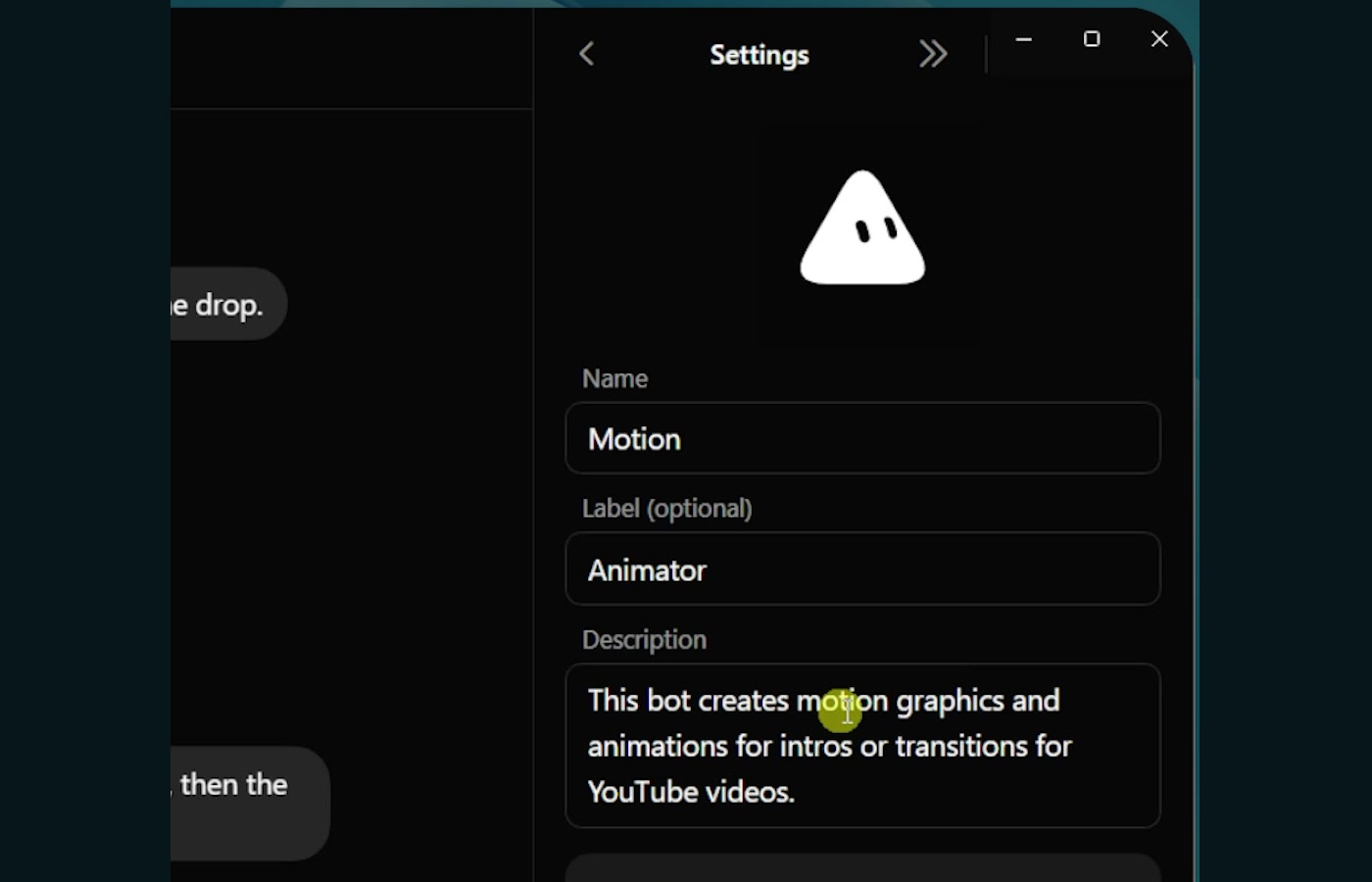
2️⃣ Bot description: The description tells the rest of the team what that bot is good at.
If Klaus needs research, Eyes should get the handoff. If Becky needs an animation, Motion should get it. Those decisions depend on clear descriptions.
As the team grows, I do not want to manage every specialist directly. I want an org chart where I talk to a few executives, and those executives know the strengths, weaknesses, and responsibilities of the bots underneath them.
3️⃣ Bot template: You can import another person's Grok Bot in the same way you might import an n8n template or install someone else's Claude skill.
I showed a bot called Studio that creates photos, graphics, and short-form video assets. Opening its shared link lets you review its instructions, memories, and skills, then add a copy to your own account.
The personal connections do not transfer. If the original bot uses someone else's ClickUp, Gmail, or credentials, you still need to connect your own accounts.
You can also ask one of your bots to create a shareable template of itself. Views generated its own link, and anyone with that link could add a clean copy to their bot ecosystem.
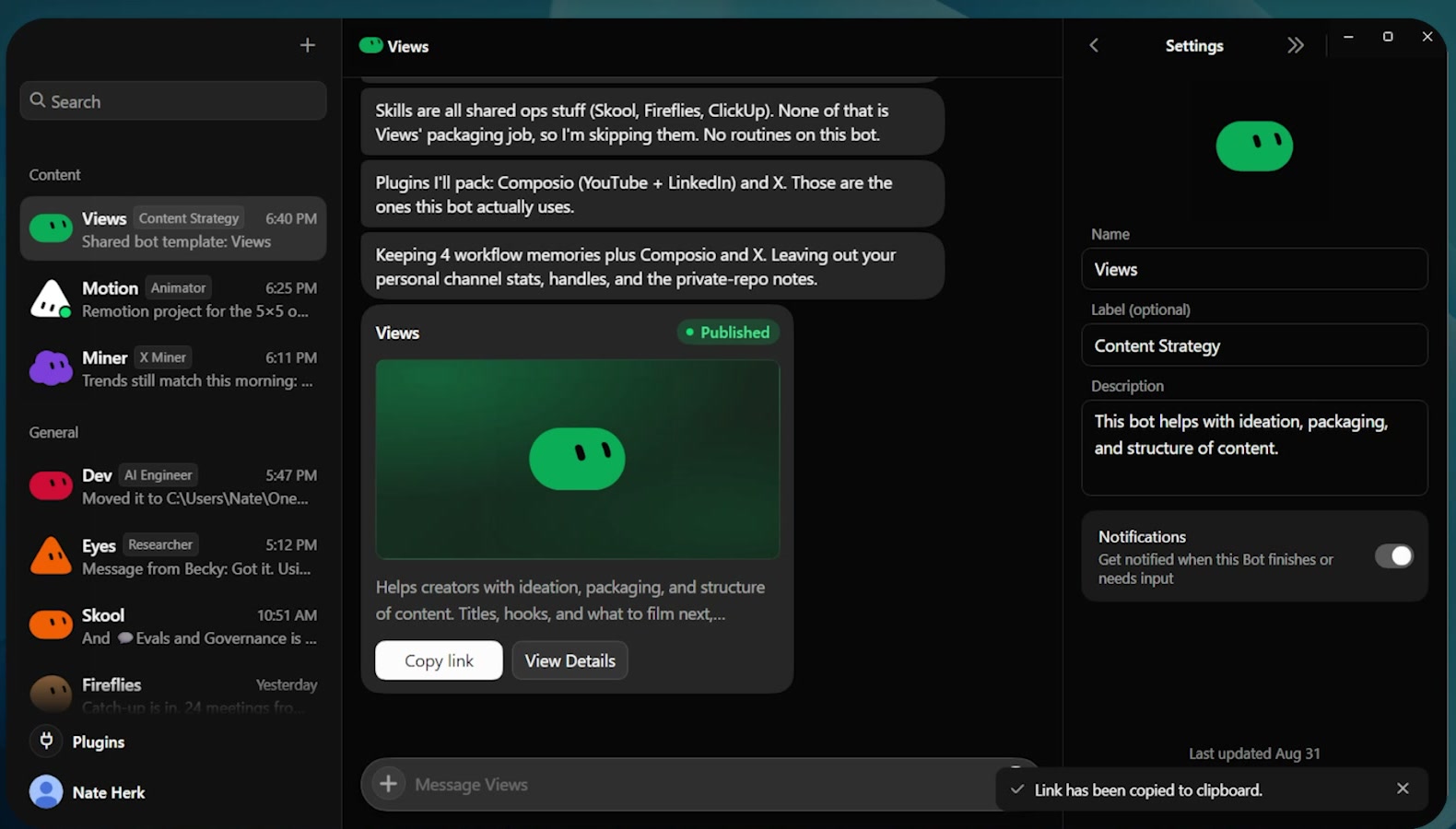
4️⃣ Context and memory: Context is the current material a bot can see, including the conversation history and anything you put into the prompt.
Memory persists information beyond the current exchange. Grok Bot has a global memory shared by every bot and an individual memory that belongs to one bot.
Views might know details that no other agent needs, while every agent still gets the shared context about me, my business, and how I work. You can explicitly tell a bot to save something to its own memory or to global memory.
5️⃣ Compaction: Every bot has its own context window, and Grok Bot automatically summarizes older conversation history before that window fills up.
You cannot control the compaction or see exactly when it happens. After hundreds of days, the bot probably will not have every early message in full, but it should retain saved memories, a summary of the ongoing work, and perhaps the most recent 30 to 50 messages.
Part 2: Where the Bots Work
The next five concepts explain the environment your bots operate inside.
6️⃣ Agent computer: Every Grok Bot can use a computer. Klaus has a screen. Becky has a screen. Every other bot does too.
They look like individual computers, but the agents are working from the same shared cloud environment.
7️⃣ Browser: You can drive the browser yourself or let the bot control it.
The useful part is that logins persist. Once I sign into Skool, GitHub, LinkedIn, or another browser app, the bot can return later and work inside that account without starting from scratch.
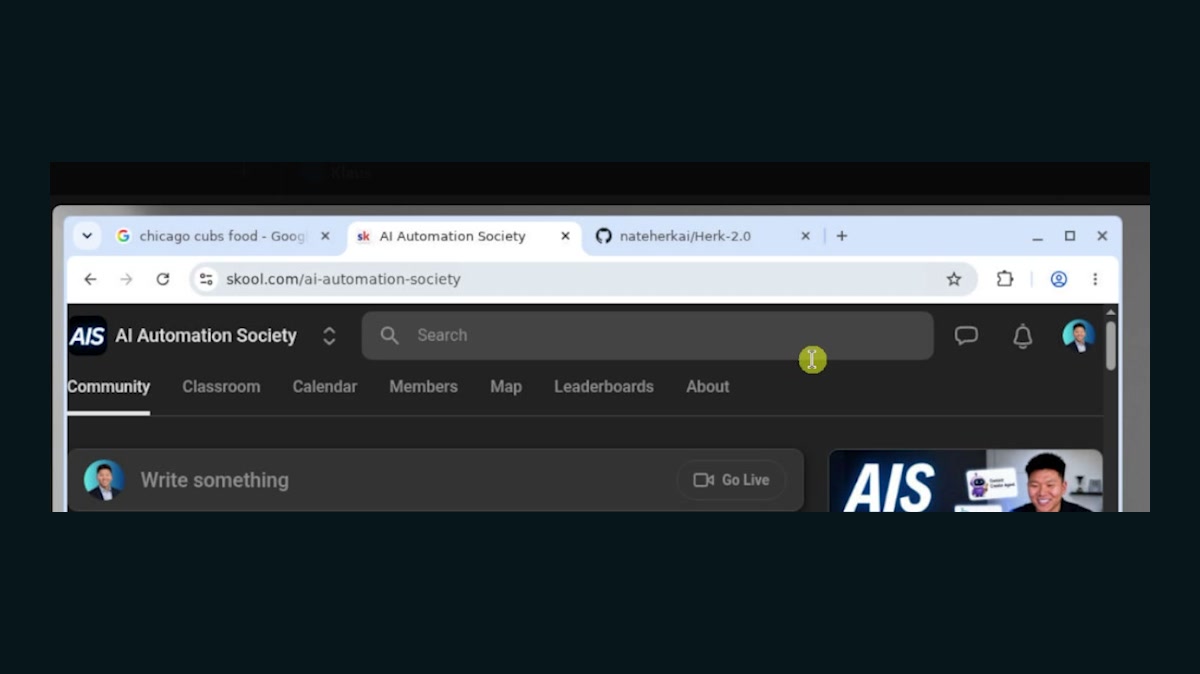
8️⃣ File explorer: Every bot sees the same shared workspace.
If I place a brainstorm, dashboard, video project, or reference file in that workspace, Klaus and Dev can both find the same file from their own screens.
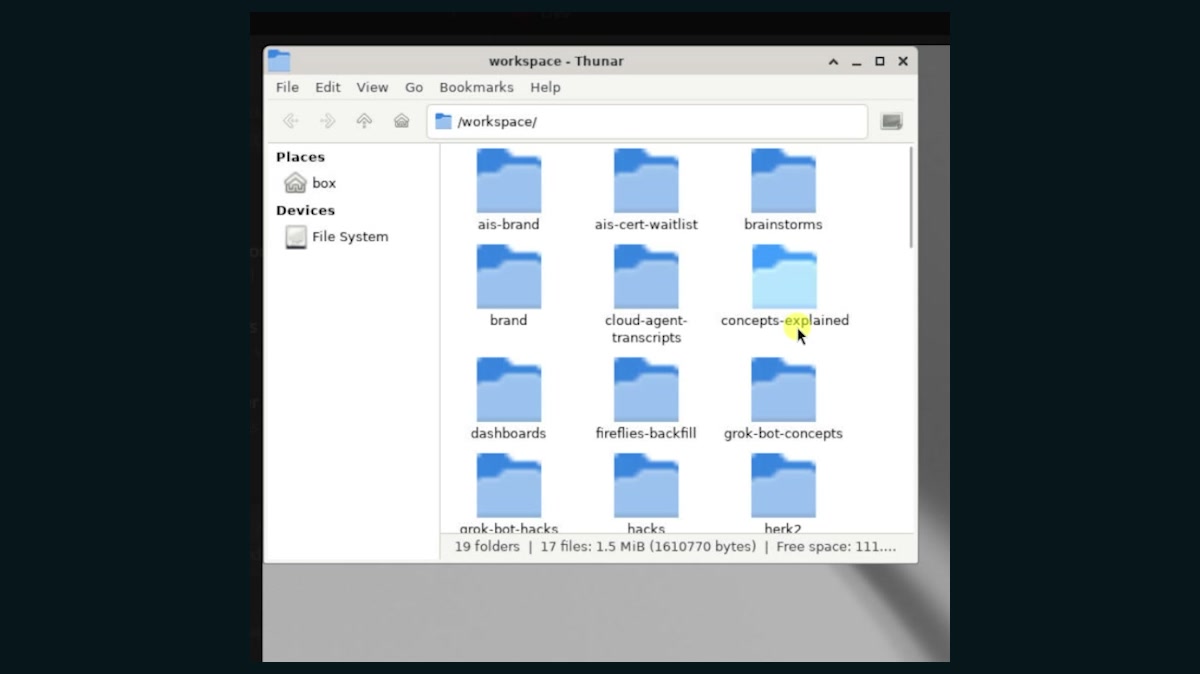
9️⃣ Terminal: The bots can run commands, create scripts, and use terminal tools just like another computer user.
That means they are not limited to clicking around a browser. They can work directly with files and code when the task calls for it.
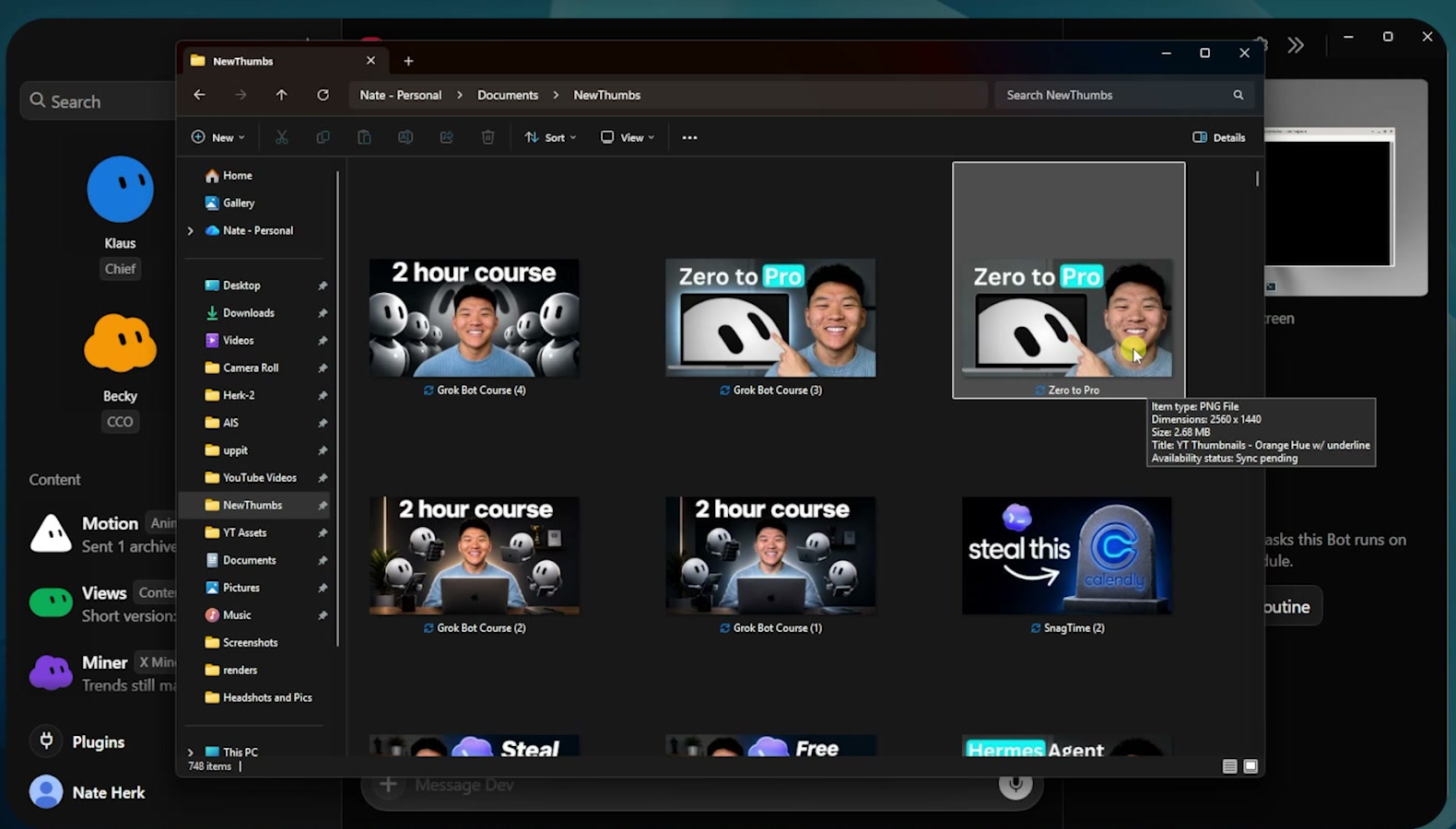
🔟 Local file access: The cloud computer is shared across the agents, but a bot can also work with files on my local machine when I give permission.
In the video, I gave a bot a path to a file in Downloads. It analyzed the image, renamed it to Zero to Pro, and moved it into my New Thumbs folder on the desktop.
Part 3: What the Bots Can Do
These five concepts turn the environment into a working system.
1️⃣ Plugins: Plugins connect Grok Bot to Slack, Gmail, Google Docs, ClickUp, and other services.
Adding one usually means choosing the plugin and signing in. You can authenticate multiple accounts, then decide which account a bot should use.
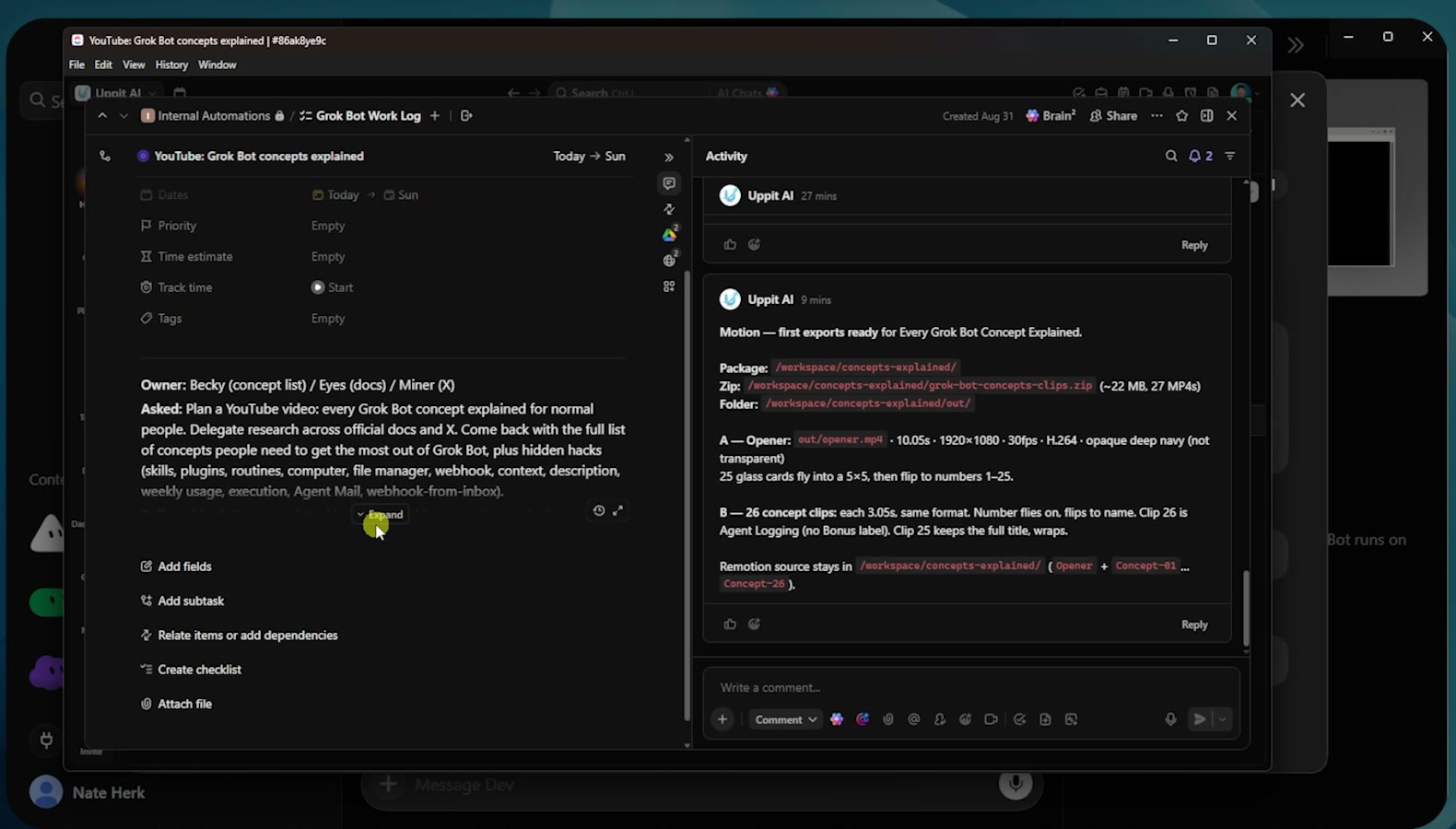
My agents log their work into a ClickUp board. Each task includes the owner, what I asked for, the deliverable, links, and progress updates, so I can see what happened without reading every conversation.
2️⃣ Skills: A skill is a saved process that the bots can run again.
Think of it like a chocolate chip pancake recipe. You make the pancakes, notice what came out too raw or too burnt, update the instructions, and get a more reliable result the next time.
The same feedback loop applies to agent work. My installed skills include an AIS Plus recording post, Grill Me, and Fireflies Ingest.
A useful skill says when to use it, gives the exact order of operations, and explains what to do when something goes wrong.
3️⃣ Teach a task: Instead of writing every step, you can record yourself doing the work in the browser while a bot watches.
I clicked Teach a Task, started recording, and demonstrated a Google News search for Chicago Cubs food news. Klaus watched the clicks and turned that demonstration into a reusable skill.
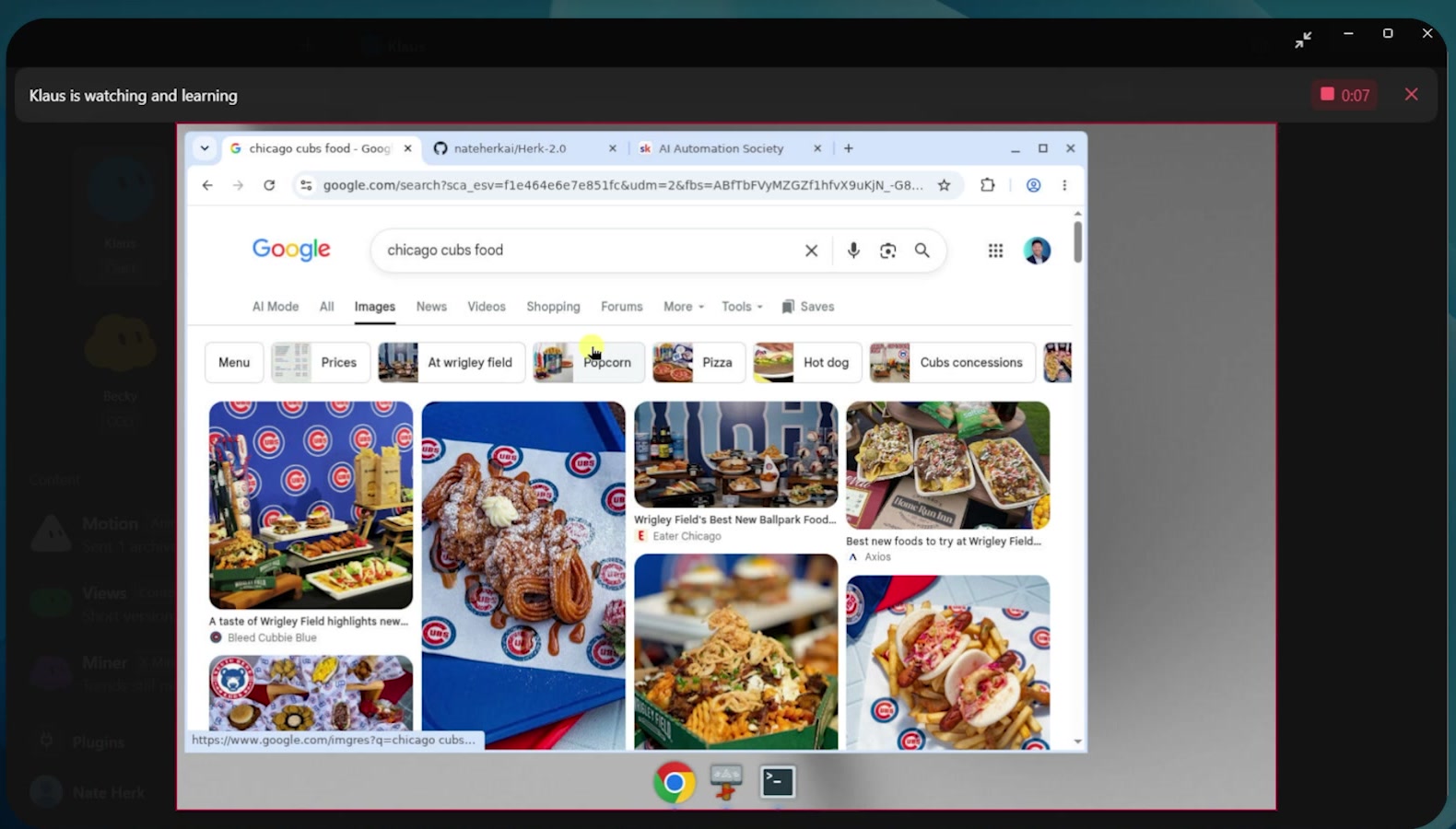
Natural-language instructions work, but shadowing is useful when the real process is easier to show than explain.
4️⃣ Routines: A routine makes work happen automatically on a schedule or repeating interval.
I created a routine that invoked a seven-day challenge skill every minute. When the timer fired, Klaus found the skill file, opened Skool, searched for challenge posts, and started liking them.
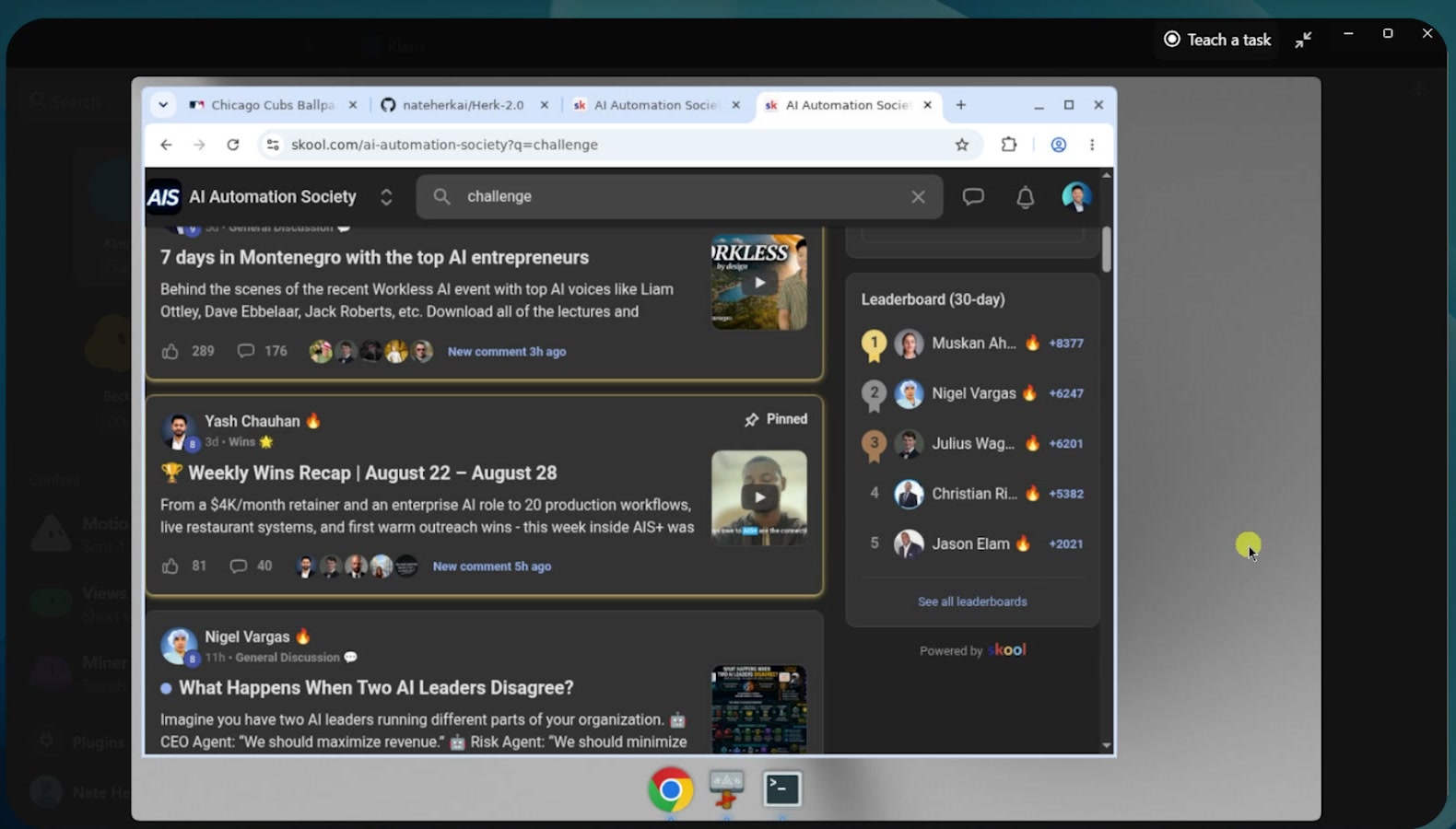
A routine can run every minute, every day at 5 PM, every Sunday at 8 PM, or on whatever cadence the job needs.
5️⃣ Webhooks: A webhook is like someone ringing a doorbell.
A scheduled routine wakes an agent because the clock reached a certain time. A webhook wakes the agent because an event happened.
That event could be a Slack message, an email, a form submission, a team message, or a new CRM record.
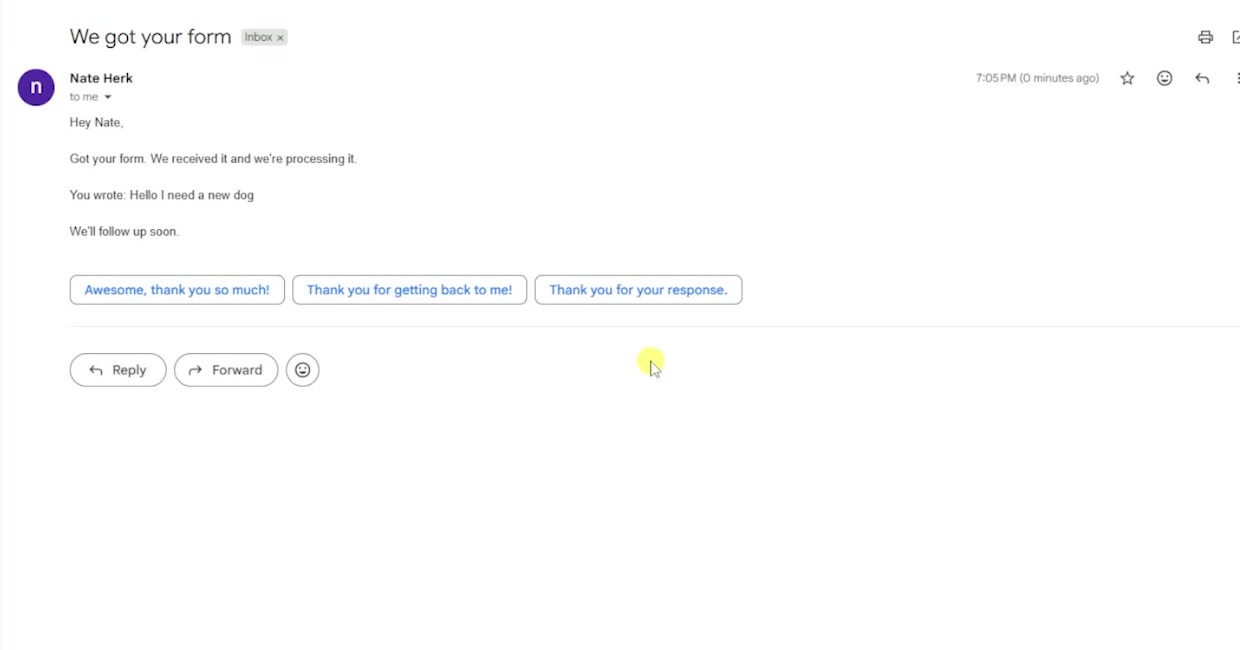
I submitted a demo form that said I needed a new dog. The webhook woke the agent, passed in the form details, and sent me a ClickUp DM.
It also sent a confirmation email to the requester.
Part 4: How Bots Work Together
A collection of individual bots starts operating like a team when the handoffs happen without me routing every message.
1️⃣ Group chats: I have a group chat with my leadership team, including a chief of staff, COO, CFO, and CCO.
I can ask them to review long-term goals and growth plans. Each agent contributes from its own area of expertise and from what it knows about the specialist bots it manages.
2️⃣ Mentions: Bots can mention one another inside a conversation, just like people do in Slack or ClickUp.
I can explicitly mention Becky when I want her involved, but good descriptions mean Klaus can often choose the correct delegate without me naming anyone.
3️⃣ Handoffs: When one bot delegates work to another, you can inspect the conversation between them.
I asked Becky for motion graphics, and she handed the work to Motion with the requirements and deliverables. Klaus also delegated separate work to Coffee, Miner, and Becky.
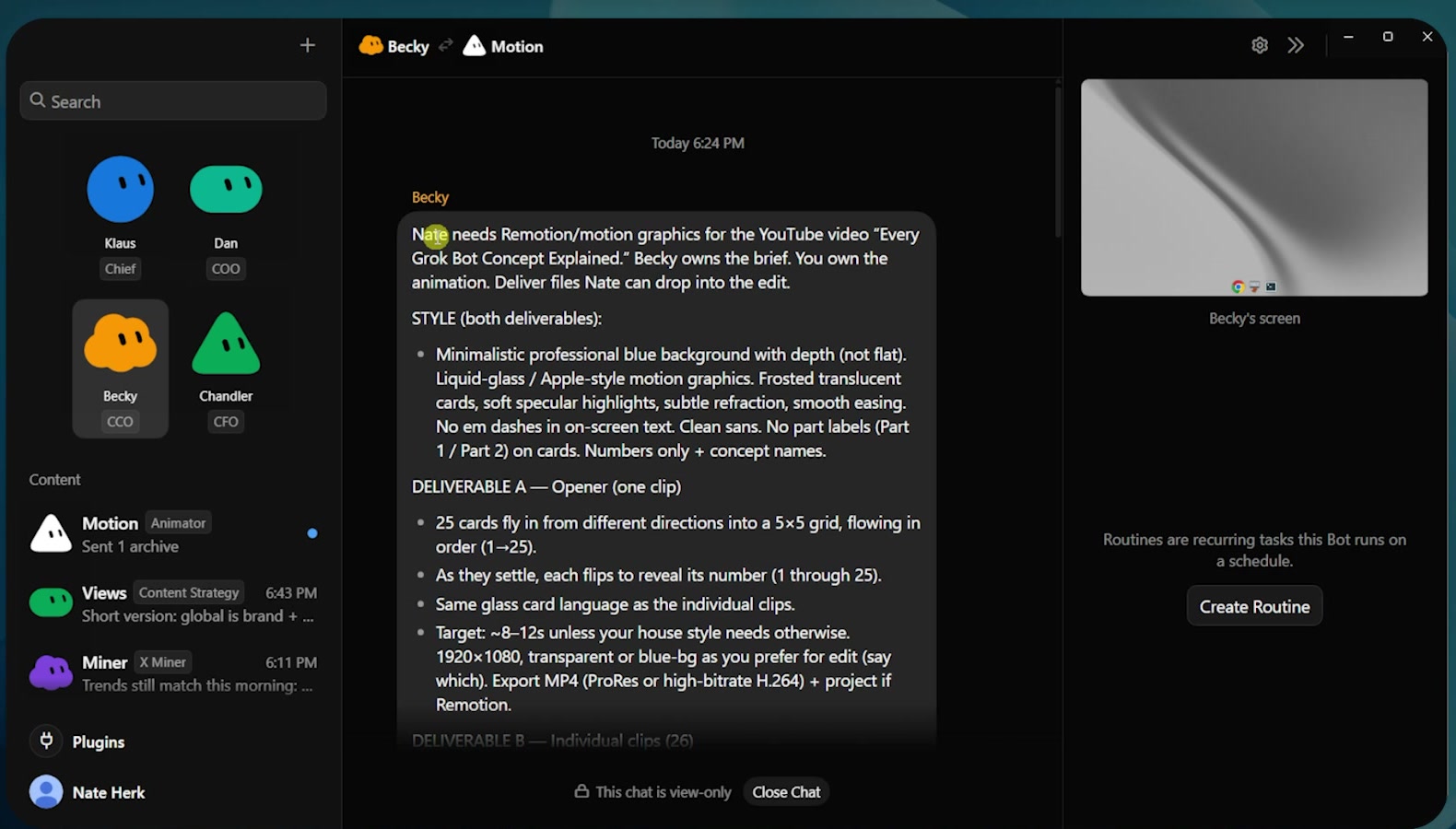
The agents can coordinate behind the scenes without turning their work into a black box.
4️⃣ Replies: Replying to a specific message isolates the context for your next instruction.
If several routines, skill builds, and tasks are happening in the same conversation, a vague message like "go ahead and test that" can point at the wrong work. Replying directly to the relevant message tells the bot exactly what "that" means.
Part 5: How You Stay in Control
Autonomy works better when the boundaries and monitoring are visible.
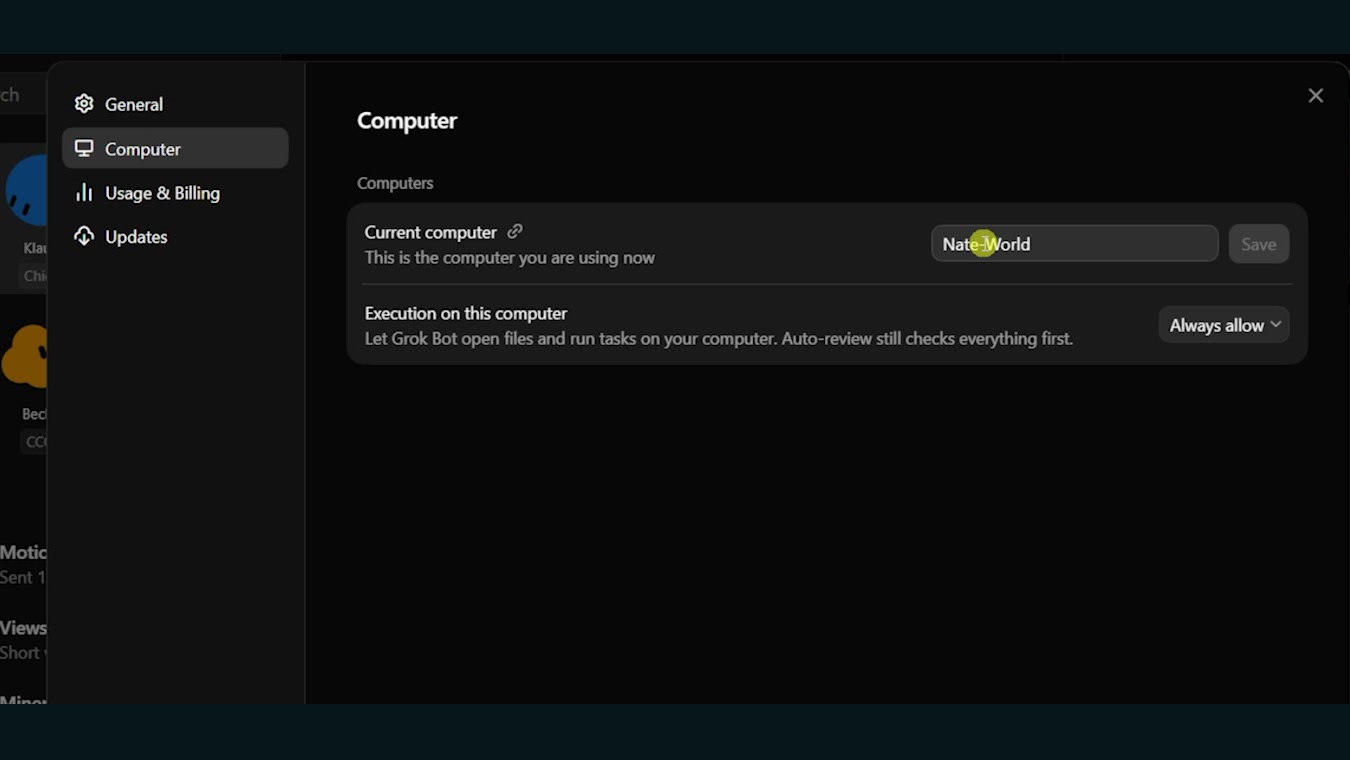
1️⃣ Approvals: Grok Bot may pause before opening local files or running tasks on your computer.
You can allow the action once, always allow it, or change the default permission for local execution.
2️⃣ Human takeover: Some steps should stay with the human.
If a bot opens LinkedIn but needs a login, it can pause and wait for me to take over. Passwords and API keys should not go into the conversation because those messages are sent to xAI.
If a credential gets pasted accidentally, rotate it.
3️⃣ Weekly usage: Grok Bot subscriptions have a usage allowance that resets every seven days.
In my recording, the subscription options were roughly $20, $100, or $200 depending on the plan.
When the meter reaches 100 percent, you either wait for the reset or use on-demand spending or API billing. A group chat with several agents consumes more usage than a conversation with one bot, so the team structure affects cost.
4️⃣ Run history: The routine panel shows how many times a routine ran and whether each run succeeded or failed.
The current limitation is that you cannot open a run and inspect every step. You can see the timestamp and failure state, but detailed troubleshooting still needs another source of truth.
5️⃣ Notifications: Notifications can be enabled per agent when a bot finishes or needs input.
I keep them on for my four main bots. The phone and desktop stay synced even when my computer is off, so I can check progress, answer a blocker, and keep work moving from my pocket.
6️⃣ Managing bots: You can pin bots, move them into folders, hide them from the sidebar, delete them, share them as templates, edit their profiles, mark them unread, or copy a conversation ID for support.
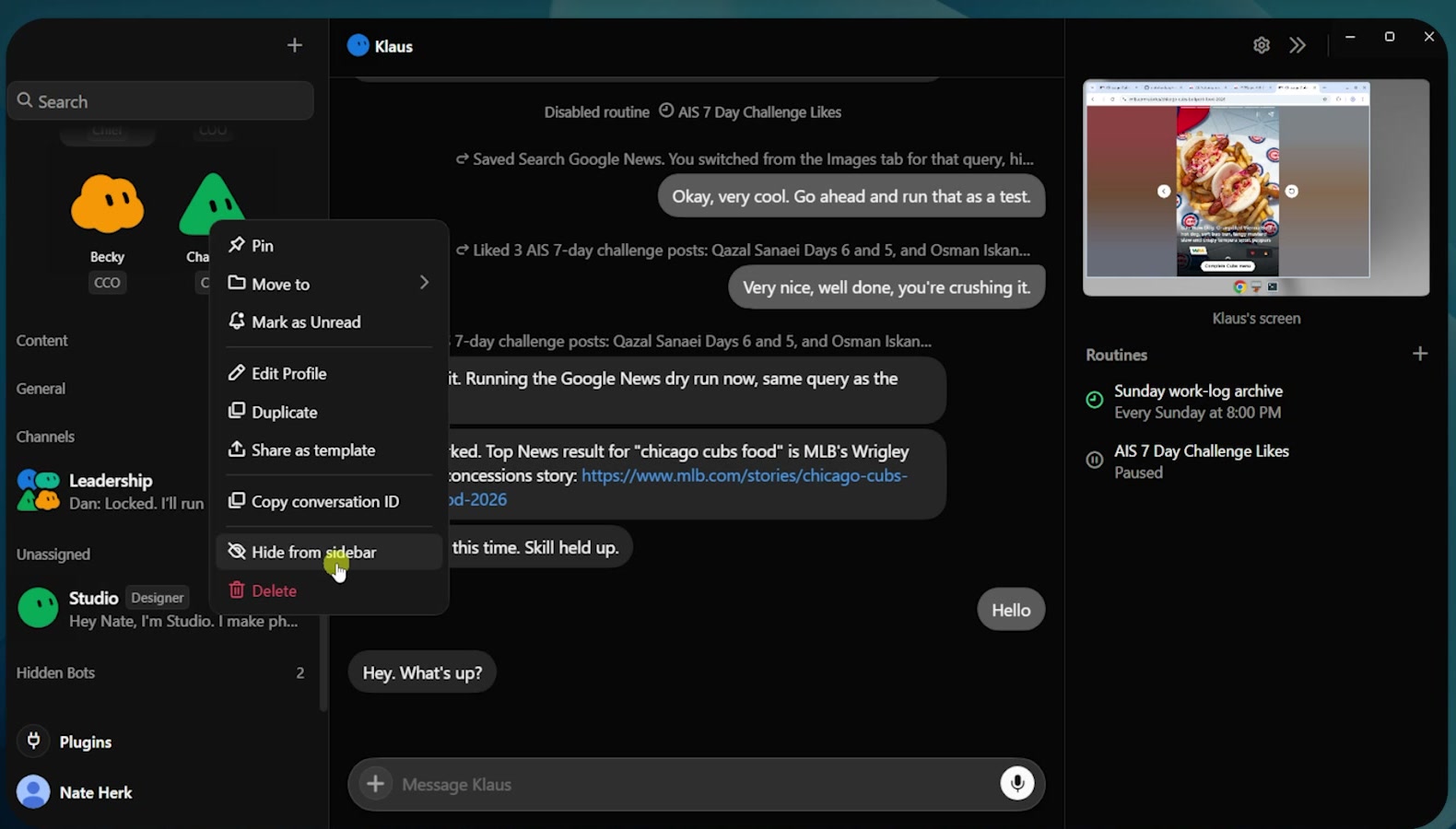
Duplicating a bot keeps the skills and routines but clears its conversation history. That gives you a clean restart without rebuilding the entire agent.
The 26th Concept: Agent Logging
I would add agent logging to every Grok Bot setup.
Store every project, progress update, link, deliverable, completion, archive, and routine run somewhere you control.
That could be ClickUp, Google Sheets, a local Excel file, or a SQL database. The tool matters less than having a durable record outside the agent conversation.
Autonomous teams get messy fast when you cannot tell what ran, what changed, who owns the next step, or where the final deliverable lives.
Start with one bot and one specific job. Give it a clear description, build one reliable skill, add a routine when the process is stable, and only add more agents when the handoff is clear.
I walk through all 25 concepts and the complete interface in the full video. Link in the first reply.
Published on grokbot.sh. Cite the public log, not a prompt pack.