
Grok Bot + Whop CLI: Build, Sell, Get Paid and Run Ads Without Opening a Dashboard
Grok Bot can now run your entire Whop business for you. Whop lets you create products, sell them, receive payments, and run ads from one platform. Normally, you'd have to do all of this yourself.
Article
Job breakdowns
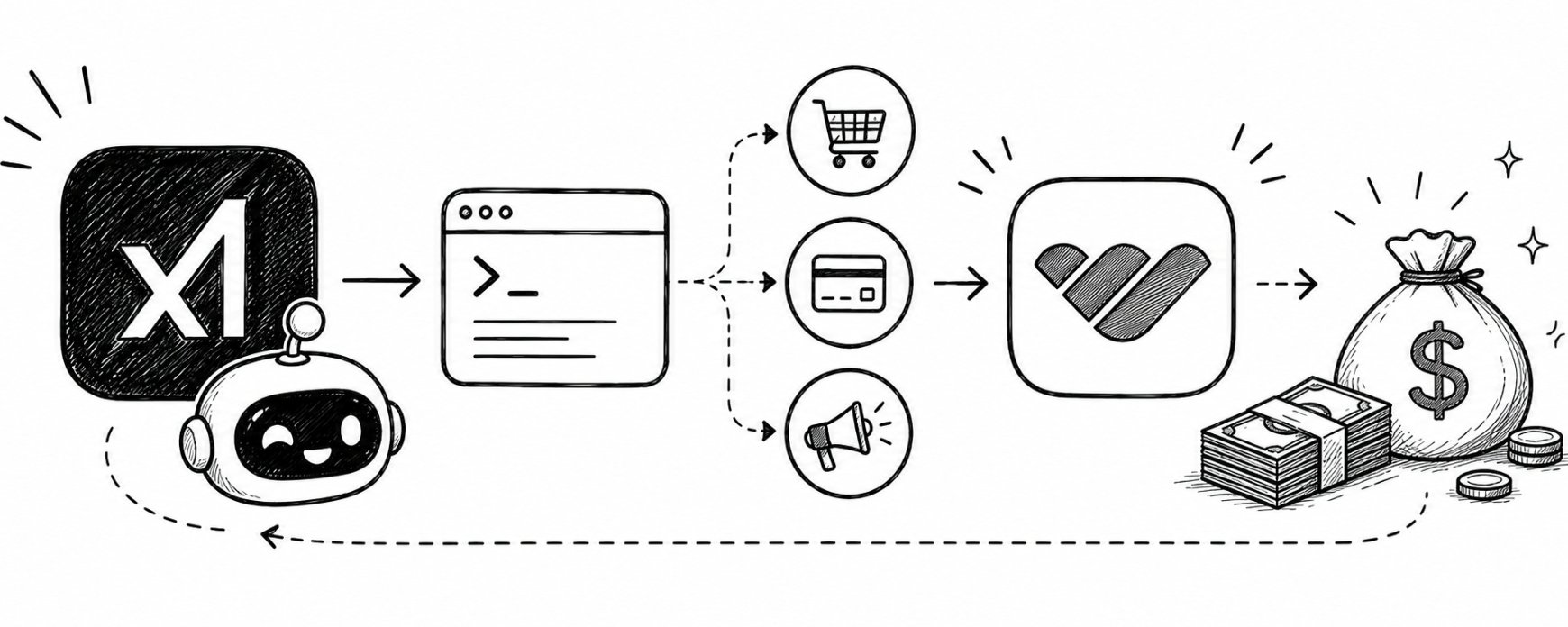
Grok Bot can now run your entire Whop business for you.
Whop lets you create products, sell them, receive payments, and run ads from one platform.
Normally, you'd have to do all of this yourself. You'd open different pages, click through menus, copy links, check your sales, set up ads, and repeat the process every time.
Whop's new CLI changes this.
A CLI is simply a way to control a platform by typing instructions from a terminal.
Whop launched its CLI on July 21, 2026. It lets you perform actions on Whop directly from a terminal, without having to open the dashboard.
This is where Grok Bot comes in.
Grok Bot can use that terminal to carry out the tasks for you. You tell it what you want done, and it can handle the steps one after another.
What Whop actually is
Most people know Whop as a platform for selling digital products, memberships, and communities.
But Whop does much more than that.
It can handle payments, subscriptions, payouts, refunds, and disputes. You can also spend money directly from your Whop balance and run ads through the platform.
So instead of using several different services to run your business, Whop puts most of the important pieces in one place.
The simple idea is:
You can build, sell, get paid, and grow your business from one Whop account.
And the new CLI lets you control these features with commands instead of clicking through the dashboard.
Whop says businesses on the platform generate around $4 billion a year across 145 countries, so this isn't just a small tool, it's already being used at serious scale.
How the Grok Bot and Whop CLI flow works
The process is simple. You give Grok Bot an instruction in plain English, and it breaks the task into smaller steps and handles them one by one.
Grok Bot uses the Whop CLI to perform each action, while the CLI connects to Whop to make it happen. The useful part is that information from one step automatically moves to the next, so you don't have to copy and paste links, IDs, or other details yourself.
You tell it what you want done, and it handles the steps needed to get there.
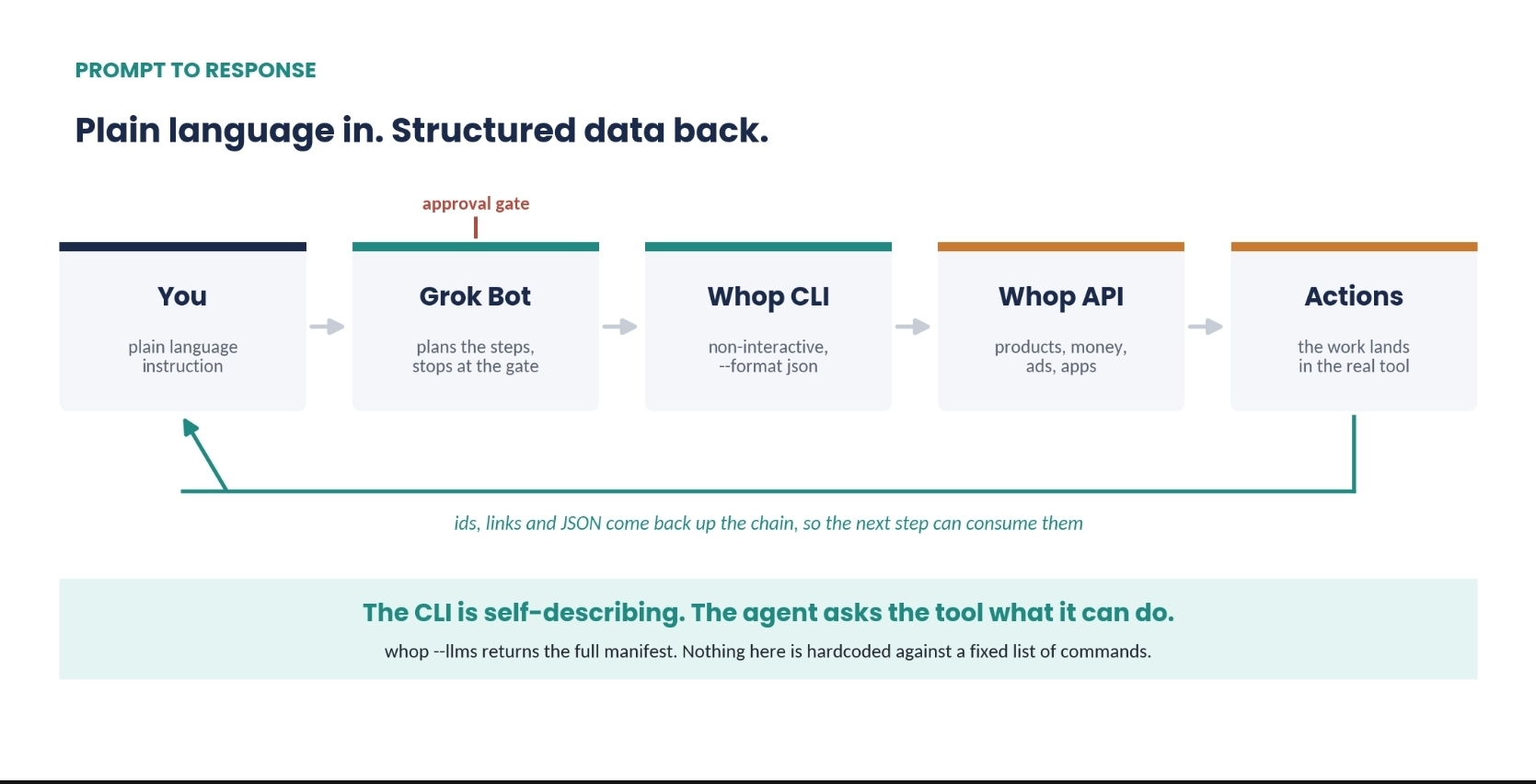
Each step gives the next step the information it needs automatically. That is what makes the whole process work smoothly from start to finish.
Discovery is one of the most important parts.
The Whop CLI can explain its own commands, so Grok Bot doesn't need a fixed list of instructions to know what it can do.
It can check what commands are available and figure out how to use them.
For unattended runs, skip the browser login and use a scoped key:
There are three things worth knowing before you let an AI agent run these tasks on its own.
First, retries are safe. Whop supports a system that prevents the same action from happening twice if the agent has to retry it after an error or timeout.
Second, you can see what happened. Every CLI action is recorded in a log, so you can check what the agent did.
Third, there is no "dry run" mode. You can't tell the CLI to simulate an action without actually doing it. Instead, use Whop's sandbox, set approval steps in Grok Bot, and ask the agent to show you its plan before it takes action.
Four Walkthroughs
Sample ids and figures below are illustrative.
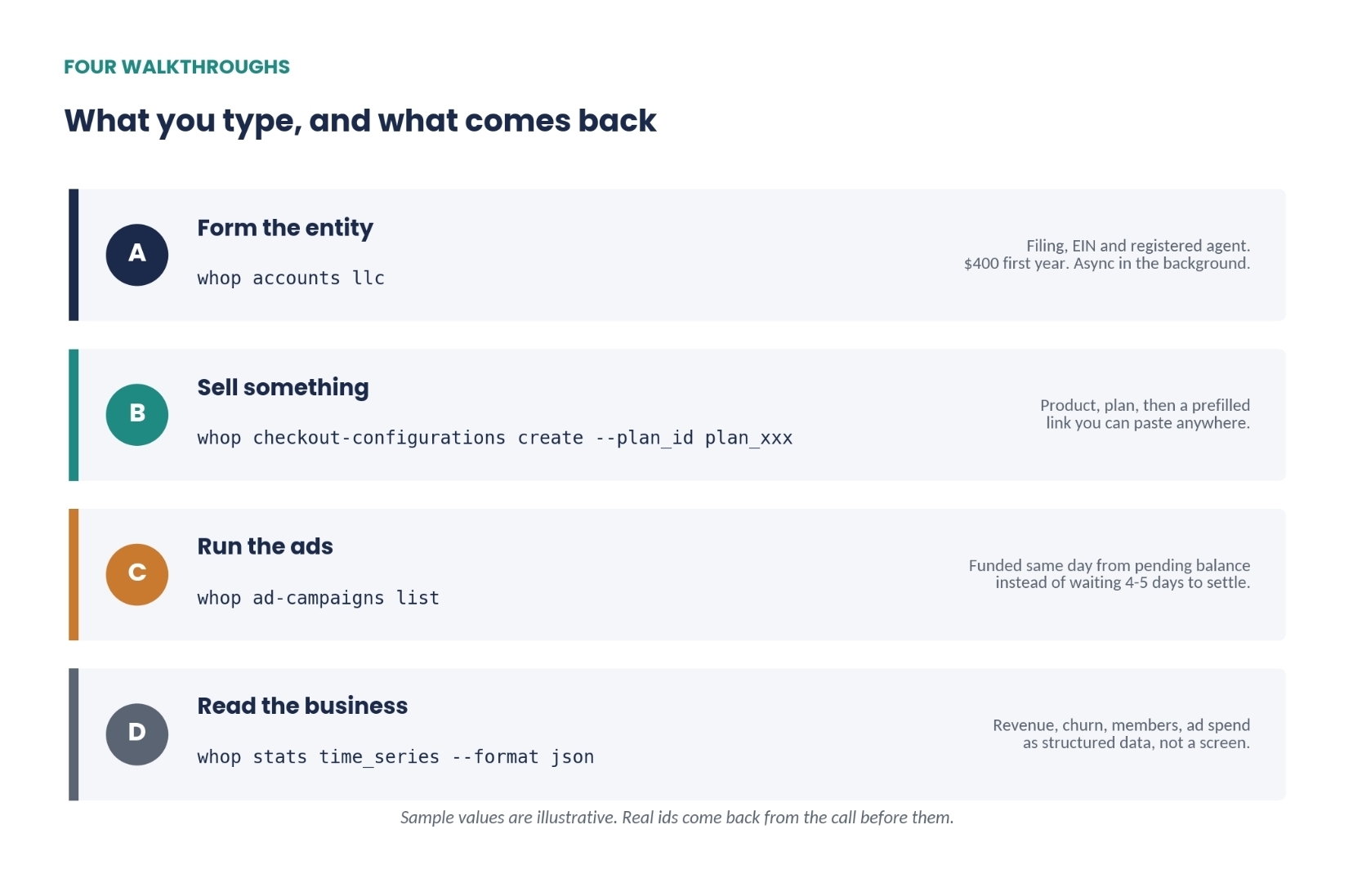
A. Form the entity
form my llc, and tell me what you need from me
doola's Formation API handles state incorporation, registered agent assignment and the EIN application asynchronously in the background. It runs $400 for the first year, including state fees and the registered agent. You can form without a US Social Security Number, though the EIN then takes up to eight weeks.
One-command LLC whop accounts llc covers entity filing, EIN and registered agent in a single call. It is available through a web portal and the API too. Whop's own guidance says the right state depends on your circumstances. Nothing here is legal or tax advice, and forming an entity has consequences worth an accountant or attorney's review before you file rather than after.
B. Product, pricing, checkout link
make a $79 product called Freelance OS, one-time, and send me the link
The product is the thing you sell. The plan is its price. The checkout configuration is a reusable, prefilled link. Illustrative output:
The buyer lands on a hosted checkout that already knows the plan, currency and any promo code you attached. Nothing for you to build or host.
C. Ads funded from balance
pull my revenue for the last 7 days, draft two creatives for freelance os, and put $50 behind the better one
Whop Ads runs through Meta, but you manage everything directly inside Whop instead of using Meta Ads Manager.
There are no setup fees, monthly fees, or minimum ad spend. Whop also tracks your conversions through its own pixel, so your sales and ad results stay connected.
The biggest advantage is how you fund the ads. You can use money from your pending Whop balance the same day, instead of waiting 4-5 days for the money to settle.
Ad loop in 3 steps A sale settles into your pending balance That balance funds the campaign the same day The first.party pixel attributes the next sale back into the balance. The advantage is speed. You can test a $50 ad in a few hours instead of waiting a week.
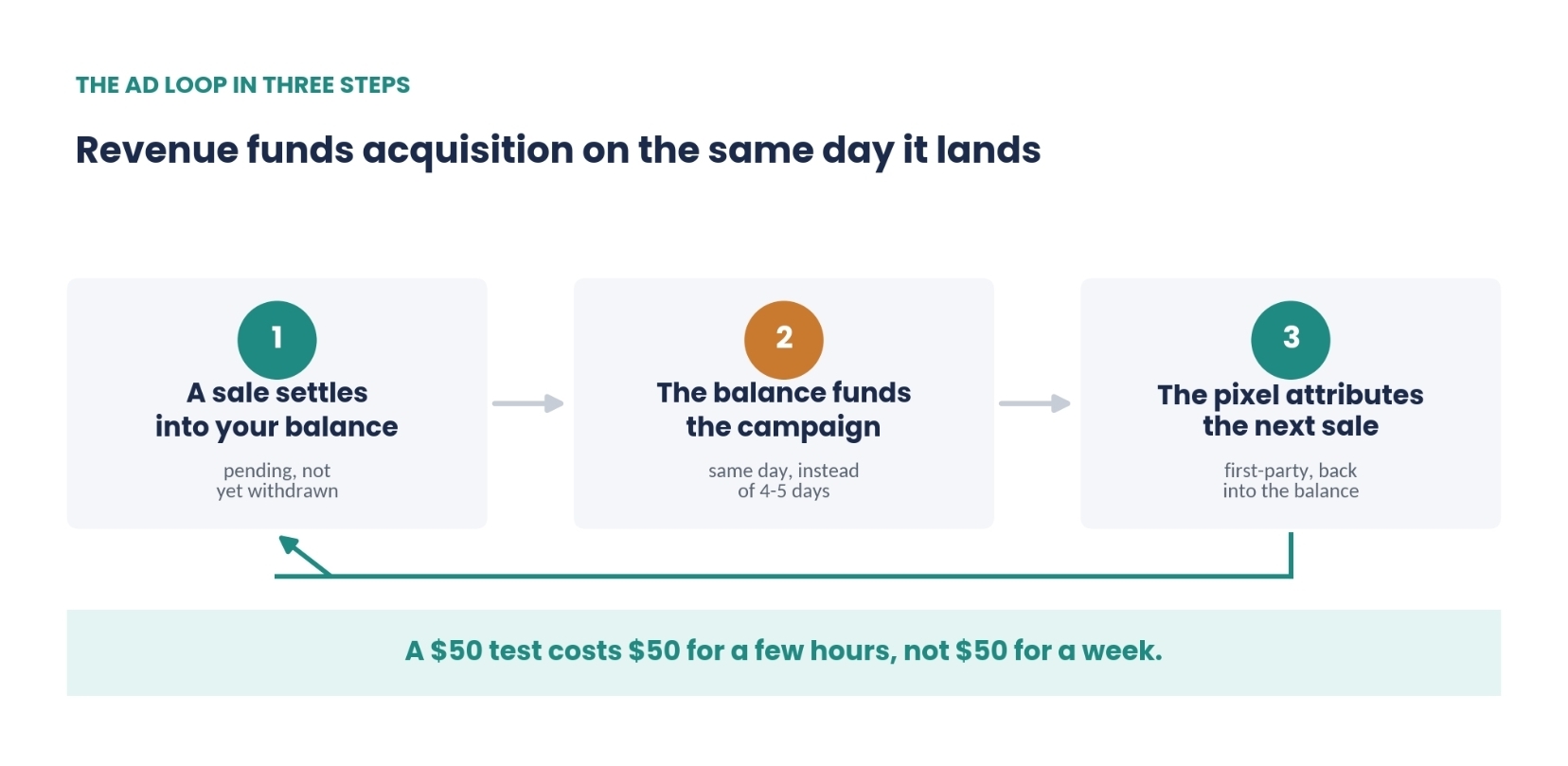
Same money, without waiting for it to go through a bank first.
D. Export the whole business
dump revenue, churn, members and ad spend for last month as json
stats returns financial time series. exports produces CSV dumps of any dashboard table. Illustrative shape:
Normally, a dashboard shows this information across different screens, so you have to compare everything yourself.
An agent can look at all of it at once and tell you what changed and how the different numbers are connected.
Key utilities
Beyond the four walkthroughs, two parts of the CLI are especially useful.
Money: You can check balances, move money, manage payouts, and handle disputes or chargebacks directly from the CLI.
Apps: You can also build and publish apps on Whop. The CLI can check your app, build it, upload it, and push it live. Server logs are kept for seven days, so you can go back and see what happened if something breaks.
App datas are stored securely and encrypted. Whop adds them to your app when it runs, so you don't have to put sensitive information directly into your code.
They are used as app settings, not as API keys.
FOR YOUR SECURITY...
Authenticate with limited access keys instead of giving the agent full access to your account.
Whop lets you create different roles and permissions, so an agent that only needs to check sales shouldn't also have permission to move money.
One important limitation: creating, changing, or deleting these keys still requires the Whop dashboard. The CLI cannot do it. This is actually a good thing because an agent can't create its own unlimited access.
For sensitive actions like payouts, refunds, disputes, or increasing an ad budget, always require your approval before the agent takes action.
For sensitive information like EINs, tax documents, and identity records, use Whop's built-in verification system instead of collecting and storing those documents yourself.
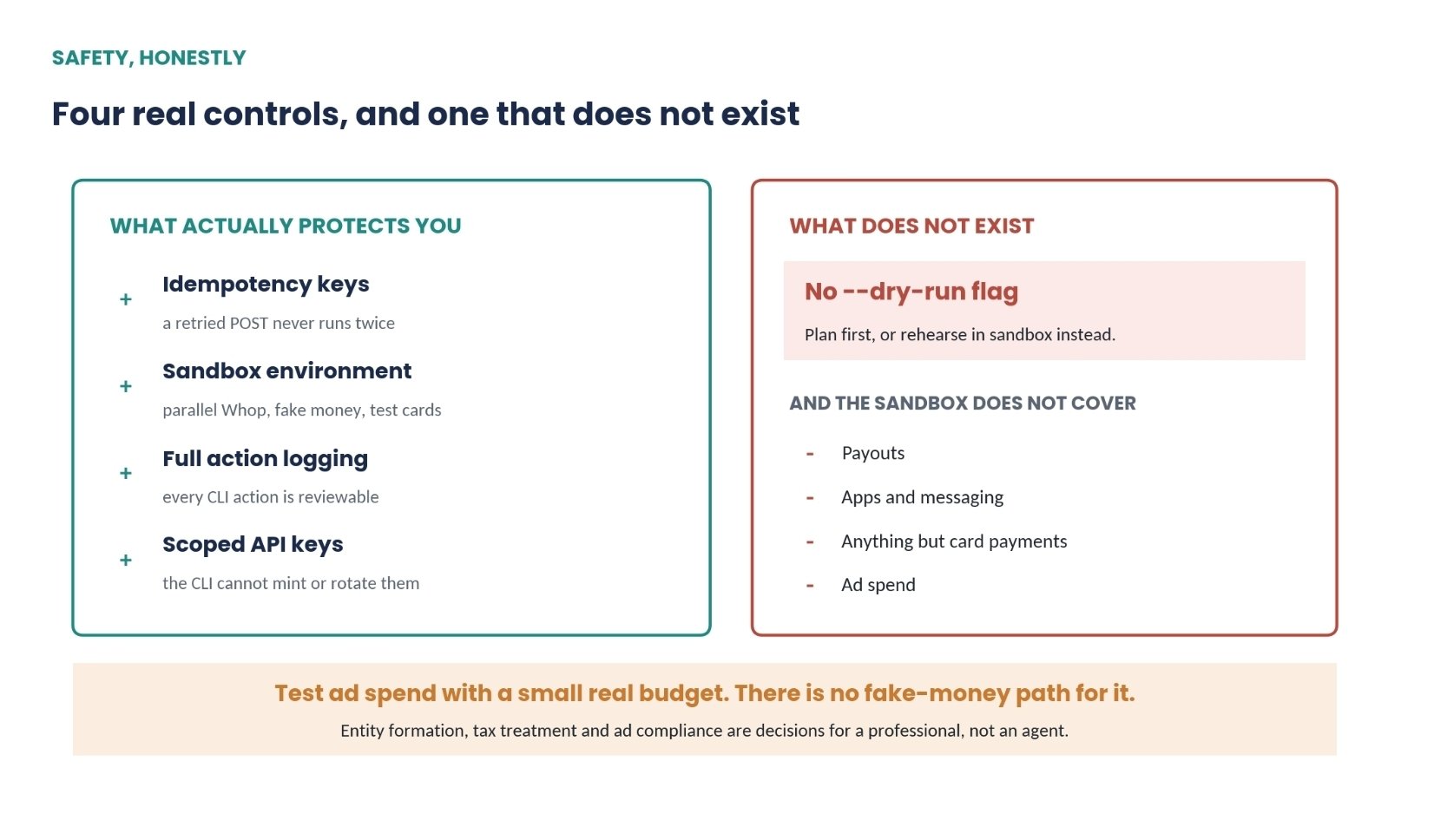
Read the right hand column before you automate anything that spends.
You can test most things before going live. Whop has a sandbox where you can test payments with test cards, but things like payouts, apps, messaging, other payment methods, and ads aren't covered.
For anything that could cost you money, give the agent limited access and make it ask for your approval first. And since there’s no dry-run mode, always have it show you the plan before it actually does anything.
Published on grokbot.sh. Cite the public log, not a prompt pack.