
How I Built a 24/7 Content Engine With Grok Bot
A beginner-friendly, step-by-step guide to monitoring trends, creating content, and turning good work into reusable systems I used to spend too much time doing three things: hunting for content ideas
Article
Job breakdowns
A beginner-friendly, step-by-step guide to monitoring trends, creating content, and turning good work into reusable systems
I used to spend too much time doing three things:
-
hunting for content ideas on X;
-
moving an idea between five different tools;
-
explaining the same workflow to AI again the next day.
So I tried a different setup.
I built a small content team inside Grok Bot:
-
a Scout that monitors X and trending formats;
-
a Competitor Monitoring Bot that studies products and posts;
-
a Quill Bot that writes;
-
an AIGC Agent that produces visual content;
-
and a Chief of Staff that controls the overall flow.
The Bots can work in parallel, message each other, share a cloud computer, and continue after I close my laptop.
What does that give me?
trend monitoring → content angle → draft → visual production → reusable Skill → scheduled Routine → repeat
It is not a magic ATM.
But it removes enough searching, clicking, copying, and re-explaining that the system can keep producing useful work 24/7. Over time, that becomes more than a productivity trick. It becomes part of how I create, test, and monetize content.
Here is the actual setup, step by step :)
Before Step 1: Grok Bot vs. Codex and Claude Code
The easy explanation would be “Codex and Claude Code are local; Grok Bot is cloud.”
Easy, but not quite true. These tools overlap, and Codex can also work across local and cloud environments.
The more useful distinction is their center of gravity:
I use Coding Agents when the work begins with a repository.
I use Grok Bot when the work begins with an ongoing business job: monitor this market, prepare this report, write this content, update this system, and come back when a decision is needed.
It feels a little like borrowing one of Elon’s spare cloud computers—hopefully without access to the rocket controls.
Step 1: meet the cloud teammate
Grok Bot starts with a surprisingly simple idea: create a Bot, give it a real job, and message it like a teammate.
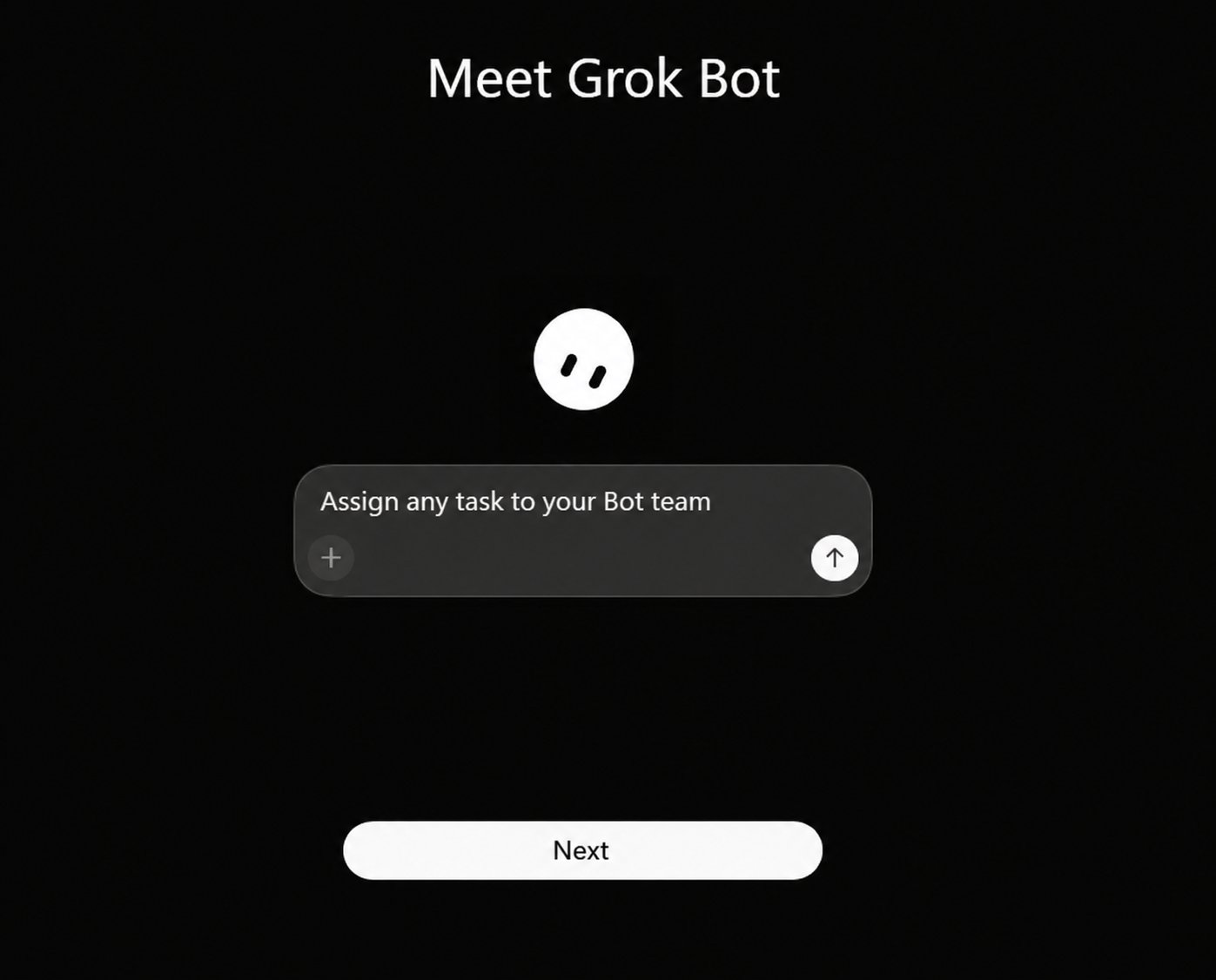
Behind the chat is the important part: a persistent cloud computer with a browser, files, and a terminal. Your Bots share that computer, including its files and signed-in browser sessions.
Why does that matter?
A normal chatbot is like calling a freelancer for one question. A persistent Bot is closer to giving someone a desk. The files are still there tomorrow. The browser session can still be there. The job does not automatically forget its own office every morning.
And because work runs in the cloud, a background task or Routine can continue when your laptop is closed.
That is the foundation of “24/7.”
Step 2: connect the tools where the work already lives
Next, open Plugins.
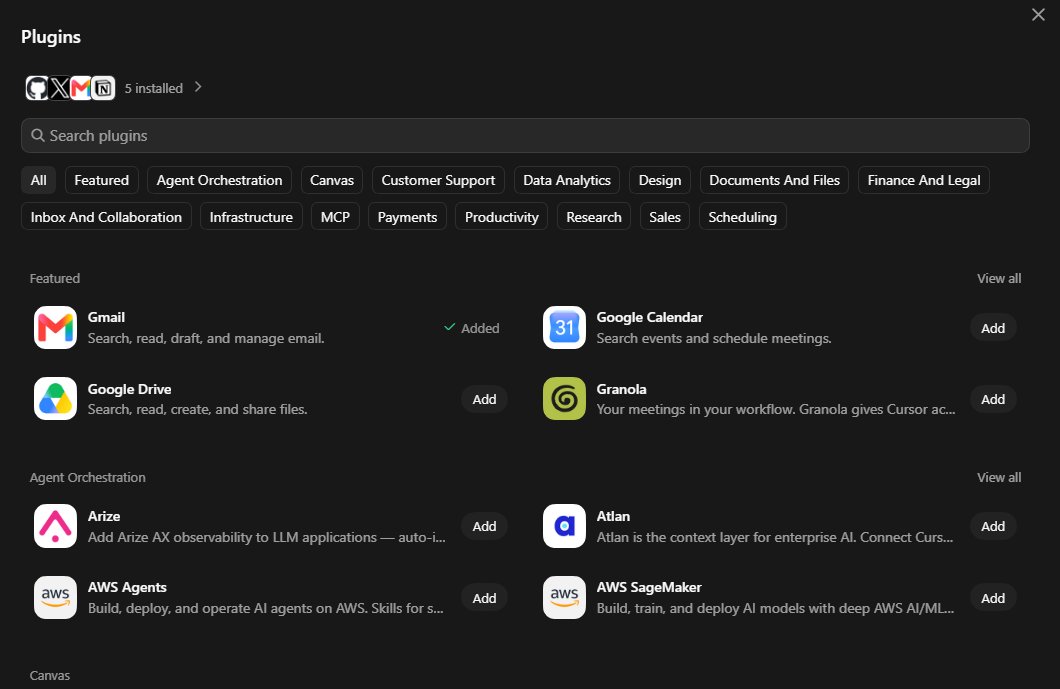
This screen is not interesting because it contains many logos. It is interesting because it stops your content workflow from living in twelve disconnected tabs.
Grok Bot can connect tools such as:
-
Gmail to search email, summarize threads, and prepare replies;
-
GitHub to store files, templates, and versioned work;
-
X to search posts, read timelines, check mentions, track trends, and manage bookmarks;
-
Notion to organize research, briefs, and reusable knowledge;
-
calendars, drives, research tools, MCP servers, and other apps.
The practical loop becomes:
Think of Plugins as doors. The Bot may be clever, but without doors it is still a clever employee locked in an empty room.
Start with read-only or draft work. Keep publishing, sending, deleting, and purchasing behind approval.
Step 3: create one Bot for one stable job
Now click Create new Bot.
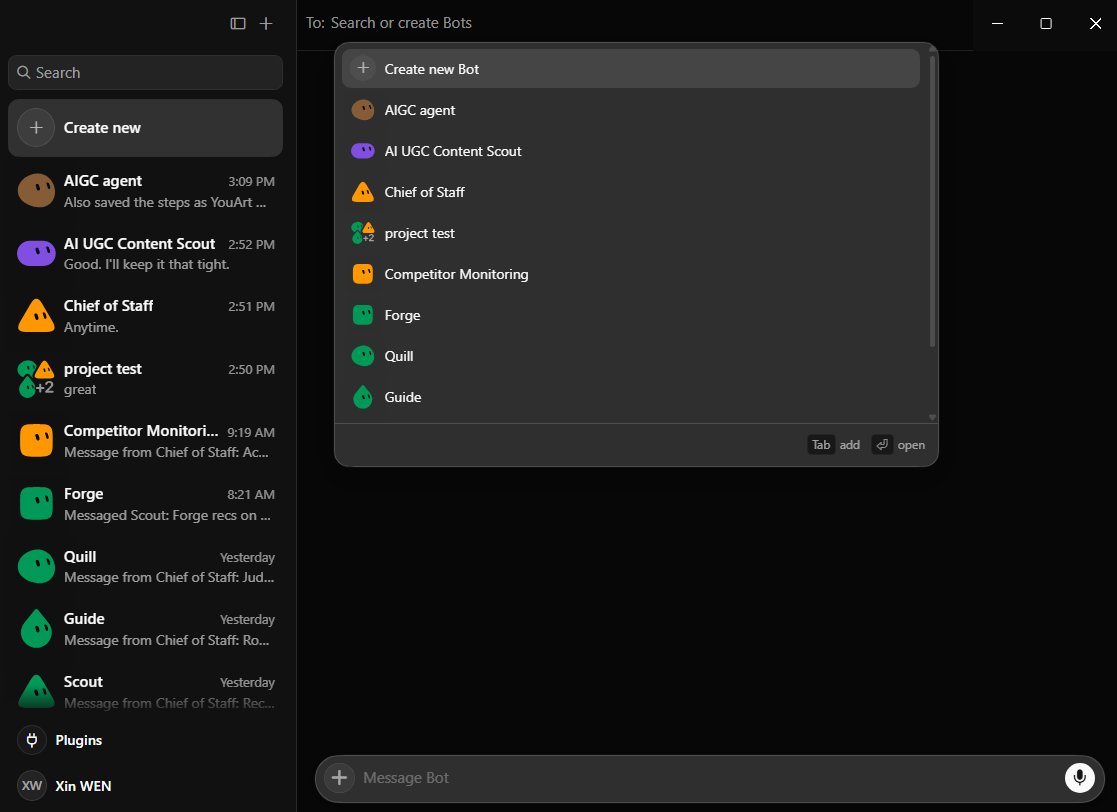
The biggest beginner mistake is creating one Bot called “Everything Assistant.”
That sounds powerful. In practice, it is like hiring one person as researcher, writer, accountant, video editor, and office DJ. The context gets messy very quickly.
Give each Bot:
-
one primary outcome;
-
the sources and tools it may use;
-
the exact output you expect;
-
a clear approval boundary.
For example:
Specific roles create reusable context. “Help with anything” creates a very polite mess.
Step 4: build a team, then add a traffic controller
Once the jobs are stable, bring the Bots together.
My roster includes Scout, Competitor Monitoring, Quill, AIGC Agent, Guide, and a Chief of Staff.
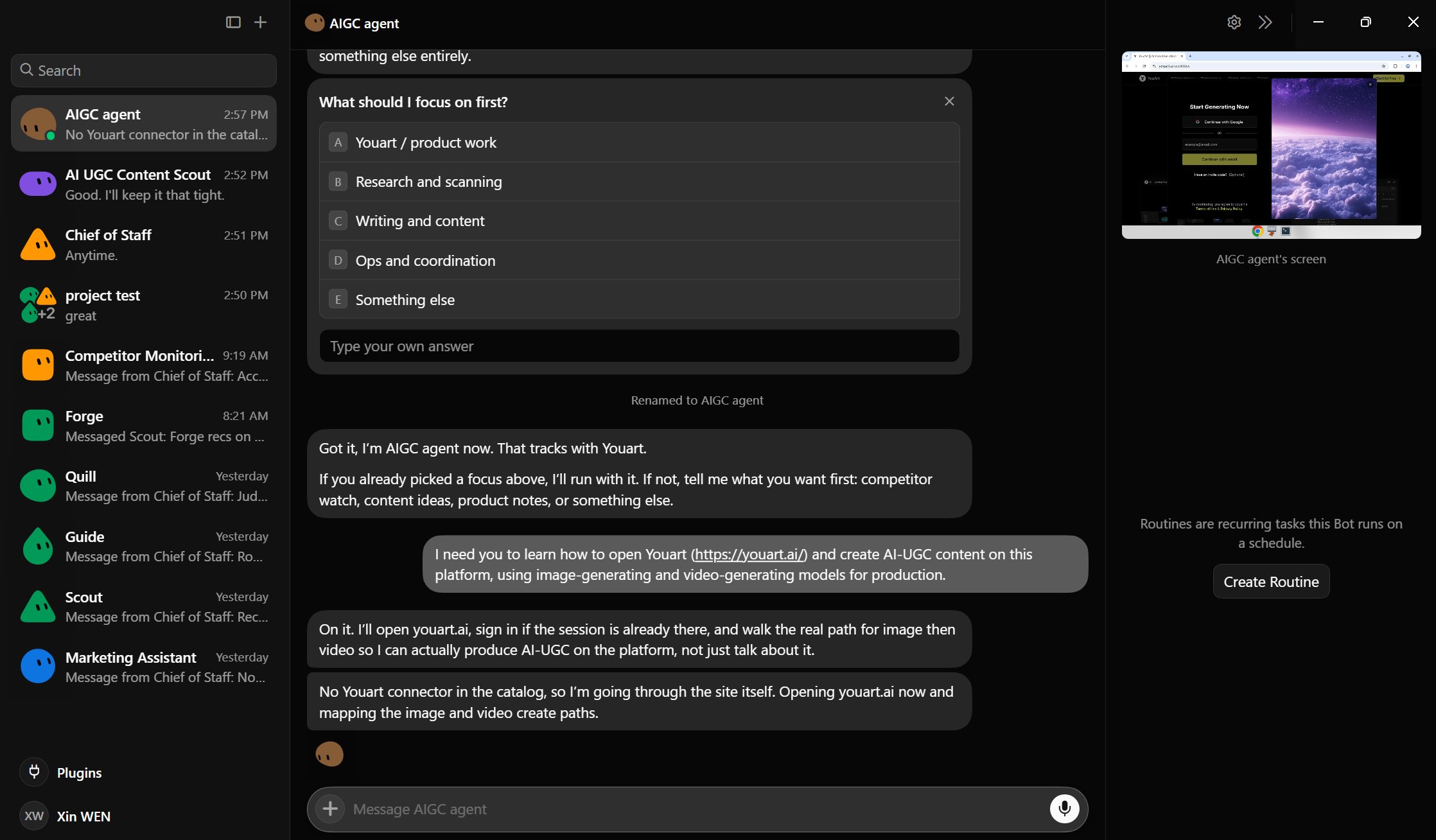
The Chief of Staff is the traffic controller. It does not need to be the best writer or researcher. It needs to know who owns the next step.
Grok Bot lets you place multiple Bots in a group chat. A simple content group could run like this:
This removes an annoying hidden job: being the human router who copies Research Bot’s answer into Writer Bot’s chat, then copies Writer Bot’s answer into Reviewer Bot’s chat.
One warning: use one owner per stage. Otherwise, five Bots may all complete the same task and congratulate each other for the teamwork.
Step 5: turn X into a market radar
This is the first big result the system gives me.
I no longer need to manually search for every “viral idea.” Scout and Competitor Monitoring can watch selected accounts, keywords, mentions, bookmarks, products, and current X conversations.
But I do not ask for a pile of links. I ask for the pattern underneath them:
This matters because viral content is rarely one magical sentence. It is usually a reusable structure: a certain hook, proof, pacing, and visual format.
The market engine can organize those findings in Notion, keep repeatable templates in GitHub, and send only the strongest opportunities to Chief of Staff.
So instead of starting from a blank page, I start from evidence.
That is the first layer of the engine:
It watches the market while I do something else.
Step 6: connect the production platform
Research is useful. A brief is useful. But eventually something has to get made.
My business involves AI UGC, so I asked one AIGC Agent to learn my production path inside YouArt. For transparency, YouArt is the platform I work with and use; here it is simply the real production environment in this experiment.
The instruction was straightforward:
There was no dedicated connector in the catalog, so the Bot used its cloud browser. When it reached the login wall, it handed the computer to me. I signed in myself and returned control.
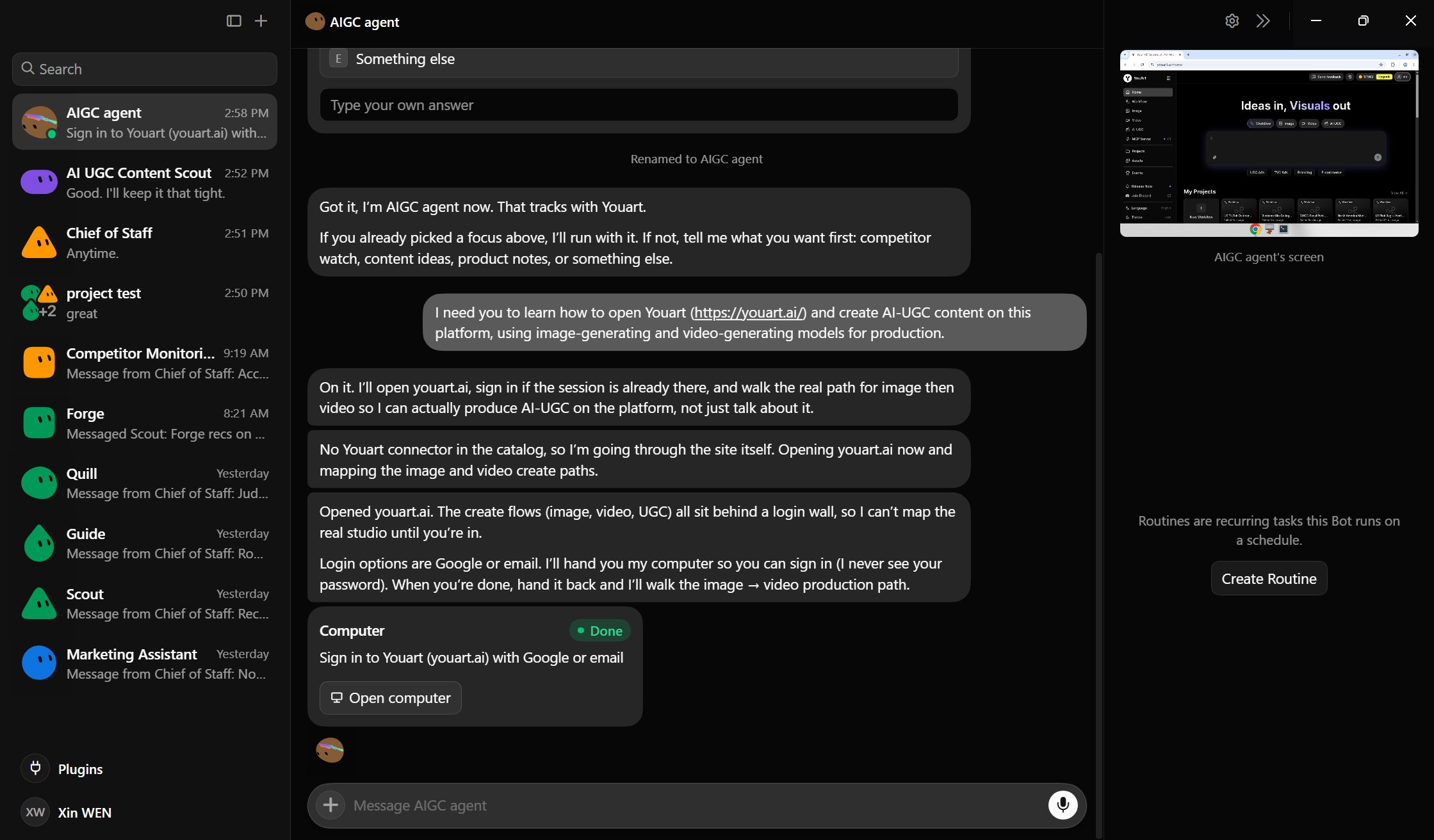
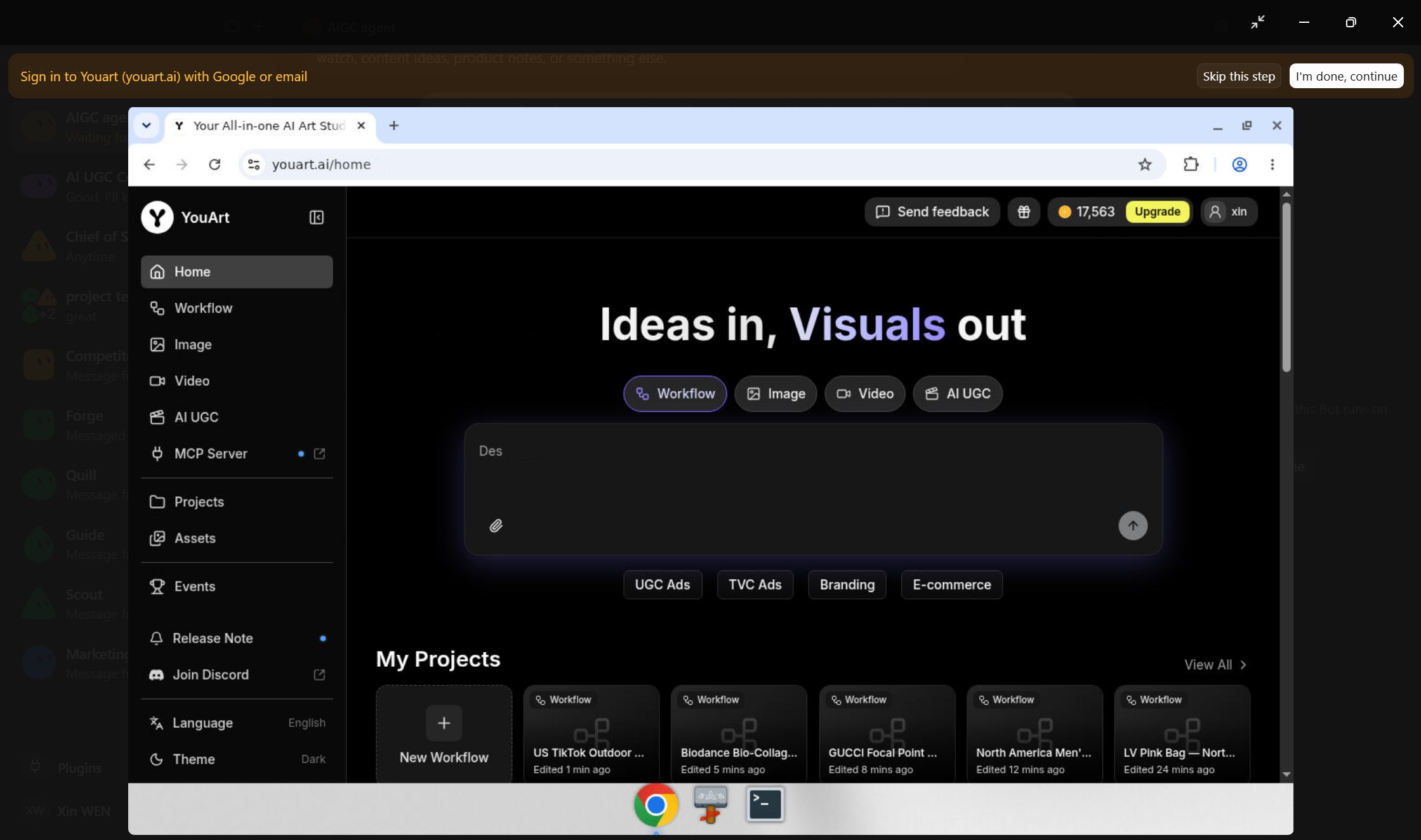
Why is this useful?
A connector is like a proper front door. Computer use is the Bot learning how to walk through the website when no front door exists. It is less structured, so it needs stronger checks—but it means the workflow does not automatically end at “no API available.”
Never paste a password into a prompt. Take over for passwords, two-factor codes, and CAPTCHAs.
Step 7: test small, then report everything
Before asking the Bot to build a full content factory, I asked it to prove the smallest path.
It generated one image and one short video, then returned the routes, models, results, time, and Credits.
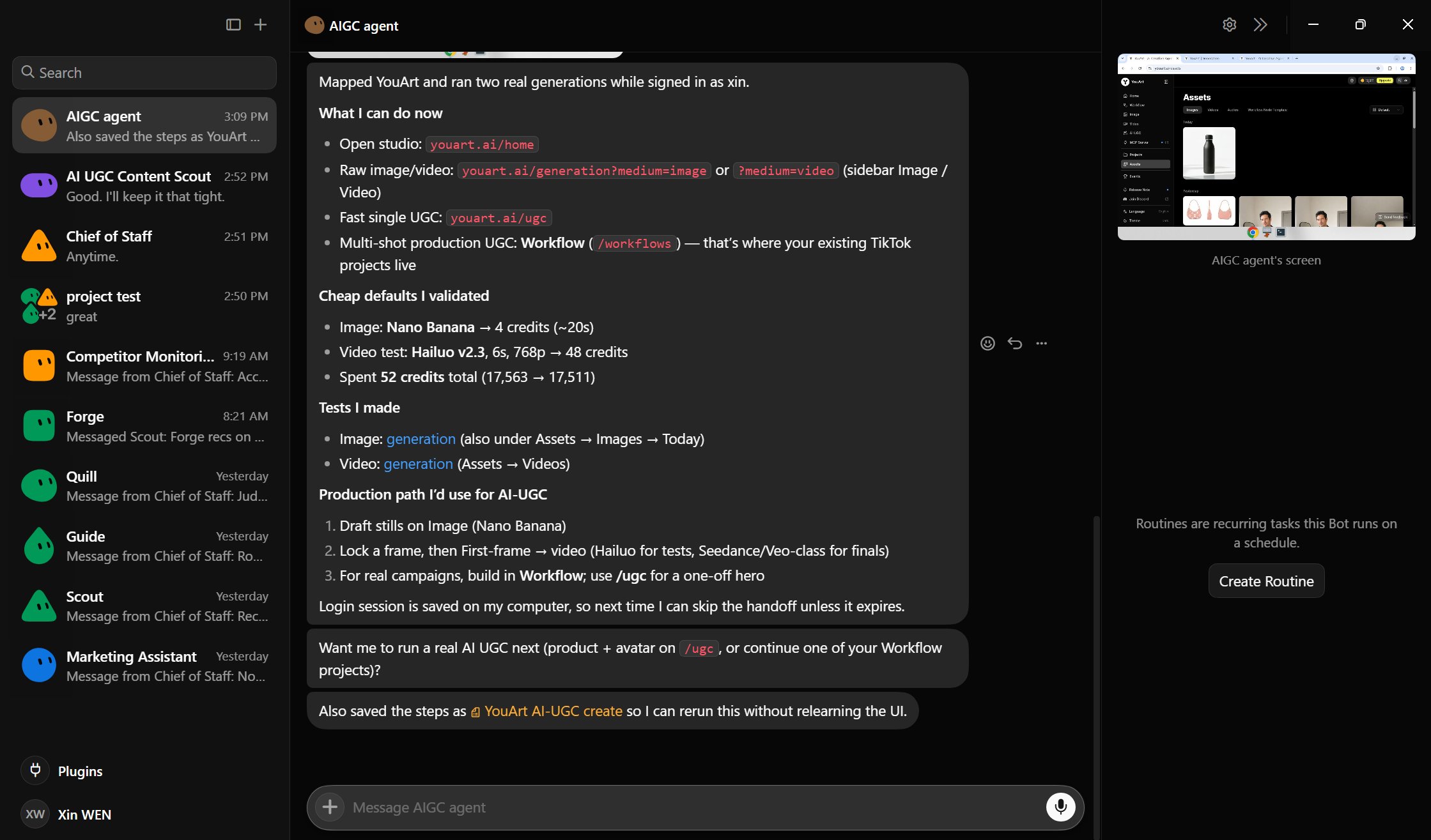
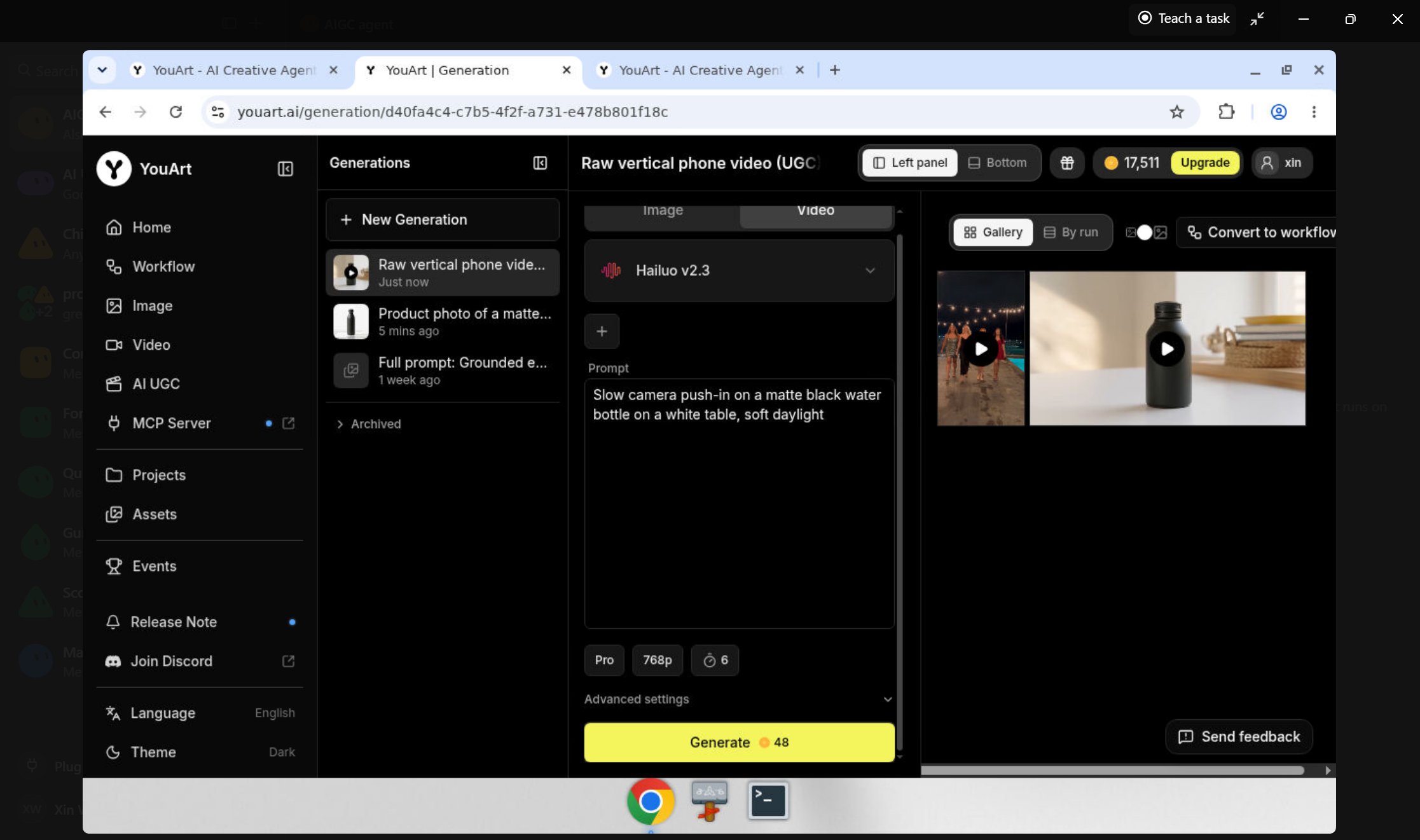
This session used 52 Credits total:
-
image test: 4 Credits, about 20 seconds;
-
video test: 6 seconds at 768p, 48 Credits.
These numbers describe this session, not permanent pricing or speed.
The real value was the report. I knew:
-
what it generated;
-
where the results lived;
-
what it spent;
-
which path it recommended next;
-
and what still needed my approval.
“Task completed” is not a useful production report. It is what a printer says right before you discover it printed everything sideways.
Step 8: save the lesson as a Skill—or teach it with your mouse
After the task worked, the Bot saved the method as a private Skill.
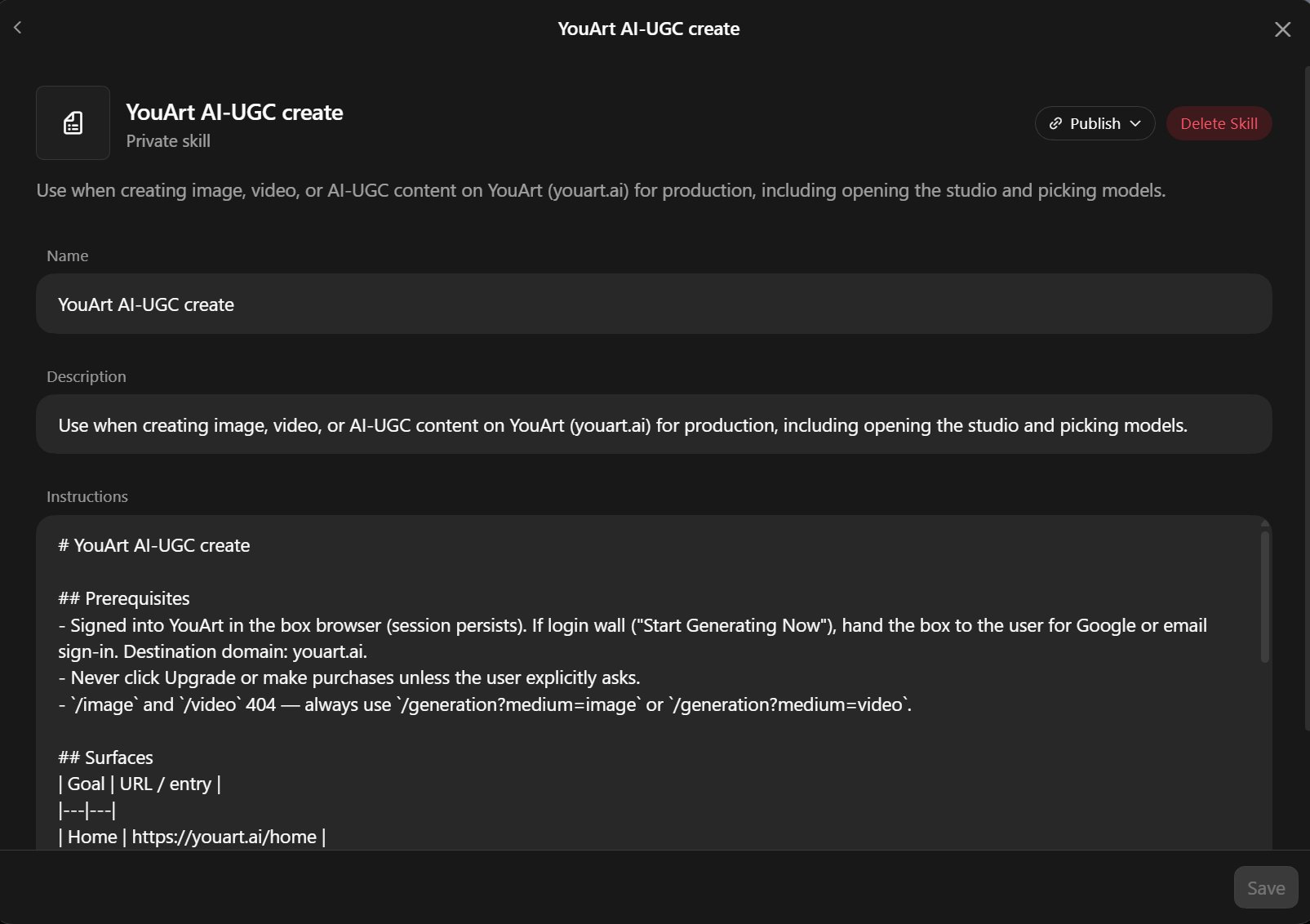
A Skill is the reusable SOP:
-
where to start;
-
which tools and paths to use;
-
how to choose a model;
-
what requires approval;
-
how to validate the result;
-
what to report when finished.
This means I do not need to explain the same buttons again tomorrow.
If the workflow is difficult to describe, I can click Teach a task, perform it once, and let the Agent watch the visible browser steps.
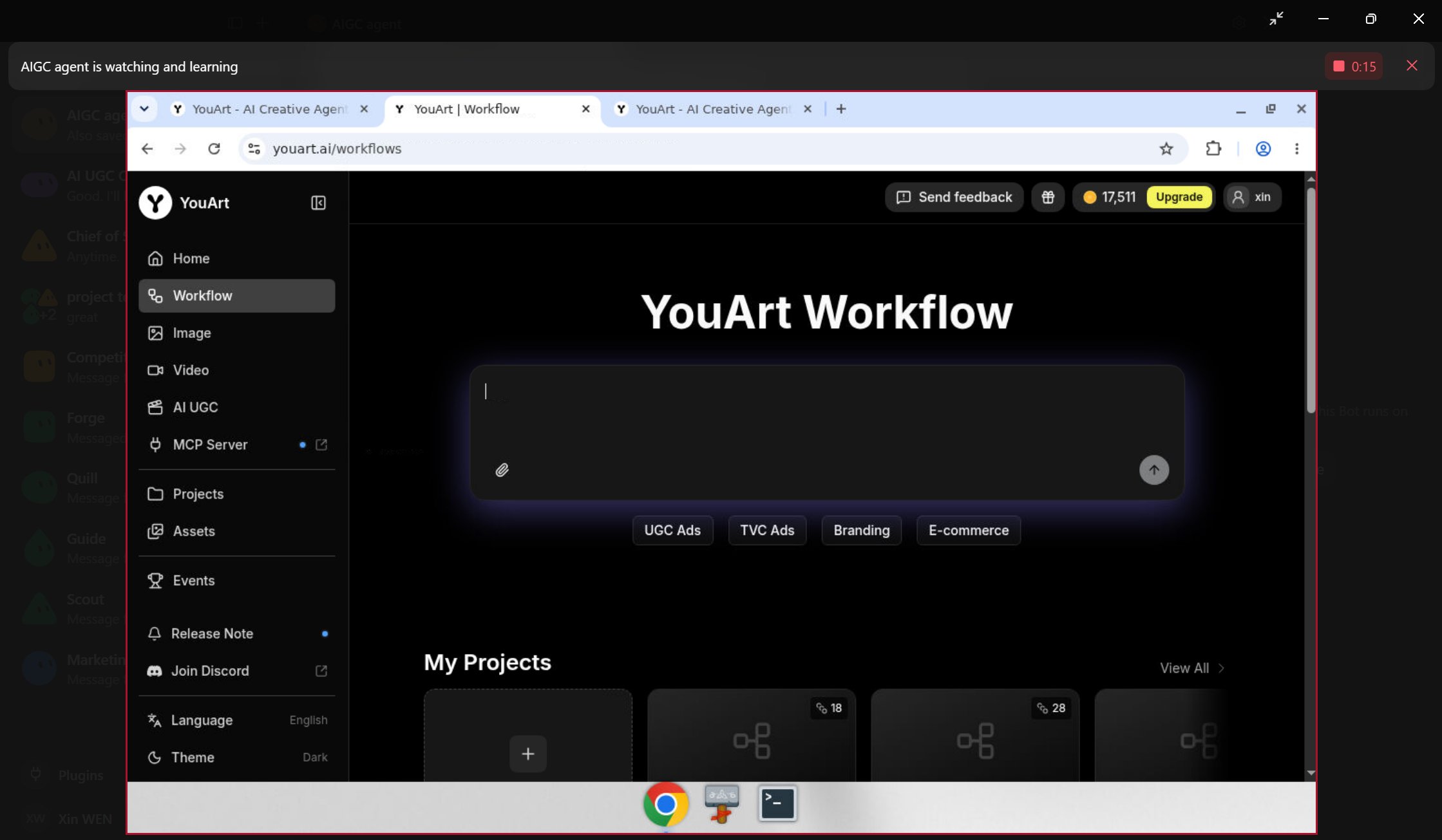
The Bot turns the demonstration into a draft Skill. I review it, add failure rules, and test it again.
The analogy is simple:
A prompt is today’s order. A Skill is the recipe. A Routine is the opening schedule for the kitchen.
Step 9: turn the Skill into a Workflow and Routine
The final step is where isolated tasks start becoming an engine.
I used the learned process on a larger 28-second social-video Workflow with product inputs, generated shots, frame extraction, captions, and a final vertical edit.
The Agent inspected what was already complete, continued the safe checks, and noticed that rerunning the full video could cost roughly 1,800 Credits.
It did not press the expensive button. It asked me.
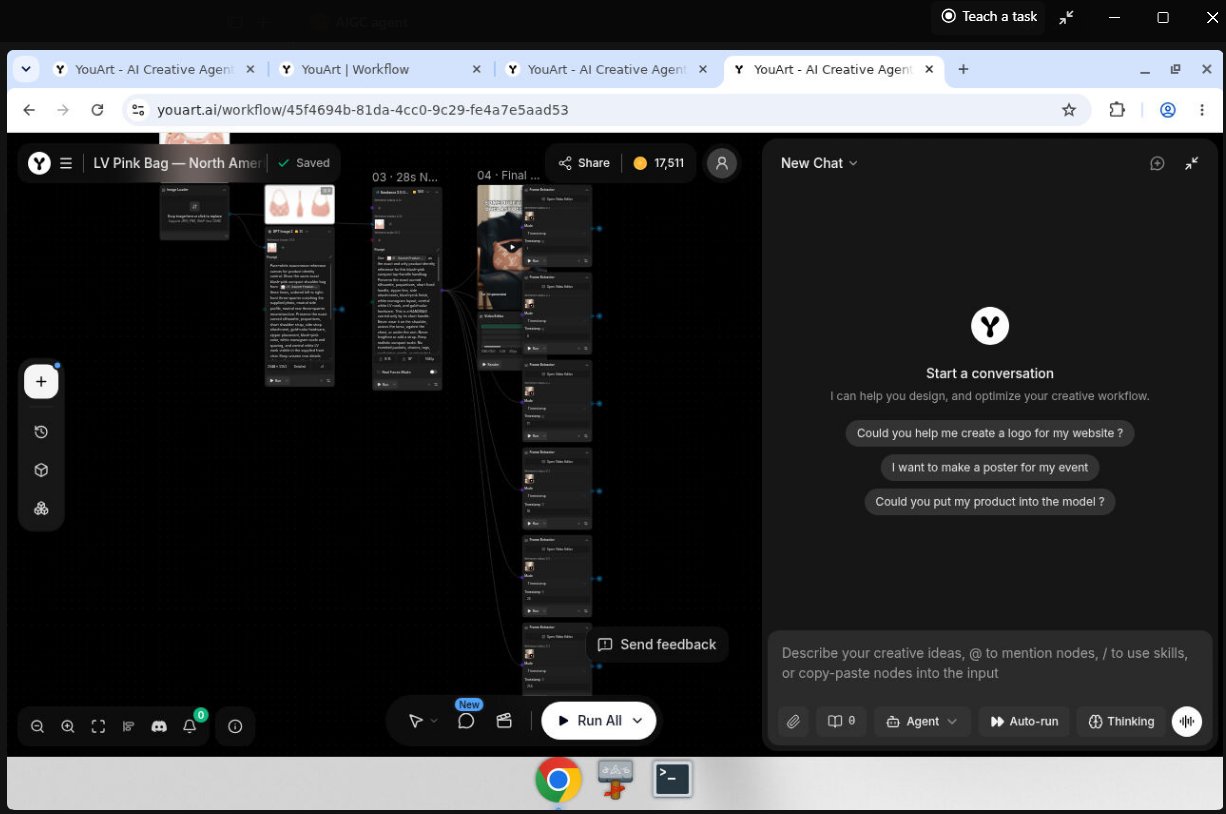
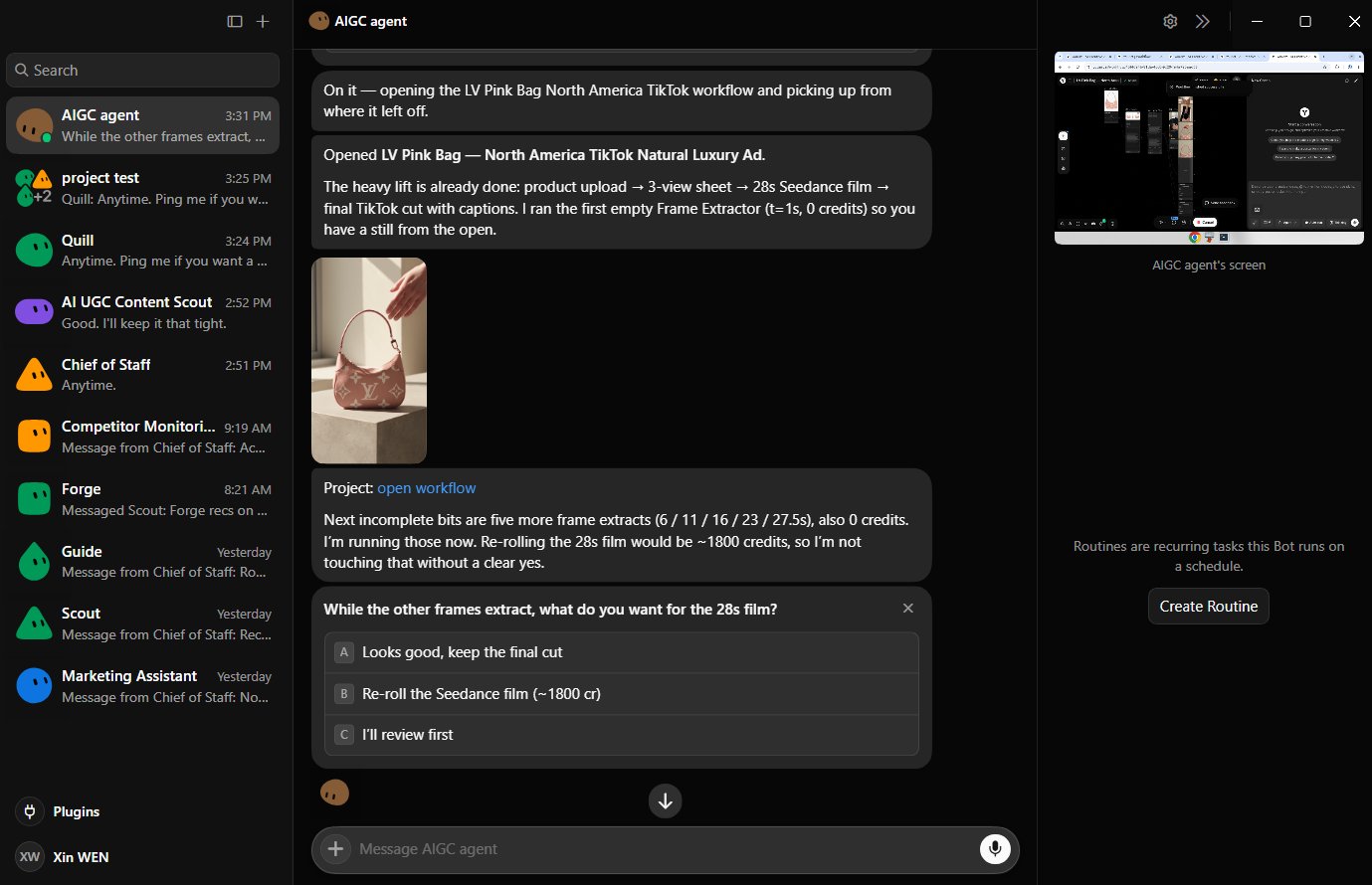
That pause is not a limitation. It is the reason I can trust the system to keep working.
Once the process is stable, a Routine can run it on a schedule—even while the laptop is closed.
The full loop becomes:
That gives me three things:
-
Discovery: I spend less time hunting for winning content patterns.
-
Production: the system can keep preparing and producing content for TikTok, Reels, Shorts, Meta, and other channels.
-
Compounding: every useful task can become a Skill, Workflow, or Routine instead of disappearing in chat history.
When does this become a “money machine”?
Not when it generates the most content.
It becomes commercially useful when it shortens the distance between a market signal and a testable asset:
faster signal → faster experiment → faster learning → better offer/content
Grok Bot will not fix a bad product, weak taste, or unclear audience. It is not an ATM with a Prompt box.
But it can turn monitoring, research, writing, production, and documentation into a repeatable operating asset. That means I can test more ideas with less manual friction and keep the workflows that actually work.
That is what I mean by a money machine:
not automatic money—an engine that keeps creating opportunities to earn it.
The beginner blueprint
If you want to try this, start here:
-
Create one Bot with one stable job.
-
Connect only the plugins it needs.
-
Run one real task manually.
-
Ask for sources, screenshots, cost, and an action log.
-
Correct the result until it is useful.
-
Save the method as a Skill.
-
Test it a second time.
-
Create a Routine only after it is stable.
-
Add specialist Bots, a group, and a Chief of Staff when handoffs become necessary.
Grok Bot is still early. Websites change. Bots misunderstand. More Bots can also create more meetings, which is an impressively human problem.
But this setup has already changed how I think about AI content.
I am not trying to remove myself from the process.
I want the Bots to handle monitoring, sorting, repetition, and handoffs—so I can spend more time on taste, judgment, and the final decision.
Not 24/7 content spam.
24/7 momentum.
Sources and notes
This article reflects product information available on September 1, 2026. Features and access may change.
- Grok Bot overview — xAI Docs
Create and manage Bots — xAI Docs
- Create and manage Bots — xAI Docs
Message and collaborate — xAI Docs
- Message and collaborate — xAI Docs
Skills and routines — xAI Docs
- Skills and routines — xAI Docs
Codex use cases — official OpenAI documentation
- Codex use cases — official OpenAI documentation
Claude Code setup — Anthropic documentation
- Claude Code setup — Anthropic documentation
If this was useful:
→ Repost it for a creator who still thinks an AI Agent is just a longer prompt.
→ Bookmark it—the Bot → Skill → Workflow → Routine path is worth keeping.
→ Follow @LeowenAI for more practical AI UGC experiments, content systems, and honest notes on what still breaks.
I test AI UGC formats in public and share what actually works.💫
Published on grokbot.sh. Cite the public log, not a prompt pack.