
How to Build Your First Team of AI Agents Using Grok Bot (Full Course)
Most people are still using AI the same way they did two years ago. Open a chat window, type a question, read the answer, close the tab. Save this :) A small group figured out something different this
Article
Job breakdowns
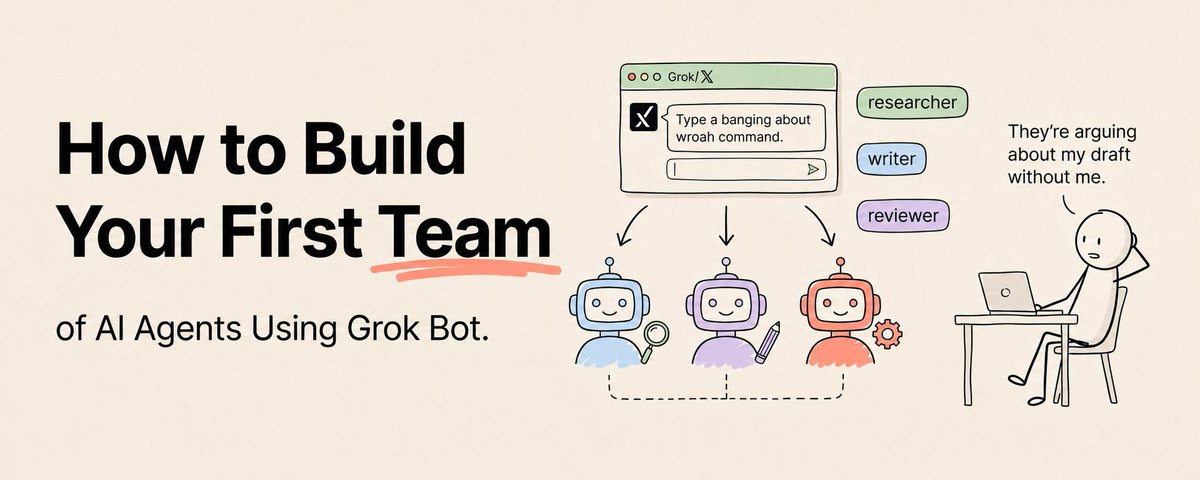
Most people are still using AI the same way they did two years ago. Open a chat window, type a question, read the answer, close the tab. Save this :) A small group figured out something different this month. They're not asking AI questions anymore. They're assigning it work, the way you'd assign work to a colleague, and then closing the laptop while it keeps going. That's the shift Grok Bot represents. It launched on August 11, 2026 out of SpaceXAI, and the pitch is simple enough to miss: these aren't chatbots. Each Bot is a persistent, named agent with its own cloud computer, a real browser, a file system, and a terminal. It signs into the tools you already use. It works through a job end to end. And it only comes back to you when something needs your approval. Now multiply that by six. Because the part almost nobody has figured out yet is that you can run a team of these. Two to six Bots in a group chat, each with a distinct role, messaging each other, passing ownership of work between themselves, and coordinating without you sitting in the middle copying and pasting. One Bot is an assistant. A team of Bots is a workforce. Here's exactly how to build your first one, from zero, this week. First, Understand What You're Actually Working With Before you build anything, you need an accurate mental model, because getting this wrong is how people end up with expensive chaos. A Bot is a persistent, named agent. Not a conversation, not a session, a standing entity with a role, a memory of how you like things done, and its own screen to work on. You message it from the app like you'd message a coworker. The cloud computer is the critical piece. Your Bots work on an actual machine in the cloud with browser access, files, and command-line tools. That's why the work continues when your laptop is closed. It isn't waiting for you. Computer use means a Bot can navigate websites directly when there's no clean integration available. It drives a browser the way a person would. Powerful, and also the source of most rough edges, since sites can block automation, throw a CAPTCHA, or change their layout overnight. Plugins and connectors are the more reliable path. Grok Bot works with connectors, plugins, and MCP servers for structured tool access, and xAI's own guidance is to prefer a connector whenever one exists, because a structured integration beats a Bot clicking around a webpage. Skills are reusable processes. Once a workflow works, you can package it with its steps, decision rules, output requirements, and approval boundaries so a Bot repeats it properly every time. Routines let a Bot run work on a schedule, or in some cases after an event fires. Approvals are the safety layer. You can require your sign-off before a Bot sends a message, publishes content, deletes data, makes a purchase, or touches production. Passwords, two-factor codes, and CAPTCHAs stay with you. Learn those seven words and you understand the whole product surface. Everything below is just arranging them well. The One Warning You Need Before You Start I'm putting this early instead of burying it at the end, because it genuinely matters and most of the excited threads leave it out. All the Bots on your account share the same cloud computer. Same files, same browser sessions, same command-line credentials. xAI says this plainly: do not treat separate Bots as separate security boundaries. If one Bot has access to something on that machine, assume they all effectively do. That has real consequences for how you design a team. Don't build a setup where one Bot has your banking logins and another one browses random websites all day, thinking the roles keep them apart. They don't. Second thing: these Bots sign in as you. That's the whole product pitch, and it's also a meaningfully different risk profile from agents that run in a scoped sandbox. An agent operating inside your real accounts with your real credentials can do real damage if you point it at the wrong thing. None of this means don't use it. It means start with low-stakes work, keep approval gates on anything irreversible, and don't hand your entire digital life to a product that is still in early beta. The people who get burned by this will be the ones who skipped this paragraph. Stage 1: Build One Excellent Bot First Do not start with a team. Start with one Bot that does one job well. Every failed multi-agent setup I've seen failed because someone built six mediocre agents instead of one good one. Get access first. At launch, that meant SuperGrok Heavy, Cursor Ultra, or an eligible team plan. Install the desktop app on macOS or Windows and sign in. There's an iPhone companion app that syncs the same Bots and conversations, which matters more than it sounds like, since you'll want to approve things from your phone. Now create your first Bot. You give it three things: a short name, one main job, and a description of how it should work. xAI recommends keeping Bots focused, and there's a real reason for it. A narrow role accumulates useful context over time, while a Bot that does everything accumulates nothing but confusion. Here's the shape of a strong Bot definition: Name: Scout
Job: Competitive research
Description: Research products and announcements using public sources only. Keep a direct source link for every important claim. Separate verified facts from assumptions and label which is which. Never publish or send anything externally. Notice what that does. It names a role, sets a standard for evidence, defines the output discipline, and draws a hard boundary. That last line matters enormously. Boundaries in the Bot's definition are your first layer of safety, before you even get to approvals. Then give it a real task, and be specific about five things: the result you want, which sources it may use, its limits, the output format, and when you want to review. Vague tasks produce vague work, and with an agent that runs autonomously for a while, a vague task can burn a lot of time before you find out. What to do this stage: Create one focused Bot. Give it five real tasks over a few days. Refine its description each time it does something you didn't want. Do not add a second Bot until this one is genuinely reliable. Stage 2: Give It Tools the Right Way A Bot that can only browse is limited. A Bot with proper tool access is a worker. You have two paths, and they aren't equal. The Bot can sign into websites through its browser, which works anywhere but is fragile. Or you can use connectors, plugins, and MCP servers, which are structured, reliable, and the recommended default whenever one exists. The practical rule: if there's a connector for the tool, use the connector. Save browser control for the places where nothing else exists. There's a management problem that shows up fast here. If your workflow only touches one website, signing in directly is fine. But once a real workflow spans several services, wiring and maintaining each connection separately becomes its own chore. This is why plugin marketplaces and tool-gateway layers exist, they let a Bot discover tools as a task needs them and handle the authentication flow once, rather than you pre-connecting everything up front. Connect tools only when a task actually needs them. This isn't just tidiness. Given the shared-computer situation, every credential you add to that machine is available to your whole roster. Minimum necessary access is the correct default. What to do this stage: Connect one real tool your Bot needs. Prefer a connector over browser login. Watch how the authentication flow works so you understand what you're approving. Then run a task that requires that tool end to end. Stage 3: Design the Team Before You Build It Now the interesting part. But not in the app yet, on paper. The mistake people make is spinning up six Bots and hoping a team emerges. Teams don't emerge. They're designed. And the design is mostly about deciding who does what and what gets handed to whom. Almost every useful Bot team is a combination of four roles. The Orchestrator. Takes your goal, breaks it into tasks, decides who handles each, and assembles the final result. It doesn't do the deep work; it delegates and integrates. In a well-built team, this is often the only Bot you talk to directly. The Specialists. Narrow and excellent. A researcher that only gathers and verifies. A writer that only turns findings into prose. An analyst that only structures data. The narrower the role, the better the output, because a focused instruction beats a general one every time. The Critic. The role everyone skips, and the one that separates a professional setup from an expensive toy. Its only job is to check the specialists' output against a standard and send it back when it falls short. A team without a critic produces fast, confident garbage. Add one and the quality difference is immediate and obvious. The Human. You. Not a Bot, but a designed part of the system. You decide where the team must stop and wait for you, and those points belong in the design, not bolted on afterward. Now sketch your team. Write each Bot's name, its one job, what it receives, and what it hands off. Then trace one real request through the whole thing on paper. Where does it start? Who touches it? Where does it end? If you can't trace it cleanly on paper, it will not work in the app. What to do this stage: Sketch a three-Bot team on paper: an orchestrator, one or two specialists, and a critic. Define what each hands to the next. Trace one real job through it start to finish. Stage 4: Build the Team and Wire the Handoffs Now build it. Create each Bot with its own name, job, and description, exactly as you sketched. The mechanism that makes this a team rather than a pile of Bots is the group chat. You can put two to six Bots into one, and inside it they message each other, pass ownership of work, and keep going without you shuttling information between separate conversations. That's the whole unlock: the coordination happens between them, not through your clipboard. There's a subtlety about memory worth understanding, because it shapes how you design. Sharing one computer doesn't mean every Bot shares one mind. Each Bot keeps its own role, its own stable preferences, and its own summaries of earlier work. Its conversation history and learned context stay its own. What does move between them is shared files, shared browser sessions, group messages, and direct handoffs. So you have two channels for context: what a Bot knows privately, and what the team knows collectively. Good team design puts durable, shared reference material in files on the shared machine, and lets each Bot keep its own working context private. That's how you avoid six Bots that all half-remember slightly different versions of the same thing. One more piece of practical guidance from xAI itself: for facts that matter or change, have the Bot check the current source rather than trusting its memory. Memory is for preferences and process. Live sources are for facts. Now write the kickoff. A good team request does four things: states the goal, names who should own which part, tells them what to do if a tool isn't connected, and specifies the final output you want. Something like: Team, here's the job:
Produce a competitive brief on the three biggest product launches in our category over the last two weeks.
Scout: gather the launches and the primary sources. Analyst: structure them into a comparison and identify what changed. Critic: check every claim against Scout's sources before it ships.
If a tool you need isn't connected, tell me what to connect rather than working around it.
Return one brief with a source link for every claim. Do not publish or send anything. Run it. Watch what happens. The first run will show you exactly where your role definitions were fuzzy, because that's where the Bots will collide or duplicate work. What to do this stage: Build your sketched team. Put them in a group chat. Run one real job end to end. Note every point where two Bots did the same work or neither did, and tighten those role definitions. Stage 5: Add Approvals, Skills, and Routines Your team works. Now make it safe, repeatable, and scheduled, in that order. Approvals first. Decide what your team may never do without you: sending messages, publishing anything, purchases, deletions, permission changes, anything touching production. Put those boundaries in the Bot descriptions and use the approval controls. Two layers, because one can be talked around and it's cheap to have both. This is the part where I'd push back on the "fully autonomous" fantasy people are selling. The goal is not a team that acts unsupervised on everything. It's a team that does all the preparation and then hands you a decision. That's not a weaker version of automation; it's the version you can actually run in a real business without eventually explaining an expensive mistake to someone. Then Skills. When a workflow works, package it as a skill with its steps, decision rules, output requirements, and approval boundaries. Now it's repeatable rather than something you re-explain every time. This is how a working process becomes an asset. If the teach-a-task capability is available to you, it's a shortcut worth using: you perform a browser workflow once while the Bot watches, and it drafts a skill from what it saw. Review and test that draft before trusting it, because a skill learned from one demonstration hasn't seen the edge cases yet. Then Routines. Once a skill is solid, put it on a schedule. This is the "works while you sleep" part, and it should be the last thing you do, not the first. Scheduling a process that isn't reliable just means it produces bad output on a schedule, overnight, unattended. Earn the automation. What to do this stage: Set explicit approval boundaries for every irreversible action. Package your best working process as a skill. Only then put one skill on a routine. Stage 6: Make It Reliable Anyone can get a Bot team to work once. Making it work the fiftieth time is the actual skill. Watch what your team is doing. Once several Bots run in parallel, you lose track fast: who owns what, what's running, where things are stuck. One approach people have landed on is having Bots log their work into a task tracker the team can access, so there's a single place showing task, owner, status, and handoffs. Any tracker your Bots can reach works. Without something like this, a six-Bot team becomes opaque within a day. Plan for limits. Running a swarm burns through usage quickly, and hitting a weekly cap mid-task will leave work stranded partway through. Design for this: keep teams as small as the job requires, cut Bots and steps that aren't earning their place, and don't assume a long autonomous run will complete just because it started. Plan for browser failures. Sites block automation, throw CAPTCHAs, and change layouts. If a workflow depends on browser control, decide in advance what the Bot should do when it gets stuck: try an alternative, or stop and tell you. "Stop and ask" is almost always the right default, since a Bot improvising around a blocked page is how you get creative nonsense. Remember it's early beta. Access tiers, platform support, and capabilities have been changing since launch. Build things you can adjust, and check the current state of the product rather than trusting a guide from three weeks ago, including this one. What to do this stage: Set up a shared place where Bots log task, owner, and status. Trim your team to the smallest roster that does the job. Define what each Bot does when it gets blocked. A Real Example: The Three-Bot Research Team Let me make it concrete with the smallest team worth building. Scout researches. Public sources only, keeps a link for every claim, labels verified facts separately from assumptions, never sends anything externally. Writer takes Scout's findings and produces the deliverable in your format and voice, working from a style reference file on the shared machine. Critic checks the draft against three standards: does every claim trace back to one of Scout's sources, does it match the style reference, is it structurally complete? Anything failing goes back to Writer with specifics. Only an approved draft surfaces to you. You send one message to the group: "Produce a brief on X." They coordinate, hand off, check each other, and come back with something already reviewed twice. You do the final edit and decide whether it goes out. Three Bots. Maybe an hour to set up properly. And it removes most of the work from something you might otherwise spend a full day on. Start there. Not with a simulated company of twelve agents, however impressive that looks in a demo. Three Bots that reliably produce something you'd actually use beats twelve that produce an impressive-looking mess. The Honest Truth About Building a Bot Team A team of agents will not fix a process you can't describe. Every Bot needs a clear role, a clear standard, and a clear handoff, and you're the one writing all three. If you can't explain how a job should be done step by step, you can't delegate it, to a Bot or a person. The hard part of this was never the technology. It's the thinking. Most of the work of building a good Bot team is the work of getting clear about your own process, which is exactly why most people won't do it and will blame the tool. And keep the caveats in view. This is early beta software. The Bots share one security boundary. They log in as you. Usage limits will interrupt long runs. Browser automation breaks on real websites. None of that makes it useless, it's genuinely a step change in what a single person can run. It just means the people who win with it are the ones who start small, keep humans on the irreversible decisions, and scale up as they earn trust in the system. Most people who saw Grok Bot launch are still using it as a fancier chatbot. A much smaller group is going to spend one afternoon building three Bots that actually hand work to each other, and then quietly produce more in a week than they used to in a month. The gap between those two groups is one afternoon and a clear head. Build the one Bot first. The team follows. If you found this useful, follow me @eng_khairallah1 for more AI content like this. I post breakdowns, courses, and tools every week. hope this was useful for you, Khairallah ❤️
Published on grokbot.sh. Cite the public log, not a prompt pack.