
The Real Skill With Grok Bot Isn't Prompting. It's Delegating.
A practical walkthrough of xAI's always-on AI agents — from your first Bot to a small team that keeps working after you close the laptop. Most AI still works the same way. You ask something, you get
Article
Job breakdowns
A practical walkthrough of xAI's always-on AI agents — from your first Bot to a small team that keeps working after you close the laptop.
Most AI still works the same way. You ask something, you get an answer, and then you go do the actual work yourself. Write this email — fine, now you copy it, open your inbox, paste it, send it. Research this competitor — fine, now you take the bullet points and build the deck yourself. The AI is smart. It just never finishes anything. It hands you a thought and steps back.
Grok Bot is built around a different idea: give the thing somewhere to actually work. A real computer. A browser it can log into. A memory that doesn't reset when you close the tab. Tell it what you want, and instead of handing you a draft, it goes and does the task, in the tools you already use, and only comes back when it's done or when it genuinely needs you.
That sounds small. It isn't. Here's how to actually build with it — what to do first, what tends to go wrong, and the one decision that matters more than any prompt.
1. Start with one real job
Don't open this with your hardest problem. Start with something small and boring enough that you already know what a correct answer looks like — sorting a messy inbox, pulling a weekly report together, checking whether a bug actually reproduces. The point of the first job isn't to be impressed. It's to find out whether the thing understood the assignment, and you can only tell that by comparing it to work you've already done a hundred times yourself.
What counts as "boring but real" depends on what you actually do. Sorting email or turning a messy calendar into one clean view, if this is personal. Reproducing a bug report before anyone spends an afternoon on it, if you write code. Pulling research together before you sit down to draft, if you make things for a living. The account research that happens before a single sales email gets written, if you run a small business. None of these make a good demo. All of them make a good test.
Grok Bot launched as an early beta, and Elon Musk was pretty explicit about that. On launch day, he said the team would widen the beta after fixing “basic issues with the early beta.”
That's worth remembering before you hand it anything important. Start with something boring. See how it behaves. Then give it more.
Once you've picked something, the next question is almost embarrassingly simple: how do you actually tell it what to do?
2. Create a Bot with a real role
Opening the app for the first time is almost anticlimactic — pick a name, and you're talking to it.
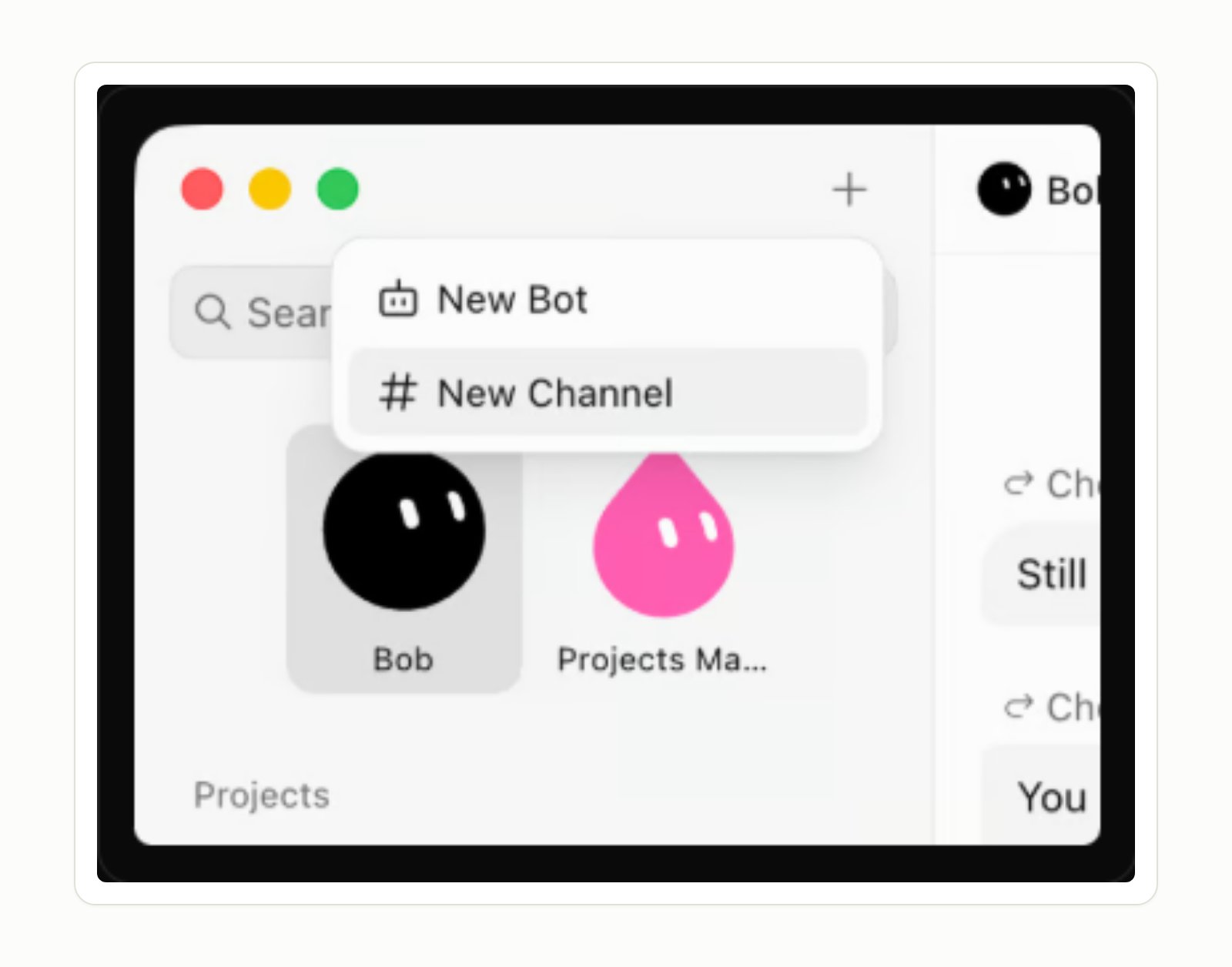
The part that matters happens in the first message, and it isn't a prompt. It's a short job description: a name, one clear responsibility, and a couple of sentences on how you want it done. A Bot with one narrow job builds up more useful context over time than one general assistant asked to do a bit of everything.
Notice the shape: a role, an outcome, and a line it isn't allowed to cross. That last part matters more than it looks like it should — a short job description like this is enough to start, but it's not enough to fully trust yet. That takes a bit more.
3. Give it context and boundaries
A one-paragraph brief is enough to start. For anything you'll actually rely on, it's worth writing something closer to a real job description — not code, just plain sentences under a few headers. Here's a real one, written for a Bot handling paid-acquisition analytics at a small mobile-game studio:
A real Bot's job description. It says what the Bot owns and, just as clearly, what it never touches — no creative, no app code.
What stands out isn't the tone. It's the shape. A job description, a list of what it's connected to, a note about running on its own schedule whether or not anyone's laptop is open. It reads like something you'd hand a new hire on day one, and that's the right way to think about it — you're onboarding someone, not tuning a prompt.
A job description on its own doesn't do anything, though. It needs something to actually reach.
4. Connect only the tools it needs
For tools that don't have a plugin, the Bot can often use its browser instead, but for the tools you use constantly, plugins are the faster path. Grok Bot ships with a marketplace of them — Gmail, Google Calendar, Drive, Notion, Slack, and a growing list of more specialized ones.
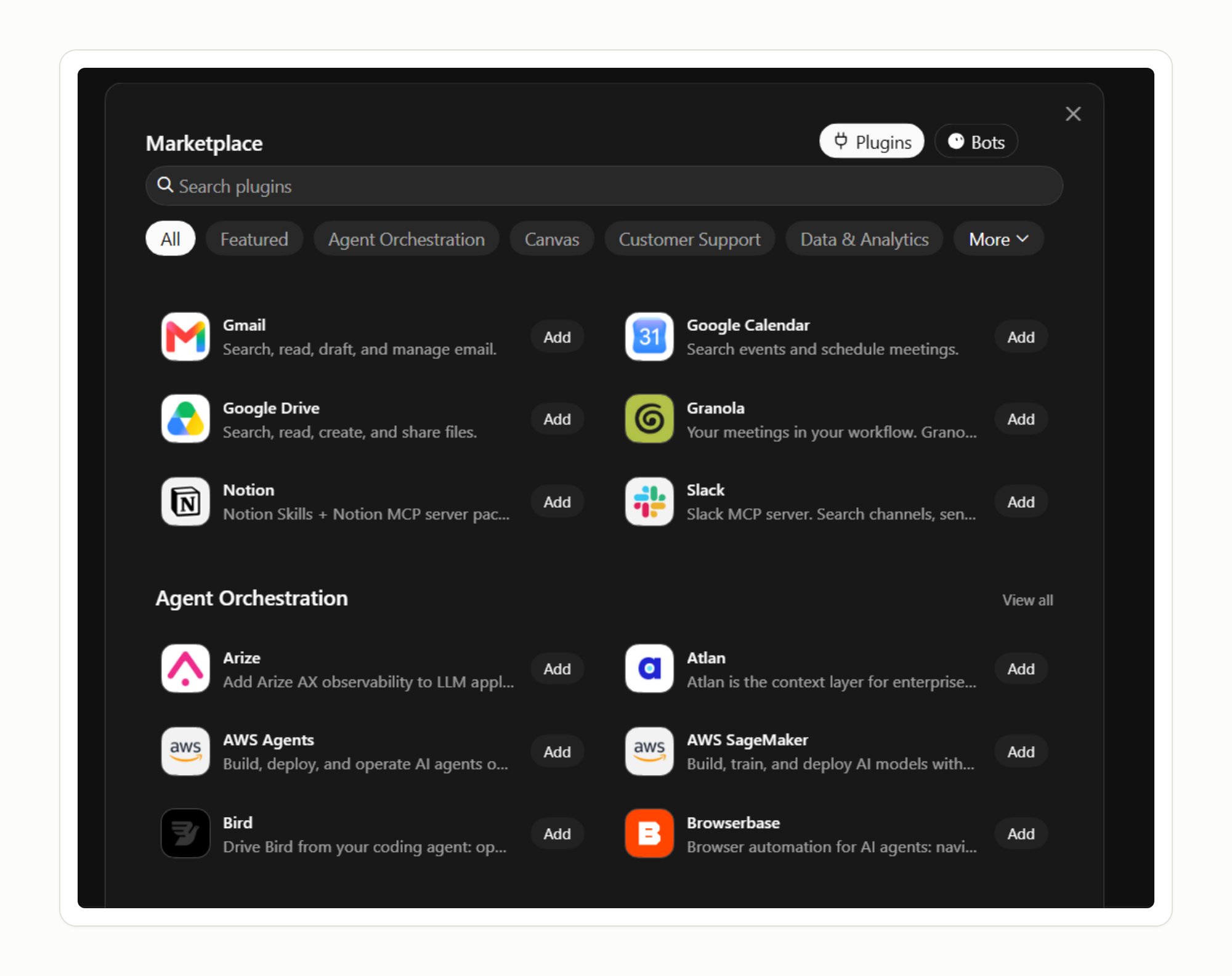
That's worth sitting with for a second: plugin connections live on your account, not on any single Bot. Connect Gmail once, and a Bot you create next month has it immediately. Which cuts both ways — a plugin you added for one experiment stays live for every Bot after it, whether you meant that or not, so it's worth glancing at what's actually connected once in a while. On a team, an admin can also restrict which plugins are available to connect at all, so don't assume everyone's working from your own toolset.
One rule that costs nothing to follow: never paste a password, API key, or one-time code into a chat, even with your own Bot. Ordinary chat isn't the secure channel. There's a real one, and it shows up in the next step.
5. Let it use the computer
For the tools that don't have a plugin — an internal dashboard, a client's spreadsheet, a site with no clean integration — a Bot falls back to a browser on its own cloud computer. The Bot is operating the browser itself — clicking, typing, and reading what's on screen, the same way you would.
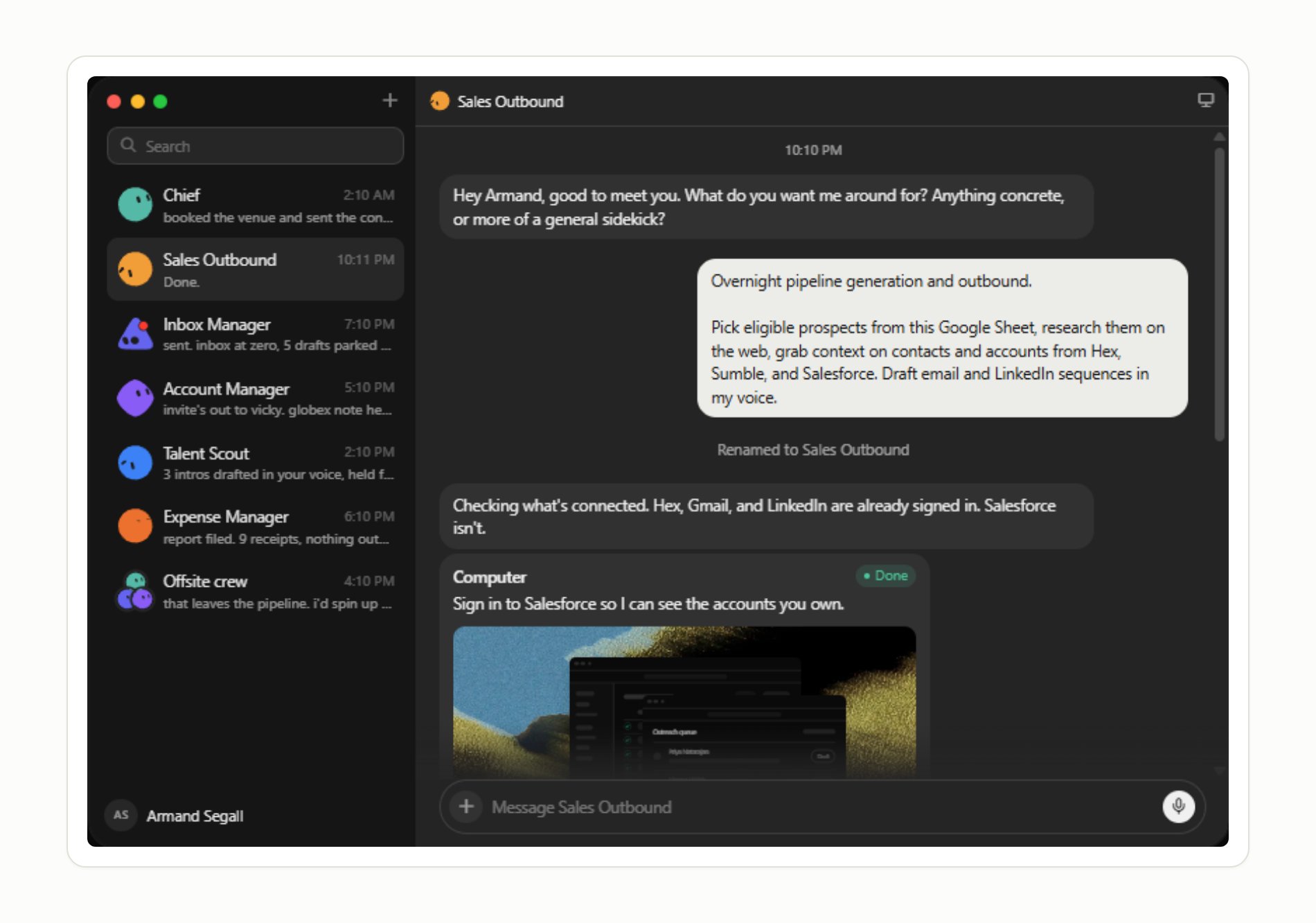
Here's the catch, and it's a good one: when a Bot hits a login screen, it doesn't ask for your password in chat. It hands you the computer. You see the real page, you type your own password and your own two-factor code, then you hand control back and tell it to continue. The Bot never sees the credential — it just inherits the session afterward. That's the pattern worth insisting on for anything sensitive: take control, do the sensitive step yourself, hand it back. It also means a browser-based workflow can quietly break the day a site redesigns its login page, so don't treat "it worked once" as "it'll always work."
That covers doing a task once. The next problem is doing it the same way every time, without typing out the instructions again.
6. Teach it a workflow
Instead of writing out instructions for a multi-step task, you can open a live view of the Bot's computer, tell it you're about to demonstrate something, and do the task yourself while it watches — up to about ten minutes. It turns that into a reusable skill: what triggers it, what it needs access to, the steps, and what a correct result looks like.
The routines and skills sections of that same analytics Bot's job description show what this looks like in practice:
"I recorded each one once while you watched. Replay them nightly."
Here's the nuance worth keeping in mind: a recording captures what you clicked, not what you meant. It's a first draft of the workflow, not a finished one. If you skipped a check out of habit, or clicked through an edge case without really thinking about it, the recording learns that too. Turning a demonstration into something you can actually trust means going back and adding what a recording alone can't capture — what counts as a bad result, what to do when a page doesn't load, which parts still need your sign-off. Test it on a safe example before you let it run unattended.
Once the workflow is solid, the last piece is deciding when it should fire without you asking.
7. Turn that workflow into a routine
A skill is the workflow. A routine decides when it runs, and there are exactly two shapes: a schedule happens at a time, a trigger happens because something happened.
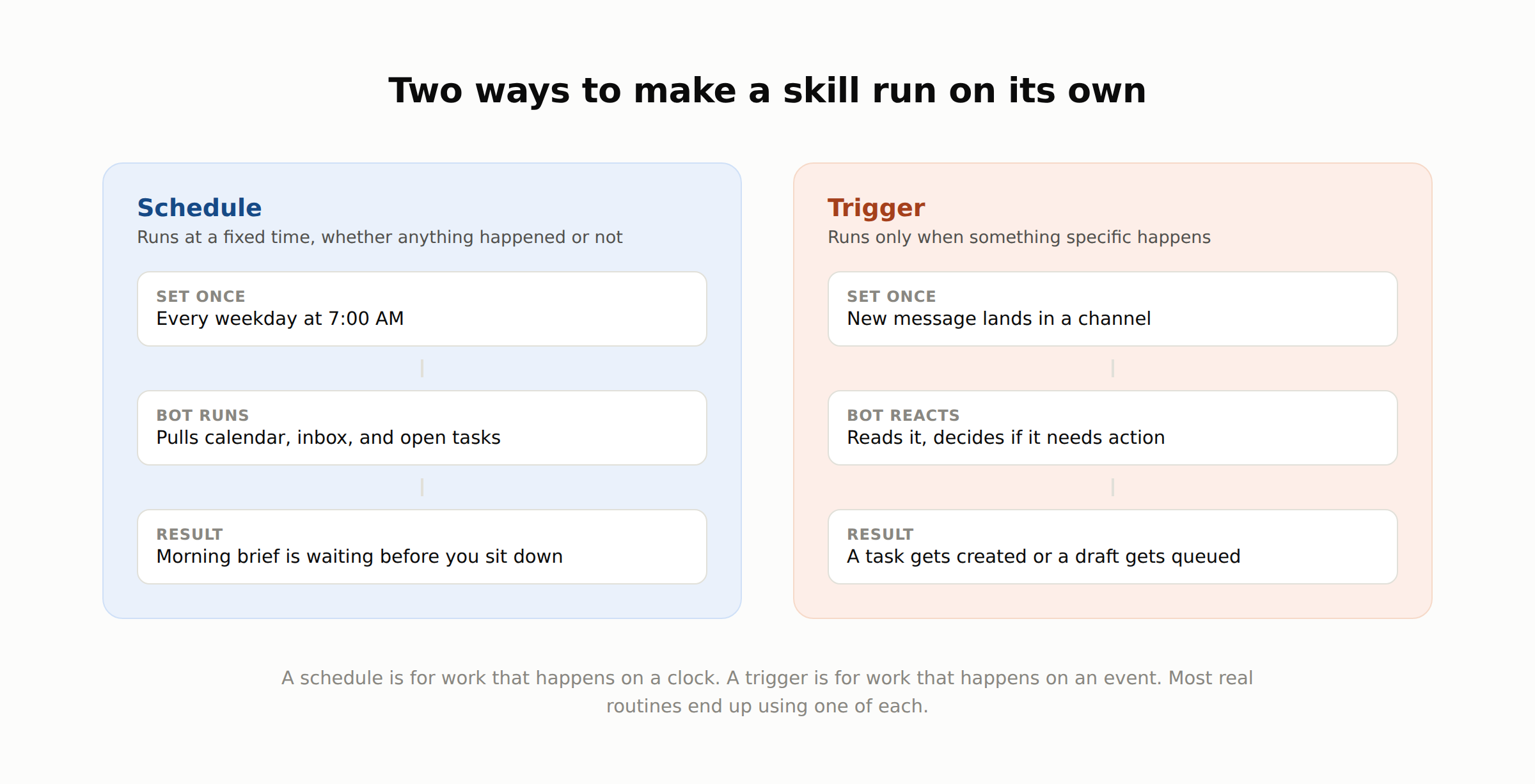
Schedule: every weekday at 7 AM, pull the calendar, summarize anything unread that mentions your name, list what's still open from yesterday, send it as one message. Trigger: when a new message lands in a specific channel, read it and decide whether it needs a task created. One runs on a clock. The other runs on an event. Most workflows worth automating end up using one of each — a schedule for the report nobody wants to build by hand, a trigger for the thing that needs to happen close to when it's actually needed, not whenever you next check in.
One Bot running one routine is already useful. It starts getting genuinely interesting once you stop asking a single Bot to do all of it.
8. Build a small team of specialist Bots
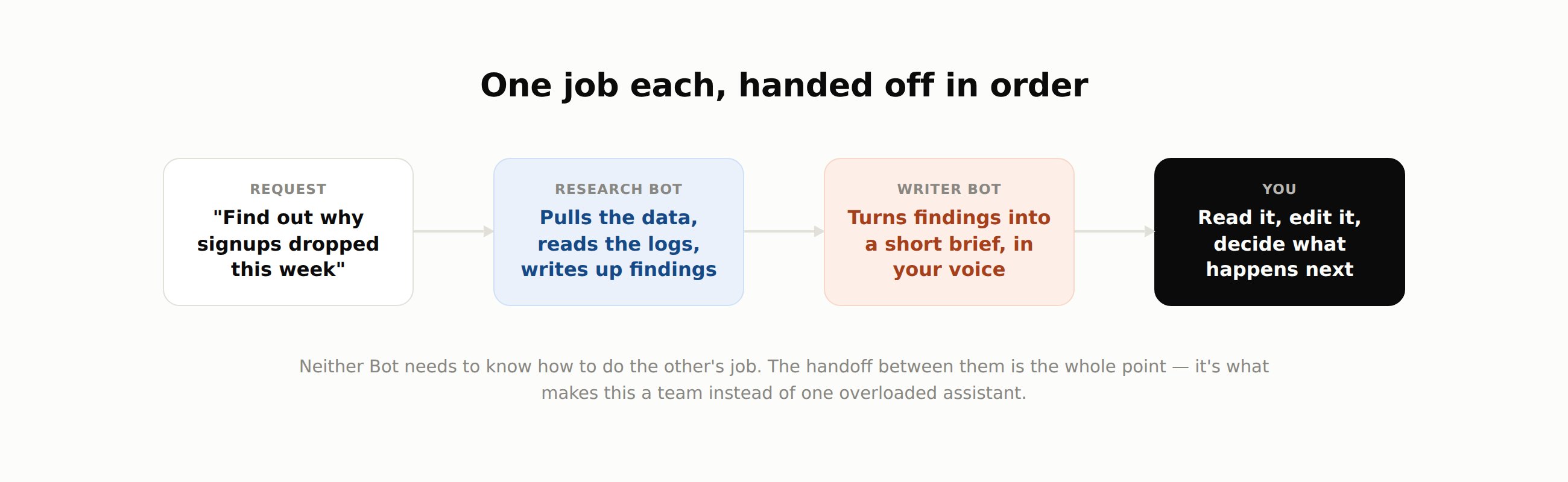
One Bot doing everything ends up mediocre at all of it, for the same reason one person juggling five jobs rarely gets great at any of them. Ask a single generalist Bot to research, write, and manage your calendar, and its job description turns into a long list of unrelated instructions competing for the same attention — the calendar logic quietly degrades the writing instructions, and vice versa. A handful of Bots, each with one job, works better — and the part that actually makes that true isn't "more Bots." It's the handoff between them.
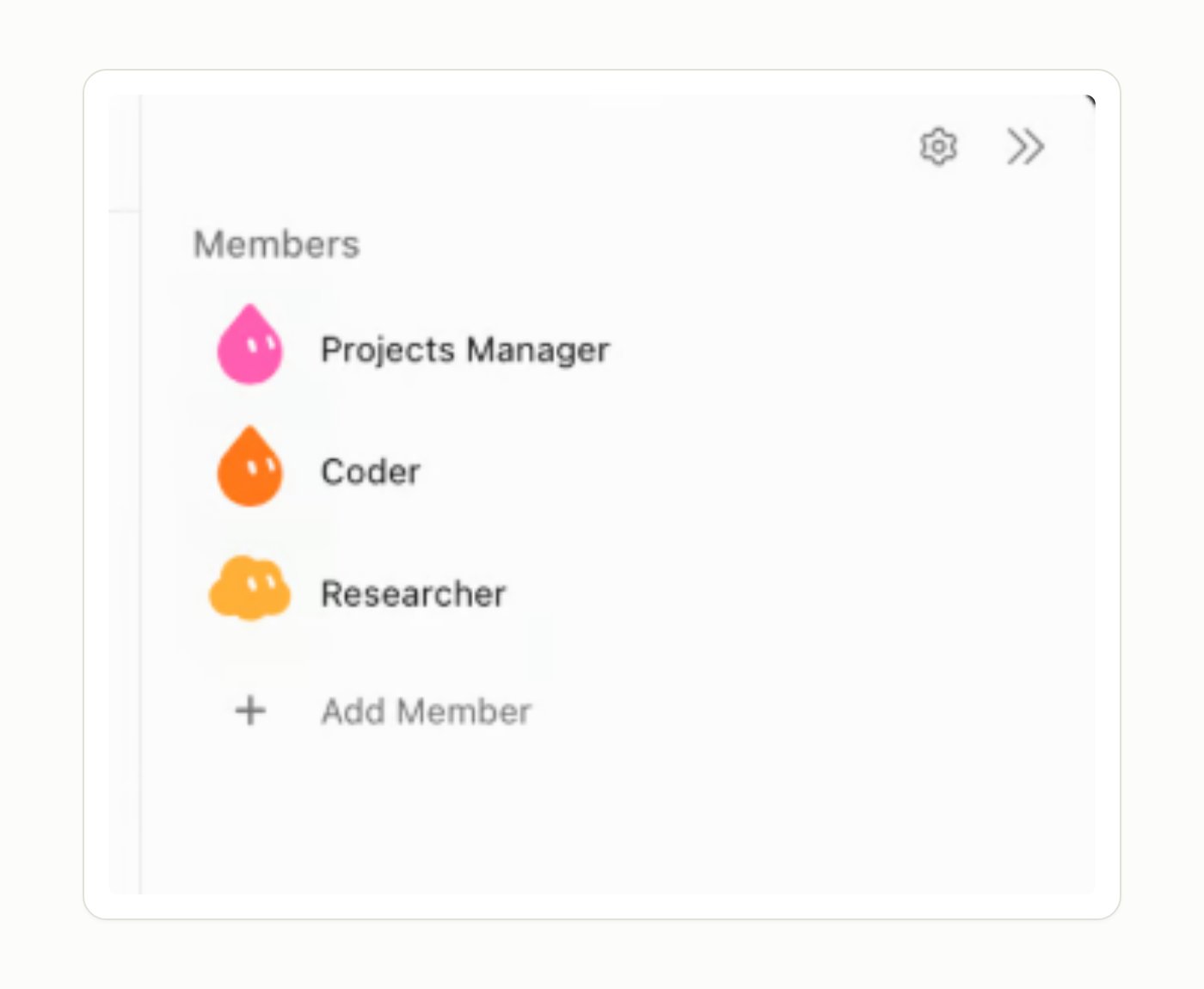
They run on the same cloud computer, so passing a task from one to another doesn't mean re-explaining the context from scratch:
The same shape works for a small dev team — a Researcher that reproduces a bug report, and a Coder that only gets involved once there's a confirmed repro:
Or a sales version — a lead list feeding research, then a draft, then a stop:
The same idea scales down to something as ordinary as writing a post: a Bot that researches, handing off to one that outlines, handing off to one that drafts, with you reviewing at the end instead of in the middle of every step. None of these need to be complicated to be worth setting up.
Worth saying plainly: these Bots share one computer, one set of logins, one set of files. That's what makes the handoff fast, and it's exactly why a Bot should never be treated as a security boundary between two different jobs. If something genuinely needs to be isolated, that's a sign it needs a different account, not just a different Bot.
9. Let Bots hand work to each other
A handoff you set up in advance is useful. A group chat is where a small team starts feeling like one, because you can pull a second or third Bot straight into a conversation already in progress, the same way you'd bring in a coworker.
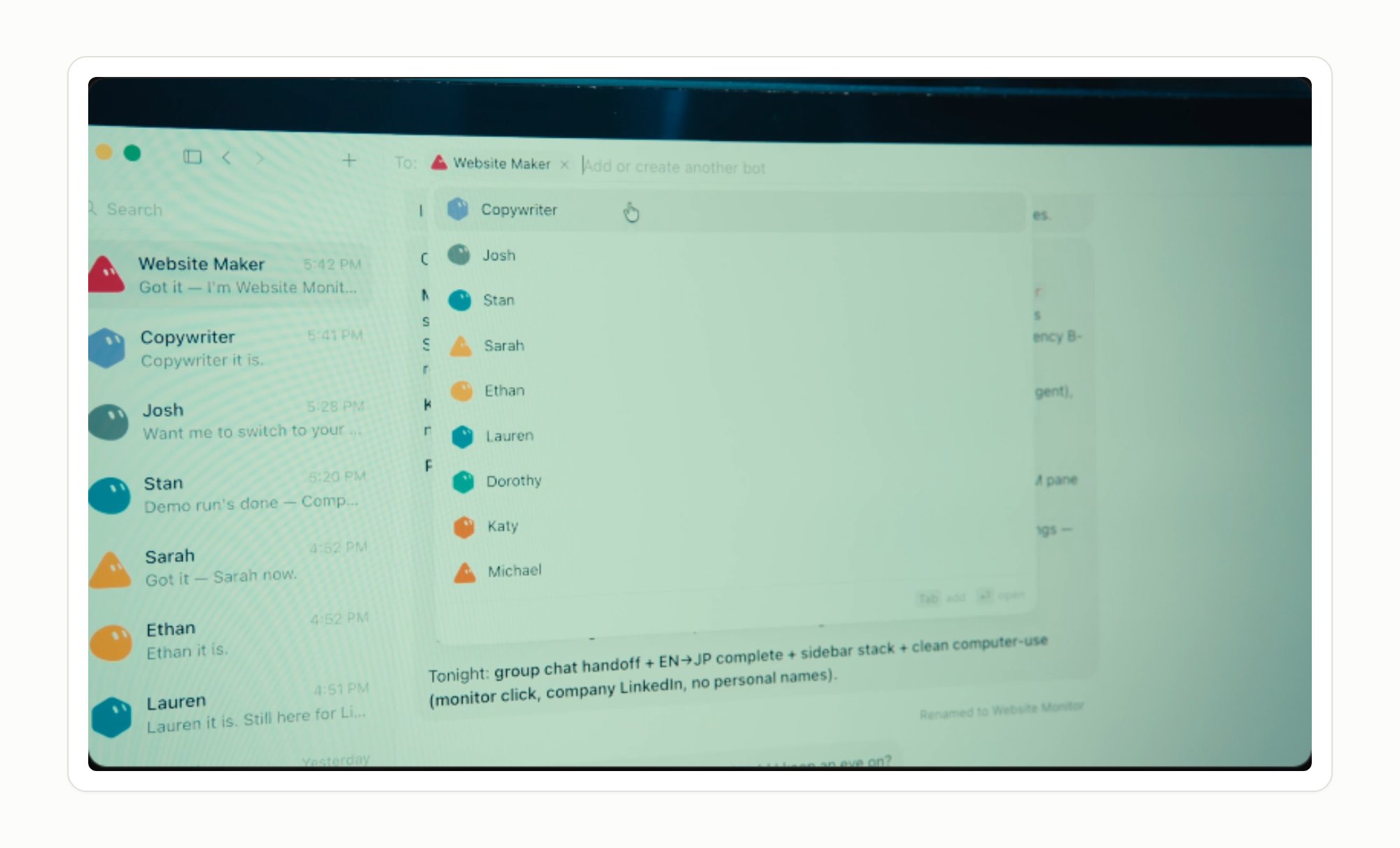
This is where "using a tool" starts turning into "running a small team." You're routing a conversation instead of typing the same context into three separate windows. xAI describes Bots as getting more proactive the longer they run — picking up work before you ask rather than waiting to be told. That's a claim worth treating as a direction the product is heading in, not something to plan your whole workflow around on day one. What it does mean in practice: the more real work a team like this does, the less you should assume it needs you standing over every step — and the more deliberate you need to be about exactly which steps still do.
10. Draw the approval line — and keep reviewing it
Here's the question that matters more than anything else in this whole setup, and it has nothing to do with how you phrase an instruction:
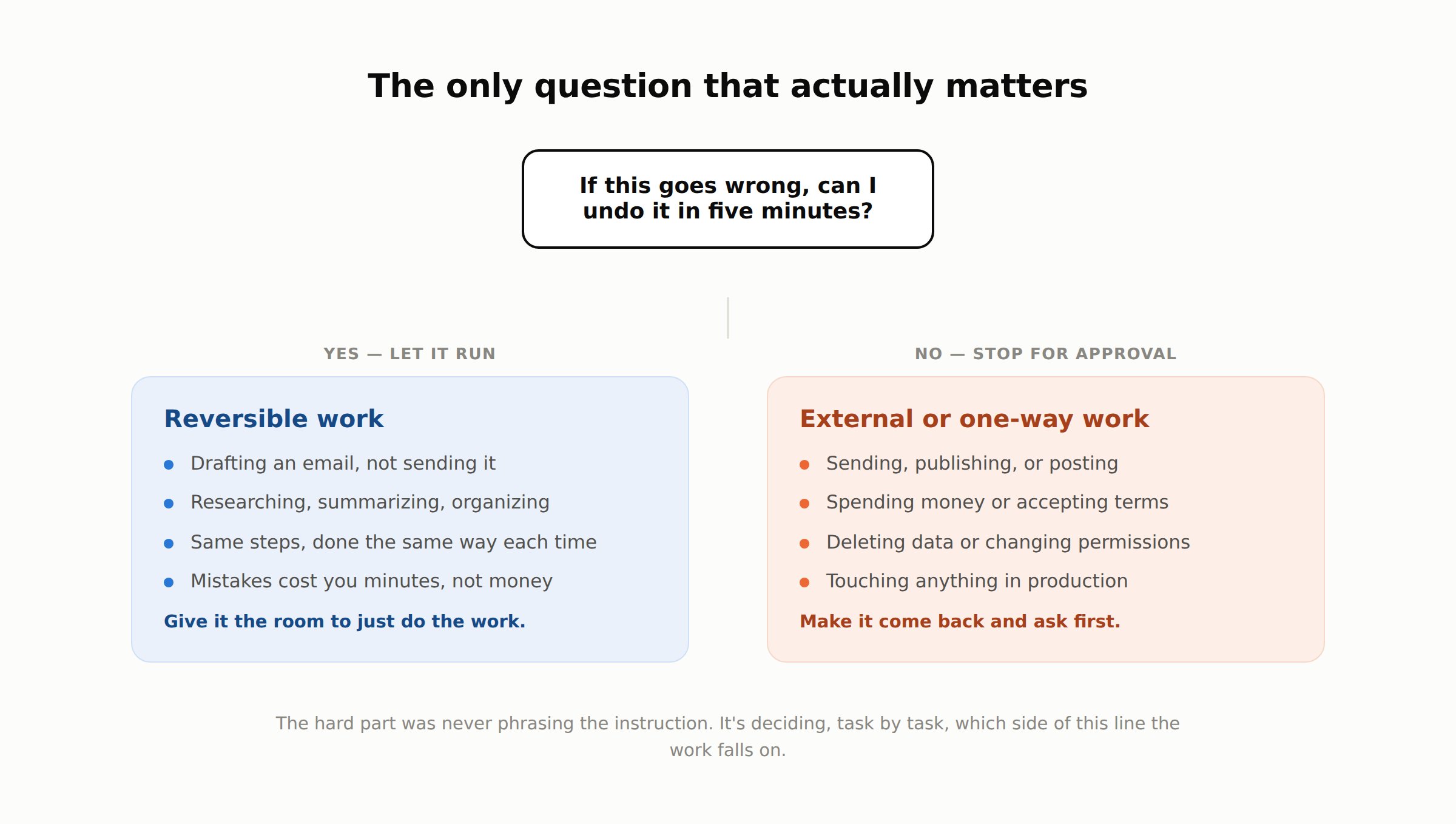
If this goes wrong, can you undo it in five minutes? The issue was never how big a task sounds. It's whether the mistake is easy to take back. Drafting, researching, summarizing, organizing, preparing something for review — safe to let run. Sending, publishing, spending money, deleting something, changing a permission, accepting terms, touching production — stop and make it ask first.
Grok Bot gives you a real mechanism for this: you can tell a Bot which categories of action need your sign-off, and there's a review layer that can hold certain actions for approval automatically before they run. Done well, it looks like this:
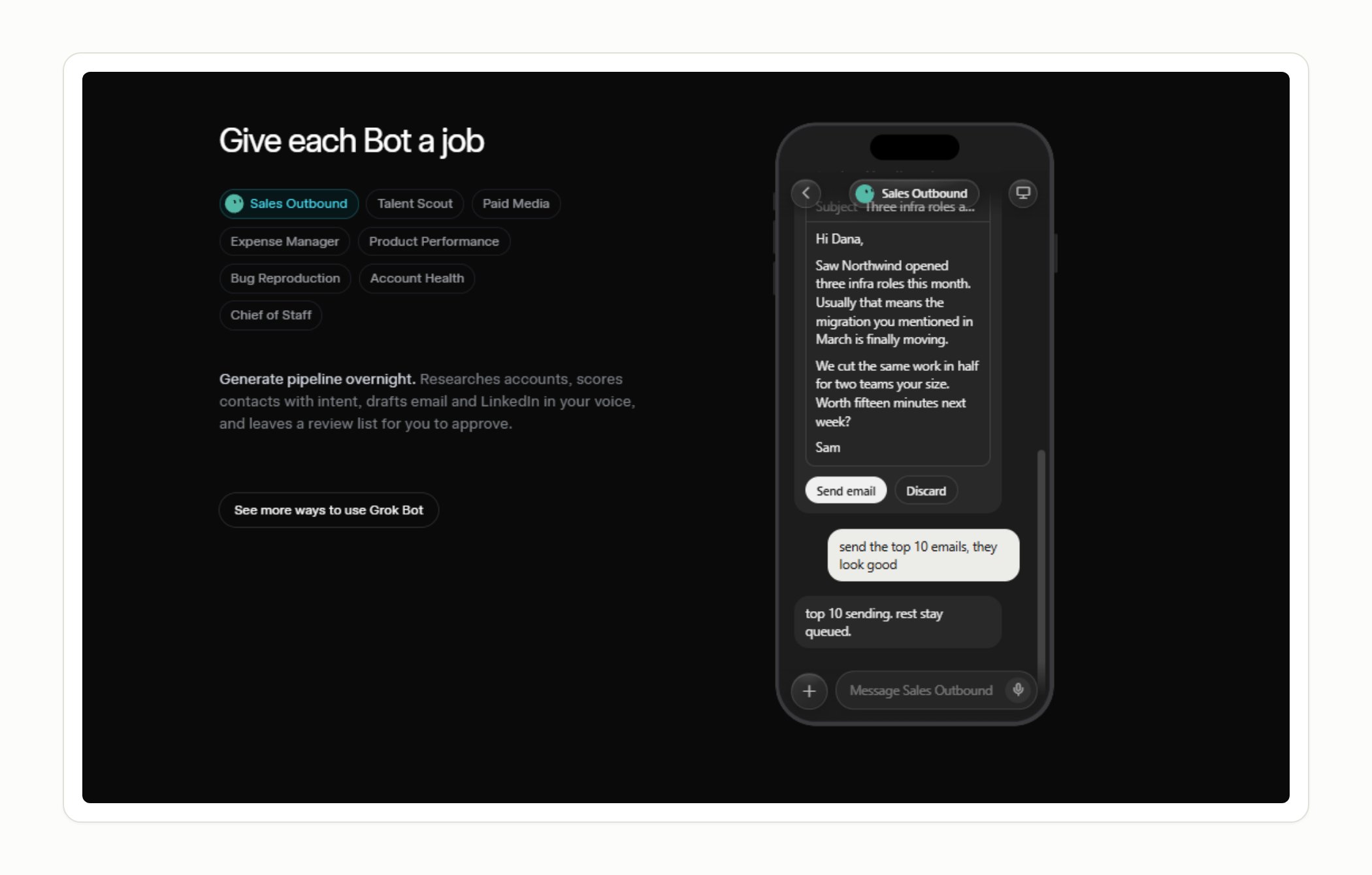
Two caveats worth keeping, because skipping them would make this section a lie by omission. An approval only stops the next action — it doesn't undo something the Bot already did before anyone noticed. And an automated review layer is a backstop for your explicit rules, not a replacement for them; it's a second opinion, not a guarantee. Neither is a reason to skip the feature. They're the reason the boundary belongs on the things that are genuinely hard to reverse, and nowhere else.
The other half of this step is the one most tutorials skip: go back through what's actually running, on a schedule, on purpose. A routine that made sense a month ago might be reading a spreadsheet that's since been reorganized, or watching a Slack channel nobody uses anymore. Skim what ran this week. Kill anything that's quietly stopped mattering. Fewer, sharper responsibilities make a Bot more useful, not less — same as a person.
None of this turned out to be about writing better prompts. The actual skill is deciding, task by task, what you're willing to let happen without you standing there, and where a second pair of eyes still has to be part of the process before anything leaves the building.
That's a different question than the one chat-based AI has been asking for years. Chat asks what you want it to say. This asks what you're willing to let happen without you.
You don't have to answer it all at once. Start with the boring job from step one, and let the answer change as the Bot earns it.
Sources: Introducing Grok Bot · Grok Bot plans and availability · Grok Bot: skills, routines, and automations · Grok Bot: approvals, security, and privacy · Grok Bot FAQ
Published on grokbot.sh. Cite the public log, not a prompt pack.