
Grok Bot: What can you actually do with it? (Notes from Galaxy Day 1)
On September 15, Grok Bot ran a long livestream called "Grok Bot Galaxy Day 1". It lasted almost nine hours. You do not need to watch all of it. This article is for one kind of person: someone like
Article
Job breakdowns
On September 15, Grok Bot ran a long livestream called "Grok Bot Galaxy Day 1". It lasted almost nine hours. You do not need to watch all of it.
This article is for one kind of person: someone like you, who keeps hearing “Grok Bot” and still thinks, "ok… but what can I use it for?"
The short answer: "It is less like a chatbot you talk to once, and more like a small team of helpers that can keep working after you close the laptop."
First, forget the sci-fi version
Most people know AI as a chat box. You ask a question. It answers. Done.
Grok Bot is built around a different idea: agents as colleagues.
That means:
-
You can have more than one helper.
-
Each helper can have a job (research, social posts, coding, calendar, and so on).
-
They can message each other.
-
They can use tools and signed-in services.
-
They can run recurring tasks on a schedule.
If that sounds abstract, the livestream made it concrete.
What the livestream actually showed
- You talk to one “boss,” and it asks the specialist
In one demo, a chief-of-staff style agent (Steve) got a product question about tech stack choices. Instead of guessing alone, it messaged another agent (tater) and came back with a clear recommendation: what to use on day one, what to delay until week one, and what decision to make next.
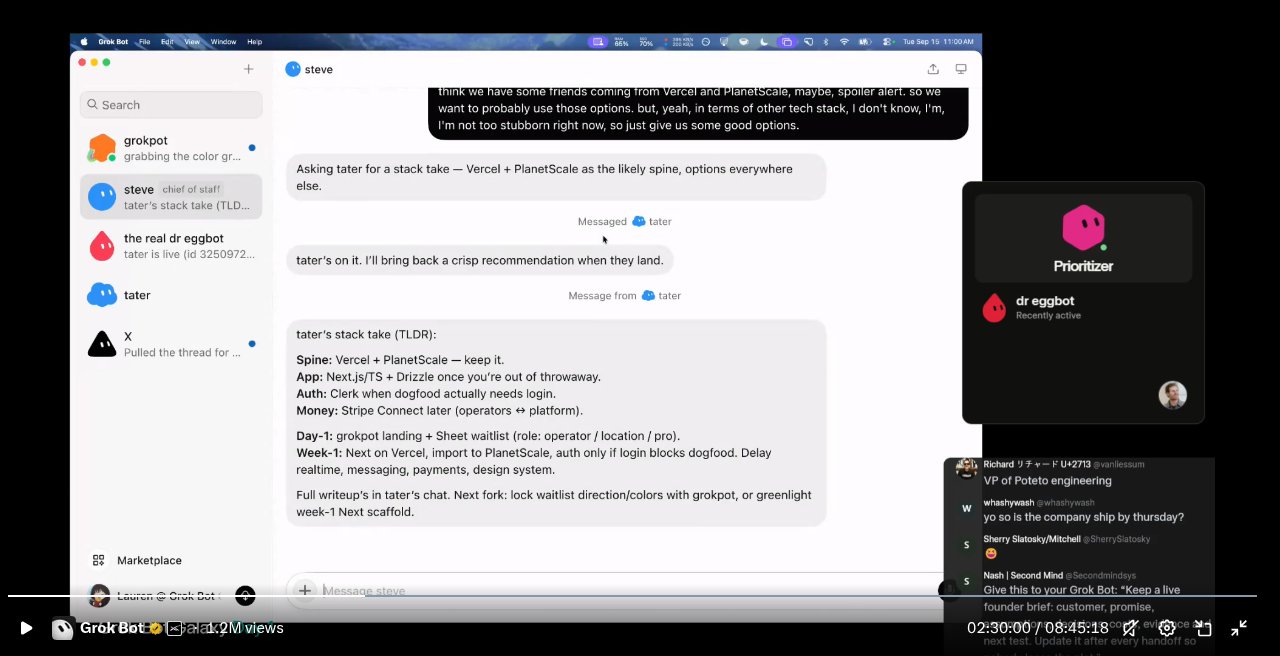
That is the first useful mental model:
You should not dump every job into one bot.
Have one coordinator. Give specialists clear roles. Ask for a short summary back.
If you already use Grok Bot this way (one main assistant + a marketing bot, for example), you are doing the thing they were demoing.
- The bot can ask you before it does something big
Later they showed an admin screen mock, then a simple choice in chat:
-
Lock it and build
-
Iterate
-
Hold / not yet
That matters more than it sounds.
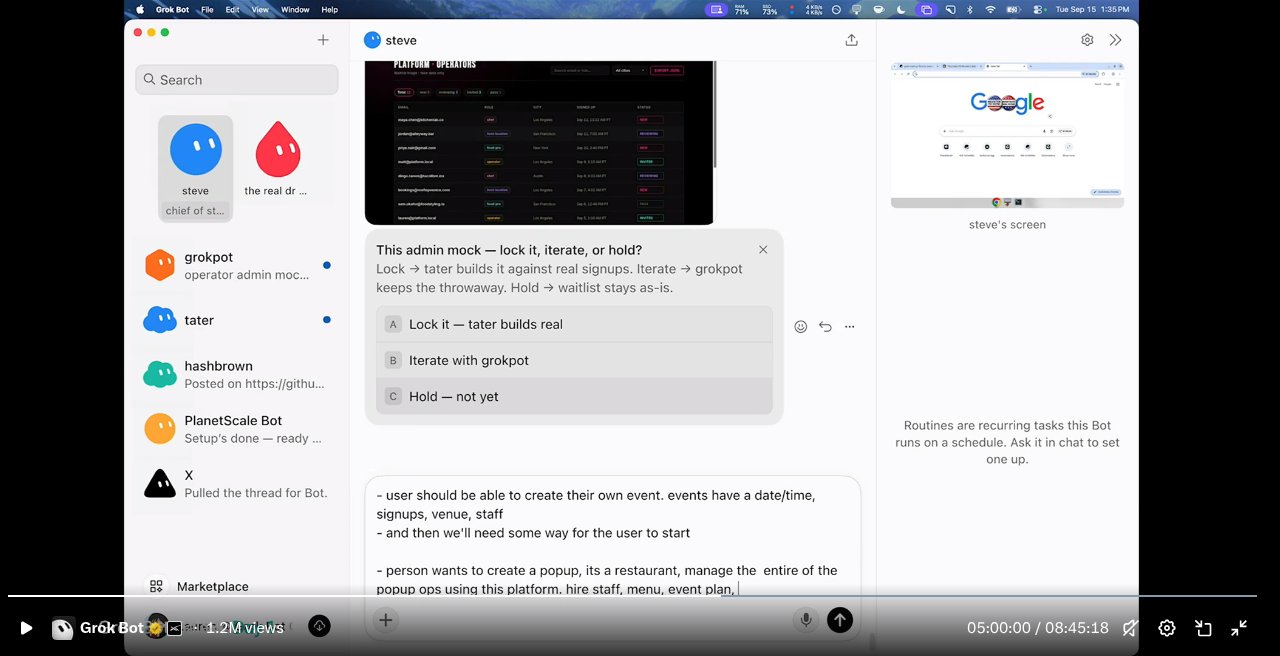
Good assistants do not silently invent a path when the choice is hard to undo. They show you options. You tap one. Work continues.
For beginners: use Grok Bot for drafts and research freely. For posts, payments, deletes, or anything public, make it ask first.
- Routines: work that repeats without you babysitting
On the side of the screen they explained Routines: recurring tasks a bot runs on a schedule. You set them up in chat.
Examples of what that looks like in real life:
-
A weekday morning calendar check
-
A weekly “draft three X posts” reminder
-
“Watch this and ping me when something changes”
This is the feature that turns Grok Bot from “smart notepad” into “assistant that shows up.”
- Agents get their own computer
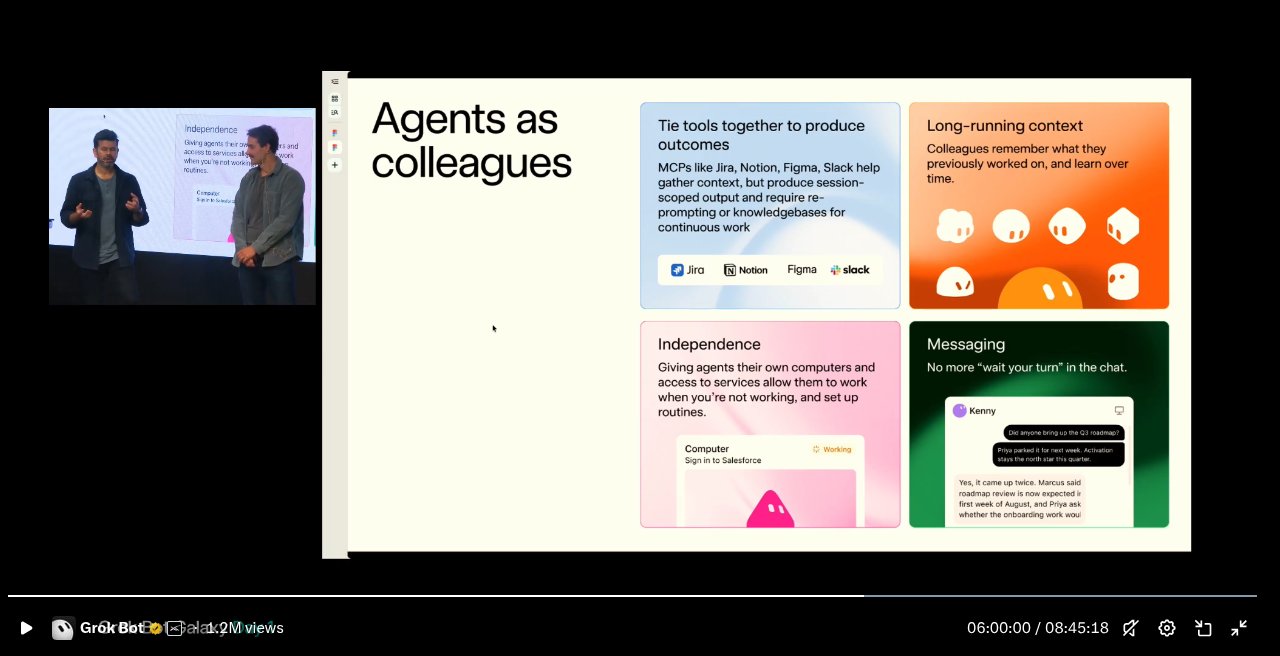
One of the clearest slides said colleagues need:
-
tools (like Jira, Notion, Figma, Slack)
-
long-running memory
-
their own computer and signed-in services
-
messaging (no more waiting your turn in one chat)
Tools alone are not enough. A colleague remembers yesterday’s work, keeps going while you sleep, and can talk to the rest of the team. That is the big product promise of Galaxy Day 1.
So what can a normal person do with it?
Here are simple starting uses. No technical terms required.
If you run a small product or side project
-
One bot that holds the product story
-
One bot that drafts social posts
-
A routine that reminds you to post or check feedback
If your days are full of meetings
-
Connect a calendar
-
Ask for a short morning brief
-
Pause it when the calendar is empty (yes, that counts as using it well)
If you build in public
-
Ask for a week of posts
-
Keep the link in your bio, not in cold DMs
-
Use the bot to turn a long video or livestream into a short article (like this one)
If you are overwhelmed
-
Start with one bot and one recurring task
-
Do not create five agents on day one
What beginners should ignore (for now)
Skip these until the basics feel easy:
-
Fancy multi-agent setups with ten bots
-
Automating every platform at once
-
Watching a nine-hour livestream end to end
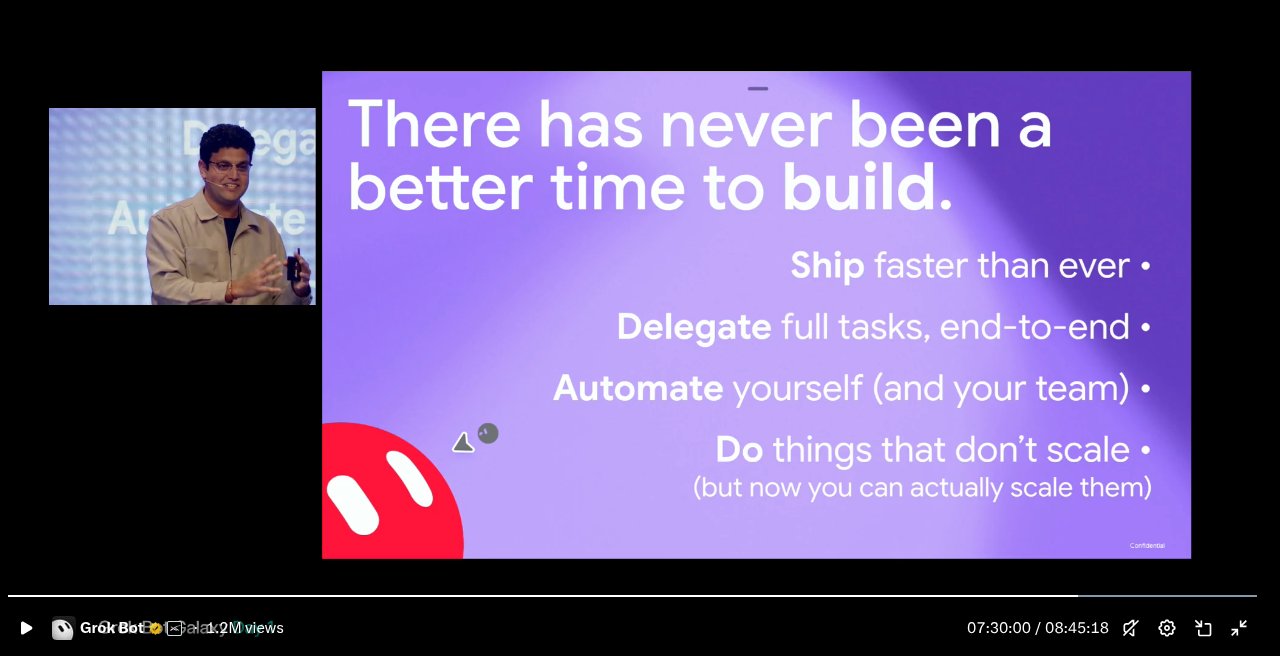
Watch the useful parts if you want demos: around multi-agent handoffs, routines, and the “agents as colleagues” slides. The rest is long-day livestream energy.
The one line to remember
Grok Bot is useful when it does a job you would otherwise have to remember, research, draft, or repeat yourself.
Not magic. Not a replacement for your judgment. A colleague that can draft, dig, schedule, and hand work between specialists, while you stay the person who says yes or no.
Source / Replay: https://x.com/i/broadcasts/1AxRnZbVpjaxl
Source / Replay: https://x.com/i/broadcasts/1AxRnZbVpjaxl
Event: Grok Bot Galaxy Day 1 (Sept 15, 2026)
Published on grokbot.sh. Cite the public log, not a prompt pack.