
How to Actually Master Grok Bot in 16 Minutes
Grok Bot dropped on August 11, 2026, and it took less than a week to split the internet into two camps that couldn't be further apart. One side was stunned that an AI agent could now run real,
Article
Job breakdowns
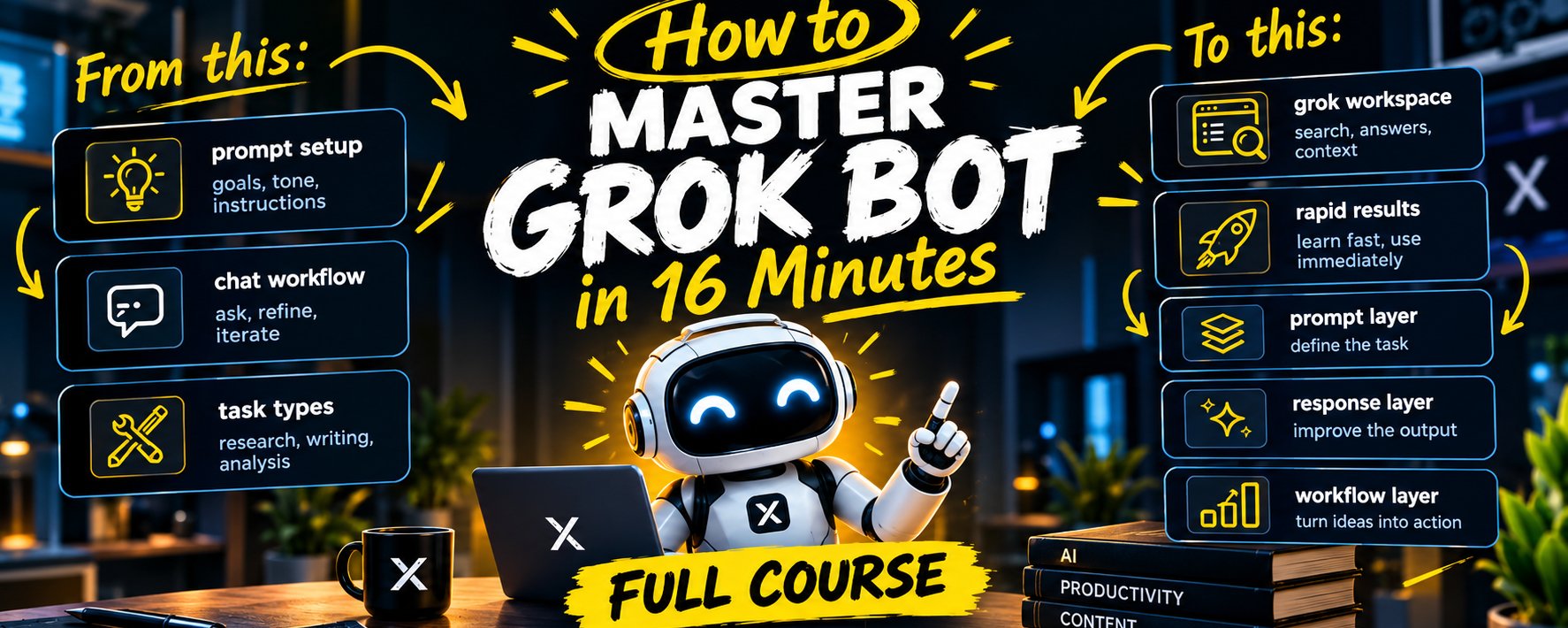
Grok Bot dropped on August 11, 2026, and it took less than a week to split the internet into two camps that couldn't be further apart. One side was stunned that an AI agent could now run real, multi-step tasks completely unsupervised, no hand-holding, no checking in every five minutes. The other side was genuinely rattled by the exact same fact, because an agent that can finish a purchase with your actual money attached stops being a novelty and starts being a responsibility. Neither camp is wrong. Grok Bot really is that capable, and it genuinely demands real discipline from whoever's holding the controls.
This is the full course, distilled into something you can actually finish. Sixteen minutes gets you through it once, though becoming genuinely good with the tool will take longer than that, reading the manual and flying the plane have never been the same skill. What follows is everything you need to go from complete zero to confidently running your first real bots, built entirely on how the product actually behaves in practice, not on speculation about what it might do someday.
What Grok Bot Actually Is, In One Paragraph
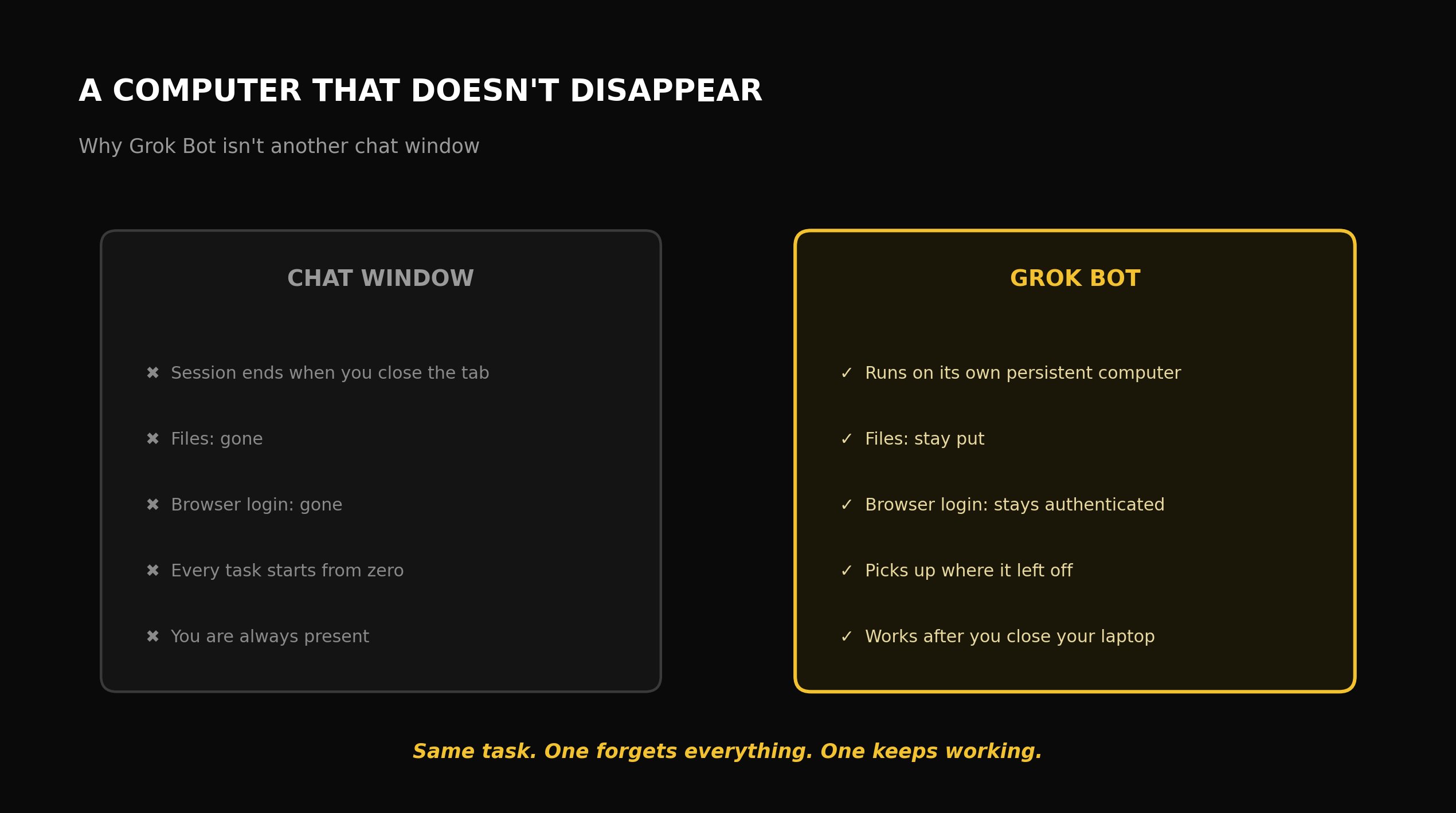
Every other AI chat tool sits there waiting for you to type something, gives you an answer, then goes quiet again. Grok Bot runs on a completely different premise. You spin up a named Bot, and it gets its own persistent computer in the cloud, browser, filesystem, and the ability to log into whatever applications you give it permission to use, and it keeps working long after you've shut your laptop. Ask it to do a job once. If it does that job well, turn the exact process into a reusable skill. Put that skill on a schedule, and from that point on it runs without you needing to be anywhere near it.
That's the one mental shift you need before touching anything else in this course. You're not learning to use a smarter chatbot. You're learning to manage a small crew of persistent, always-on workers, each one with a job description of its own.
Module One: Getting Access And Understanding The Real Cost
Before you set anything up, know exactly what you're signing up to pay, because Grok Bot has no plan of its own and no dedicated checkout page anywhere. It only comes bundled inside a subscription you're buying for something else entirely: SuperGrok Heavy, xAI's top consumer tier, sitting at roughly $300 a month, though xAI has occasionally run a promotional rate as low as $99 for new and existing subscribers, or through a qualifying Cursor plan, where Cursor Ultra at $200 a month is the realistic starting point if you're a solo user with no team to spread the cost across.
There's no free tier, and nothing resembling a standalone trial beyond a single one-time trial period. For a team, the "$120 per seat" number that keeps getting repeated badly undersells what you're actually committing to, five people on that tier comes to $600 a month, $7,200 a year, and that's before you've confirmed the bots are finishing anything genuinely useful. Treat your first month as a real pilot, not a full rollout, no matter how big your team is.
Module Two: The Persistent Computer Model, And Why It Changes Everything
Here's the one architectural fact that separates Grok Bot from a chat window entirely: every Bot gets a computer that never blinks out of existence. Files stay put. Browser sessions stay logged in. Application logins stay authenticated. State carries through for however long the task actually needs, hours, or by xAI's own account, potentially stretching into days.
That's also exactly why the setup process carries more weight here than it does with an ordinary chat tool. You're not just writing a prompt anymore. You're setting up an actual desk for a worker, deciding which applications they can touch, which credentials they're trusted to hold, and which actions they're cleared to take without checking with you first.
Module Three: Your First Bot, The Chief Of Staff
Almost every genuinely useful account of running Grok Bot lands on the exact same opening move, and it's worth treating as close to mandatory as advice like this gets: build a Chief of Staff Bot before you build anything else.
Give this first Bot access to whatever documentation you actually use day to day, Notion, Slack, Gmail, your project tracker, doesn't matter which. Have it go through your current situation and tell you, specifically, which two or three additional agents would genuinely move things forward, not a generic wishlist, an actual prioritized recommendation grounded in what it found reading your real, current state.
Here's why this beats jumping straight into a specialist agent: you don't yet know which specific tasks in your specific situation are actually worth automating, and a Chief of Staff that's read your real documentation hands you a genuinely informed starting point instead of a guess based on whatever looked impressive in someone else's demo.
Sample brief for your first Chief of Staff Bot: "Go through our current [Notion workspace / Slack history / email threads]. Take stock of what's actually happening in the business right now: what's working, what's stuck, what's repetitive. Based on what you find, recommend the top three specific tasks that, if automated, would move revenue or efficiency the most. Be specific about what each recommended agent would actually do, not a vague category."
Module Four: One Mission Per Setup, Not One Setup For Everything
This might be the single most important operational habit in the whole course, and it's easy to get wrong the first time around because cramming everything into one place feels efficient.
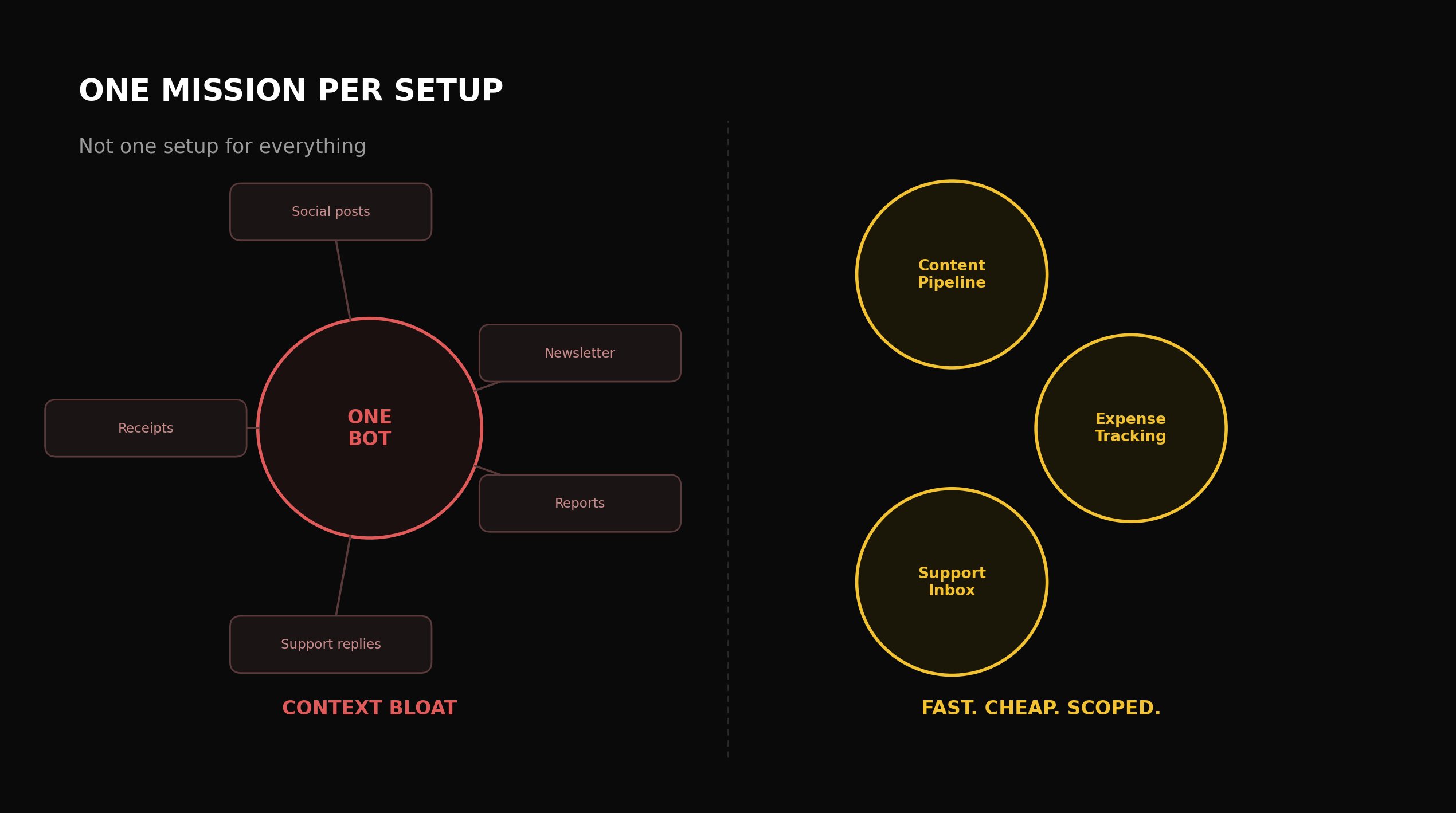
Each Grok Bot agent runs on a shared cloud computer scoped to that Bot. Throw unrelated missions into the same setup, your newsletter, your social posting, your business receipts, all living in one Bot, and you get context bloat fast, along with a usage allowance that drains far quicker than it should, simply because the Bot is now carrying way more irrelevant context in working memory than any single task actually calls for.
The fix is just scoping discipline: one mission, one setup. A Bot running your content pipeline has no business also tracking your expenses. This isn't some minor efficiency tip either, it's the actual difference between a system that stays fast and cheap to run versus one that quietly turns slow and expensive with no obvious single culprit.
Module Five: Earning Each New Agent, Not Hiring Speculatively
Once your Chief of Staff has pointed out the top candidates worth building, fight the urge to spin all of them up at once. The pattern that actually holds up is sequential, and it exists for one specific reason: to stop you from handing real, unsupervised execution to a process that hasn't proven itself yet.
Have the Chief of Staff run the candidate task once, by hand, while you watch closely. Actually review the output. Only after you've confirmed it genuinely works do you say, out loud and explicitly, "now build a Bot that does exactly that, on a repeat basis." You earn every new hire by proving the underlying task holds up first, the same discipline you'd use before trusting a new human employee with an ongoing responsibility, instead of assuming a good demo means it's ready for production.
Module Six: Teaching A Task Instead Of Describing One
Grok Bot has a genuinely useful alternative to writing out a detailed prompt for anything browser-based: just teach it directly. Where this feature is available, you walk through the actual workflow once in the browser while the Bot watches, and it drafts a skill from what it just saw, which you then review and test before letting it run unsupervised.
This matters most for tasks that are simply easier to show than to explain in words, think a specific multi-click sequence buried inside some piece of software with a genuinely quirky interface. Demonstrating the task captures the real sequence far more reliably than a written description usually can, especially anywhere the UI doesn't translate cleanly into plain-language instructions.
Module Seven: Turning A Proven Task Into A Scheduled Routine
Once a task has been proven by hand and then confirmed working as a standalone Bot run, the last step is putting it on a schedule as a recurring routine, the actual mechanism behind the "works while you sleep" promise this whole product is built on.
Ask your Chief of Staff directly which recurring jobs would move the business forward if they just ran automatically, overnight or on some regular cadence, and have it build the real automation for whichever ones actually make sense. This sits deliberately at the end of the sequence, not the start, because scheduling something that hasn't been proven yet just means automating a mistake so it repeats reliably instead of happening once.
Module Eight: Understanding Approval Boundaries And Why They Exist
This is the safety layer that makes the whole persistent-agent model trustworthy enough to actually use, and getting a real handle on it is what separates confident, safe use from either being needlessly cautious or dangerously overexposed.
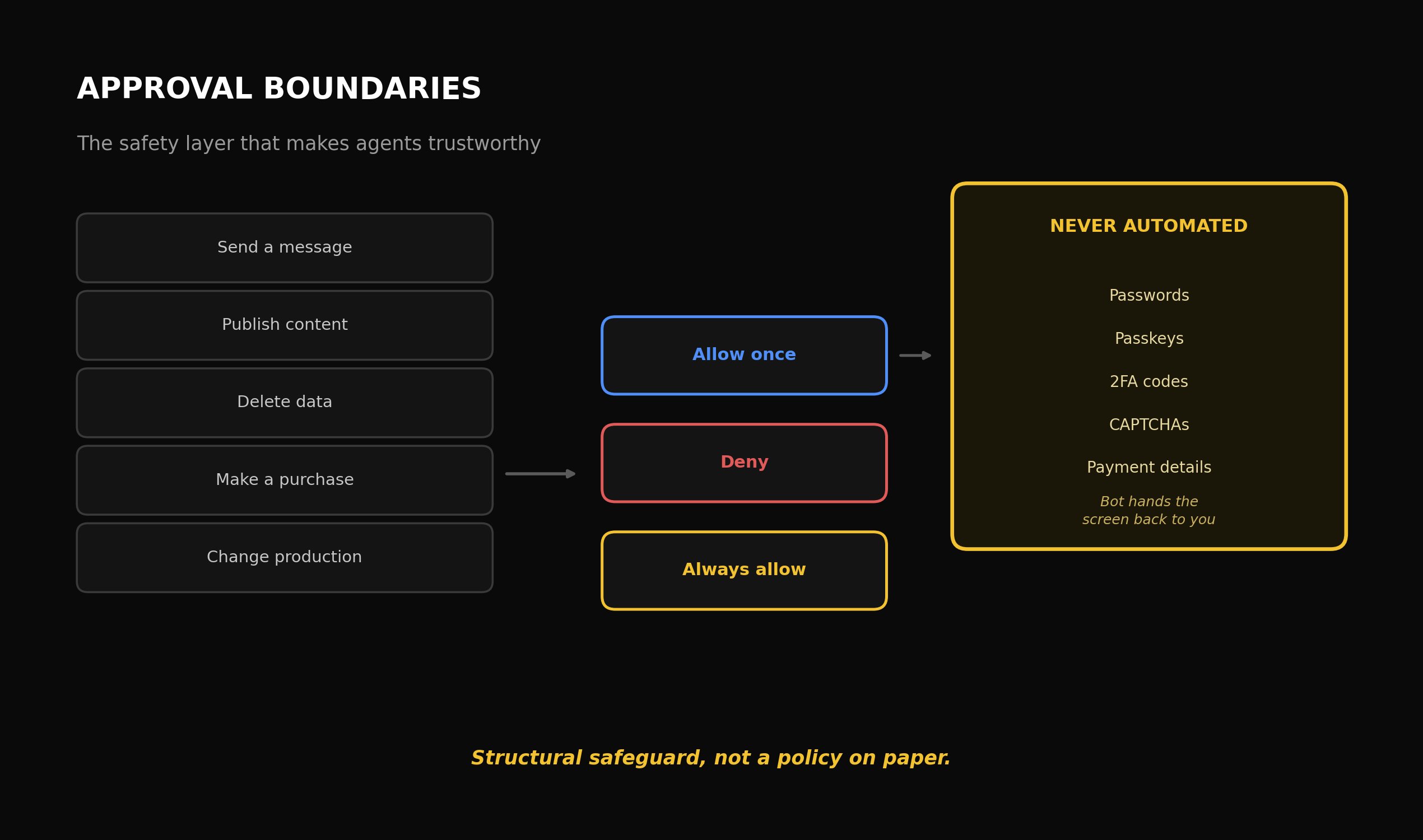
You can require explicit approval for specific categories of action: sending messages, publishing content, deleting data, making a purchase, or touching anything in a production system. When one of these comes up, you get real options, Allow once, Deny, or Always allow, plus the ability to set Auto Review rules for whatever categories you've decided are low-risk enough to pre-clear.
Here's the critical part: for passwords, passkeys, two-factor codes, CAPTCHAs, and payment details specifically, the Bot is built to hand the screen back to you rather than grab the credential itself. That's a real structural safeguard, not just a policy written on paper, it's the actual mechanism that keeps a compromised or malfunctioning Bot from ever holding your real login credentials in the first place.
The practical rule worth adopting: default to requiring approval on anything touching sending, publishing, purchasing, deleting, or production changes, until a specific Bot has proven through repeated real use that one specific narrow category of its actions is safe to pre-approve. Never pre-approve broadly just because it's more convenient.
Module Nine: Real Workflow Patterns Worth Studying
A handful of documented, real-world Bot patterns are worth understanding closely, they show the actual shape of what this tool is genuinely good at, far more useful than any generic feature list.
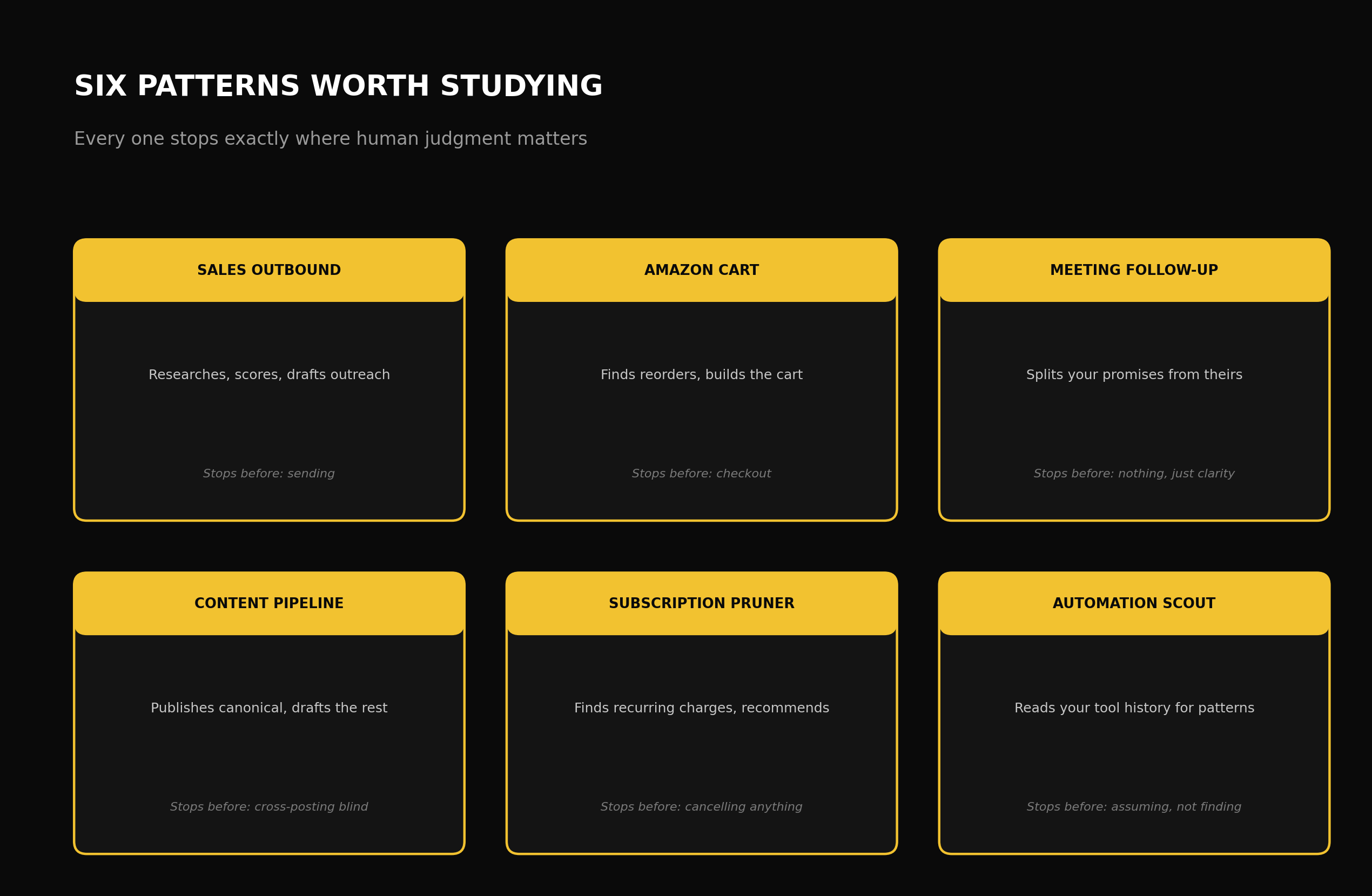
The sales outbound Bot. Researches target accounts overnight, scores contacts on genuine intent, drafts personalized outreach in your own voice, and queues all of it for your approval by morning instead of firing it off automatically.
The Amazon cart Bot. Reads through your order history, spots the products you actually reorder on a regular basis, and builds the cart, stopping deliberately right before checkout so an actual human confirms the final purchase.
The meeting follow-up Bot. Goes through new meeting transcripts and separates what you specifically committed to from what the other person committed to, a genuinely useful split that most manual note-taking just blurs together.
The content pipeline Bot. Publishes to your own site first, keeping that page as the canonical version, then prepares separate, tailored drafts for other platforms, respecting the difference between the primary piece and its distributed copies.
The subscription pruner. Digs up recurring charges buried in your inbox, recommends what's worth keeping versus cancelling, and shows you the full list before touching a single subscription.
The automation scout. Reads across your actual tool history, Slack, Notion, GitHub, whatever you actually use, finds genuinely repeated patterns of work, and proposes specific automations based on what it actually found, not some generic suggestion pulled from a template.
Notice what all six have in common. Every one of them does real, substantive work, and every one stops at exactly the point where a human's final judgment actually matters, sending, purchasing, publishing, deleting. That boundary isn't a limitation you work around. It's the actual design principle worth copying in whatever Bot you build next.
Module Ten: The Shopping Feature, Understood Correctly
Grok Bot can search for products, compare options, build a cart, and kick off checkout, all wired through a service called Link. This grabbed real attention, and real concern, the moment it launched, and it's worth understanding precisely instead of taking either the hype or the alarm at face value.
Here's the actual safeguard: xAI's guidelines require a human to approve the purchase itself, processed through Stripe, and the Bot can never access your passwords or two-factor codes at any point in the process. It's free to do the browsing, comparing, and cart-building grunt work. What it cannot do is complete a transaction without your explicit, separate approval at the exact moment money actually moves.
This is the same approval-boundary principle from Module Eight, just applied to the one case that makes people the most nervous. Once you understand that pattern, you understand why this feature is safer than the headline alone would suggest, without needing to buy into either the hype or the fear on its own.
Module Eleven: Where Grok Bot Genuinely Struggles
Honest limitations here, not marketing fine print, worth knowing before you build anything around this tool.
Browser automation is fragile by its very nature. Websites change their layouts, throw up CAPTCHAs, or actively block automated traffic. xAI says as much themselves, directly. A structured connector, wherever one exists for the specific tool you're working with, holds up far better than general browser control, which covers more ground but is inherently more brittle against a site that changes without any warning.
Data retention isn't clearly spelled out. Current documentation just points to Cursor's own terms instead of publishing an independent, Grok Bot-specific retention policy of its own. If that matters for your particular compliance needs, go verify it directly rather than assuming anything.
The weekly usage allowance isn't published anywhere. Eligible plans come with some amount of weekly usage, with on-demand usage available past that where it's enabled, but the actual allowance size stays undisclosed publicly. Which makes a measured pilot genuinely necessary before rolling this out to an entire team, since there's no way to calculate your real capacity needs from public documentation alone.
It's still early-stage beta software with known issues, and xAI says so plainly. Start every new category of task with low-stakes, reversible work, and only expand what you trust it with based on performance you've actually seen in your own specific use case, not based on how impressive the feature sounded in a launch announcement.
Module Twelve: How Grok Bot Compares To The Alternatives
Worth some context here, since this is a genuinely competitive category, not a space where one product stands alone. Anthropic's Claude Code and Cowork have a longer track record behind them and more documented enterprise use specifically inside regulated industries. Jack Dorsey's Block took a completely different architectural approach with Buzz, giving every agent its own cryptographic identity inside a shared team workspace, which lands closer to a Slack replacement built for agent-human collaboration than it does to Grok Bot's individually-directed, persistent-computer setup.
The honest comparison was never about which one is definitively better, it's about which one has more real-world proof for your specific task. If you're already paying for a qualifying SuperGrok or Cursor tier, testing Grok Bot on one real, low-stakes workflow costs you almost nothing extra and will tell you more than any comparison piece, this one included.
Module Thirteen: The Common Mistakes That Undo Everything Above
A handful of specific errors account for most of the frustration people run into, worth calling out directly.
Skipping the Chief of Staff and jumping straight into specialist agents. This is the single most common way people burn their first week, building a sales Bot or a content Bot before anything has actually audited their real situation and prioritized correctly.
Stuffing unrelated missions into one Bot's setup. Context bloat and a drained usage allowance are the direct, measurable outcome, not some hypothetical risk you might run into.
Pre-approving broad categories of action just for convenience. The approval boundary system exists for exactly one reason, to stop an unproven process from acting unsupervised in a high-stakes category. Convenience alone is never a good enough reason to strip that away before real, repeated evidence has earned it.
Pushing a workflow onto a full schedule before it's been proven manually and then as a single unscheduled run. Automating something unproven just means an unproven mistake now repeats reliably, with nobody watching, which lands worse than the manual version ever did.
Assuming the beta's current limitations will resolve on your particular timeline. Build your current plan around what the tool reliably does right now. Treat future improvements as a bonus, never as something your business plan is quietly depending on arriving by a specific date.
Module Fourteen: Building A Multi-Bot System Without Losing Control
Once you've got one or two Bots genuinely proven and running reliably, the obvious next question becomes how to scale toward the kind of multi-department setup that turns scattered automations into something closer to a real, functioning operation. This earns its own module because scaling badly is exactly where most people's early wins quietly curdle into a liability.
Every new Bot, no matter how well your first ones performed, needs to go through that same sequence from Module Five: proven by hand first, confirmed as a standalone run second, only scheduled third. Confidence earned in one domain, a sales research Bot performing brilliantly, say, tells you nothing definitive about how a differently-scoped Bot will handle a completely different task like customer support or financial admin. Different categories of work carry genuinely different risk profiles and different ways of failing, and treating your general comfort with the product as a stand-in for task-specific proof is exactly the mistake that turns an early win into a later, entirely avoidable mess.
Keep each Bot's tool access narrowly scoped to whatever its specific mission actually needs, even once you've got several Bots running smoothly. The instinct to hand a proven Bot broader access "because it's earned the trust" confuses proof of competence on one specific task with a general credential covering whatever you might want to throw at it later. Those are two entirely different claims, and only the first one is actually backed by evidence you have.
As your number of active Bots grows, track each one's performance separately instead of judging your whole Grok Bot rollout as one undifferentiated win or failure. A sales Bot performing brilliantly next to a scheduling Bot producing shaky, inconsistent results is a completely normal, expected pattern, not proof the whole approach is broken. Lumping them together into one overall verdict hides exactly the information you actually need: which specific workflows are earning their keep, and which ones need tighter scoping, more work, or should just be dropped for that particular task entirely.
Module Fifteen: Measuring Whether This Is Actually Working
The last skill worth building, and the one most guides to a new tool skip entirely, is an honest, ongoing measurement habit, because a system can feel productive without that feeling being backed by any real evidence.
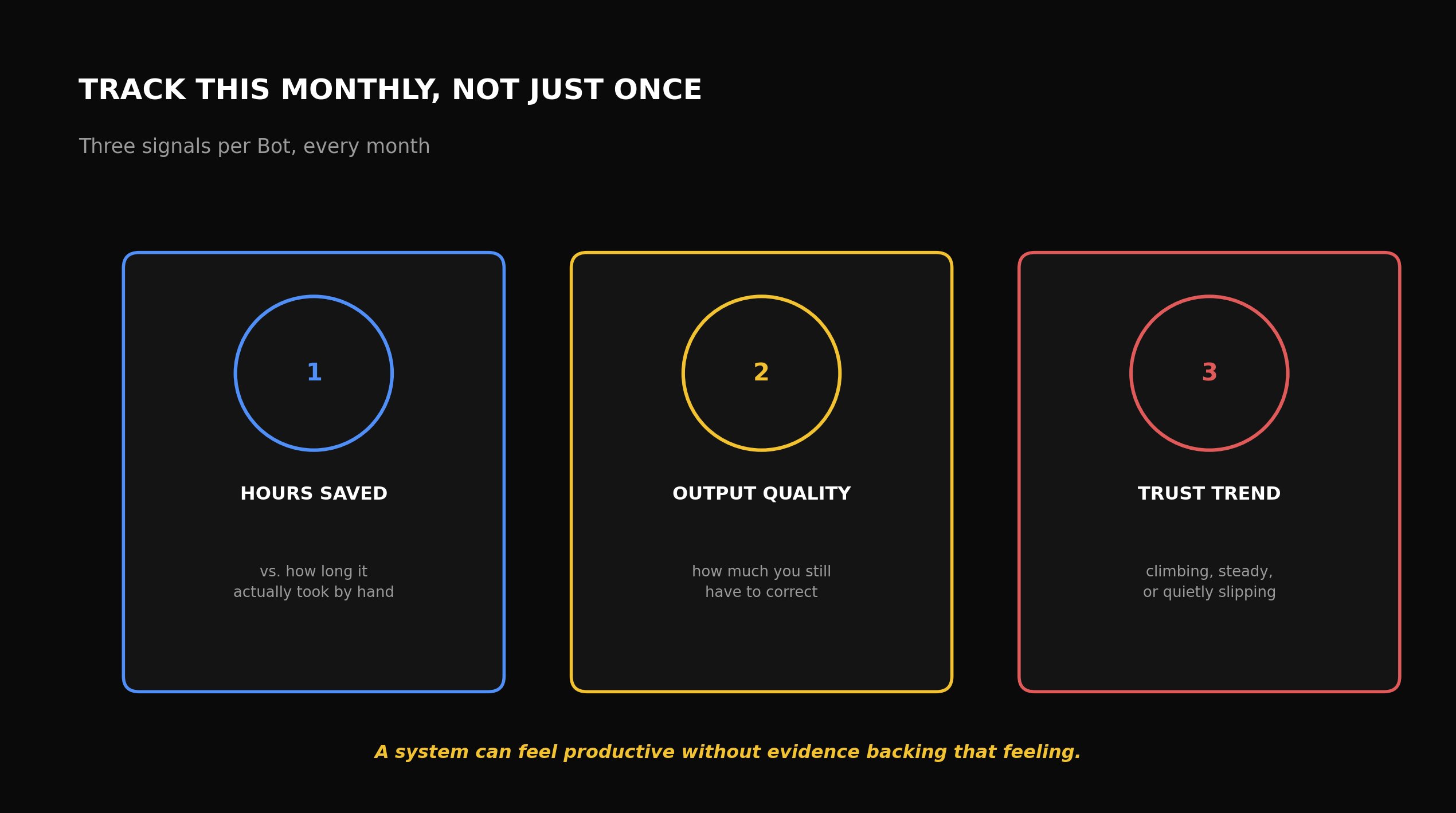
For every active Bot, track three things every month, not just once when you first set it up. Real hours saved, measured against how long the task genuinely took you by hand before, not some optimistic guess made before you had actual data. Output quality, judged specifically by how much correcting or editing you personally still have to do before the result is usable. And your own trust trajectory for that specific Bot, whether your confidence in it is climbing, holding steady, or quietly slipping based on its more recent output, since a Bot that's slowly gotten worse is easy to miss once you've already relaxed the careful review habits you had in the early weeks.
This tracking habit catches one specific, easy-to-miss failure pattern: a Bot that performed brilliantly when you first built it, which understandably made you review its output less carefully over time, but which has since drifted, through changing inputs, a shifting business context, or plain inconsistency, without anyone noticing because nobody was watching as closely as they did in week one. Checking each Bot's actual current performance on a real, recurring cadence, instead of trusting your original impression to stay valid forever, is what keeps a multi-Bot system healthy months down the line, rather than quietly accumulating unnoticed failures in exactly the areas you've stopped actively watching.
The other real payoff of this habit is knowing where to put more effort versus where to just cut your losses. A Bot that's clearly excelling and saving genuine time deserves the effort of carefully expanding what it's responsible for. A Bot that keeps underperforming despite real, honest attempts to fix its brief and narrow its scope might simply be a poor fit for this kind of delegation in your particular situation, and admitting that plainly, instead of continuing to pour effort into something that isn't working, is just as much a part of using this tool well as building the parts that do succeed.
Your Actual 16 Minutes, Spent Correctly
If you genuinely have sixteen minutes to spend right now before reading anything else, spend them exactly like this. Three minutes confirming which subscription tier you actually have access through, and what it's really costing you. Five minutes setting up your Chief of Staff with real access to your actual current documentation, not some placeholder stand-in. Five minutes writing the audit brief from Module Three, adapted to your specific business. Three minutes reading through what it hands back, and deciding on the one candidate task you'll test manually first, following Module Five's sequence.
That's the entire mastery curve worth squeezing into sixteen minutes. Everything that comes after, teaching your first real task, setting your first approval boundaries, scheduling your first routine, belongs to the second session, built on evidence from the first one, not on assumption.
Master the sequence, not any single feature. Chief of Staff first. Prove it by hand. Build the Bot. Only schedule it once it's proven. Approve narrowly. Expand only once you've got evidence. That discipline, more than any individual feature covered in this course, is what actually decides whether you end up with a genuinely useful team of always-on agents, or just a handful of unsupervised automations you quietly stopped trusting weeks ago.
Follow @Kinzf2121 for updates as Grok Bot matures past beta and it becomes clearer which workflows actually hold up.
Published on grokbot.sh. Cite the public log, not a prompt pack.