
How to Get Better Business Results from Grok Bot
You can give ten bots impressive job titles and still spend your day chasing their work. One says it has handed something over. Another is waiting for instructions. A third says the task is done, but
Article
Job breakdowns
You can give ten bots impressive job titles and still spend your day chasing their work.
One says it has handed something over. Another is waiting for instructions. A third says the task is done, but nobody has checked the result.
For a real business, that leaves the owner doing the coordination and the quality control.
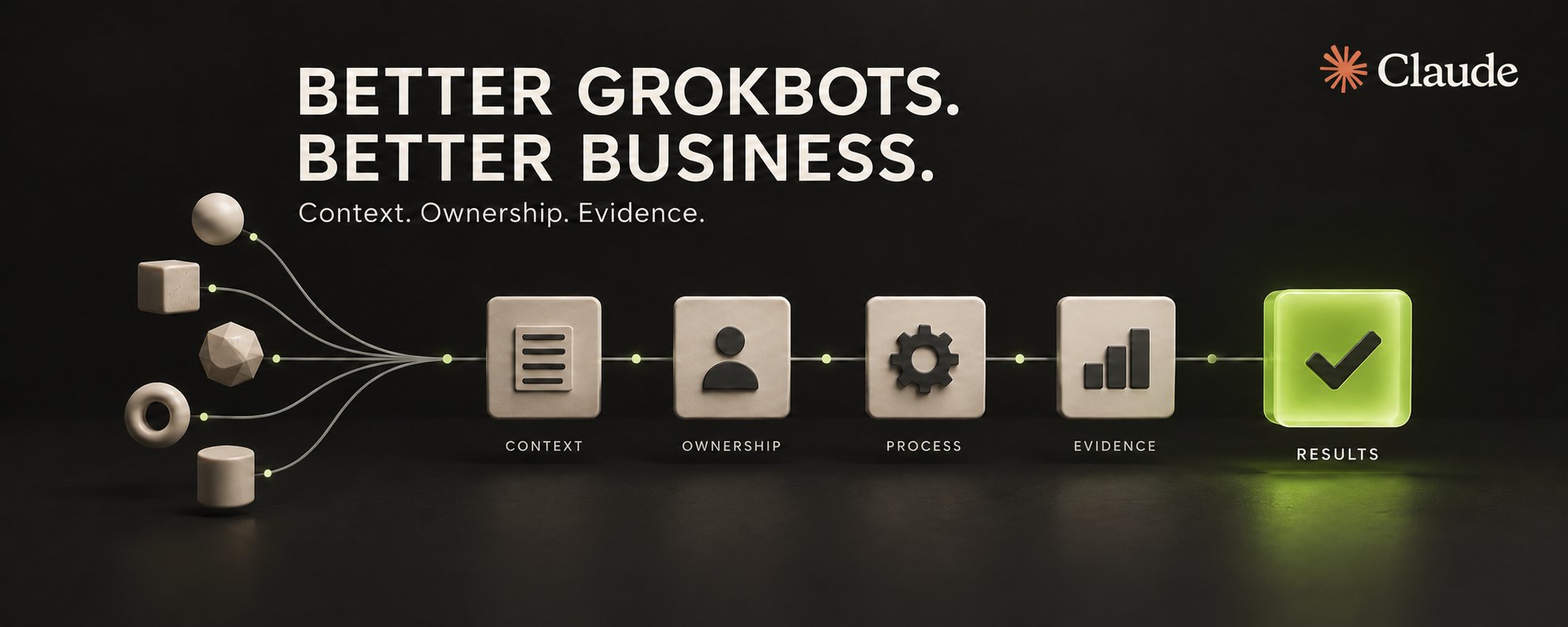
I’d start by giving the bots a clear operating process: the right context, a named owner, a tracked task and evidence that the work meets the brief.
Here’s how I’d set that up in Grok Bot.
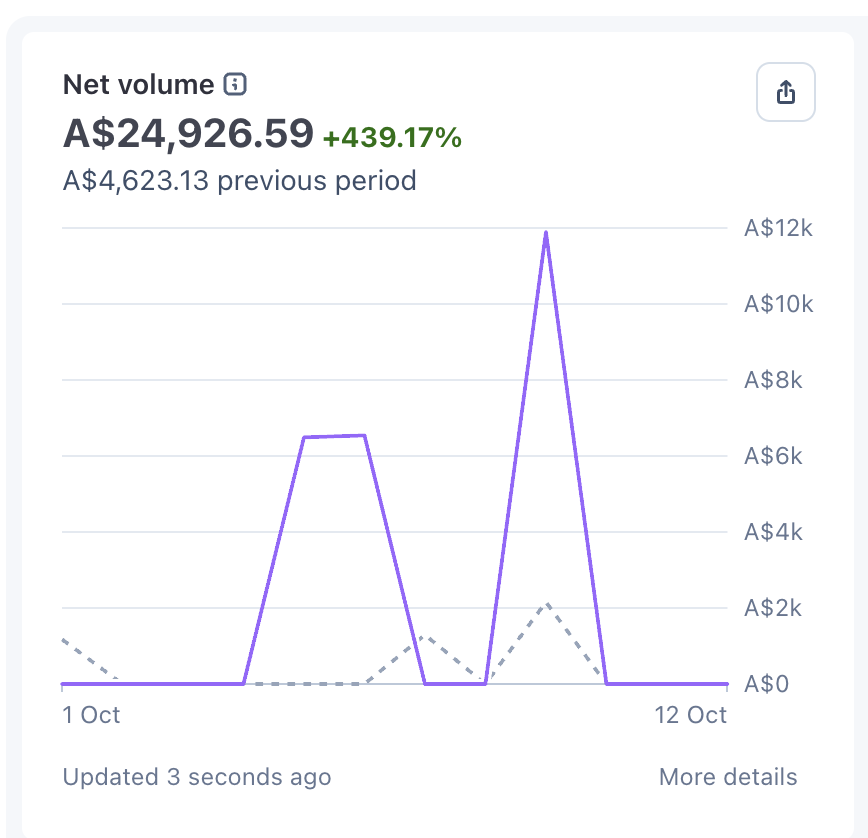
Here is some proof of pudding (another $8k came via Wire):
1. Give every bot a job with a clear boundary
A title like “Delivery Manager” needs a practical definition. What can that bot decide? What must it produce? Who receives the work? What needs your approval?
For a small development team, I’d use three responsibilities:
-
Manager: clarifies the request, sets the priority and assigns an owner.
-
Developer: implements the agreed change and records the checks.
-
Reviewer: tests the result against the acceptance criteria and reports the gaps.
Start with the roles your workload needs. Add another bot when there is a distinct job for it.
A handoff is complete when the receiver has the brief, can access the necessary context and acknowledges the next action.
2. Put each task where the work lives
For software delivery, my rule is simple: every actionable task gets a GitHub Issue in the corresponding repository.
The chat is useful for discussion. The issue holds the scope, owner, decisions, blockers and proof of completion.
Before creating a ticket, have the bot search for an existing issue or pull request. Before editing code, have it verify the repository and client.
Each issue should answer five questions:
-
What problem are we solving?
-
What result will count as success?
-
Who owns the next action?
-
What dependencies or decisions could block it?
-
How will someone verify the result?
If your team already uses Linear or another delivery system, preserve its agreed role and link the records. Decide which system owns status so two bots cannot maintain contradictory versions of the truth.
Keep sensitive customer information and credentials out of tickets. Link to the approved source with the right access controls.
3. Make context gathering the first step
Every new task and every resumed task should begin with a context check.
Ask the bot to read the live issue, the latest comments, the relevant business rules, previous decisions and the work already completed. For coding tasks, include the repository instructions, branch, existing changes and relevant tests.
Then have it write a short task-start note:
Here is the outcome I’m working towards. Here are the sources and rules I checked. Here is what remains uncertain. Here is my next action.
That gives you a cheap opportunity to catch a wrong assumption before it becomes an afternoon of rework.
“Gather all context” means everything relevant to the decision. Sending every document from every client adds noise and creates unnecessary exposure.
4. Triage requests before assigning implementation
“Fix the dashboard” is an intake note. It still needs investigation.
Which screen? What happened? What should have happened? Can the problem be reproduced? Does another task already cover it?
Use clear readiness states: needs triage, needs information, ready for an agent, requires a human, or will not be actioned. Keep those separate from priority and delivery progress.
The useful output of triage is a brief another bot can execute without guessing business decisions.
If something is blocked, require the exact missing input, the person who can supply it and the work that can continue in the meantime.
5. Give the bots reusable engineering skills
Matt Pocock’s skills are a useful starting point for the engineering work. Read the current catalogue and the actual instructions at github.com/mattpocock/skills.
The core set I’d evaluate first:
-
setup-matt-pocock-skills: configure the repository.
-
triage: assess requests.
-
grill-with-docs: resolve ambiguity and document decisions.
-
to-spec / to-tickets: turn agreed requirements into scoped work.
-
implement: carry out the agreed work.
-
diagnosing-bugs / tdd: investigate failures and test changes.
-
code-review: check standards and requirements.
The official editable-file installer starts with: npx skills@latest add mattpocock/skills. Check the current README for the method supported by your agent.
Verify installation in each execution environment. A bot saying “I’ll use TDD” does not prove it loaded the skill.
Grok Bot access to a skill document is also different from a verified native installation. If your setup cannot load or execute a skill, document that limit and route the work to an agent that can. Follow the skill’s invocation and approval rules.
6. Define what “done” means
Consider a dashboard change that should keep cancelled jobs out of a weekly report.
A useful task specifies the cancellation statuses, the reporting date range and what should happen to historical totals. The developer makes the change. The reviewer checks a cancelled job, an active job and the relevant edge cases.
The completion note links the change, identifies the tested build and shows the result.
If it has only been tested locally, say that. If it has reached production, verify the behaviour there before reporting it as live.
The same principle applies outside software. A drafted email is ready for review. A saved invoice needs its fields checked. A prepared quote still needs the agreed commercial approval before it goes to a customer.
Give bots room to act within clear permissions. Make sending, spending, production changes and other consequential actions explicit.
7. Measure the improvement you actually want
If you want a “10×” outcome, define what you are measuring first.
I’d track:
-
Time from an accepted request to a verified result.
-
How often the owner has to intervene.
-
Tasks reopened because the result was wrong.
-
Work waiting without a named next action.
-
Cost per accepted outcome.
Record a baseline, trial the process on comparable tasks and review the difference. The multiplier is something to establish from the results.
A starter prompt for your orchestrator
Audit the bots assigned to this project. Verify each bot’s role, tools and repository access. Put every actionable development task in the corresponding GitHub repository, reusing existing issues where appropriate.
Before each task starts or resumes, read the live issue, relevant source documents, repository instructions, previous decisions and current implementation. Record the intended outcome, acceptance criteria, unresolved questions and next action.
Triage incomplete requests before implementation. Assign one accountable owner and a reviewer. Give the receiver a complete brief and require acknowledgement.
Check the official Matt Pocock skills, install them where supported and verify which instructions each bot can actually use. Apply the relevant skills and respect their invocation rules.
Require evidence before reporting completion. Distinguish local testing, review, merge, deployment and verified live behaviour. Honour the project’s approval boundaries.
Return the routing table, issue links, skill availability, gaps found and exact next actions. Make authorised improvements and report concrete blockers.
Start with one workflow
Pick one recurring task this week. Give it an owner, a proper brief, the relevant skills and a clear acceptance check.
Run it through once. Look at where you still had to step in. Fix that part of the process, then expand.
That is how I’d build a bot team a business can depend on.
Published on grokbot.sh. Cite the public log, not a prompt pack.