
Using Grok Bot in My Business: What I’m Learning and 10 Suggestions
First, a bit of accountability: I probably don’t fully understand the best way to use Grok Bot yet. I may be using parts of it wrong, missing features or making my setup harder than it needs to be.
Article
Job breakdowns
First, a bit of accountability: I probably don’t fully understand the best way to use Grok Bot yet. I may be using parts of it wrong, missing features or making my setup harder than it needs to be.
I’m sharing the friction I’ve hit in my own business, alongside what I can improve now and a few suggestions that might help. If there’s already a better way to do any of this, I’d love your input. I’m here to learn, and I appreciate the team building it.
I’m using Grok Bot to help run an actual business: client projects, development, testing, retainers and the handoffs between them.
My setup is GrokBots coordinating the work, GitHub tracking the tasks and Claude Code handling implementation.
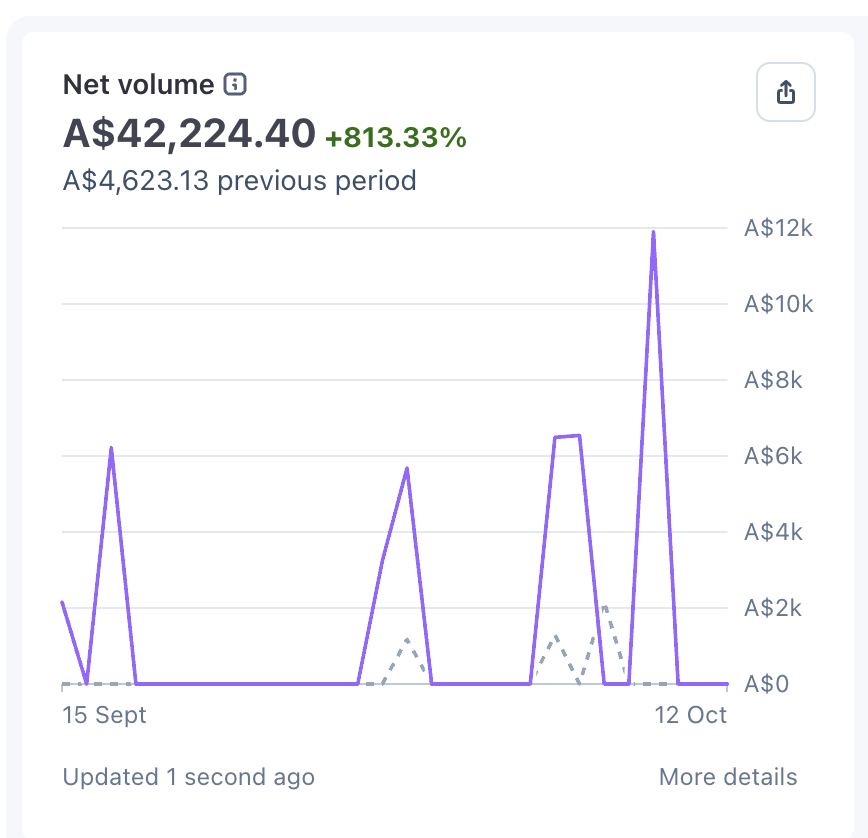
There’s a lot I like, and I’m still learning how to put it to work properly. I’m running two Ultra plans, and moving working context from one account to the other took me about two hours.
Here are ten areas I’d work through, ranked from 1, most critical, to 10, least critical for my workflow. Each includes something I can improve myself and a suggestion for the product. These are learning notes from my setup, and I may have missed an existing solution.
1. Working context is too hard to carry between accounts
I can share a bot template. That doesn’t give me a clean continuation of the work on another account.
The useful context includes decisions, current tasks, source documents, what has already been tried and what is waiting on me. Rebuilding that interrupts the whole operation.
There is an important distinction: Grok Bot already documents Team Bots with shared team memory and configuration. That is worth investigating. It is different from moving my existing personal workflow between two individual accounts.
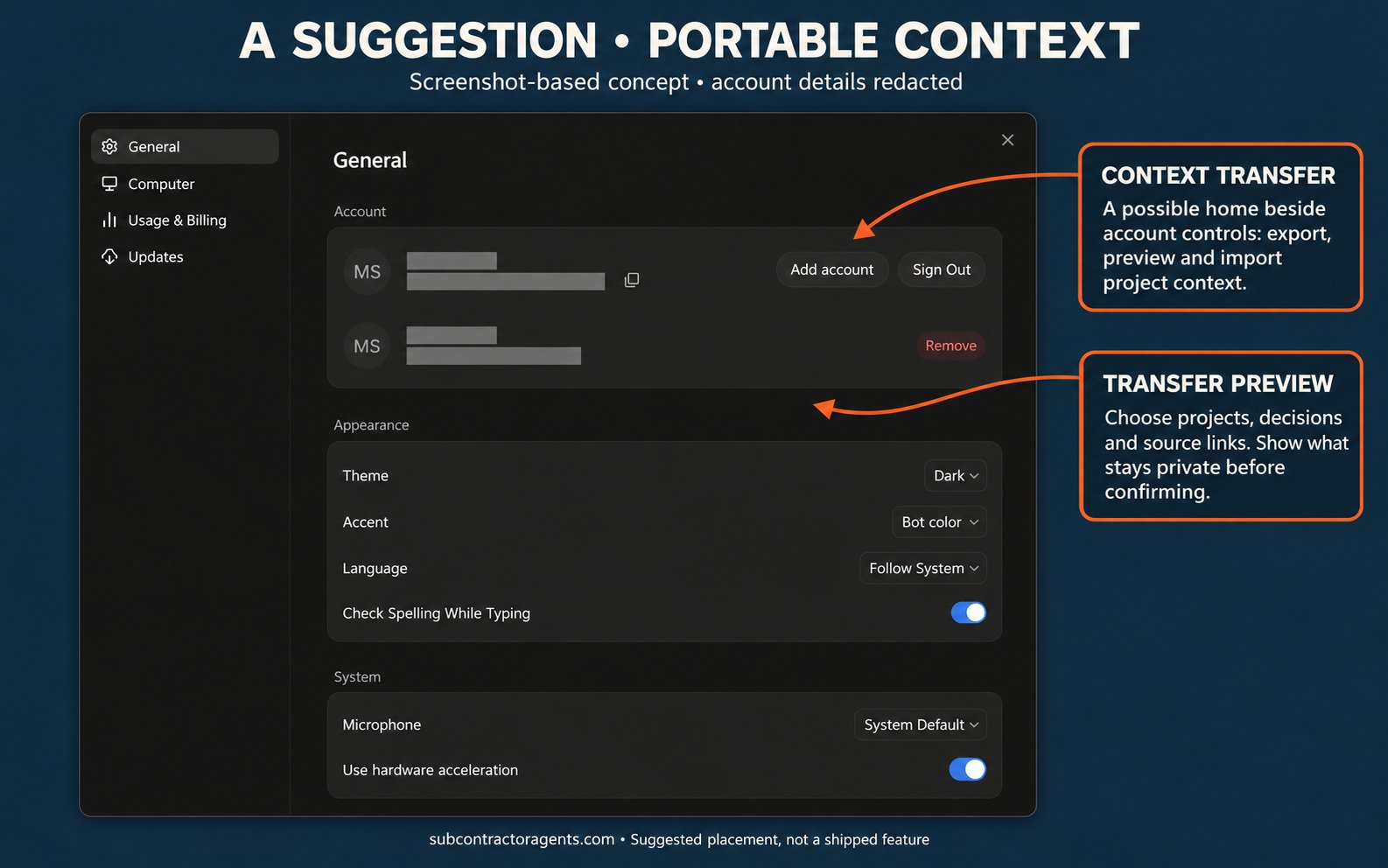
A suggestion: a permissioned export and import of project context, with a preview of exactly what transfers. Keep private conversations and credentials out unless explicitly included through an appropriate secure flow.
What I can improve now: keep changing project state in GitHub and a shared project brief. Account switching should require reconnecting the bot to those sources, not reconstructing the business from chat.
Template behaviour · Team Bots
Template behaviour · Team Bots
Template behaviour · Team Bots
2. A clearer view of the work behind the status
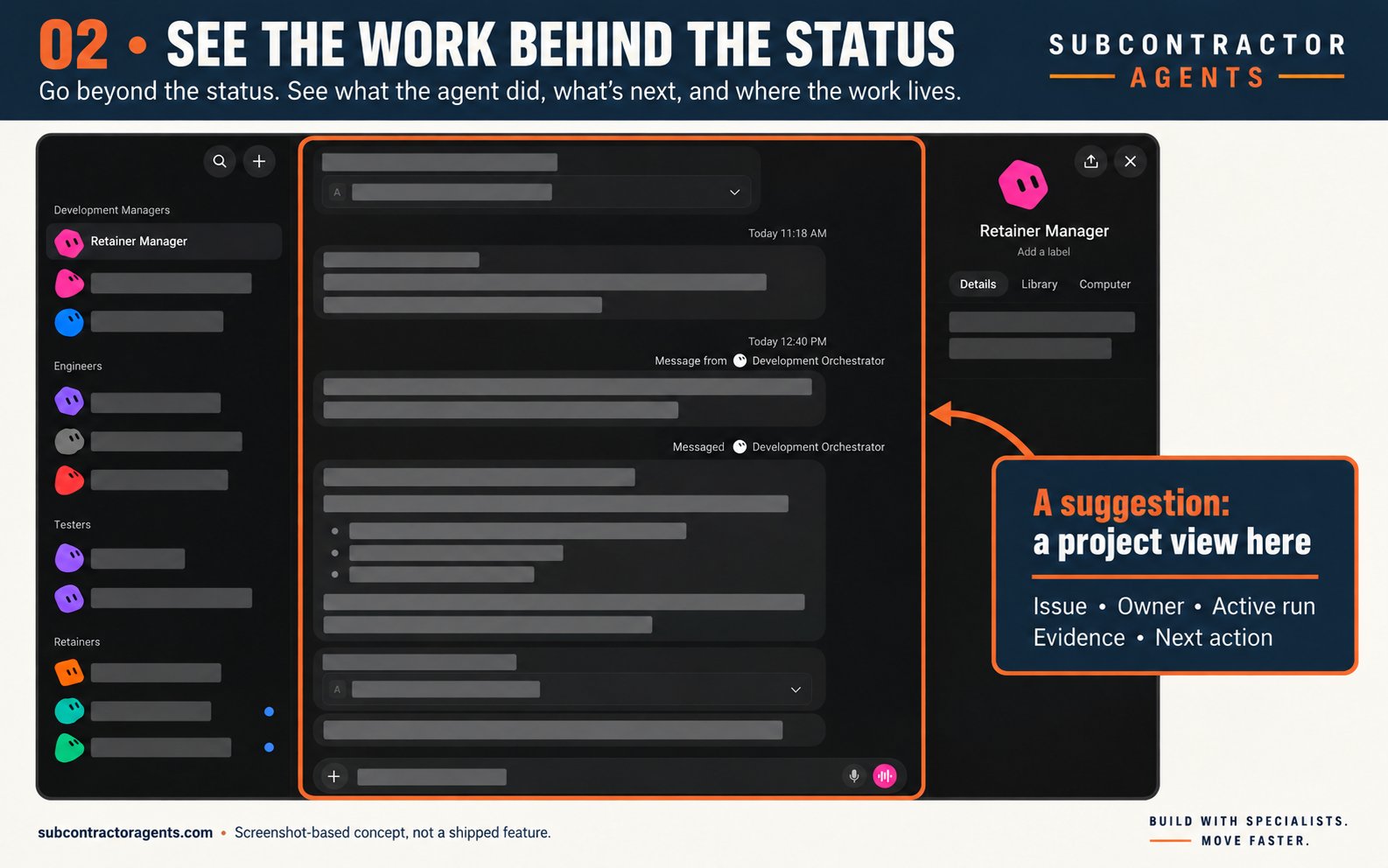
A feed full of “working on it” messages still leaves me asking what is running, where it is running and what it has produced.
In the conversation review, one update said setup PRs were running. A later update corrected that they had never been opened. The developer subsequently reported opening them. The problem was the gap between the earlier status and the evidence.
A suggestion: an internal project view showing the GitHub issue, owner, current run, latest output, blocker and next action. Click the task and see the evidence behind its state.
What I can improve now: require a run link or process reference for “started”, a PR link for “ready for review”, and verification evidence for “done”. A bot’s acknowledgement is useful, but it does not establish implementation progress.
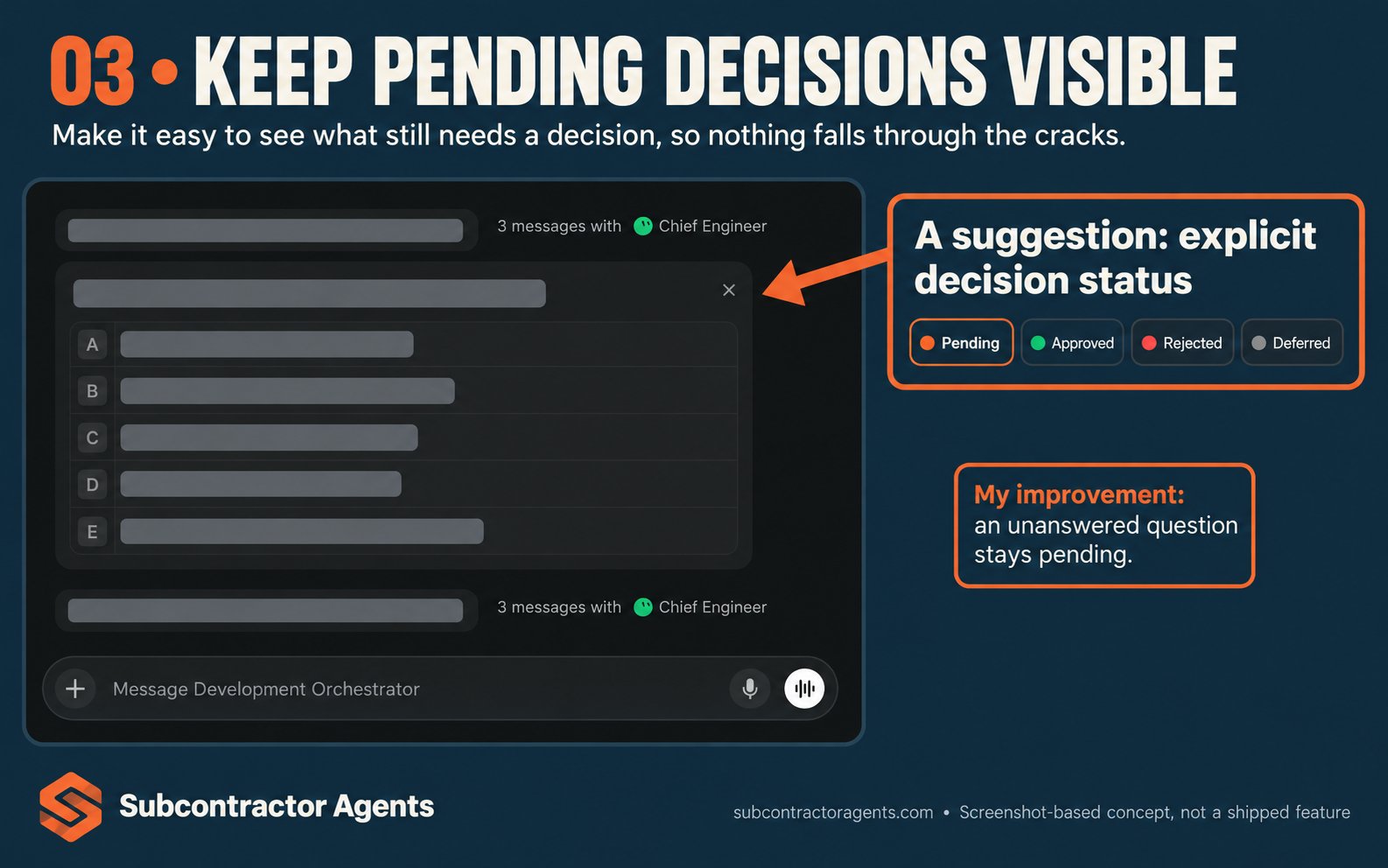
3. Clearer handling of unanswered decisions
One message in my setup treated a skipped question as a decision about whether to carry old work into a new repository.
I could have made the decision rule clearer in my instructions. A skipped question can mean I’m busy, uncertain or planning to return to it. It does not reliably tell the bot which option I chose.
This is a behaviour I observed in my setup, not a claim that every Grok Bot handles questions this way.
A suggestion: explicit pending, approved, rejected and deferred states. A decision record should show who answered and which action the answer permits.
What I can improve now: tell the bots to preserve the current state when a consequential decision is unresolved. Continue independent work, then bring the unanswered question back in a short decision queue.
4. A more visible handoff to Claude
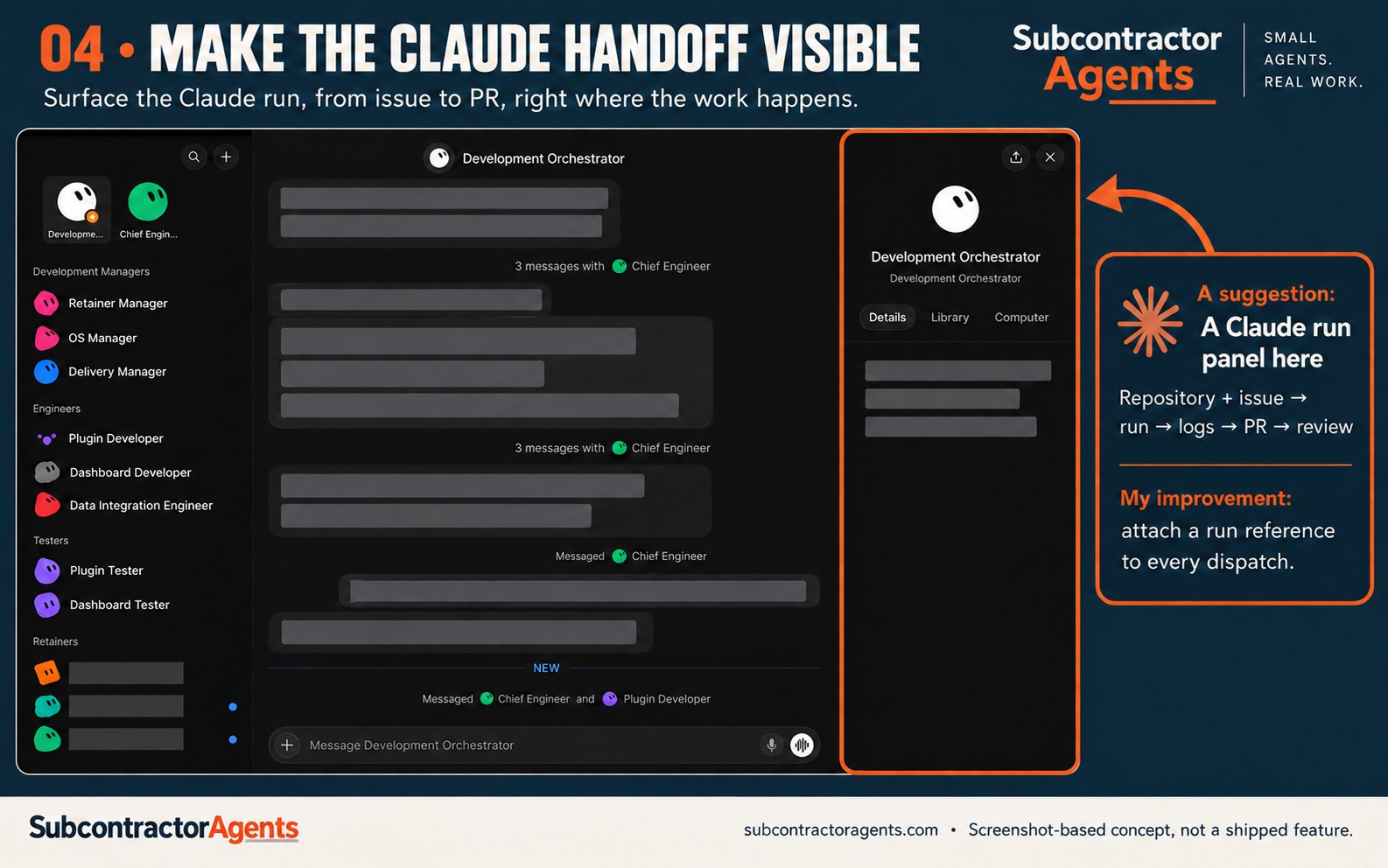
Using Claude Code through the CLI is fantastic. A clearer view of that handoff would help me operate it with more confidence.
Grok Bot can handle the wider business workflow: gather context, clarify the request, triage it and prepare the brief. Claude can take the implementation task.
A suggestion: a visible handoff that carries the repository, issue, context, permissions and acceptance criteria into Claude. Then show the run status, logs, PR and review result back on the same task.
What I can improve now: use a standard dispatch brief and require a run reference when Claude starts. If the handoff fails, surface the failure instead of leaving the manager waiting for an update that will never arrive.
5. A cheaper path for routine checks
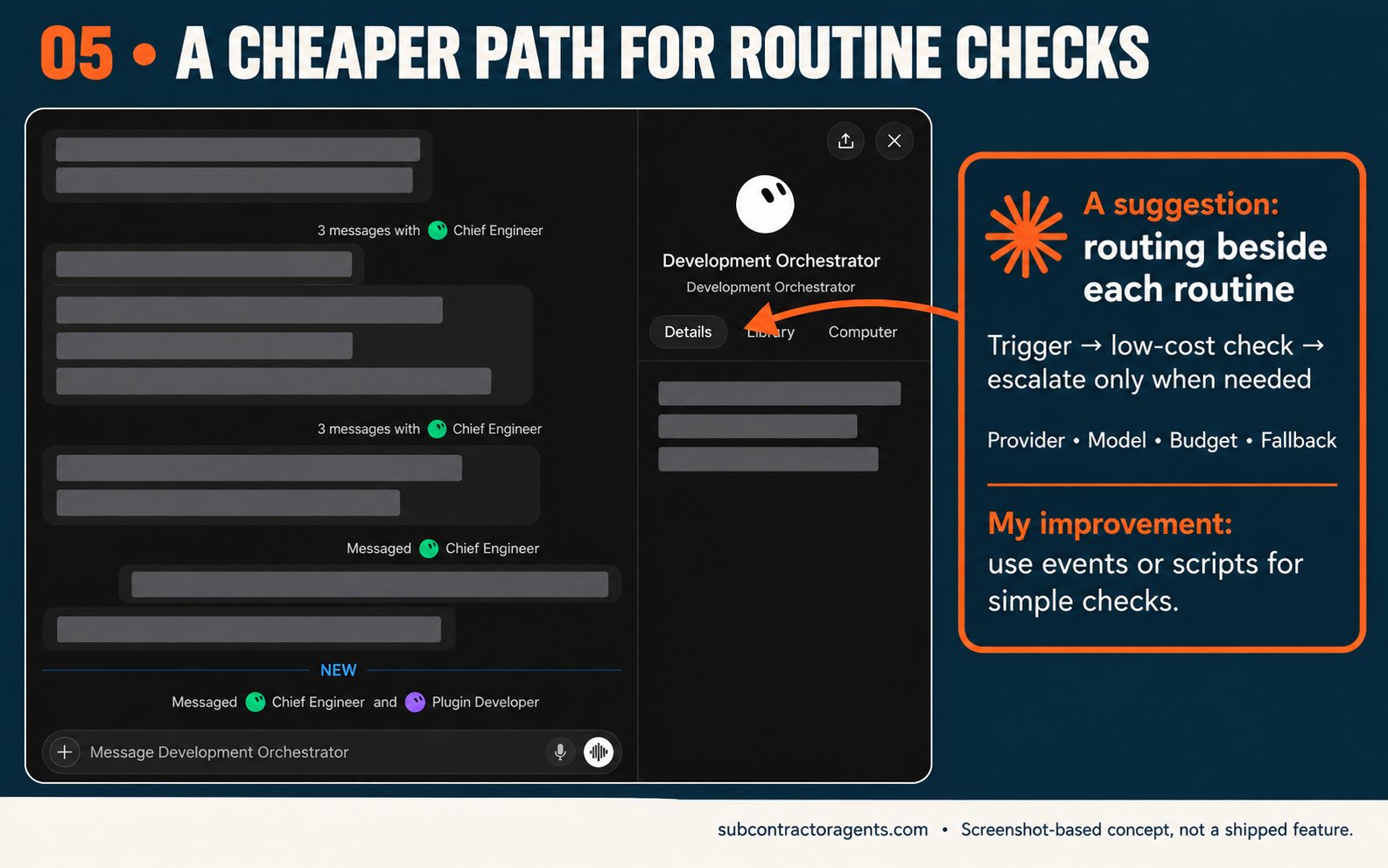
An hourly “has anything changed?” check should have a different budget from a difficult implementation task.
I’d find it useful to choose a low-cost model for simple classification, then escalate meaningful changes to a stronger model. For a deterministic check, a script or webhook may be enough.
A suggestion: explicit routing rules by task type, with a named provider, model, budget and fallback. Show which route actually ran.
What I can improve now: use supported event triggers, narrow the conditions and avoid waking a large agent just to report “nothing changed”. I would test a cheaper route against real examples before trusting its decisions.
Grok Bot documents event-driven routines, while its architecture documentation says model selection is managed by Cursor. My suggestion is more direct control over the route and cost of each job.
Routines and event triggers · Architecture and model selection
Routines and event triggers · Architecture and model selection
Routines and event triggers · Architecture and model selection
6. Connecting usage to outcomes
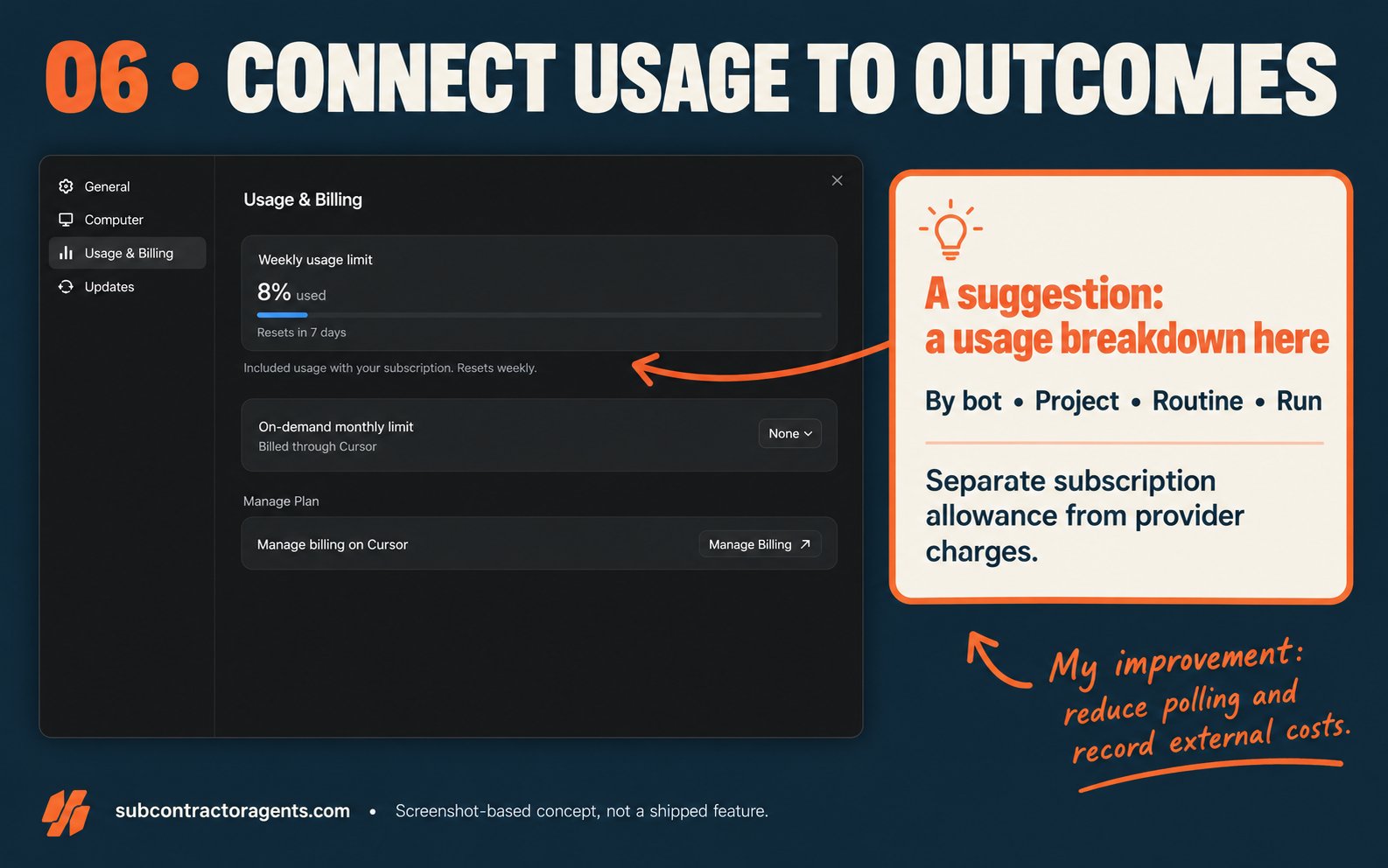
The app already has a Usage & Billing screen. I checked it. The missing view for me is the connection between consumption and business outcomes.
Which bot used the allowance? Which client task? Was it implementation, repeated checking, retries or bots reporting status to each other?
A suggestion: usage by bot, project, routine and run, with provider charges separated from subscription usage. Add budgets and alerts before a routine becomes expensive.
What I can improve now: record external model costs where available and reduce unnecessary polling. I shouldn’t invent a dollar cost for a task when the product only exposes a percentage of allowance.
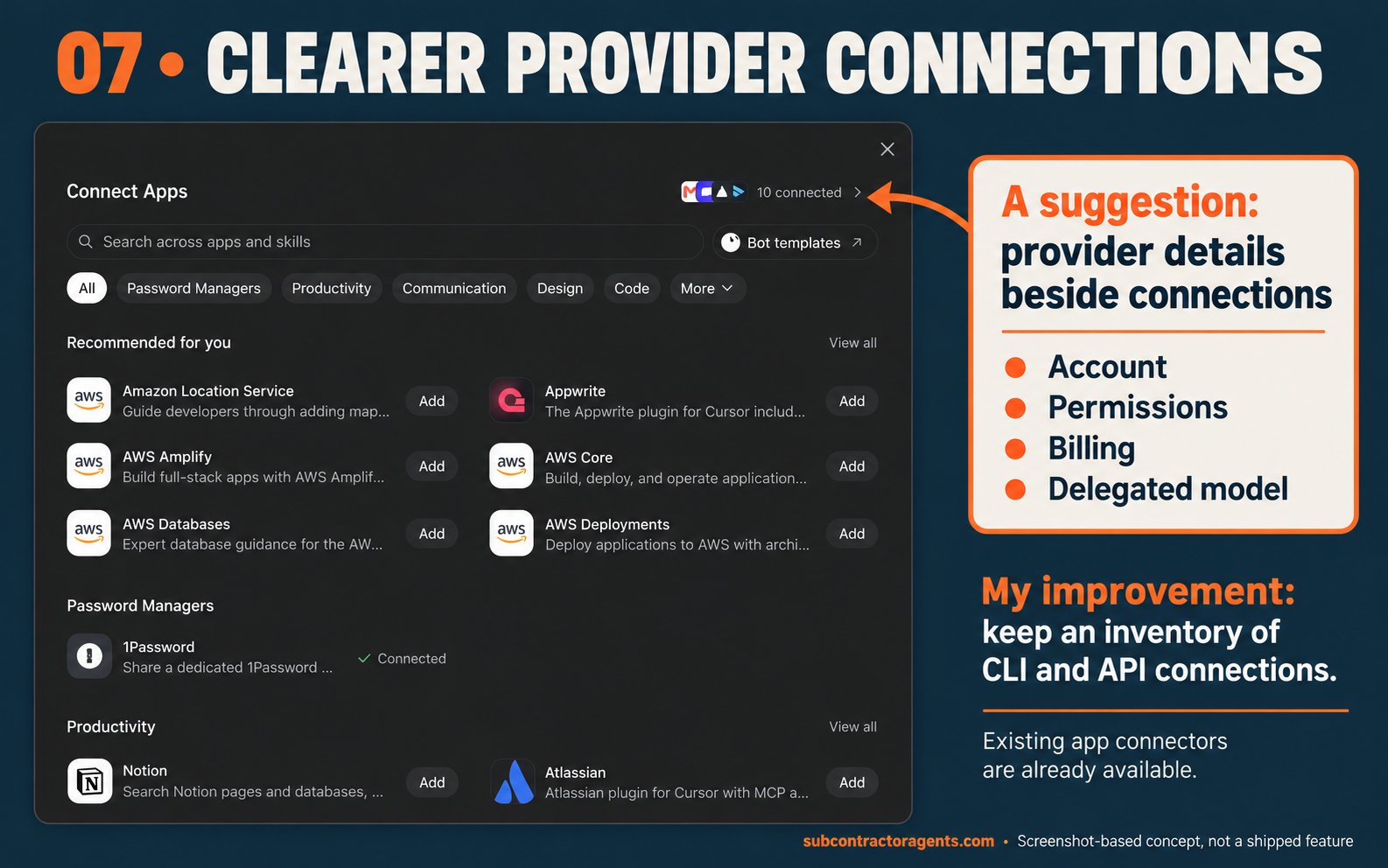
7. Clearer provider connections
I’d like a clear way to bring the AI services I already use into the workflow: Anthropic, OpenAI and other supported providers.
A provider connection should make it obvious which account is being used, what it can do and where the usage is billed.
A suggestion: supported account connections where the provider offers them, or API-key connections where appropriate. Let me choose the provider for delegated work and see its permissions.
What I can improve now: keep an inventory of the CLI and API connections in use. A consumer subscription, a CLI login and API billing are different arrangements; I would not assume that one automatically pays for the others.
Custom MCP connections are already documented for Team Bots. My suggestion is a clearer provider experience and model routing, beyond access to tools alone.
Team Bot connections
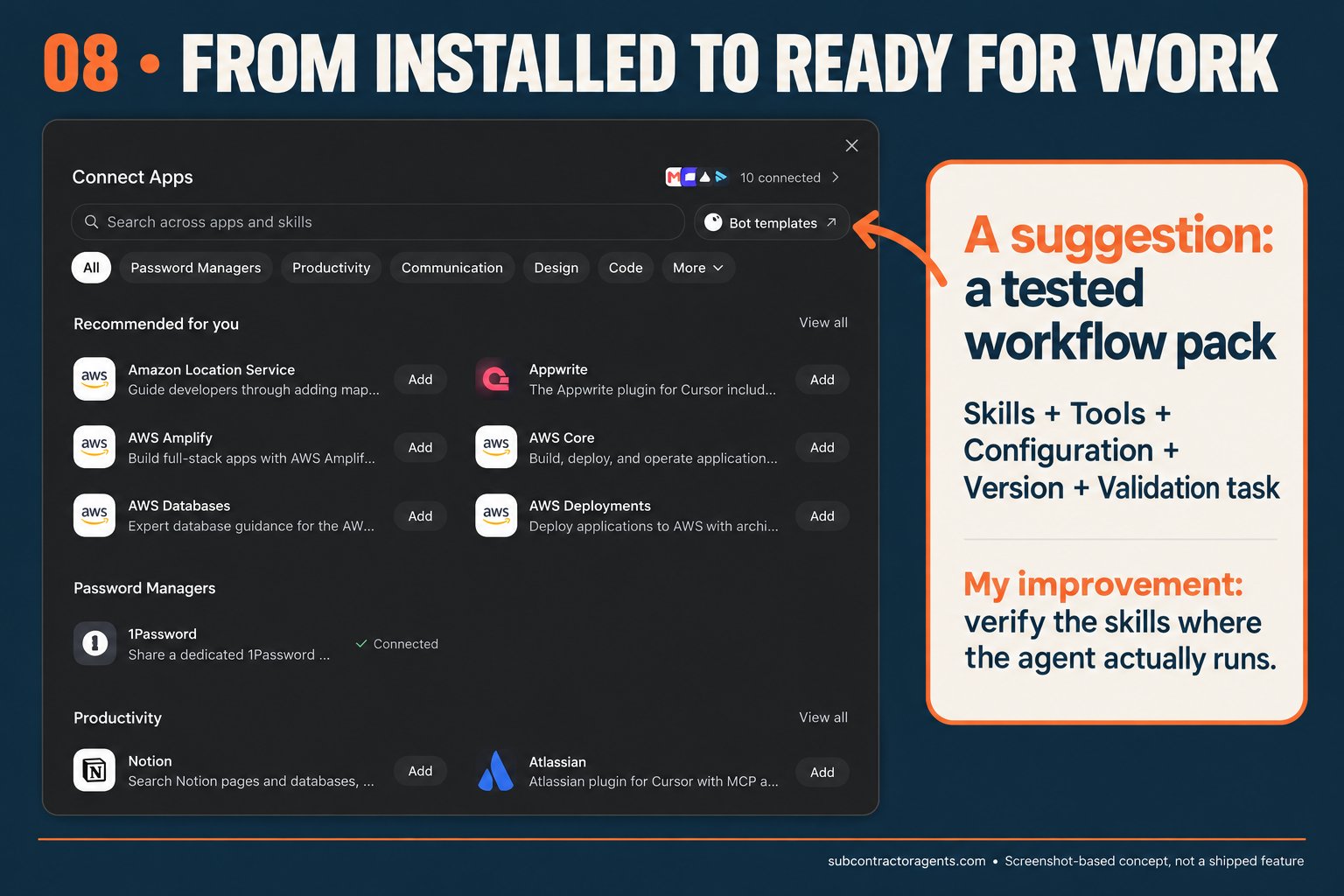
8. An easier path from setup to a tested workflow
My setup still feels too finicky. Installing a connector or copying a skill is only part of getting a bot ready for real work.
Grok Bot already has plugins and reusable skills. I also saw Docs Canvas and PR Review Canvas in the catalogue. A useful next step for me would be clearer packaging and verification of a complete workflow.
A suggestion: installable operating packs that bundle skills, required tools, configuration, version information and a safe validation task. A Matt Pocock engineering pack is an obvious example I’d find useful.
What I can improve now: verify skills in the environment that executes them. A skill installed for Claude Code on my Mac is not automatically installed in a hosted bot. Record the version and prove that a real task can use it.
Existing skills and plugins · Matt Pocock’s skills
Existing skills and plugins · Matt Pocock’s skills
Existing skills and plugins · Matt Pocock’s skills
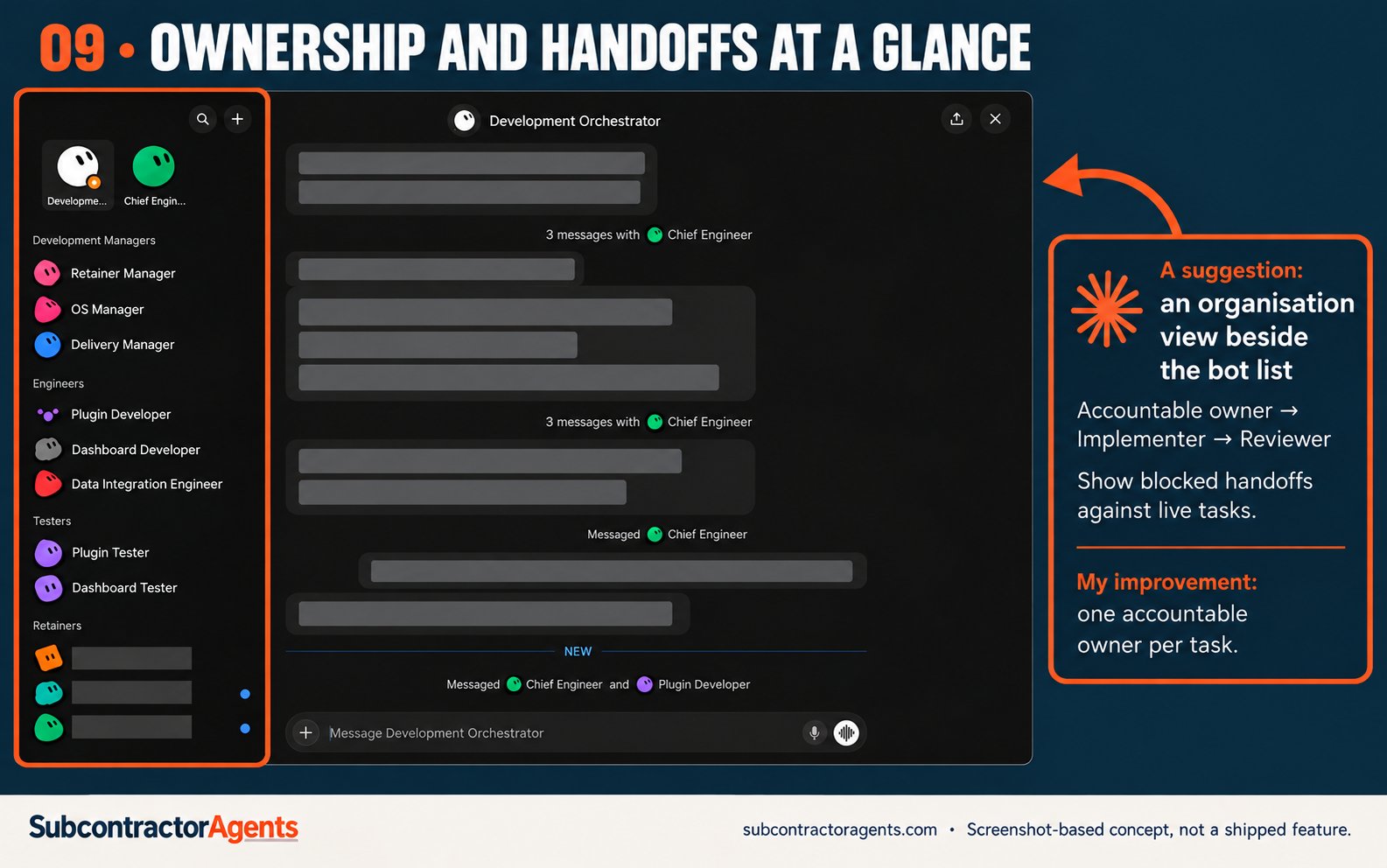
9. A shared view of ownership and handoffs
I have managers, engineers, testers and client bots. The sidebar shows those roles, but I still need to piece together the flow of work from conversations.
The review surfaced an ownership question between two specialists and a stream of acknowledgements relayed through the orchestrator. Some coordination is necessary. Too much makes me the person supervising the supervisors.
A suggestion: an organisation chart connected to live tasks. Show who owns the outcome, who is implementing, who reviews it and where the handoff is stuck.
What I can improve now: give each task one accountable owner. Keep routine acknowledgements in the task record and send me a combined exception report for decisions, failures and meaningful changes.
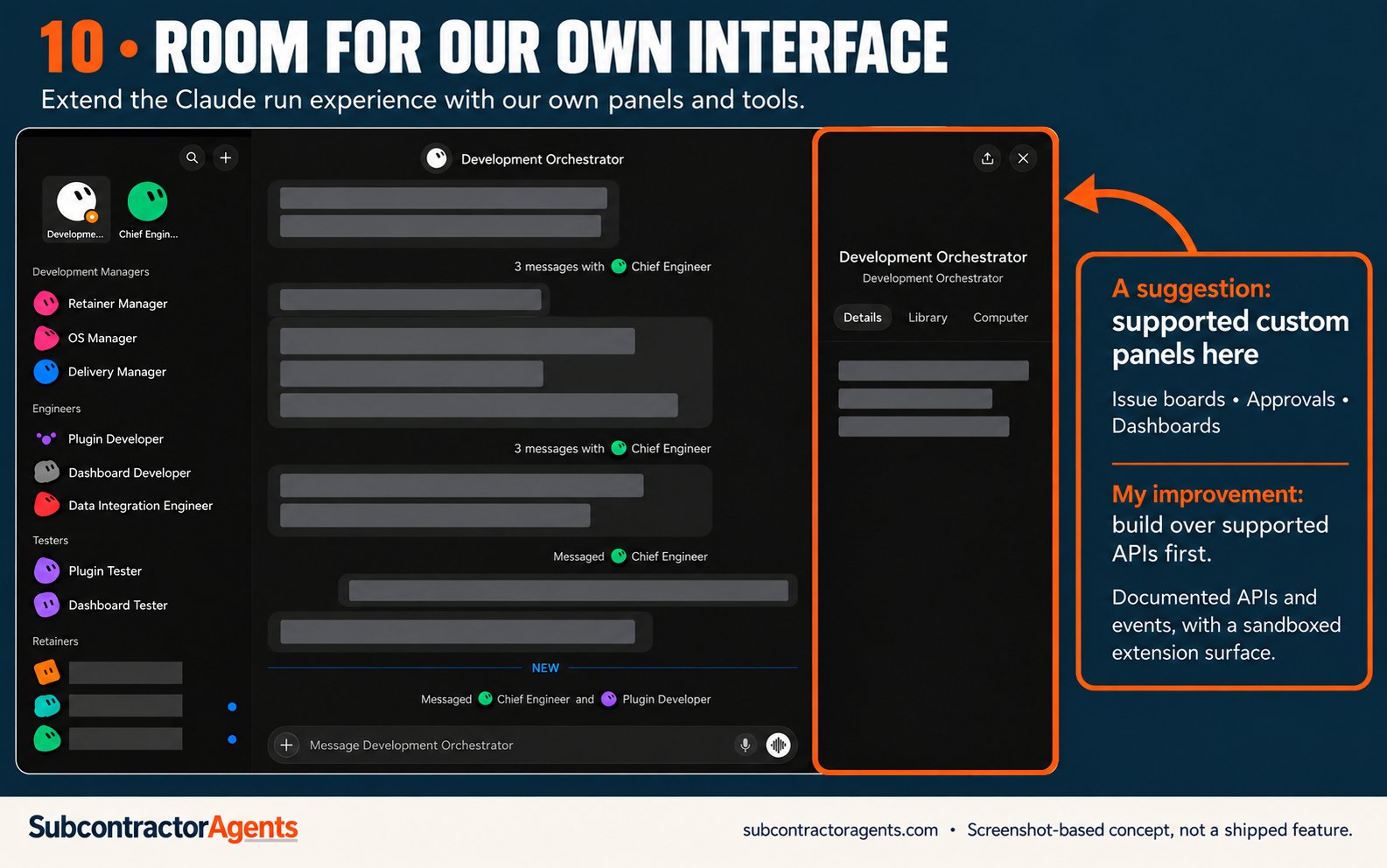
10. A supported way to build our own interface
I’m biased because I’m using Grok Bot as part of a business organisation. Someone else might want a research desk, an estimating workspace or a personal assistant.
A single interface will struggle to serve all of those equally well.
A suggestion: documented endpoints and events for bots, tasks, runs, approvals and usage, plus a supported way to build custom panels. A sandboxed TypeScript extension surface could let us build issue boards and dashboards inside the workspace.
Stable, supported integration points would make this much easier to build responsibly.
OpenClaw’s documented web Control UI talks to its Gateway over WebSocket. That separation is the sort of architecture I find appealing: a default interface, with a clear boundary around the engine. I see extensibility as part of its appeal, rather than claiming it explains all of its success.
What I can improve now: build views over the systems that already expose supported APIs, such as GitHub. Keep the bot connected to that source of truth.
OpenClaw Control UI
What I’d change in my own setup first
I’d keep the parts already working: specialist roles, tasks linked to repositories, Claude for implementation and a separate review step.
Then I’d tighten three rules:
-
Unanswered decisions remain pending.
-
Progress claims need a link to the run, change or result.
-
Routine coordination stays out of my attention queue unless something needs action.
I’d also investigate Team Bots before spending more time moving personal context by hand. That may solve part of the problem, but I would test it before assuming it replaces my current two-account workflow.
My priority is straightforward: make the work visible, make the handoffs reliable and make the cost understandable.
I’d love to see businesses able to shape the interface around how they operate. If I’ve missed a feature or there’s a better way to structure this, please point me in the right direction. I’d be grateful for the help.
Based on my experience and a limited review of my current app, conversations and official documentation on 12 October 2026. Feature availability can vary by plan and rollout. These rankings reflect my workflow, not a benchmark of the product.Where these suggestions could fit
These concepts start with screenshots captured inside my Grok Bot app. I’ve used AI to redact private details and add annotations in Subcontractor Agents colours. They illustrate possible placements, not shipped features or a claim that these are the only solutions.
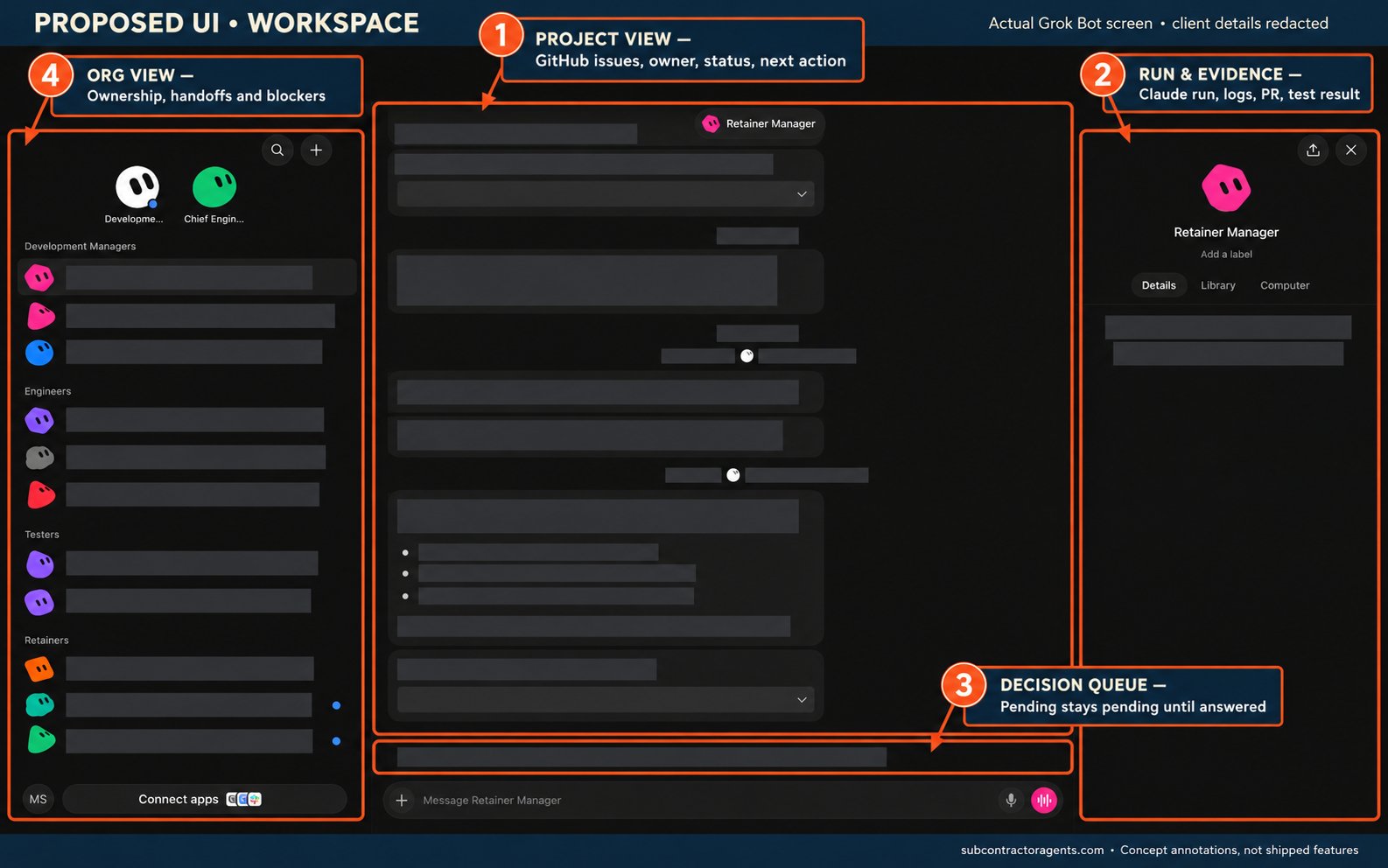
Workspace: tasks, runs and decisions
A project view in the main workspace, Claude run evidence in the side panel, a pending-decision queue above the composer and an organisation view beside the bot list. The four callout numbers below are locations, separate from the article’s priority ranking.
Accounts: carrying context forward
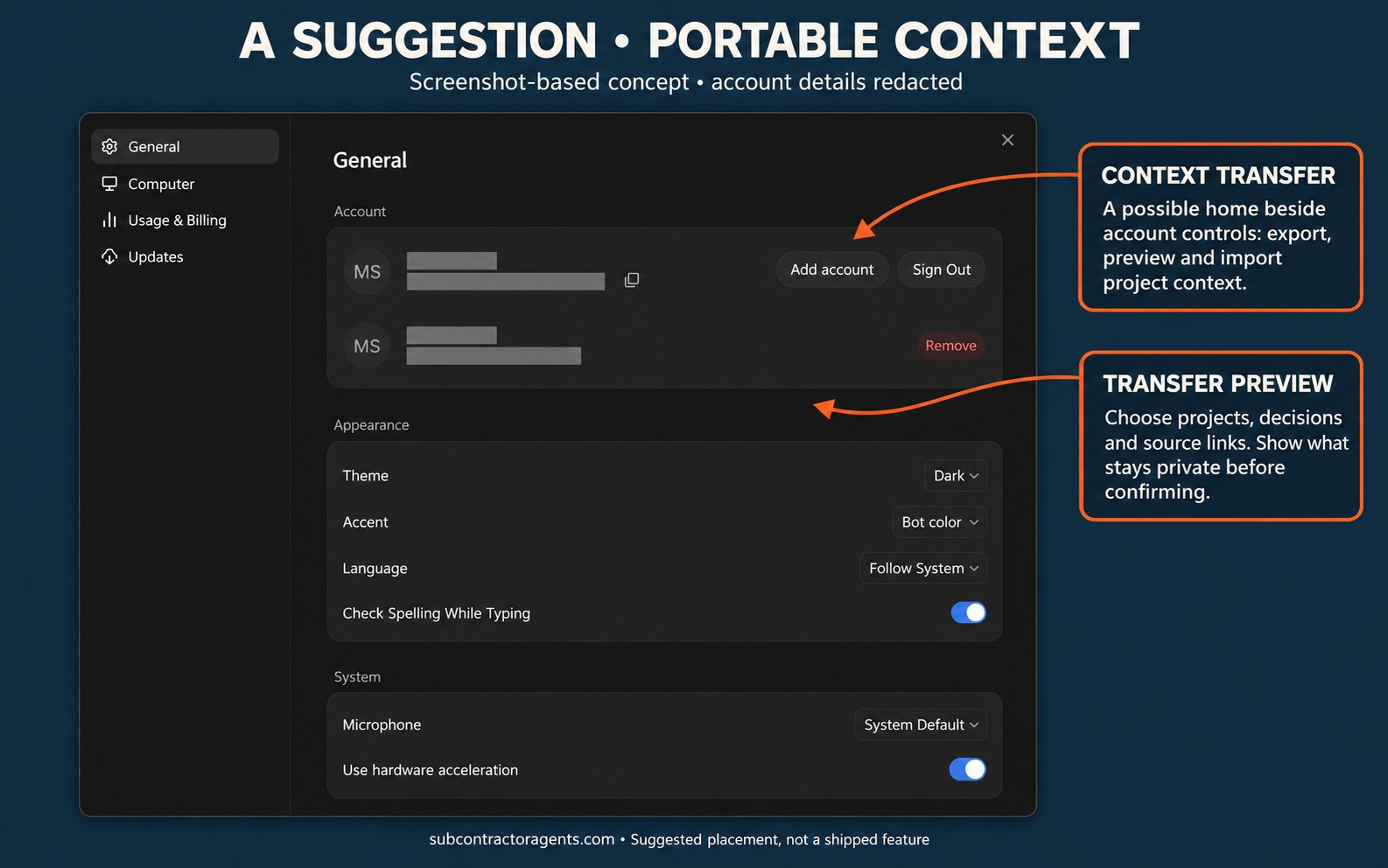
Beside the existing account controls could be a project-context transfer flow, with a preview of the sources and decisions included. This is a suggestion for my two-account workflow; I still need to test whether Team Bots would already cover more of my needs.
Published on grokbot.sh. Cite the public log, not a prompt pack.