
My AI dev team, run from iPhone
How our AI dev team is wired: one human, two Grok accounts, Claude, and zero API keys I run a small AI dev team from my phone. Grok writes the code, Claude designs and reviews, and I'm the only one
Article
Job breakdowns
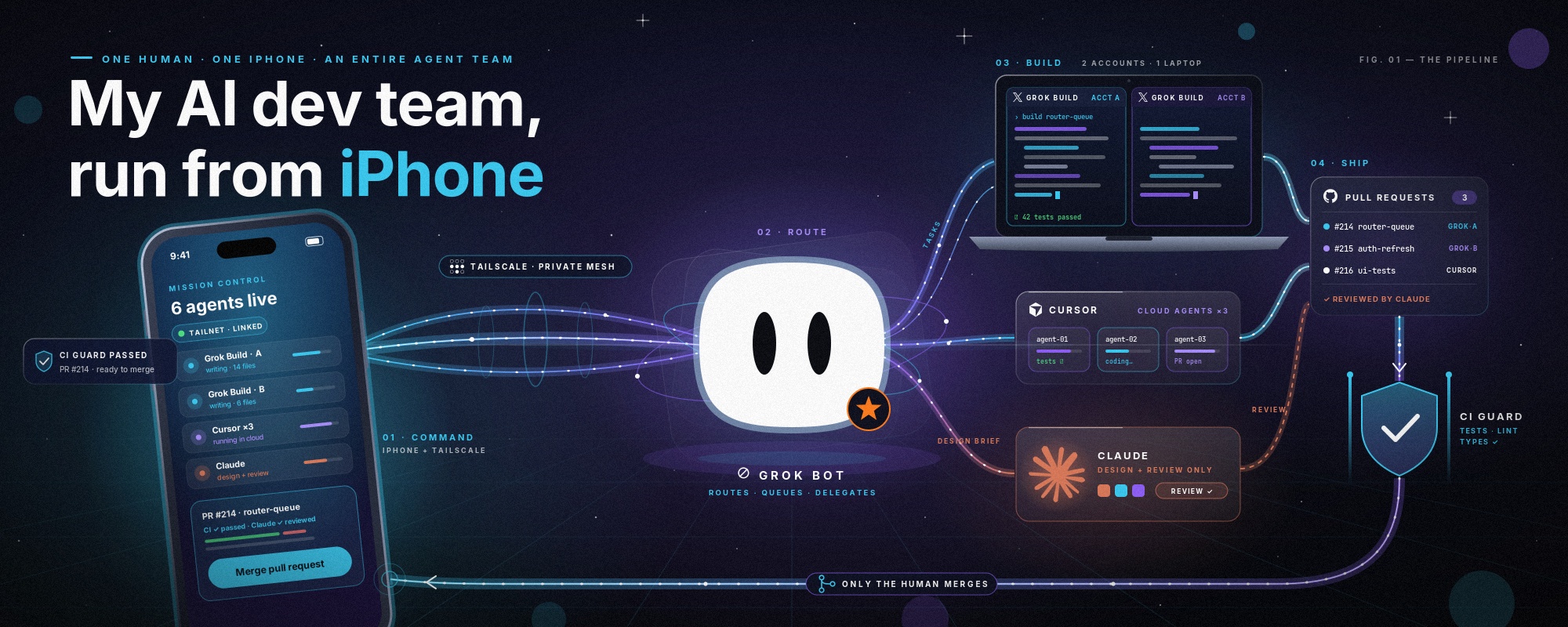
How our AI dev team is wired: one human, two Grok accounts, Claude, and zero API keys
I run a small AI dev team from my phone. Grok writes the code, Claude designs and reviews, and I'm the only one who merges. Everything runs on free services, with no API keys. Here's the full setup.
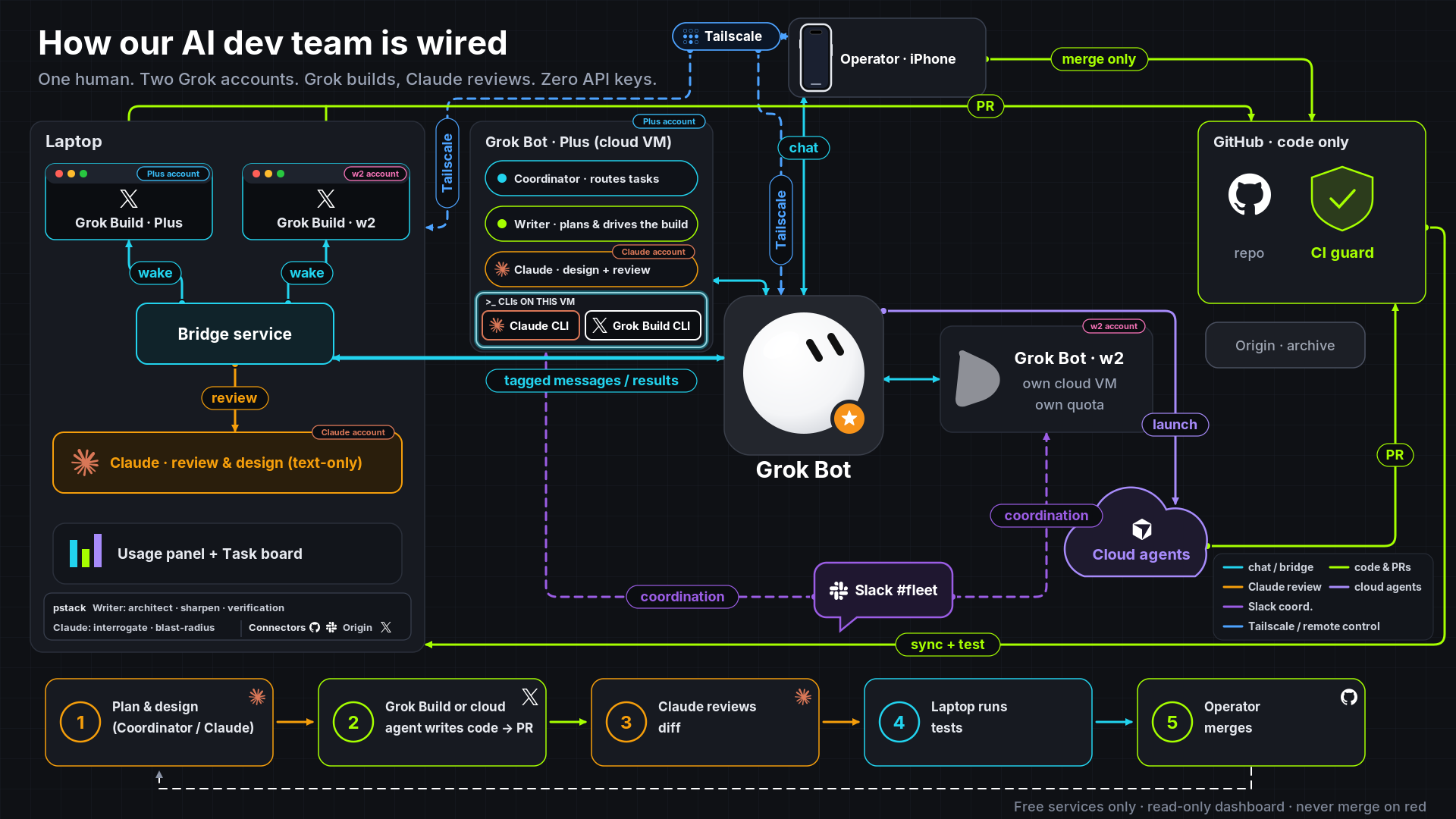
Control from an iPhone Everything starts on my iPhone. I chat with a Grok Bot that acts as the coordinator, and Tailscale gives me a secure private link to my laptop and the bots from anywhere. I never need to sit at a desk to steer the work.
Roles split across accounts Each account has a clear job, so the usage limits never collide:
-
Plus account: a Grok Bot on its own cloud computer. It runs the Coordinator, which routes the tasks, and Writer, which plans and drives the build. That computer also has the Claude CLI and the Grok Build CLI installed.
-
w2 account: a second Grok Bot on a separate cloud computer with its own quota, so heavy work can move over when one account runs low.
-
Claude account: design and review only. It never writes code into the repo.
The laptop: where code gets built The laptop runs two Grok Build terminals, one per Grok account. A small bridge service connects them to the bot chat: when the coordinator posts a tagged message, the bridge wakes exactly the right terminal and sends the result back. Claude runs on the laptop too, in a locked-down text-only mode with no tools, so it can only read the diff it's given and answer.
Who writes code Only the Grok Build terminals and cloud agents. The coordinator can launch cloud agents for parallel jobs. Both open pull requests to a code-only GitHub repo guarded by a free CI check, the laptop pulls each change and runs the tests, and a separate archive keeps the long-term history.
Coordination The two Grok Bots share a Slack channel for handoffs, so work can pass between accounts without me copying anything around.
The loop
-
The coordinator and Claude plan and design.
-
Grok Build or a cloud agent writes the code and opens a PR.
-
Claude reviews the diff.
-
The laptop runs the tests.
-
I merge from my phone, never on a red check.
Skills and connectors The pstack skill set adds discipline: Writer uses architect, sharpen and verification, and Claude uses interrogate and blast-radius when reviewing. The main connectors are GitHub, Slack, Origin and X.
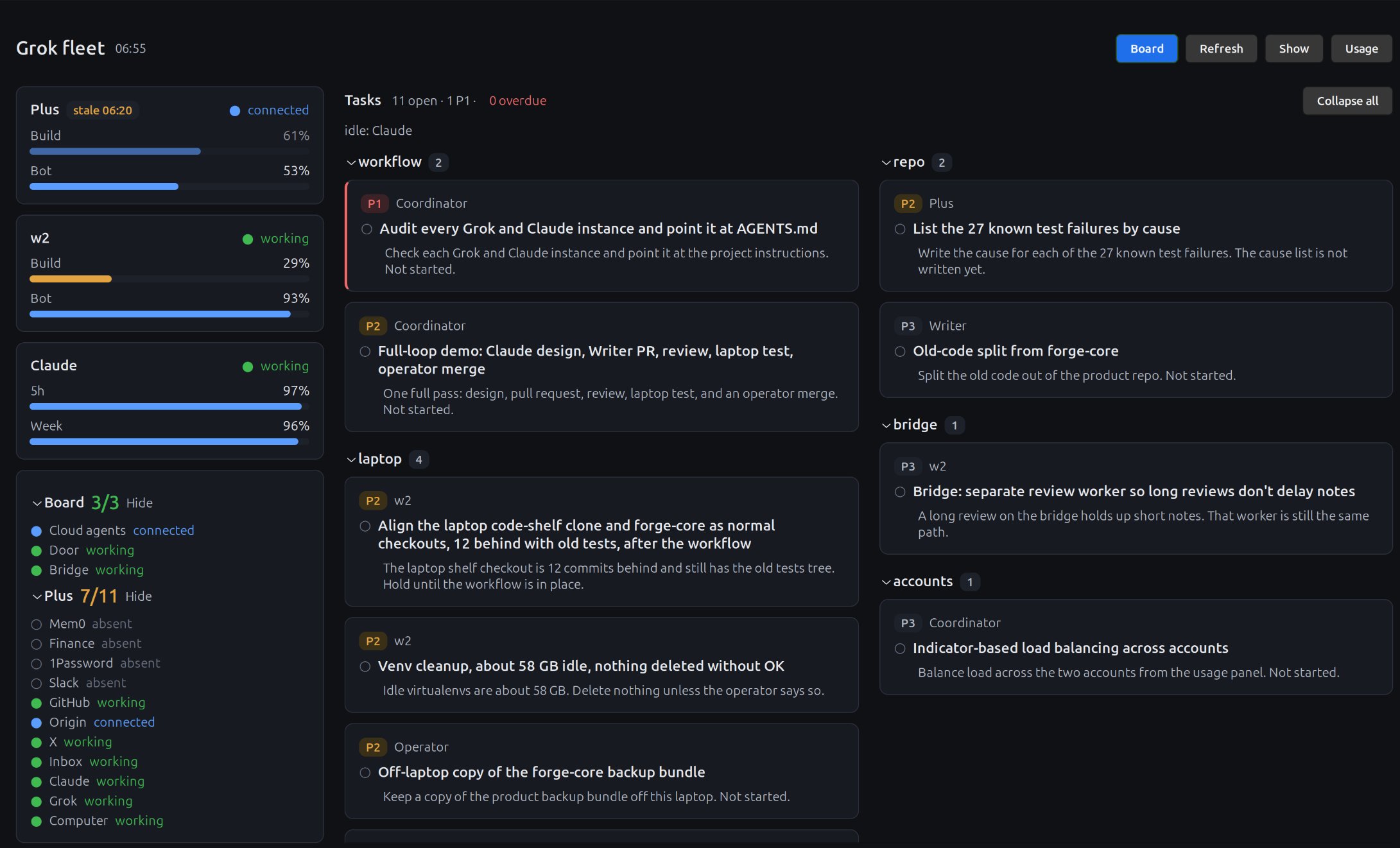
Seeing it all at a glance A read-only usage panel and task board show who's working, quota bars for each account, connector health, and every task grouped by project area with its owner, priority and renewal date. Nothing runs from a click, so the dashboard can never do anything by accident.
The honest lesson Grok 4.7 is a strong implementer, but its UI design kept coming out cramped, with tiny text, dead space and panels scattered around. One design pass from Claude produced a clean grid, a proper type scale and a sensible color system. Now Claude designs and reviews, and Grok builds.
Takeaway This is just example of connection options. I believe that XSI will make connection easier and unified in future.
Published on grokbot.sh. Cite the public log, not a prompt pack.