
Parallel Agents Go Mainstream: What OpenAI Shipped on October 16, 2026
On October 16, 2026, OpenAI added parallel agents to the Pro option in ChatGPT. Instead of one model working through a request step by step, several agents can now take different parts of the same
Article
Job breakdowns
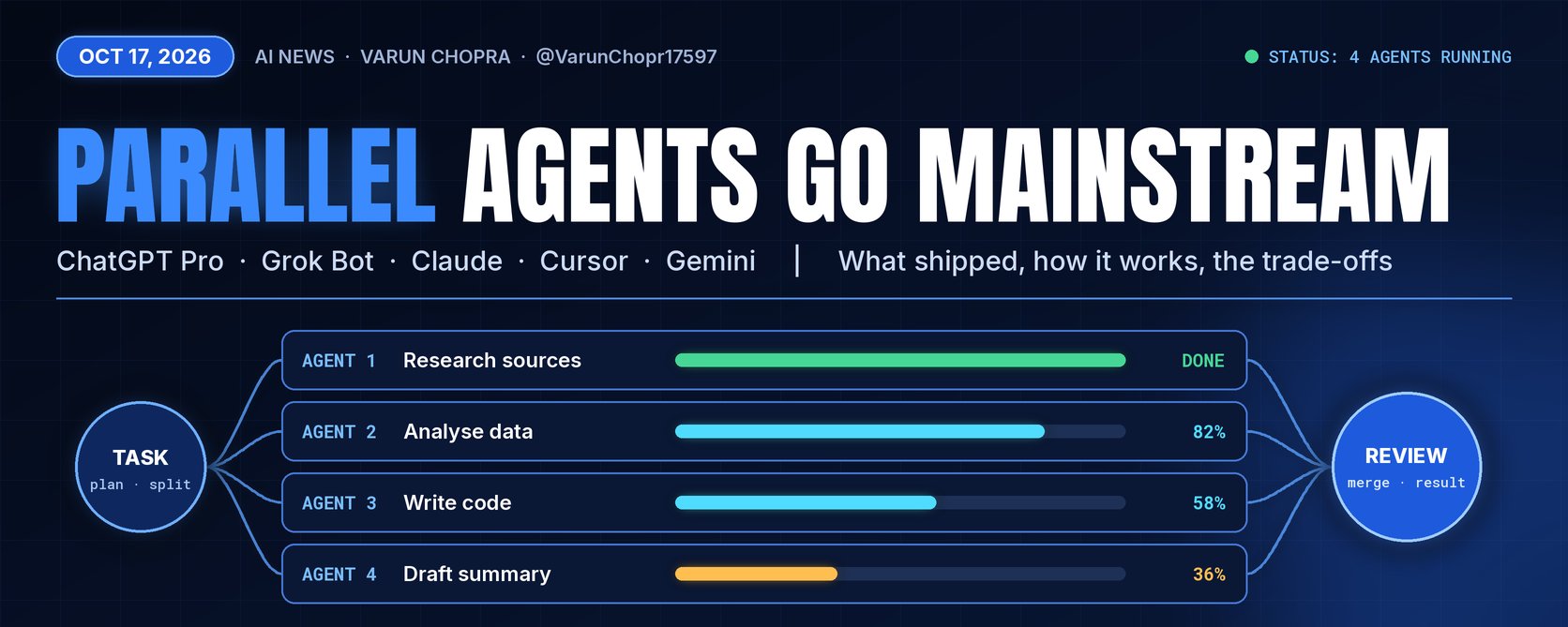
On October 16, 2026, OpenAI added parallel agents to the Pro option in ChatGPT. Instead of one model working through a request step by step, several agents can now take different parts of the same task at once, and you can watch each one and open its finished work.
This piece covers what shipped, who can use it and what OpenAI hasn't explained, based on its post, help center and release notes as of Saturday morning, October 17. It then compares the update with parallel and multi-agent tools shipped between April and October 2026, from Grok Bot to Claude Code, Cursor and Google's Antigravity, and ends with the trade-offs launch-day posts tend to skip. Where something is unconfirmed, I say so.
1. What OpenAI announced
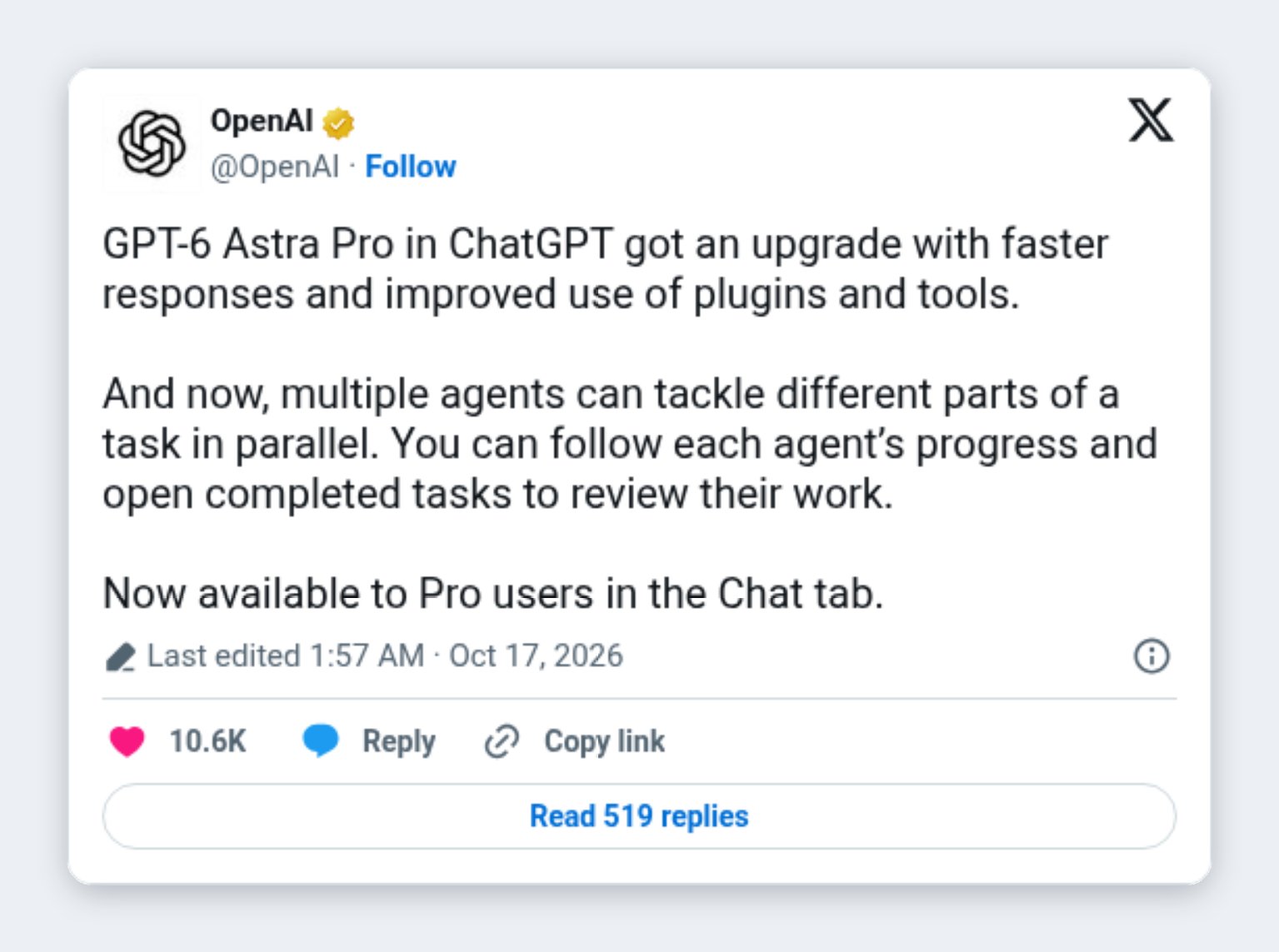
The announcement came as a post from the official OpenAI account at 1:57 AM IST on October 17, which was the afternoon of October 16 in the US. The full text reads:
"GPT-6 Astra Pro in ChatGPT got an upgrade with faster responses and improved use of plugins and tools. And now, multiple agents can tackle different parts of a task in parallel. You can follow each agent's progress and open completed tasks to review their work. Now available to Pro users in the Chat tab."
By Saturday morning it had about 1.08 million views. The post was edited: the first version, about 27 minutes earlier, said "GPT-6 Pro". Both names point to the same thing. OpenAI's help center describes GPT-6 Pro as the Pro option in ChatGPT's model menu, "powered by GPT-6 Astra", and the release notes file this update under "Updates to GPT-6 Pro model in ChatGPT".
The release notes add that progress shows up in the conversation and that you can open completed tasks "to see what each agent did."
Sources: OpenAI on X; OpenAI Help Center (ChatGPT release notes; GPT-6 and other models in ChatGPT).
2. Who can use it, and how usage works
What is confirmed:
-
The update is rolling out to eligible Pro users, in the Chat tab.
-
In managed workspaces, availability "depends on workspace settings and rollout eligibility." OpenAI hasn't said whether Business and Enterprise users get parallel agents now, even though GPT-6 Pro itself is offered on those plans.
-
GPT-6 Pro is listed for the Pro $100 and Pro $200 plans, Business and Enterprise. Plus doesn't include the Pro option in Chat; Plus users get GPT-6 Astra only in ChatGPT Work and Codex.
-
Usage is metered. In OpenAI's words: "A Pro subscription does not include unlimited use of the GPT-6 Pro model." On Pro $200, hitting the weekly GPT-6 Pro limit switches you to GPT-5.6 Thinking at Medium. On Pro $100, GPT-6 Pro and GPT-5.6 Sol Pro share one weekly allowance. Business Standard includes 15 Pro messages a month and Business Premium 50 a week, shared across both Pro models.
Not disclosed: how a multi-agent run counts against those allowances (is one prompt that spawns three agents still one message?), how many agents can run at once, and how much faster "faster responses" is. No latency figures or benchmarks were published.
Why it matters: parallel agents in Chat sit behind a weekly meter, and OpenAI hasn't said how quickly a multi-agent run draws it down. Until it does, heavy users should keep an eye on their reset times.
Sources: OpenAI Help Center (ChatGPT release notes; GPT-6 and other models in ChatGPT; ChatGPT Business models and limits).
3. How it works, and what is still unclear
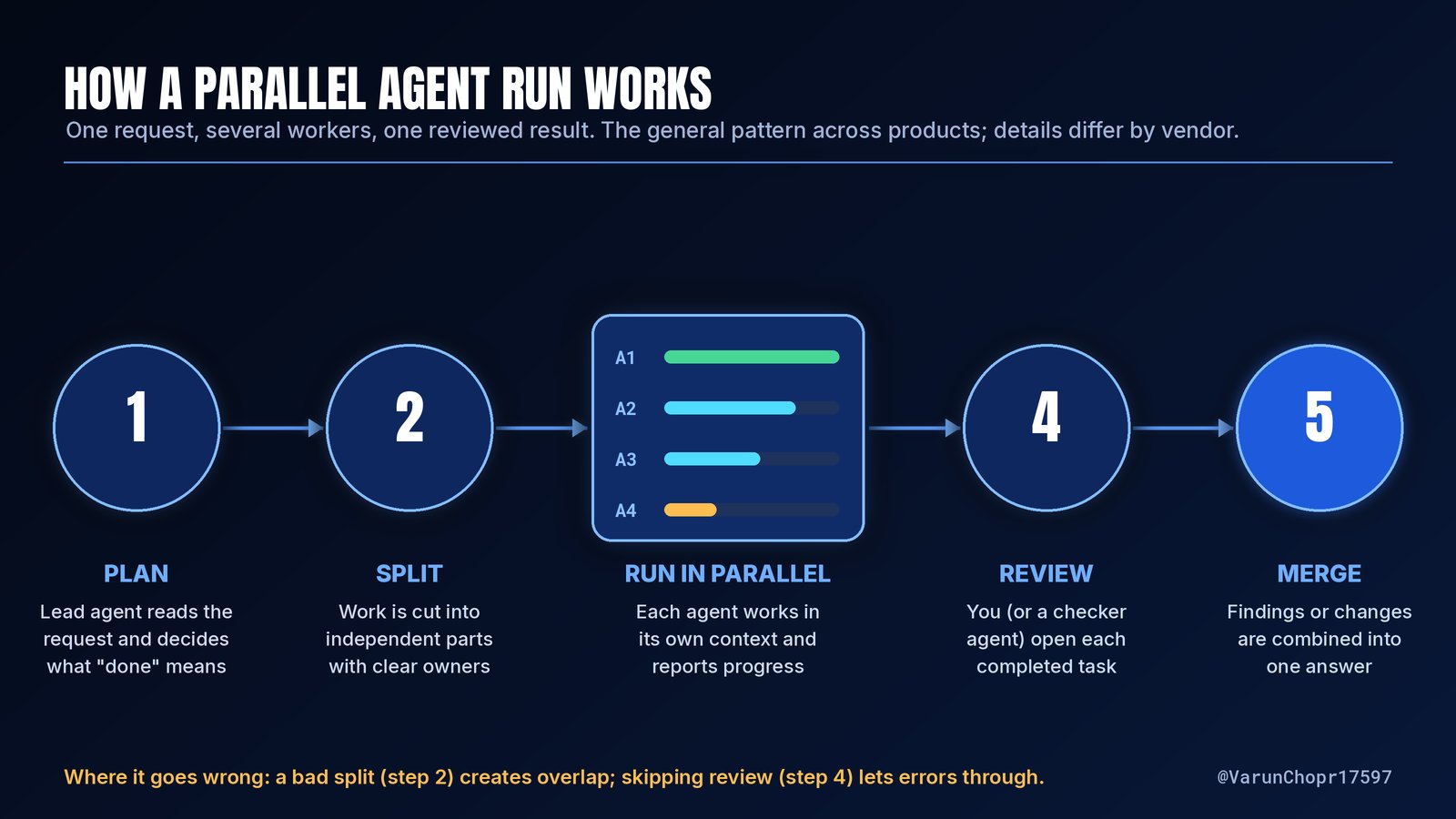
From what OpenAI has published, the experience is simple. You pick Pro in the model menu, send a request, and ChatGPT can divide the work among several agents, each with visible progress and a task you can open when it finishes.
Not documented: how the split is decided, whether you can choose the number of agents or redirect one mid-run, and how the final answer reconciles agents that disagree.
One adjacent statement needs a caveat. Tibo (@thsottiaux), who works on Codex and ChatGPT at OpenAI, posted the same night that OpenAI had increased effective usage in Codex and Work "by reusing context across subagents, keeping context cached longer, and improved request routing." That is about Codex and Work. It does not confirm how the Chat feature is built. In a separate post he added: "We also significantly improved GPT-6 Pro for all pro users."
For context, ChatGPT already had Work (an agent for longer tasks), dots (always-on agents with their own cloud computer) and Codex Cloud. The new part is parallelism inside the ordinary Chat tab.
Sources: OpenAI Help Center (ChatGPT release notes; GPT-6 and other models in ChatGPT); Tibo (@thsottiaux) on X.
4. Where everyone else stands
OpenAI isn't first here. What's changing is that parallel agents are moving from developer tools into mainstream assistants. Here is what official documentation confirms.
Grok Bot. (Disclosure: I use it daily.) All of a user's bots share one persistent cloud computer, with shared files, browser sessions and logins. Each bot gets its own screen, so several can use the browser and desktop at the same time, though each bot runs one computer-use task at a time. Bots can message each other asynchronously: the receiving bot wakes, handles the request and replies later. Group chats hold two to six bots. The docs add a fair warning: "Too many parallel handoffs can create duplicate work and noisy updates."
Claude Code. Anthropic's docs list five ways to run work in parallel: subagents, agent view (research preview), agent teams (experimental and off by default), projects (public beta on Pro and Max) and dynamic workflows. In an agent team, a lead session coordinates teammates that share a task list and message each other directly. A bundled /batch skill splits one large change into 5 to 30 subagents, each in its own git worktree.
Cursor. Cloud agents run in isolated VMs, each on its own branch, and the docs say "You can run as many agents as you want in parallel." The Agents Window, generally available with Cursor 3 on April 2, 2026, manages them in one place. A /multitask command runs subagents in parallel, and "Build in Parallel" runs independent plan steps at once while keeping dependent steps in order.
Google. Gemini CLI supports parallel subagents. At I/O 2026, Google introduced Antigravity 2.0, a desktop app for orchestrating multiple agents in parallel, and Antigravity's docs describe a /teamwork-preview mode for coordinated teams.
The real difference is audience. Most of these tools are aimed at developers, often inside a code repository. OpenAI's version lives in the general Chat tab.
Sources: Grok Bot documentation; Claude Code documentation; Cursor documentation and changelog; Google Developers Blog; Google blog (I/O 2026 developer highlights); Google Antigravity documentation.
5. Early reactions
The most detailed first-hand report came from Derya Unutmaz, MD (@DeryaTR_): "I just had GPT-6 Pro audit a very large codebase built by Codex. Using several installed plugins and 3 agents in parallel, it completed one of the best audits I've seen in 25 minutes, half the usual time!" That is one user's account and his own time comparison, not an independent test.
Benjie Malinao (@BenjieMalinao), a CTO, offered the practical caution: "For code I'd be careful how the work gets cut. Give each agent its own files and its own test for done, or two of them end up fixing the same function in different ways."
Developers using parallel agents elsewhere have described the same friction for weeks. Joshua Hayes (@friedglue) wrote on October 7: "When running parallel agents in worktrees I feel like I spend way too many tokens solving merge conflicts when integrating them all." And Texas Twins Dad (@Texas_Twins_Dad), writing on October 10 about a coordinator that fans work out to cloud agents: "it burns usage fast, and more parallel agents means more PRs to review and more merge conflicts."
Sources: posts on X by @DeryaTR_, @BenjieMalinao, @friedglue and @Texas_Twins_Dad.
6. The honest trade-offs
Cost and usage. Parallel work isn't cheaper work. Anthropic's docs say plainly that "Running several sessions or subagents at once multiplies token usage," and that agent teams "use significantly more tokens than a single session." Google's Gemini CLI announcement warns that parallel subagents "will also lead to usage limits being hit faster." OpenAI hasn't published how its version is metered, so this is the first thing to watch.
Coordination overhead. Splitting the work and stitching it back together is real work. Anthropic recommends starting with three to five teammates and notes that "Three focused teammates often outperform five scattered ones." If tasks are too small, the overhead outweighs the benefit.
Conflicts and merges. Google's note is direct: "Multiple agents editing code at the same time can lead to conflicts and agents overwriting one another." Anthropic adds that two teammates editing the same file leads to overwrites. Separate branches or worktrees keep edits apart, but they still have to be merged. In a chat answer the "merge" is a summary, and the risk is quieter: two agents disagree and the final answer smooths it over.
Review burden. OpenAI's design asks you to open completed tasks and check them, which is the right instinct. But four agents means four pieces of work to read, not one.
Why it matters: parallelism moves the bottleneck from how fast the model works to how fast you can check its work. Teams that don't plan for review will feel faster without actually being faster.
Sources: Claude Code documentation (agent teams; run agents in parallel); Google Developers Blog (subagents in Gemini CLI); Cursor documentation; OpenAI Help Center.
7. When parallel helps, and when sequential is better
Parallel pays off when the parts are genuinely independent: researching several sources at once, reviewing one document through separate lenses (Anthropic's example splits a code review into security, performance and test coverage), testing competing explanations for a bug, or building modules in separate files.
Sequential is still the better choice when each step needs the output of the one before, when the work touches the same files, when the task is small, or when your usage allowance is tight. Anthropic's guidance says that "For sequential tasks, same-file edits, or work with many dependencies, a single session or subagents are more effective." Cursor's "Build in Parallel" reflects the same idea by keeping dependent steps in order.
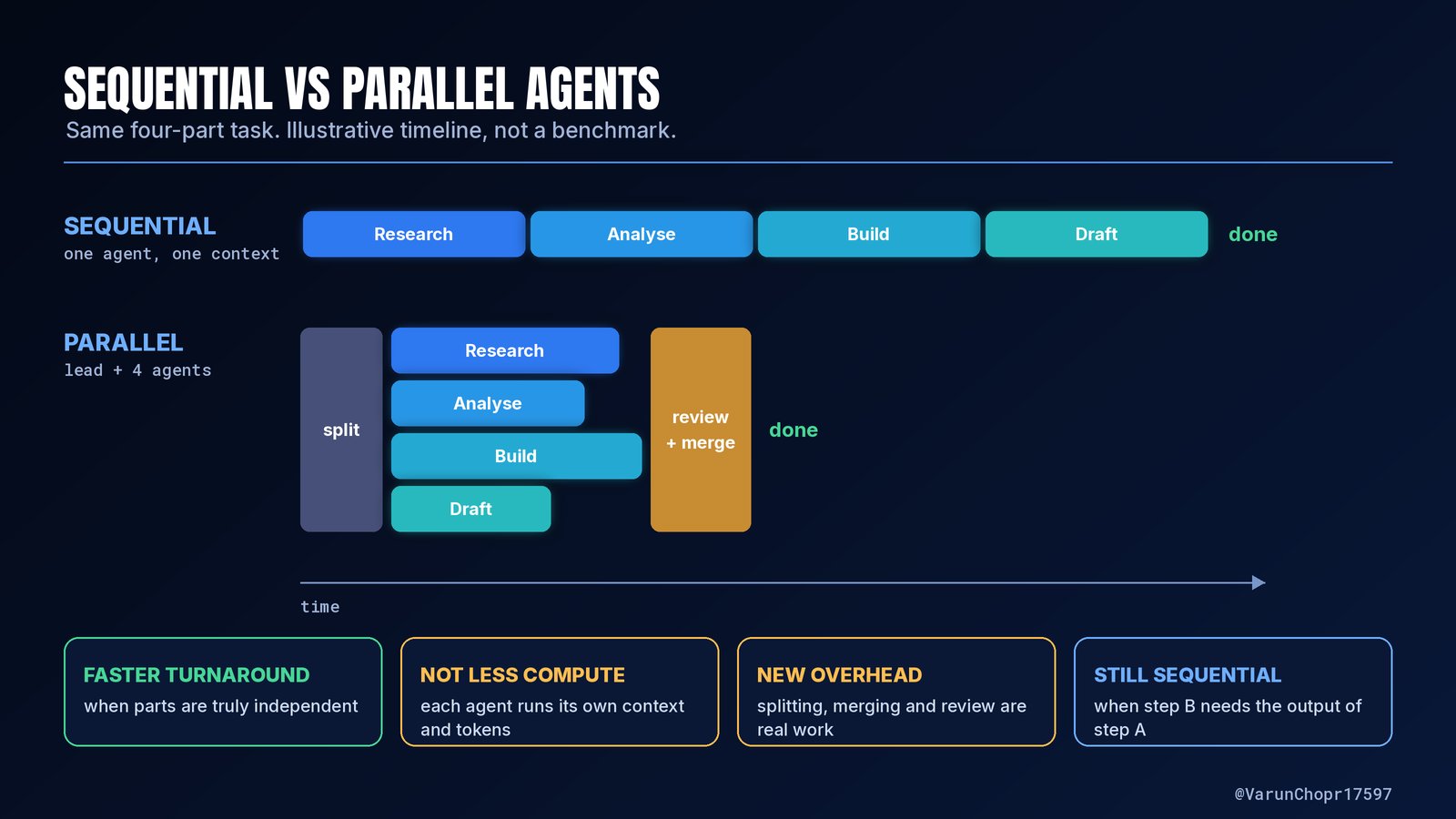
If you try OpenAI's version, a simple habit helps: name the parts you expect, say what "done" means for each, and open every completed task before trusting the summary.
Sources: Claude Code documentation; Cursor documentation; @BenjieMalinao on X.
The bigger picture
Parallel agents are no longer a niche developer feature. One request handled by several workers you can watch has now reached ChatGPT's main Chat tab, alongside Grok Bot, Anthropic's agent teams, Cursor's cloud agents and Google's Antigravity.
The picture is mixed. For independent work, the capability can save real time. But the evidence so far is vendor descriptions and a few user reports, OpenAI hasn't shared speed or usage numbers, and every vendor's own docs warn about token use, coordination overhead and conflicts. The tools are getting better at splitting work. Checking it is still your job.
So where do you land: will you let ChatGPT Pro split your work across agents, stick with a single agent working step by step, run your own team of agents in Grok Bot, Claude Code or Cursor, or wait until OpenAI publishes usage and speed numbers before changing how you work?
Published on grokbot.sh. Cite the public log, not a prompt pack.